ToolMage
Sign in

Best 1 Knowledge Management AI tools for Developer Tools

Popular Knowledge Management AI tools in Developer Tools include Syncally, helping you work more efficiently.

Syncally
Freemium

Syncally

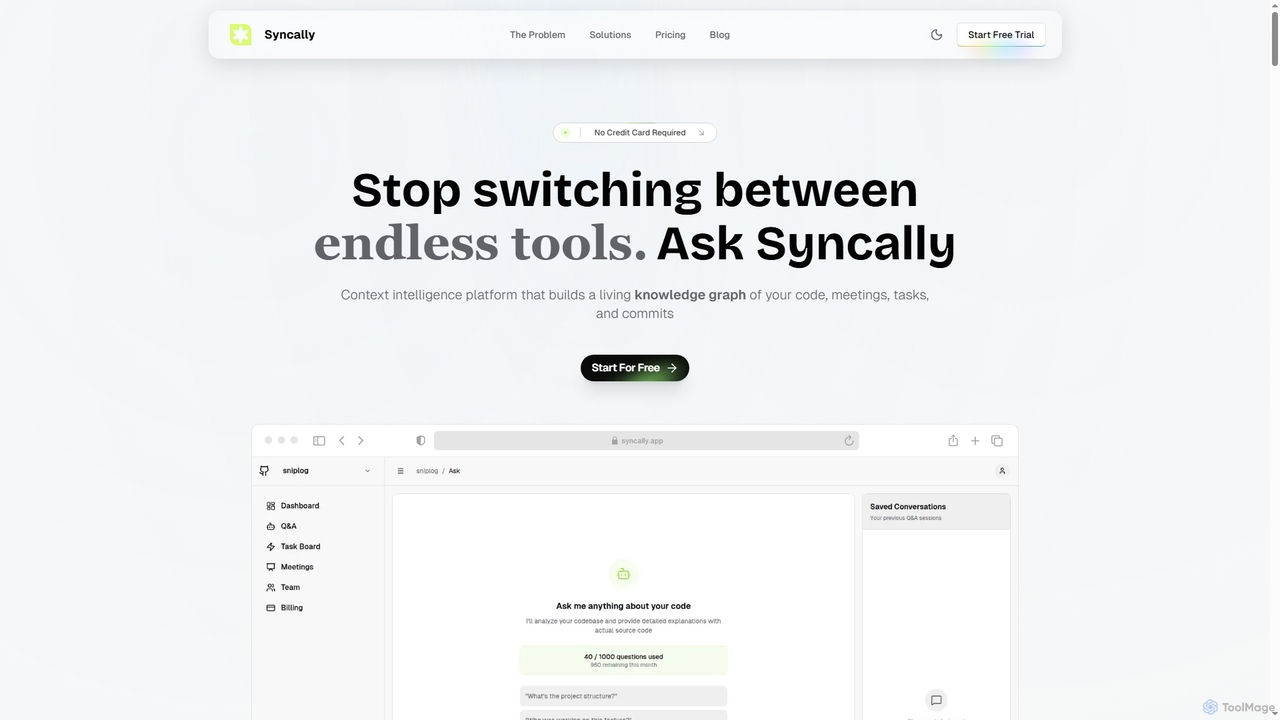
Syncally is an AI-powered context intelligence platform for engineering teams. It creates a unified knowledge graph by connecting your codebase, meetings, and tasks to eliminate context switching, preserve institutional knowledge, and provide instant, context-aware answers.

Code Assistant
Visits 9.7KFavorites 152Likes 156

About Knowledge Management

AI Knowledge Management tools are specialized platforms within the developer tool ecosystem designed to capture, organize, and retrieve technical information. They leverage Natural Language Processing (NLP) and code analysis to index everything from code repositories and documentation to team chats and project tickets. This creates a centralized, searchable intelligence layer that helps developers find answers quickly, understand complex systems, and share expertise efficiently. These tools transform scattered information into an accessible and reusable asset for engineering teams.

Core Features

  • Semantic Search: Understands the intent behind technical queries to find relevant code snippets, documents, and discussions, not just keyword matches.
  • Code-Aware Indexing: Parses and understands code structure, dependencies, and comments, making the codebase itself searchable.
  • Automated Q&A Generation: Creates question-and-answer pairs from existing documentation, pull requests, and technical discussions.
  • Expert Identification: Automatically identifies subject matter experts on specific topics based on their contributions to code and documents.
  • Multi-Source Integration: Connects with developer platforms like GitHub, Jira, Slack, and Confluence to create a single source of truth.

Use Cases

These tools are primarily used by software development teams, large engineering organizations, and companies with complex or legacy codebases. They are valuable for accelerating new developer onboarding, resolving production incidents faster, and preserving institutional knowledge when team members leave. Site Reliability Engineers (SREs) and DevOps teams also use them to document and search for incident post-mortems and operational runbooks.

How to Choose

When selecting an AI Knowledge Management tool, consider its integration capabilities with your existing developer stack (e.g., GitHub, GitLab, Jira). Evaluate the accuracy and relevance of its semantic search for your specific programming languages and frameworks. Assess its security model, especially its ability to handle private repositories and respect access permissions. Finally, consider the user experience for developers and how easily it fits into their daily workflow.

Knowledge Management use cases

1

Accelerate New Developer Onboarding

A newly hired software engineer needs to understand a complex microservices architecture. Instead of scheduling multiple meetings, they use the AI knowledge management tool to ask questions like, 'What is the authentication flow for the mobile app?' or 'Show me the documentation for the billing API.' The tool provides direct answers, links to relevant Confluence pages, and even points to specific code files in the GitHub repository. This self-service approach reduces the time to first contribution from weeks to days.

2

Accelerate New Developer Onboarding

A newly hired software engineer needs to understand a large, complex codebase. Instead of interrupting senior developers with basic questions, they use the AI Knowledge Management tool. They can ask questions like 'Where is the authentication logic handled?' or 'Show me examples of how to use the internal payments API.' The tool provides direct links to relevant code files, architectural diagrams, and onboarding documents. This self-service approach reduces the onboarding time by an estimated 40% and allows new hires to become productive contributors much faster.

3

Accelerate New Developer Onboarding

A newly hired software engineer needs to understand a complex, legacy codebase. Instead of spending days asking senior developers basic questions, they use the AI knowledge management tool. They can ask questions like 'What's the authentication flow for the user service?' or 'Where is the database schema for the payments module defined?'. The tool synthesizes answers from API documentation, code comments, and past Slack conversations, providing a comprehensive overview and links to relevant code files. This reduces ramp-up time from weeks to days.

4

Accelerate New Developer Onboarding

A junior developer joins a team responsible for a complex microservices architecture. Instead of spending weeks reading static documentation, they use the AI knowledge management tool to ask direct questions like 'What's the data flow for a new user registration?' or 'Show me examples of how to use the authentication API'. The tool provides synthesized answers, points to the exact code files, and links to relevant architectural decision records, reducing their ramp-up time by over 50%.

5

Accelerating New Developer Onboarding

A newly hired software engineer needs to understand a complex microservice architecture. Instead of interrupting senior developers, they use the AI knowledge management tool to ask questions like 'Explain the user authentication flow' or 'Where is the database connection configured?'. The tool provides direct answers by synthesizing information from source code, README files, and past technical discussions on Slack, significantly reducing their ramp-up time and allowing them to contribute to the codebase faster.

6

Accelerate New Developer Onboarding

A junior developer joins a team with a complex microservices architecture. Instead of repeatedly asking senior developers for setup instructions and architectural diagrams, they use the AI knowledge base. They search for 'how to set up local environment for payments service' and instantly get a step-by-step guide, links to relevant code repositories, and a thread of past Q&A on common setup issues. This self-service approach reduces the onboarding time by an estimated 40% and allows senior staff to focus on more complex tasks.

7

Resolve Production Incidents Faster

An on-call engineer receives an alert for a critical error in production. They paste the cryptic error message into the knowledge management tool's search bar. The system instantly surfaces a Slack conversation from six months ago where a similar issue was discussed, a Jira ticket detailing the root cause of a past incident, and the runbook for handling this specific service failure. This immediate access to historical context allows the engineer to diagnose and resolve the issue in minutes, not hours, significantly reducing downtime.

8

Resolve Production Incidents Faster

A DevOps engineer is alerted to a critical error in the production environment. They paste the error message into the AI knowledge management tool's search bar. The system instantly surfaces a post-mortem document from a similar incident six months ago, a Slack conversation where senior engineers discussed a related bug, and the exact code commit that introduced a fix. Accessing this consolidated historical context allows the engineer to diagnose and resolve the issue in under 30 minutes, whereas it might have taken hours of manual investigation.

9

Resolve Production Incidents Faster

An on-call engineer receives an alert for a critical error in production. They paste the error message into the AI knowledge management tool's search bar. The system instantly surfaces relevant information, including: a similar incident report from six months ago, the Slack thread where it was resolved, the specific code commit that introduced the fix, and the internal wiki page explaining the architecture of the affected service. This immediate access to contextual knowledge allows the engineer to diagnose and resolve the issue in minutes, not hours, significantly reducing downtime.

10

Resolve Production Incidents Faster

A site reliability engineer (SRE) is investigating a critical production outage. Using the AI knowledge tool, they search for the specific error code. The system instantly retrieves information from multiple sources: the code that could generate the error, recent pull requests related to that code, Slack conversations where similar issues were discussed, and links to post-mortem documents from past incidents. This consolidated view provides immediate context, helping the SRE diagnose the root cause and deploy a fix in minutes rather than hours, minimizing downtime and customer impact.

11

Resolve Production Incidents Faster

An on-call SRE receives an alert for a critical service failure. They input the error message into the AI knowledge tool. The system instantly surfaces a similar incident from six months ago, the Slack conversation where the root cause was identified, the Jira ticket for the fix, and the specific pull request that resolved it. This immediate context allows the SRE to apply the known solution and restore service in minutes instead of hours.

12

Resolving Production Incidents Faster

An on-call Site Reliability Engineer (SRE) receives an alert for a critical production error. They paste the cryptic error message into the AI knowledge base. The system instantly surfaces a similar incident from six months ago, the associated Jira ticket, the pull request that fixed it, and a post-mortem document explaining the root cause. This context allows the SRE to diagnose and resolve the current issue in minutes rather than hours, minimizing downtime and customer impact.

13

Improve Technical Decision-Making

A product manager and a tech lead are planning a new feature. They need to understand the existing architecture and potential dependencies. They use the knowledge management tool to ask, 'What services are involved in user profile updates?' The tool generates a knowledge graph showing all related microservices, database tables, and API endpoints. This visual map helps them identify potential bottlenecks and risks early in the planning phase, leading to more accurate project estimates and a more robust technical design, preventing costly rework later.

14

Maintain Up-to-Date API Documentation

A development team struggles to keep their internal API documentation current with the rapidly evolving codebase. They integrate an AI knowledge management tool with their GitHub repository. The tool automatically scans new pull requests and code comments. When a developer updates an API endpoint, the tool detects the change, extracts the relevant JSDoc or other comment formats, and drafts an update for the official documentation. A technical writer can then review and publish the changes, ensuring the documentation always reflects the actual state of the code with minimal manual effort.

15

Understanding and Refactoring Legacy Code

A development team is tasked with modernizing a legacy system with little to no documentation. They use an AI knowledge management tool to index the entire codebase. A developer can then search for a function name and see all its usages, dependencies, and the original commit history to understand its purpose. The tool can also identify the original authors or key contributors, even if they have left the company, by analyzing commit logs, helping the team make informed decisions during the refactoring process.

16

Understand and Refactor Legacy Code

A senior developer is tasked with modernizing a legacy monolith service. The original authors have left the company. Using the AI knowledge tool, they can highlight a complex function and ask for an explanation of its purpose, inputs, outputs, and dependencies. The tool analyzes the code and its commit history to provide a summary, significantly reducing the cognitive load and risk associated with refactoring critical but poorly documented code.

17

Create a Centralized Code Snippet Library

A mobile development team frequently reuses code for tasks like API authentication, UI component rendering, and database access. Instead of storing these snippets in personal notes or searching through old projects, they use the AI knowledge tool. A senior developer adds a validated, optimized snippet for 'OAuth2 token refresh' and tags it appropriately. Now, any team member can search for 'refresh token logic' and instantly find the approved, up-to-date code, ensuring consistency and preventing the use of outdated or insecure methods across the application.

18

Discover Internal APIs and Services

A developer on the mobile team needs to implement a new payment feature. Instead of asking in a public channel and waiting for a response, she queries the knowledge system: 'Which service handles credit card processing?' The tool identifies the primary 'Payments-API' service, provides a link to its OpenAPI specification, lists the primary contact person from the owning team's GitHub profile, and shows recent Slack discussions related to its performance. This discovery process prevents the use of deprecated services and ensures adherence to internal standards.

19

Centralize Cross-Team Technical Knowledge

In a large organization, the frontend team often needs information about backend services, but this knowledge is scattered across different teams' wikis and Slack channels. By implementing a unified AI knowledge management system, all technical documentation is indexed in one place. A frontend developer can now search 'What are the rate limits for the v3 user API?' and get a direct answer synthesized from the backend team's official documentation. This breaks down information silos and reduces dependency on direct communication, allowing teams to work more autonomously.

20

Preserve Knowledge from Team Discussions

During a project, critical architectural decisions are often made in Slack channels or Jira comments, where they can easily get lost. An AI knowledge management tool is configured to automatically monitor specific channels and tickets. When a developer posts a solution to a complex bug in a Slack thread, the tool captures the entire conversation, indexes it, and makes it searchable. Later, when another developer encounters a similar issue, a search for the bug's symptoms reveals the original Slack discussion, saving hours of re-investigation and preserving valuable institutional memory.

21

Maintain a Centralized API Knowledge Base

A platform team manages dozens of internal APIs consumed by other teams. Instead of manually updating a wiki, they use an AI knowledge tool that automatically ingests OpenAPI specifications, code comments (like JSDoc), and usage examples from repositories. When a developer searches for 'how to paginate user results', the tool provides the relevant API endpoint documentation, code examples, and links to the team channel where this API is discussed, creating a single source of truth.

22

Maintain Up-to-Date Technical Documentation

A product manager is writing a feature brief and needs to understand the current system limitations. They use the AI tool to ask, 'What are the rate limits for our public API?' The tool synthesizes information from the official documentation, code comments in the rate-limiter module, and a recent Jira ticket where the limits were increased. It provides a concise, up-to-date answer, preventing the product manager from making plans based on outdated information. The system can also flag documentation that seems to contradict recent code changes.

23

Improving Cross-Team Collaboration

A frontend developer needs to use an API built by the backend team. Instead of searching through outdated wiki pages or asking in a shared channel, they query the knowledge management tool: 'How do I paginate results for the users API?'. The tool retrieves the most up-to-date information directly from the API's source code comments, OpenAPI specification files, and recent pull request discussions related to that endpoint. This provides an accurate, immediate answer and reduces interruptions for the backend team.

24

Streamline Code Refactoring and Deprecation

An engineering team needs to deprecate an old internal library. Manually finding all its usage points across dozens of microservices is error-prone and time-consuming. The tech lead uses the AI knowledge tool to search for all instances of the library's functions. The semantic search capability finds not only direct calls but also indirect usages and references in documentation. This provides a complete impact analysis in minutes, allowing the team to create a precise migration plan and ensure no legacy code is left behind, reducing future technical debt.

25

Preserving Institutional Knowledge

A senior engineer, who was the sole expert on a critical billing system, leaves the company. In the past, this would create a significant knowledge gap. However, the company's AI knowledge management tool has indexed all their code commits, design documents, and technical explanations in Slack over the years. When a new engineer takes over, they can query the system about the billing logic and receive synthesized answers based on the departed expert's work, ensuring a smooth transition and preventing knowledge loss.

26

Preserve Institutional Knowledge

A senior developer, who is a subject matter expert on a critical system, is leaving the company. Their knowledge is scattered across code comments, design documents, and private chat messages. The AI Knowledge Management tool automatically indexes and connects all this information. Before they leave, the developer can review and annotate the connections the AI has found. This process creates a durable, searchable record of their expertise, preventing knowledge loss and ensuring the team can continue to maintain and evolve the system effectively without them.

27

Improve Technical Documentation Discovery

A company maintains extensive technical documentation in Confluence, but developers find it difficult to locate specific information using keyword search. After integrating an AI knowledge management tool, the search capability is transformed. A developer can now ask a natural language question like 'What is our policy for database schema migrations?' The AI understands the intent and retrieves the exact section from the relevant Confluence page, along with related engineering blog posts and API documentation, presenting a comprehensive answer instead of just a list of links.

28

Preventing Duplicate Engineering Work

Before starting a new project to build an internal data visualization library, an engineering lead searches the knowledge base for 'charting components' and 'data visualization libraries'. The AI tool surfaces a proof-of-concept project from another team built two years ago, a design document outlining requirements for a similar tool, and a Slack channel where front-end developers discussed various third-party options. This discovery prevents the team from rebuilding a solution that already exists in some form, saving months of development effort.

29

Capture and Surface Architectural Decisions

An architecture team decides to adopt a new database technology. They document this choice in an Architectural Decision Record (ADR) within the knowledge tool. The tool's AI automatically links this ADR to the related project epics in Jira, the proof-of-concept pull requests in GitHub, and the Slack discussions where alternatives were debated. Months later, when a developer questions the choice, they can easily find the ADR and understand the full context and trade-offs behind the decision.

30

Preserve Institutional Knowledge

A senior engineer, who has been with the company for a decade, is preparing to leave. Their deep knowledge of critical systems exists primarily in their head and scattered across years of emails and chat messages. The company uses an AI knowledge management tool to index their historical communications and documents. The system identifies and organizes key architectural decisions, troubleshooting guides, and project context. After they leave, when a junior developer encounters a problem with a legacy system, they can query the knowledge base and find the senior engineer's past explanations, preserving valuable expertise that would otherwise be lost.

31

Discover Reusable Code and Best Practices

A developer is tasked with implementing a new caching layer. Instead of starting from scratch, they search the AI knowledge base for 'implement redis caching in python'. The search results not only show official documentation but also surface high-quality, reusable code snippets from other projects within the company. It highlights a snippet written by a principal engineer that follows all company best practices for security and performance. This prevents reinventing the wheel, promotes code consistency, and helps disseminate expert knowledge across the organization.

32

Build a Centralized Company 'Second Brain'

An enterprise connects its AI knowledge management tool to all key information sources: Confluence, Jira, GitHub, Google Drive, and Slack. This creates a single, unified search interface for the entire company. A sales team member can ask about the technical specifications of a new feature and get an answer synthesized from engineering documents. A legal team member can search for all discussions related to a specific software license. This centralized 'second brain' breaks down information silos between departments and ensures everyone is operating with the most current, comprehensive knowledge available.

33

Identify In-House Subject Matter Experts

A developer is working on a legacy part of the codebase and has a highly specific question that isn't documented. They post their question to the internal Q&A platform powered by the knowledge tool. The AI analyzes the content of the question and cross-references it with historical contributions across GitHub, Jira, and Slack. It then automatically suggests two senior engineers who have frequently committed code to that module or have answered similar questions in the past. This connects the developer directly with the right expert, avoiding wasted time asking around.

34

Conducting Security and Compliance Audits

A security team needs to identify all instances of a deprecated authentication library across hundreds of microservices in response to a new vulnerability. Using a traditional code search tool would be slow and might miss usages in documentation or configuration files. With an AI knowledge management tool, they perform a single semantic search for 'usage of legacy auth library'. The tool returns a comprehensive list of every code file, wiki page, and Jira ticket that mentions the library, allowing the team to quickly assess the scope of the vulnerability and plan remediation.

35

Facilitate Security and Compliance Audits

A security team is conducting an audit to ensure compliance with data privacy regulations like GDPR. They need to identify all code segments that handle personally identifiable information (PII). Instead of manual code reviews, they use the AI knowledge tool to search for 'PII handling' or specific data fields. The tool quickly surfaces all relevant functions, API endpoints, and database schemas, along with the associated documentation and the developers who last modified them. This drastically reduces audit time from weeks to days and provides a clear, verifiable trail for compliance reporting.

36

Improve Cross-Team Collaboration

The frontend team needs to know why a specific API endpoint is rate-limited. Instead of interrupting the backend team, a frontend developer searches the knowledge tool. They find the original design document explaining the performance considerations and a link to the monitoring dashboard showing its current load. This self-service access to information prevents context switching for the backend team and empowers the frontend developer with the knowledge to build a more resilient client application.

Knowledge Management FAQ

What are AI Knowledge Management tools for developers?

AI Knowledge Management tools for developers are platforms designed to help engineering teams capture, find, and reuse technical information. They use AI technologies like semantic search and natural language processing to understand the context of code, documentation, and conversations. Unlike general-purpose wikis, they are built specifically for technical workflows, offering features like code-aware search, automated documentation generation, and integration with developer tools like GitHub and Slack.

What are AI Knowledge Management tools for developers?

AI Knowledge Management tools for developers are specialized platforms that use artificial intelligence to help engineering teams capture, find, and understand technical information. They connect to various data sources like code repositories, issue trackers, and communication channels. Using AI, they provide advanced capabilities like semantic search for code, automated documentation generation, and natural language Q&A about a company's entire tech stack.

What are AI Knowledge Management tools?

AI Knowledge Management tools are advanced software systems that use artificial intelligence, particularly Natural Language Processing (NLP) and machine learning, to centralize, organize, and make an organization's collective knowledge searchable. Unlike traditional wikis, they understand the context and semantic meaning of information, allowing users to ask natural language questions and receive precise answers synthesized from multiple sources like code, documents, and chat logs.

What are AI Knowledge Management tools for developers?

AI Knowledge Management tools for developers are specialized platforms that create a centralized, searchable knowledge base from a company's technical assets. They use AI, particularly semantic search and NLP, to index and understand code, documentation, tickets, and conversations. Unlike a standard wiki, they automatically connect related information, allowing developers to ask complex questions in natural language and get contextual answers, significantly speeding up development and problem-solving.

What are AI Knowledge Management tools for developers?

AI Knowledge Management tools are specialized platforms that help software teams capture, find, and reuse technical information. Unlike generic note-taking apps or wikis, they use AI features like semantic search to understand the context of code and technical discussions. Their primary goal is to centralize knowledge from various sources (like GitHub, Slack, and Jira) into a single, intelligent, and searchable repository to boost developer productivity.

What are AI Knowledge Management tools for developers?

AI Knowledge Management tools for developers are specialized platforms designed to centralize and make searchable all of a company's technical knowledge. Unlike generic knowledge bases, they are built to understand the context of software development. They achieve this by integrating directly with developer tools like GitHub, Jira, and Slack, and using AI to index not just text but also source code, pull requests, and technical discussions. Their primary goal is to help engineers find accurate information faster and reduce the time spent searching for answers.

How do AI Knowledge Management tools differ from traditional wikis like Confluence?

The key difference lies in search and discovery. Traditional wikis rely on keyword matching and a manually maintained structure (folders, tags). AI tools use semantic search to understand the user's intent, finding relevant information even if the keywords don't match exactly. Key differentiators include:

  • Search: Semantic search vs. keyword search.
  • Organization: Automatic relationship discovery vs. manual linking and tagging.
  • Interaction: Q&A in natural language vs. browsing a hierarchy.
  • Maintenance: Automatic indexing of connected sources vs. manual content creation and updates.

How do these tools differ from general knowledge bases like Confluence or Notion?

The key difference lies in their deep integration with the developer ecosystem and their code-aware intelligence. While general tools like Confluence are excellent for prose-based documentation, AI knowledge management tools are built to understand technical artifacts. They can parse code, analyze pull requests, and connect discussions to specific commits. This allows for much more powerful, context-aware search and discovery tailored specifically to the needs of software engineers.

How do these tools differ from standard wikis like Confluence?

The key difference lies in active intelligence versus passive storage. A standard wiki like Confluence requires manual organization and relies on keyword search, which often fails with technical jargon or conceptual queries. AI Knowledge Management tools actively pull and index information from multiple sources automatically. Their core advantages include:

  • Semantic Search: They understand the meaning behind a query (e.g., 'how to fix auth bug') instead of just matching keywords.
  • Automation: They automatically keep knowledge up-to-date by indexing new code, documents, and conversations, reducing manual effort.
  • Context-Awareness: They understand code and can link a function to its definition, usages, and related discussions.
In essence, a wiki is a place you put information; an AI knowledge tool is a system that finds and connects information for you.

How do I choose the right Knowledge Management tool for my engineering team?

To choose the right tool, evaluate these key factors:

  • Integrations: Does it connect seamlessly with your team's essential tools like GitHub, Jira, Slack, and your IDEs?
  • Search Quality: How well does it understand technical queries, code syntax, and natural language? Test its semantic search capabilities.
  • Content Capture: Can it automatically ingest knowledge from conversations and documents, or does it require extensive manual input?
  • Security and Permissions: Does it offer granular access controls to protect sensitive code and information?
  • Usability: Is the interface intuitive for both developers and non-technical team members to contribute and find information?
How do these tools differ from a standard wiki like Confluence?

The primary difference lies in intelligence and automation. While a standard wiki relies on manual organization and keyword search, AI knowledge management tools use semantic search to understand the user's intent and find conceptually related information, even if the keywords don't match. Key differentiators include:

  • Search: Semantic search vs. keyword-based search.
  • Content Creation: Automated content capture from Slack/GitHub vs. purely manual creation.
  • Context: Understanding of code syntax and developer jargon vs. treating all text equally.
  • Answers: Synthesizing direct answers vs. providing a list of links to documents.

How do these tools differ from general wikis like Confluence?

The key difference lies in automation and intelligence. General wikis require manual creation, organization, and tagging of content. AI Knowledge Management tools automatically ingest and index information from existing developer systems (like GitHub and Jira). Their core advantage is semantic search, which understands the intent behind a query, not just keywords. For example, a wiki might struggle with 'how to authenticate users,' while an AI tool can find the relevant function in the codebase, its documentation, and related discussions, providing a far more comprehensive answer.

What are the key features to look for in an AI Knowledge Management tool?

When evaluating these tools, look for the following key features:

  • Broad Integrations: It should connect to all your key systems: Git providers (GitHub, GitLab), issue trackers (Jira), communication tools (Slack, Teams), and documentation platforms.
  • Accurate Semantic Search: The ability to find relevant information by understanding the intent behind a query, not just matching keywords.
  • Code Intelligence: Features like code navigation, dependency analysis, and the ability to understand code structure and comments.
  • Robust Security and Permissions: Granular access controls to ensure that sensitive information is only visible to authorized personnel.
What's the difference between an AI Knowledge Management tool and a Wiki (like Confluence)?

The main difference is automation and intelligence. A traditional Wiki requires manual creation, organization, and tagging of content. Finding information relies on knowing the right keywords or page structure. An AI Knowledge Management tool automates much of this by actively capturing information from where developers work (e.g., Slack). Its semantic search understands the user's intent, allowing for natural language questions and discovering information that isn't explicitly tagged, making knowledge discovery much more efficient.

What are the key features to look for in a developer knowledge management tool?

When evaluating these tools, focus on features that directly impact developer productivity. Key features include:

  • Strong Integration: Seamless connection with your existing developer ecosystem (e.g., GitHub, Jira, Slack, VS Code).
  • Accurate Code Search: The ability to search for code snippets semantically and understand different programming languages.
  • Reliable Q&A: An AI that can synthesize accurate answers from multiple sources, not just return links.
  • Robust Security: Granular access controls to ensure sensitive information is only visible to authorized personnel.
  • Ease of Use: An intuitive interface that encourages adoption by the entire engineering team.

How do I choose the right Knowledge Management tool for my engineering team?

Choosing the right tool involves evaluating several key factors:

  • Integrations: Ensure it connects seamlessly with your core tools like GitHub/GitLab, Jira, Slack, and your documentation platform.
  • Search Quality: Test its ability to understand technical queries and find relevant code snippets in your specific programming languages.
  • Security & Permissions: Verify that it respects your existing access controls from source code repositories and other systems.
  • Ease of Use: The tool should fit naturally into a developer's workflow without requiring extensive training or context switching.
How do I choose the right Knowledge Management tool for my engineering team?

Choosing the right tool depends on your team's specific needs. Consider these key factors:

  • Integrations: Does it connect seamlessly with your core tools (e.g., GitHub/GitLab, Jira, Slack, Confluence)? The more sources it can index, the more valuable it becomes.
  • Code Intelligence: How well does it understand your primary programming languages? Check if it can parse code to find definitions, references, and dependencies accurately.
  • Security and Permissions: Can the tool respect the existing access controls from your source systems? This is critical for protecting sensitive information in private repositories.
  • User Experience: Is the interface intuitive for developers? A tool is only effective if it's easily adopted into daily workflows without adding friction.
It's often a good idea to run a pilot or trial with a small team to evaluate its search relevance and overall usefulness before a full rollout.

How do you choose the right AI Knowledge Management tool for a development team?

When selecting a tool for a development team, prioritize features that align with their workflow. Key factors to consider include:

  • Integrations: Does it seamlessly connect with your core tools like GitHub, Jira, Slack, and Confluence?
  • Code Intelligence: Can it understand code structure, parse code snippets, and link code to documentation?
  • Security and Permissions: Does it respect existing access controls from your source systems (e.g., private GitHub repos)?
  • Scalability: Can it handle the volume and growth of your organization's data without performance degradation?

What key problems do these AI tools solve for developers?

AI Knowledge Management tools address several critical pain points in software development. Their primary benefits include:

  • Reducing Search Time: Developers often spend a significant portion of their day searching for information. These tools provide a single, intelligent search interface to find answers quickly.
  • Preventing Knowledge Loss: When experienced developers leave, their expertise often leaves with them. By capturing knowledge from their work, these tools preserve valuable institutional memory.
  • Accelerating Onboarding: New hires can become productive faster by self-serving answers to their questions instead of relying on senior team members.
  • Breaking Down Silos: They make information from different teams and tools (e.g., backend code, frontend documentation) accessible to everyone, fostering better collaboration.

What kind of information can these tools manage?

AI Knowledge Management tools are designed to be versatile and can index information from a wide array of sources common in developer environments. This typically includes:

  • Code Repositories: Such as GitHub, GitLab, or Bitbucket, including code, comments, and pull request discussions.
  • Documentation Platforms: Like Confluence, Notion, or Google Drive.
  • Communication Channels: Including Slack messages and Microsoft Teams conversations.
  • Project Management Tools: Data from Jira tickets, Asana tasks, and their associated comments.
The goal is to create a comprehensive knowledge graph of all organizational information.

Who benefits most from using AI Knowledge Management tools?

While the entire organization can benefit, the primary beneficiaries are technical teams. This includes software developers (especially new hires), Site Reliability Engineers (SREs) troubleshooting incidents, DevOps engineers managing infrastructure, and technical product managers trying to understand system capabilities. Organizations with large or complex codebases, distributed teams, or high developer turnover often see the most significant return on investment.

What are the main benefits of using an AI Knowledge Management system?

The primary benefits are increased developer productivity and reduced knowledge silos. By making technical information instantly accessible and easy to understand, these tools reduce the time developers spend searching for information. This leads to faster bug fixes, quicker onboarding for new hires, more informed architectural decisions, and better preservation of institutional knowledge when team members leave. Ultimately, it allows engineering teams to ship features faster and maintain a healthier, more understandable codebase.

Who benefits most from using AI Knowledge Management tools?

While individual developers benefit, the greatest impact is seen at the team and organizational level. Groups that benefit most include:

  • Fast-growing engineering teams: To quickly onboard new hires and scale knowledge sharing.
  • Companies with complex or legacy codebases: To make undocumented systems understandable and maintainable.
  • Remote or distributed teams: To create a central, asynchronous source of truth that bridges time zones and communication gaps.
  • Organizations focused on innovation: To reduce time spent on repetitive questions and troubleshooting, freeing up developers to focus on building new features.

Can these tools understand and search within code?

Yes, this is a key differentiator for knowledge management tools built for developers. They are designed to parse and understand various programming languages. This allows them to provide more accurate search results for code snippets, identify functions or variables mentioned in discussions, and link technical conversations directly to the relevant parts of a codebase. This code-awareness is crucial for solving technical problems efficiently.

Is it secure to connect AI knowledge tools to private code repositories?

Security is a primary concern for reputable AI Knowledge Management providers. Enterprise-grade tools offer robust security measures to protect sensitive data like source code. Look for features such as:

  • Permission Mirroring: The tool should inherit and enforce the same access permissions as the source system (e.g., if a user can't see a repo on GitHub, they can't see its contents in the tool).
  • Data Encryption: Data should be encrypted both in transit and at rest.
  • SOC 2 Compliance: This certification indicates that the provider adheres to strict security and data privacy standards.
  • On-Premise or VPC Deployment: For maximum control, some tools offer deployment options within your own infrastructure.

How do these tools ensure the security of proprietary code and data?

Security is a primary concern for these tools. Reputable providers offer multiple layers of protection. This often includes role-based access control (RBAC) that mirrors your existing permissions in services like GitHub, end-to-end data encryption, and compliance with industry standards like SOC 2. For organizations with stringent security requirements, some tools also offer on-premise or virtual private cloud (VPC) deployment options, ensuring that proprietary code never leaves their own infrastructure.

Who benefits most from using AI Knowledge Management tools?

While the entire organization benefits, the primary beneficiaries are:

  • Growing Engineering Teams: They help scale knowledge sharing as the team expands, preventing information silos.
  • Remote or Distributed Teams: They provide a central source of truth that is accessible to everyone, regardless of time zone or location.
  • Teams with Complex or Legacy Systems: They make it easier to understand and maintain complex codebases by preserving historical context and expertise.
  • New Developers: They drastically reduce onboarding time by providing a self-service way to find answers and get up to speed.
Can these tools understand private code repositories securely?

Yes, security is a primary design consideration for professional AI Knowledge Management tools. They are built to handle private and sensitive codebases securely. This is typically achieved through several mechanisms:

  • OAuth Integration: They connect to services like GitHub or GitLab using secure OAuth protocols, which allows them to inherit the existing user permissions. A user can only see search results from repositories they already have access to.
  • Data Encryption: All indexed data is encrypted both in transit and at rest to prevent unauthorized access.
  • On-Premise/VPC Deployment: For organizations with strict data residency or security requirements, many tools offer on-premise or Virtual Private Cloud (VPC) deployment options, ensuring that code and data never leave the company's private network.
These measures ensure that the benefits of a centralized knowledge base can be realized without compromising on security or compliance.

How do AI Knowledge Management tools handle code and technical jargon?

These tools are specifically trained to understand the language of software development. They use Large Language Models (LLMs) that have been fine-tuned on vast datasets of code from various programming languages, technical documentation, and developer discussions. This allows them to:

  • Parse Code Syntax: Recognize functions, variables, and classes within code snippets.
  • Understand Jargon: Interpret technical acronyms and terms like 'API endpoint', 'pull request', or 'CI/CD pipeline'.
  • Contextualize Information: Connect a user's question about an error message to the specific lines of code that might be causing it.
This specialized training is what sets them apart from general-purpose AI assistants.

Can these tools work with proprietary or on-premise code repositories?

Yes, many leading AI Knowledge Management tools offer solutions for on-premise or private cloud deployments. They are designed with enterprise security in mind and can connect to self-hosted code repositories like GitLab Server or GitHub Enterprise. When evaluating a tool, it's crucial to check their specific deployment options and security protocols to ensure they align with your company's data governance and compliance policies. Some tools may offer hybrid models, where metadata is processed in the cloud while the source code remains within your private network.