ToolMage
Sign in

Best 2 Low Code AI tools for Developer Tools

Popular Low Code AI tools in Developer Tools include n8n and neoprompt, helping you work more efficiently.

neoprompt
Freemium

neoprompt

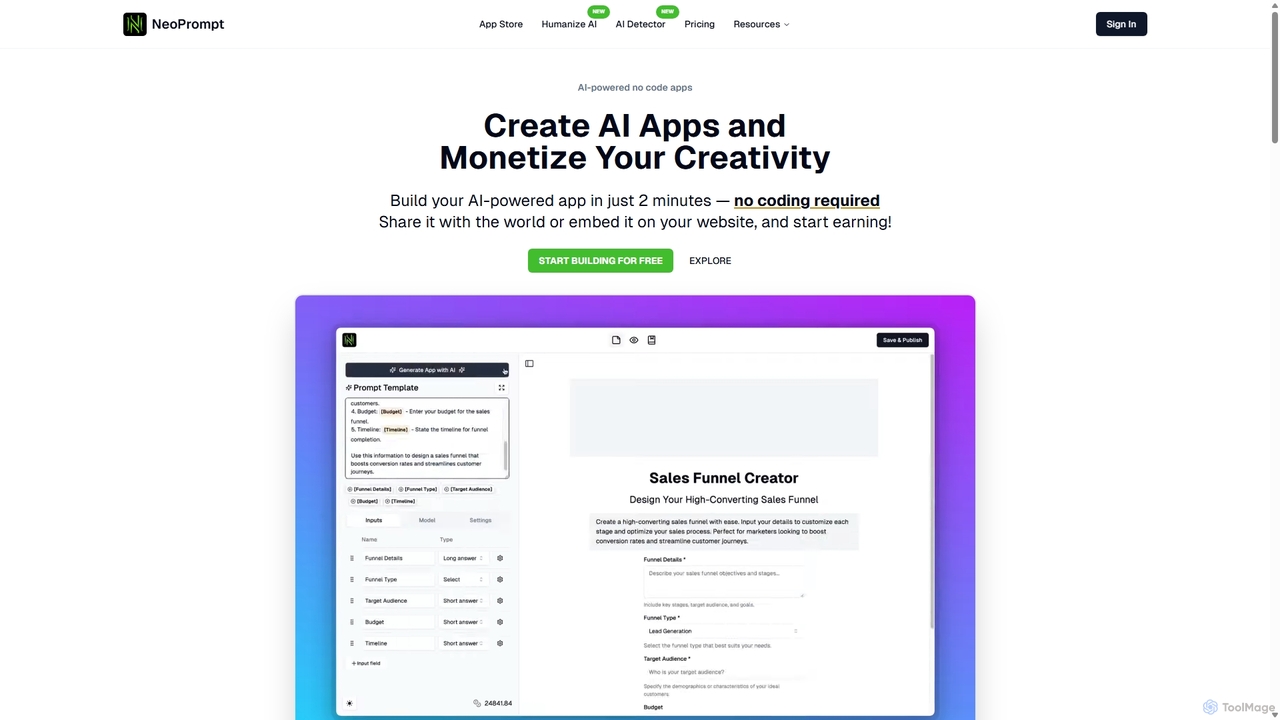
neoprompt is a versatile no-code platform that allows users to build and monetize custom AI applications in minutes. It also features an extensive library of over 150,000 prompts for popular AI models like Midjourney, ChatGPT, and Claude, empowering creators and businesses to leverage AI without technical barriers.

Low Code
Visits 49.4KFavorites 131Likes 137
n8n
Freemium

n8n

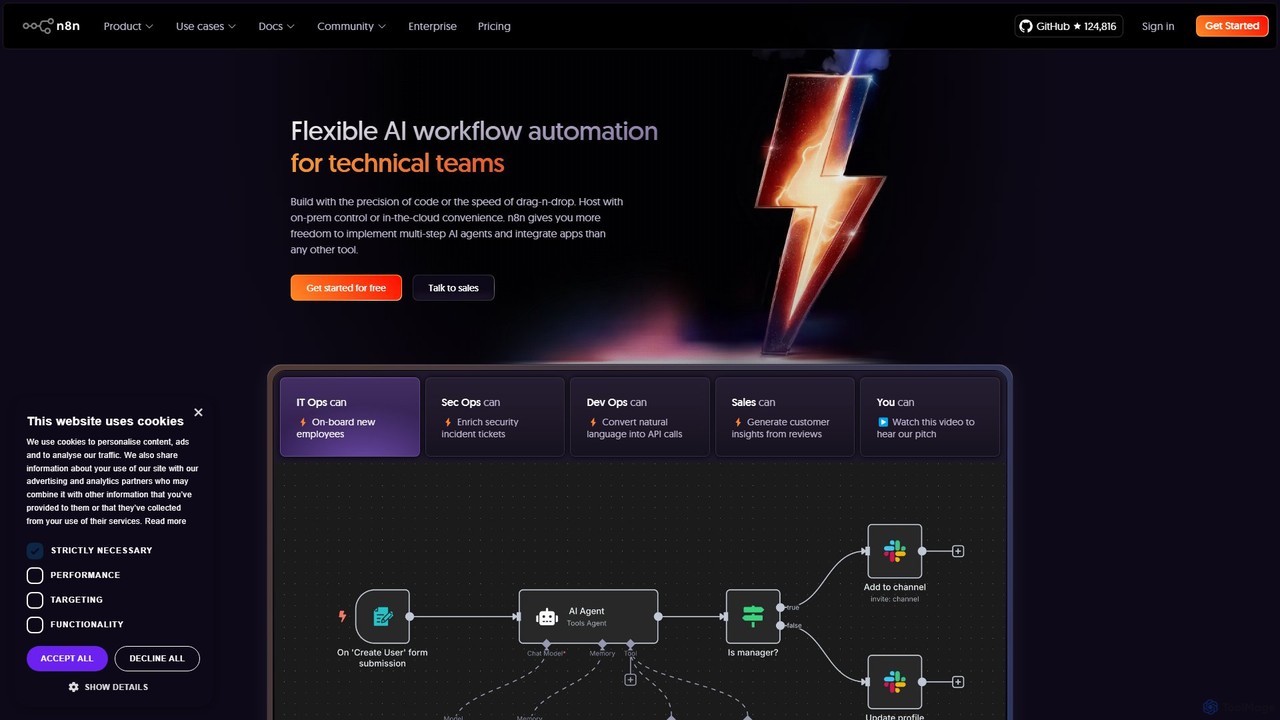
n8n is a source-available, node-based workflow automation platform designed for both technical and non-technical users. It enables you to connect hundreds of applications and services, including powerful AI models, to automate complex tasks and processes. With options for both cloud hosting and self-hosting, n8n offers unparalleled flexibility, control, and scalability for building everything from simple data syncs to sophisticated AI agents.

Crm
Visits 6.7MFavorites 127Likes 124

About Low Code

Low Code tools are a category of development platforms that enable users to create applications with minimal manual coding. These platforms leverage visual interfaces, drag-and-drop components, and pre-built templates to accelerate the software development process. They empower both professional developers and citizen developers to build functional applications rapidly, significantly reducing development time and costs.

Core Features

  • Visual Development Interface: Drag-and-drop components and visual modeling for intuitive application design.
  • Pre-built Modules & Templates: Ready-to-use components and templates for common functionalities and industry-specific solutions.
  • Workflow Automation: Tools to design and automate business processes and data flows visually.
  • Integration Capabilities: Seamless connectivity with existing databases, APIs, and third-party services.
  • Rapid Deployment & Iteration: Streamlined processes for testing, deploying, and updating applications quickly.

Applicable Scenarios

Low Code platforms are ideal for developing internal business applications like HR portals or inventory management systems, automating complex business workflows such as approval processes, and rapidly building prototypes or Minimum Viable Products (MVPs) for new ventures. They also facilitate the creation of customer-facing portals and extensions for existing enterprise software.

How to Choose

When selecting a Low Code platform, consider its functional scope and scalability for your specific needs, its integration ecosystem with your existing tech stack, the platform's ease of use and learning curve for your team, and the overall pricing model. Evaluate the level of customization allowed and the vendor's support and community resources.

Featured tool rankings

Low Code use cases

1

Building Internal Business Applications

Business analysts or IT teams can use Low Code platforms to quickly develop custom internal tools, such as employee onboarding portals, project management dashboards, or inventory tracking systems. This reduces reliance on traditional development cycles, allowing departments to get tailored solutions faster and more cost-effectively, improving operational efficiency.

2

Automating Complex Business Workflows

Organizations can leverage Low Code to design and automate multi-step business processes, like expense report approvals, customer service request routing, or supply chain management. By visually mapping out workflows and integrating with existing systems, businesses can eliminate manual bottlenecks, ensure compliance, and accelerate process completion times.

3

Rapid Prototyping and MVP Development

Startups and innovation teams can utilize Low Code platforms to quickly build and test Minimum Viable Products (MVPs) or prototypes for new product ideas. This enables faster market validation, gathering early user feedback, and iterating on designs without significant upfront investment in full-stack development, accelerating time-to-market.

4

Creating Customer-Facing Portals

Companies can develop secure, interactive customer portals for self-service, order tracking, or account management using Low Code. This empowers customers with direct access to information and services, reducing the load on support teams and enhancing the overall customer experience through personalized and accessible digital touchpoints.

5

Integrating Disparate Systems

Low Code tools allow businesses to connect various legacy systems, cloud applications, and databases without extensive custom API coding. By providing visual connectors and data mapping capabilities, these platforms simplify data synchronization and process orchestration across different IT environments, creating a unified operational view.

6

Empowering Citizen Developers

Non-technical business users, often called citizen developers, can use Low Code platforms to build departmental applications or extend existing enterprise software to meet specific needs. This decentralizes application development, reduces the IT backlog, and fosters innovation by enabling those closest to the business problem to create solutions.

Low Code FAQ

What is Low Code development?

Low Code development is an approach to building applications that requires minimal manual coding. It uses visual development environments with drag-and-drop interfaces, pre-built components, and model-driven logic to accelerate the creation of software, making development faster and more accessible to a wider range of users.

How does Low Code differ from No Code?

Low Code platforms allow for some manual coding when needed, offering flexibility for custom functionalities and integrations, typically used by professional developers or citizen developers with some technical understanding. No Code platforms, conversely, require absolutely no coding, relying entirely on visual interfaces, making them ideal for purely business users.

What are the main advantages of using Low Code platforms?

The primary advantages of Low Code include significantly faster application development and deployment, reduced development costs, and increased accessibility for a broader range of developers, including business users. It also promotes agility, allowing for quicker iterations and adaptations to changing business requirements, and helps reduce IT backlogs.

What are the limitations of Low Code development?

While powerful, Low Code platforms can have limitations such as potential vendor lock-in, as applications are often tied to a specific platform's ecosystem. They might also offer less flexibility for highly complex or unique application requirements compared to traditional coding, and scalability for extremely large-scale, custom enterprise solutions can sometimes be a concern.

Who can use Low Code tools effectively?

Low Code tools are effectively used by a diverse group, including professional developers who want to accelerate routine tasks or build prototypes, and citizen developers (business users with domain expertise but limited coding skills) who need to create departmental applications. They are also valuable for IT departments looking to reduce development backlogs and foster innovation.