Developer Tools Best in category 1 results Software Design AI Tool

Popular AI tools in the Software Design field of Developer Tools include ChatUML, etc., helping you quickly improve efficiency.

ChatUML

ChatUML

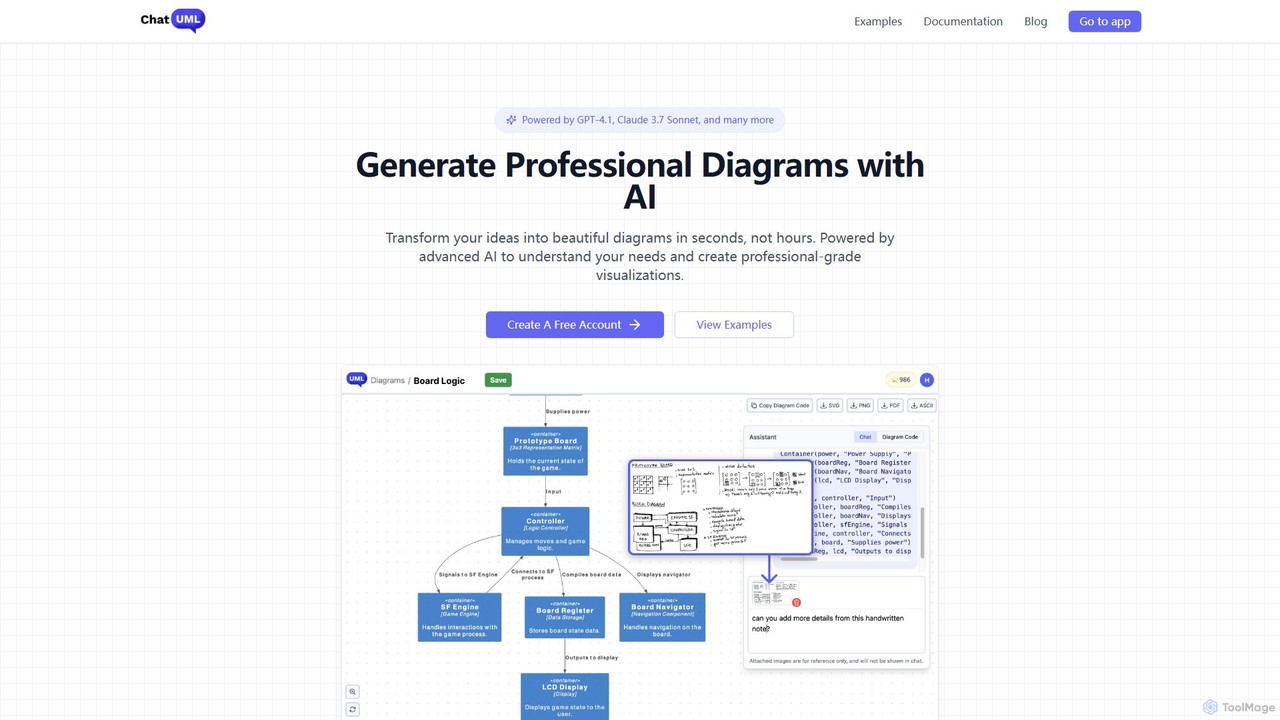
ChatUML is an AI-powered diagram generator that transforms text descriptions, hand-drawn sketches, and even website content into professional …

20.2K

About Software Design

AI Software Design tools are a specialized category of developer utilities that use artificial intelligence to automate and assist in the architectural planning and modeling phases of software development. They translate natural language descriptions, requirements, or raw data into structured visual diagrams, database schemas, and even boilerplate code. This accelerates the initial design process, ensures consistency across components, and helps bridge the communication gap between technical and non-technical stakeholders. These tools focus on the high-level structure, such as system architecture and user flows, before heavy coding begins.

Core Features

  • Automated Diagram Generation: Instantly create UML, C4 model, sequence, and entity-relationship diagrams (ERD) from simple text prompts.
  • UI/UX Wireframing: Generate low-fidelity wireframes and user flow mockups based on feature descriptions or sketches.
  • Database Schema Modeling: Design and generate SQL or NoSQL database schemas from a list of data entities and their relationships.
  • Architectural Pattern Suggestion: Recommend suitable software architectures (e.g., microservices, monolithic, event-driven) based on project requirements.
  • API Specification Creation: Automatically generate OpenAPI (Swagger) or other API documentation from endpoint descriptions.

Applicable Scenarios

These tools are primarily used by software architects, system designers, product managers, and backend developers. They are invaluable during the initial project discovery phase, for creating technical specification documents, and in agile sprints where rapid prototyping of system components is required. For example, an architect can quickly visualize a new microservices architecture, or a product manager can convert user stories into tangible flow diagrams for the development team.

Selection Criteria

When choosing an AI Software Design tool, consider the specific diagram types it supports (e.g., UML, C4, BPMN). Evaluate its integration capabilities with your existing workflow, such as connections to IDEs, version control systems like GitHub, or project management tools like Jira. Also, assess the accuracy and customizability of the generated outputs (diagrams, code, schemas) and the collaboration features available for team-based projects.

Software DesignUse Cases

1

Rapidly Design a Microservices Architecture

A software architect leading a new e-commerce platform project needs to define the system's structure. Instead of spending days manually drawing diagrams, they use an AI Software Design tool. They input text descriptions like: 'Create a User Service for authentication, a Product Service to manage inventory, and an Order Service for processing purchases. The API Gateway routes external requests to the appropriate service.' The AI instantly generates a C4 model diagram visualizing these components and their interactions, along with boilerplate code for the API endpoints. This accelerates the initial design phase by over 70% and provides a clear, consistent blueprint for the development team.

2

Generate Database Schema from Requirements

A backend developer is tasked with creating the database for a new social media application. The requirements specify entities for 'Users' (with name, email, password), 'Posts' (with content, timestamp), and 'Comments'. The developer inputs these entities and their relationships (e.g., 'a User has many Posts', 'a Post has many Comments') into an AI design tool. The tool automatically generates a complete, normalized SQL schema, including tables, columns with appropriate data types, primary keys, and foreign key constraints. This eliminates the tedious and error-prone process of manual schema design, ensuring a robust database structure from the start.

3

Create User Flow Diagrams for Product Managers

A product manager needs to present the user journey for a new 'password reset' feature to stakeholders. Instead of using complex diagramming software, they type a simple description into an AI tool: 'User clicks 'Forgot Password'. System sends a reset link to their email. User clicks the link, enters a new password, and is redirected to the login page.' The AI tool instantly visualizes this process as a clean, easy-to-understand flowchart. This allows the product manager to quickly iterate on the flow, share it with designers and engineers, and get alignment without needing advanced technical diagramming skills.

4

Automate API Specification Documentation

A development team has built several new microservices but lacks formal documentation. To ensure consistency and facilitate integration, they use an AI design tool to generate OpenAPI (Swagger) specifications. For each service, a developer provides a list of endpoints, their HTTP methods (GET, POST), expected request parameters, and response structures in plain text. The AI tool parses this information and generates a fully compliant OpenAPI 3.0 YAML file. This file can then be used to automatically generate interactive API documentation, client SDKs, and server stubs, saving dozens of hours of manual documentation work.

5

Visualize Complex Logic with Flowcharts

A business analyst needs to document a complex insurance claim processing workflow for the development team. The process involves multiple decision points, conditional logic, and integrations with external systems. By writing out the steps in a structured, natural language format (e.g., 'IF claim_type is 'auto', THEN verify policy details; ELSE forward to special investigations'), they use an AI tool to instantly convert this text into a detailed BPMN (Business Process Model and Notation) diagram. This visual representation is much easier for developers to understand than a lengthy text document, reducing ambiguity and the risk of implementation errors.

6

Generate UI Mockups from a Text Brief

A startup founder wants to quickly create a visual concept for their app to show investors. They don't have a designer yet. Using an AI software design tool, they write a prompt: 'Create a login screen with a logo at the top, email and password fields in the center, a 'Login' button below, and a 'Sign Up' link at the bottom.' The AI generates several low-fidelity wireframe variations of this screen in seconds. This allows the founder to have a tangible visual asset for their pitch deck, facilitating clearer communication of their product vision without incurring the cost or time of hiring a designer for the initial concept phase.

Software DesignFrequently Asked Questions