ToolMage
Sign in

Best 1 Task Queuing AI tools for Developer Tools

Popular Task Queuing AI tools in Developer Tools include Hatchet, helping you work more efficiently.

Freemium

Hatchet

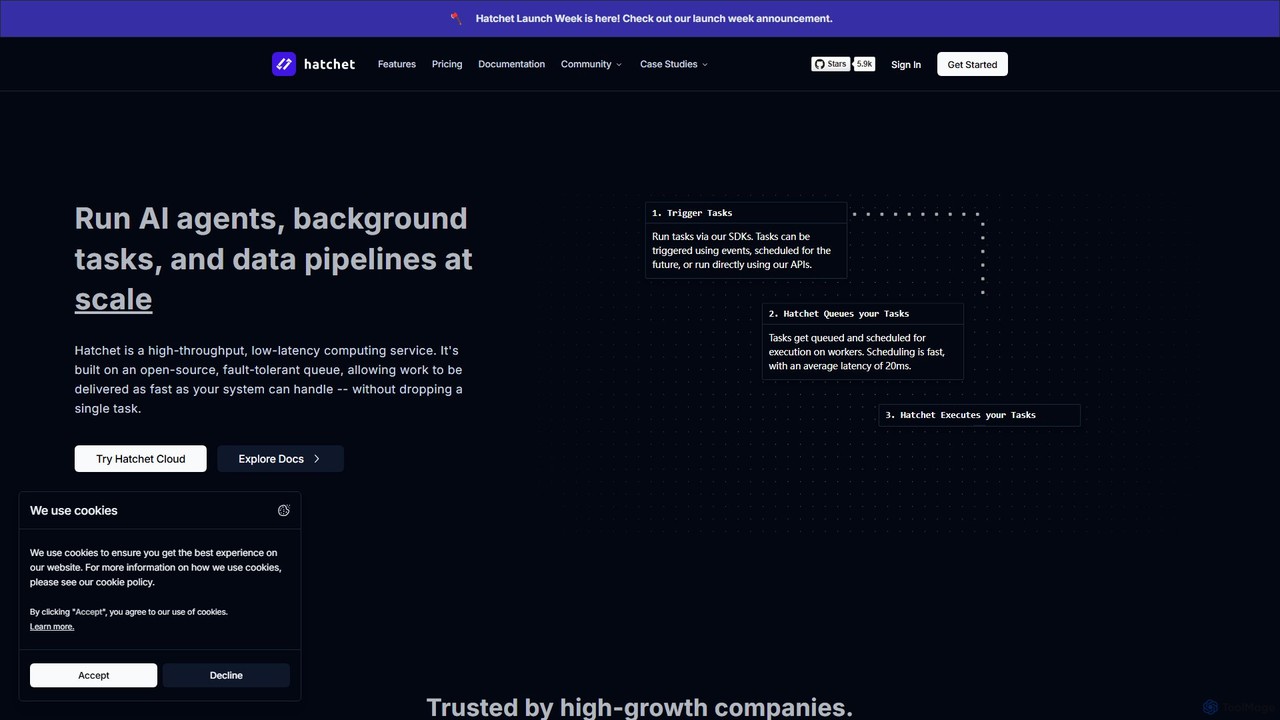
Hatchet is a distributed, fault-tolerant task queue designed to run AI agents, background tasks, and data pipelines at scale. It offers high-throughput, low-latency performance, ensuring no task is dropped. With SDKs for Python, Go, and TypeScript, developers can easily orchestrate complex workflows, schedule jobs, and monitor execution with built-in observability tools. It can be used as a managed cloud service or self-hosted.

Task Queuing
Visits 54.5KFavorites 87Likes 98

About Task Queuing

Task Queuing tools are systems designed to manage and execute tasks asynchronously, outside of the main application flow. They work by using a message broker to hold tasks in a queue until a worker process is available to execute them. This architecture is crucial for building scalable, resilient, and responsive applications, especially within the developer tools ecosystem. By offloading long-running or resource-intensive operations, these tools prevent user-facing processes from being blocked and improve overall system performance.

Core Features

  • Asynchronous Task Execution: Runs tasks in the background without blocking the main application thread, improving responsiveness.
  • Distributed Processing: Distributes tasks across multiple worker machines, enabling horizontal scaling and parallel computation.
  • Message Broker Integration: Reliably communicates between the application and workers using brokers like Redis or RabbitMQ.
  • Task Scheduling: Allows tasks to be scheduled for a specific time or to run on a recurring interval (cron jobs).
  • Retry and Error Handling: Automatically retries failed tasks with configurable policies and provides mechanisms for handling errors.

Use Cases

Task Queuing tools are essential for developers building modern web applications and backend systems. They are commonly used for processing video and image uploads, sending bulk emails or notifications, running complex data analysis jobs, and managing long-running AI model training or inference tasks. Any operation that is time-consuming or can be deferred is a prime candidate for a task queue.

How to Choose

When selecting a Task Queuing tool, consider its integration with your programming language and framework (e.g., Celery for Python, Sidekiq for Ruby). Evaluate its supported message brokers and ensure they fit your infrastructure. Also, assess its monitoring capabilities, community support, and the complexity of its feature set, such as support for priority queues, rate limiting, and task chaining, to ensure it meets your project's specific needs.

Featured tool rankings

Task Queuing use cases

1

Asynchronous AI Model Inference

A data scientist needs to run inference on a large dataset using a trained machine learning model. Instead of running this process synchronously and blocking the user interface, they submit the job as a task to a queue. A dedicated pool of worker processes, potentially on different machines, picks up these tasks. Each worker loads the model and processes a batch of data, storing the results in a database. This approach allows the main application to remain responsive and enables parallel processing of the dataset, significantly reducing the total computation time.

2

Batch Image and Video Processing

A social media platform allows users to upload high-resolution videos. When a video is uploaded, the web server immediately responds to the user and adds several tasks to a queue: generating thumbnails, transcoding the video into different resolutions (e.g., 1080p, 720p, 480p), and detecting inappropriate content. Separate worker processes handle these computationally expensive tasks in the background. This ensures a fast user experience and allows the platform to scale its processing capabilities by simply adding more worker nodes to handle the load.

3

Scheduled Report Generation

An e-commerce business needs to generate a daily sales report at midnight. A developer schedules a recurring task that runs every day at 00:00. When the time comes, the task is added to the queue. A worker picks up the task, queries the database for all sales data from the past 24 hours, aggregates the information, generates a PDF report, and emails it to the management team. This automates a critical business process without requiring manual intervention or a dedicated server running a cron job, and it can be easily monitored and managed through the task queue's interface.

4

Bulk Email and Notification Dispatch

A marketing team wants to send a promotional newsletter to one million subscribers. Initiating this process directly from a web request would cause a timeout and provide a poor user experience. Instead, the marketing application adds a 'send email' task to the queue for each subscriber. A fleet of workers processes the queue, sending emails at a controlled rate to avoid being flagged as spam. The system can handle failures by retrying failed sends and provides visibility into the campaign's progress by monitoring the number of tasks remaining in the queue.

5

Managing Long-Running Data Scraping Jobs

A financial analyst needs to scrape data from hundreds of websites to gather market intelligence. This process can take hours and is prone to network errors. The analyst uses an application that breaks down the work into individual 'scrape site' tasks. Each task is placed in a queue. Distributed workers pick up these tasks, scrape the required data, and handle potential failures (like timeouts or IP blocks) by retrying the task after a delay. This distributed, asynchronous approach makes the entire scraping operation more robust, scalable, and manageable.

6

Orchestrating Complex ETL Pipelines

A data engineering team builds an ETL (Extract, Transform, Load) pipeline to process daily user activity data. The pipeline consists of multiple dependent steps. They use a task queue that supports task chaining. The first task extracts raw data from various sources. Once it successfully completes, it automatically triggers the next task in the chain to transform and clean the data. Finally, a third task is triggered to load the processed data into a data warehouse. This orchestration ensures that steps are executed in the correct order and allows for easy retries of specific failed steps without re-running the entire pipeline.

Task Queuing FAQ

What are Task Queuing tools?

Task Queuing tools are specialized developer systems for managing background jobs and asynchronous operations. They decouple the part of your application that produces a task (e.g., a user uploading a video) from the part that executes it (a worker process that transcodes the video). This is achieved using a message broker like Redis or RabbitMQ. Key benefits include improved application responsiveness, better scalability by distributing work, and increased resilience by handling task failures and retries automatically.

How to choose the right Task Queuing tool?

Choosing the right tool depends on several factors. Consider the following:

  • Language & Framework: Select a tool that integrates well with your existing tech stack (e.g., Celery for Python, BullMQ for Node.js, Sidekiq for Ruby).
  • Broker Compatibility: Ensure it supports the message broker you plan to use (Redis, RabbitMQ, Amazon SQS, etc.). Some brokers offer more features like message persistence and routing.
  • Monitoring & Management: Look for tools with a good user interface or API for monitoring task status, queue length, and worker health.
  • Feature Requirements: Do you need advanced features like scheduled tasks (cron), task chaining, priority queues, or rate limiting? Choose a tool that meets your specific needs without unnecessary complexity.
What's the difference between a Task Queue and a Message Queue?

A Message Queue (like RabbitMQ or SQS) is a low-level component for passing messages between services. A Task Queue is a higher-level system built *on top of* a message queue. While a message queue simply delivers messages, a task queue adds a framework for defining, executing, and monitoring 'tasks' or 'jobs'. This includes features like task serialization, worker management, automatic retries, result tracking, and scheduling, which are not native to a basic message queue. In short, a task queue provides the logic and tooling to manage background work, using a message queue for the underlying communication.

When should I use a Task Queue in my application?

You should consider using a task queue whenever you have an operation that is not required to complete immediately or could negatively impact user experience if run synchronously. Common scenarios include:

  • Long-Running Processes: Any task that takes more than a few hundred milliseconds, such as video processing, report generation, or AI model training.
  • Resource-Intensive Operations: Tasks that consume significant CPU or memory, which could slow down your main application.
  • Third-Party API Calls: Offloading calls to external services to handle potential latency or failures without blocking the user's request.
  • Deferrable Work: Actions that can happen later, like sending welcome emails, updating search indexes, or warming up a cache.
What are the key components of a Task Queuing system?

A typical task queuing system consists of three main components:

  • Producer (or Client): This is the part of your application that creates tasks and adds them to the queue. For example, a web server handling a user request.
  • Broker (or Message Queue): This is the central storage for tasks. It's a database (like Redis) or a dedicated message broker (like RabbitMQ) that holds the queue of tasks waiting to be processed.
  • Consumer (or Worker): This is a separate process that connects to the broker, fetches tasks from the queue, and executes them. You can run multiple workers in parallel to process tasks concurrently.