ToolMage
Sign in

Best 1 Team Collaboration AI tools for Developer Tools

Popular Team Collaboration AI tools in Developer Tools include notchup, helping you work more efficiently.

notchup
Freemium

notchup

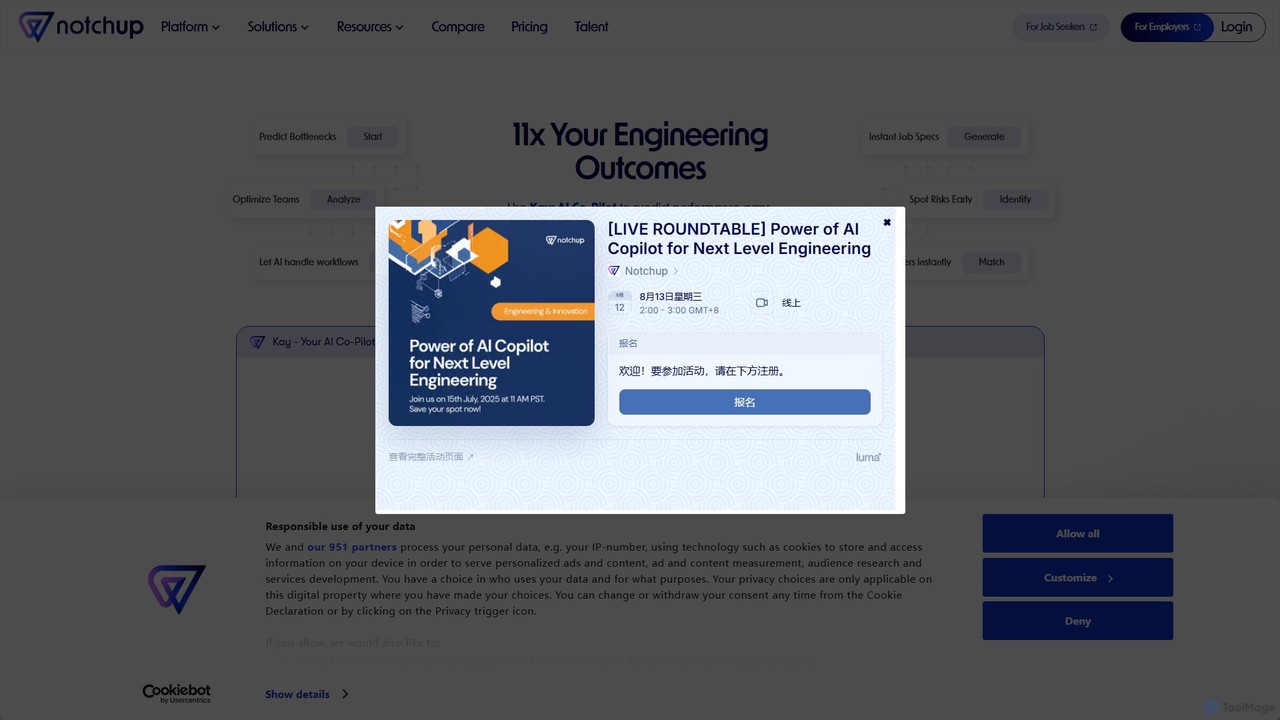
Notchup is an AI Co-Pilot platform designed for engineering managers to build, manage, and optimize high-performing tech teams. It uses AI to predict bottlenecks, automate hiring workflows, analyze team skills, and provide data-driven insights for 1:1s and performance reviews, aiming to accelerate project delivery and reduce attrition.

Team Collaboration
Visits 11.5KFavorites 122Likes 116

About Team Collaboration

Team Collaboration AI tools are specialized solutions designed to optimize communication, project management, and workflow efficiency for development teams. These tools leverage artificial intelligence to automate routine tasks, provide intelligent insights, and facilitate seamless information exchange among team members. They aim to streamline complex development processes, reduce bottlenecks, and enhance overall productivity in a technical environment.

Core Features

  • Intelligent Task Automation: Automates repetitive coding tasks, issue tracking, and notification management.
  • AI-Powered Code Review: Provides automated suggestions and identifies potential bugs or inefficiencies in code.
  • Smart Knowledge Management: Organizes and retrieves project documentation, code snippets, and discussions using AI.
  • Real-time Communication & Sync: Facilitates instant messaging, video conferencing, and synchronized document editing with AI-enhanced summaries.
  • Predictive Project Analytics: Uses AI to forecast project timelines, identify risks, and suggest resource allocation improvements.

Use Cases

Development teams across various industries, from software startups to large enterprises, utilize these tools. They are particularly valuable in agile development environments, remote teams, and projects requiring complex cross-functional coordination.

How to Choose

When selecting Team Collaboration AI tools, consider the specific needs of your development workflow, such as integration with existing developer tools (e.g., Git, Jira), the level of AI automation offered, and scalability for team growth. Evaluate the security features for sensitive code and data, as well as the clarity of the user interface and ease of adoption for your technical team.

Featured tool rankings

Team Collaboration use cases

1

Automating Daily Stand-up Summaries

For agile development teams, AI collaboration tools can automatically transcribe and summarize daily stand-up meetings, extracting key updates, blockers, and action items. This saves developers time from manual note-taking and ensures all team members, especially those in different time zones, are quickly updated on project progress and critical issues without needing to review full meeting recordings.

2

Streamlining Code Review Processes

Software engineering teams use AI-powered collaboration platforms to enhance code review efficiency. The AI can analyze pull requests, identify common coding standard violations, suggest optimizations, and even detect potential security vulnerabilities before human reviewers intervene. This accelerates the review cycle, improves code quality, and frees up senior developers for more complex architectural tasks.

3

Facilitating Cross-Functional Project Coordination

In large-scale projects involving developers, designers, and product managers, AI collaboration tools help synchronize efforts. They can automatically update task statuses across different platforms, flag dependencies, and provide real-time alerts on potential conflicts or delays. This ensures all stakeholders have a unified view of project progress and can proactively address inter-team challenges.

4

Enhancing Onboarding for New Developers

New developers joining a team can quickly get up to speed using AI-driven knowledge management features. These tools can intelligently index and retrieve relevant project documentation, codebases, and past discussions based on the new hire's role and initial tasks. This reduces the learning curve, minimizes interruptions for existing team members, and accelerates productivity.

5

Optimizing Remote Team Communication

For geographically dispersed development teams, AI collaboration platforms offer features like intelligent meeting scheduling across time zones, automated translation of chat messages, and AI-generated summaries of lengthy discussions. This bridges communication gaps, ensures clarity, and maintains a cohesive team environment despite physical distance, fostering efficient remote work.

6

Predicting Project Risks and Bottlenecks

Project managers and team leads leverage AI collaboration tools for predictive analytics. By analyzing historical project data, task dependencies, and team velocity, the AI can identify potential risks, forecast delays, and pinpoint bottlenecks in the development pipeline. This allows for proactive intervention, resource reallocation, and more accurate project planning, preventing costly setbacks.

Team Collaboration FAQ

What are AI Team Collaboration tools for developers?

AI Team Collaboration tools for developers are software solutions that integrate artificial intelligence to enhance how development teams communicate, manage projects, and share knowledge. They automate routine tasks, provide intelligent insights into code and project progress, and streamline workflows to boost productivity and efficiency within a technical environment.

How do AI features improve team collaboration in development?

AI features significantly improve team collaboration by automating repetitive tasks like code review suggestions, summarizing lengthy discussions, and intelligently organizing project documentation. They also offer predictive analytics for project risks, facilitate smarter task assignments, and enhance communication through features like automated translation, leading to faster development cycles and higher code quality.

What's the difference between general collaboration tools and AI Team Collaboration tools for developers?

General collaboration tools offer basic communication and project management features for any team. AI Team Collaboration tools for developers, however, are specifically tailored for technical workflows. They integrate AI for specialized functions like automated code analysis, intelligent issue tracking, integration with developer-specific platforms (e.g., Git), and predictive insights relevant to software development, going beyond generic task management.

What are the key benefits of using AI Team Collaboration tools?

The key benefits include increased development efficiency through automation, improved code quality via AI-powered reviews, better project visibility with predictive analytics, and enhanced knowledge sharing. These tools also foster better communication, reduce manual overhead, and help teams deliver projects faster and with fewer errors, ultimately leading to higher team productivity and satisfaction.

How do I choose the best AI Team Collaboration tool for my development team?

To choose the best tool, first assess your team's specific needs, such as the size of your team, existing tech stack, and project complexity. Look for tools that offer strong integration with your current developer tools (e.g., IDEs, version control), robust AI features relevant to your workflow (e.g., code analysis, task automation), strong security, and a user-friendly interface. Consider scalability and pricing models as well.