Stitch
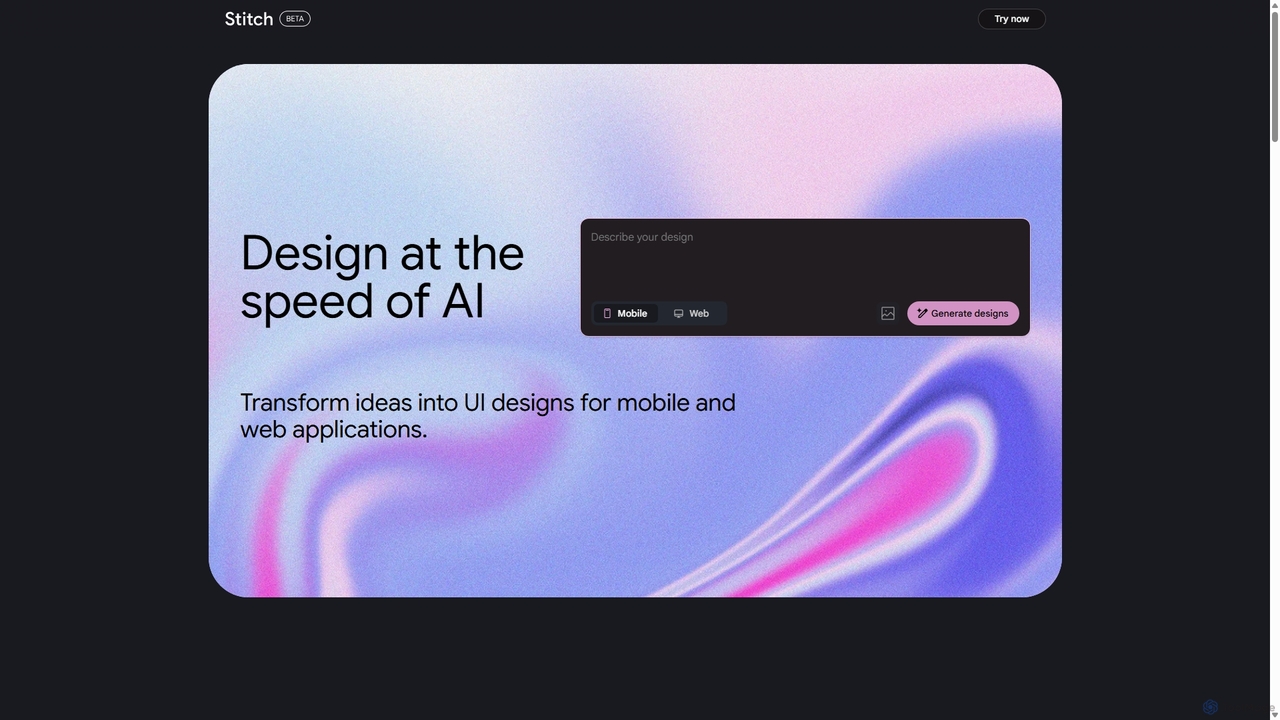
Stitch is a revolutionary AI-powered design platform by Google that transforms text prompts and rough sketches into high-fidelity …
Stitch is a revolutionary AI-powered design platform by Google that transforms text prompts and rough sketches into high-fidelity mockups and prototypes. It streamlines the design workflow, enabling creators to rapidly ideate, iterate, and generate stunning visuals, UI/UX designs, and complete design systems with unprecedented speed and efficiency.
About Ui Ux Design
AI UI/UX Design tools are a specialized category within developer tools that leverage artificial intelligence to streamline and enhance the user interface and user experience design process. These tools utilize machine learning algorithms to automate repetitive tasks, generate design variations, and provide data-driven insights, enabling designers and developers to create more intuitive, efficient, and aesthetically pleasing digital products. They significantly accelerate design workflows, from initial wireframing to high-fidelity prototyping, by offering intelligent assistance and predictive capabilities.
Core Features
- Automated Layout Generation: Automatically creates diverse UI layouts based on content, user flow, or design principles.
- Smart Component Creation: Generates reusable UI components and design systems, ensuring consistency and scalability.
- User Behavior Prediction: Analyzes user data to suggest optimal design elements and interaction patterns for improved UX.
- Accessibility Compliance Check: Automatically identifies and suggests fixes for accessibility issues, ensuring inclusive design.
- Design System Integration: Seamlessly integrates with existing design systems to maintain brand consistency and accelerate development.
Use Cases
These tools are invaluable for product designers, UI/UX researchers, front-end developers, and design agencies. They are used to rapidly iterate on design concepts, conduct A/B testing with AI-generated variations, and ensure design consistency across large projects. For instance, a startup can quickly generate multiple landing page designs, or an enterprise team can maintain a consistent design language across numerous applications.
How to Choose
When selecting AI UI/UX design tools, consider their integration capabilities with your existing design software (e.g., Figma, Sketch), the breadth of AI-powered features (e.g., layout generation, user testing, accessibility checks), the learning curve for your team, and the pricing model. Evaluate the tool's ability to adapt to your specific design system and its support for collaborative workflows to ensure it aligns with your project needs and team structure.
Ui Ux DesignUse Cases
Automate Wireframe Generation for New Features
A product manager needs to quickly visualize multiple wireframe options for a new application feature. Using an AI UI/UX design tool, they can input basic requirements and content, and the AI automatically generates several distinct wireframe layouts. This allows for rapid iteration and stakeholder feedback without manual drawing, saving hours of initial design time and accelerating the concept validation phase.
Generate Design System Components from Brand Guidelines
A design team needs to quickly establish a consistent design system for a new product line, adhering to existing brand guidelines. An AI UI/UX design tool can ingest brand assets (logos, color palettes, typography) and automatically generate a library of UI components (buttons, input fields, cards) that comply with these guidelines. This ensures visual consistency across all product interfaces and significantly reduces the manual effort in creating and maintaining a design system.
Optimize User Flows Based on Predictive Analytics
A UX researcher wants to improve the conversion rate of a critical user journey within an e-commerce application. By feeding existing user behavior data into an AI UI/UX design tool, the AI can analyze patterns, predict potential drop-off points, and suggest alternative user flows or UI element placements. This data-driven optimization helps identify bottlenecks and propose design changes that are likely to enhance user experience and achieve business goals.
Conduct Automated A/B Testing for UI Elements
A marketing team wants to determine the most effective call-to-action button design for a campaign landing page. An AI UI/UX tool can generate multiple variations of the button (color, text, size, placement) and, if integrated with testing platforms, can even simulate user interactions or analyze real-time data to identify the highest-performing variant. This automates the A/B testing process, providing rapid insights into which design elements drive better engagement and conversions.
Ensure Accessibility Compliance for Digital Products
A development team is building a new public-facing application and needs to ensure it meets WCAG (Web Content Accessibility Guidelines) standards. An AI UI/UX design tool can automatically scan design mockups or even live prototypes for common accessibility issues, such as insufficient color contrast, missing alt text for images, or improper heading structures. It then provides actionable recommendations for remediation, significantly reducing the manual effort and expertise required to achieve compliance.
Personalize User Interfaces for Different User Segments
An e-commerce platform aims to offer a highly personalized shopping experience to its diverse customer base. An AI UI/UX design tool can analyze user demographics, past purchase history, and browsing behavior to dynamically generate tailored UI layouts, product recommendations, and content presentations for different user segments. This personalization, driven by AI, enhances relevance and engagement, leading to higher customer satisfaction and conversion rates.