ToolMage
Sign in

Best 1 Unified Api AI tools for Developer Tools

Popular Unified Api AI tools in Developer Tools include Mynx, helping you work more efficiently.

Mynx
Freemium

Mynx

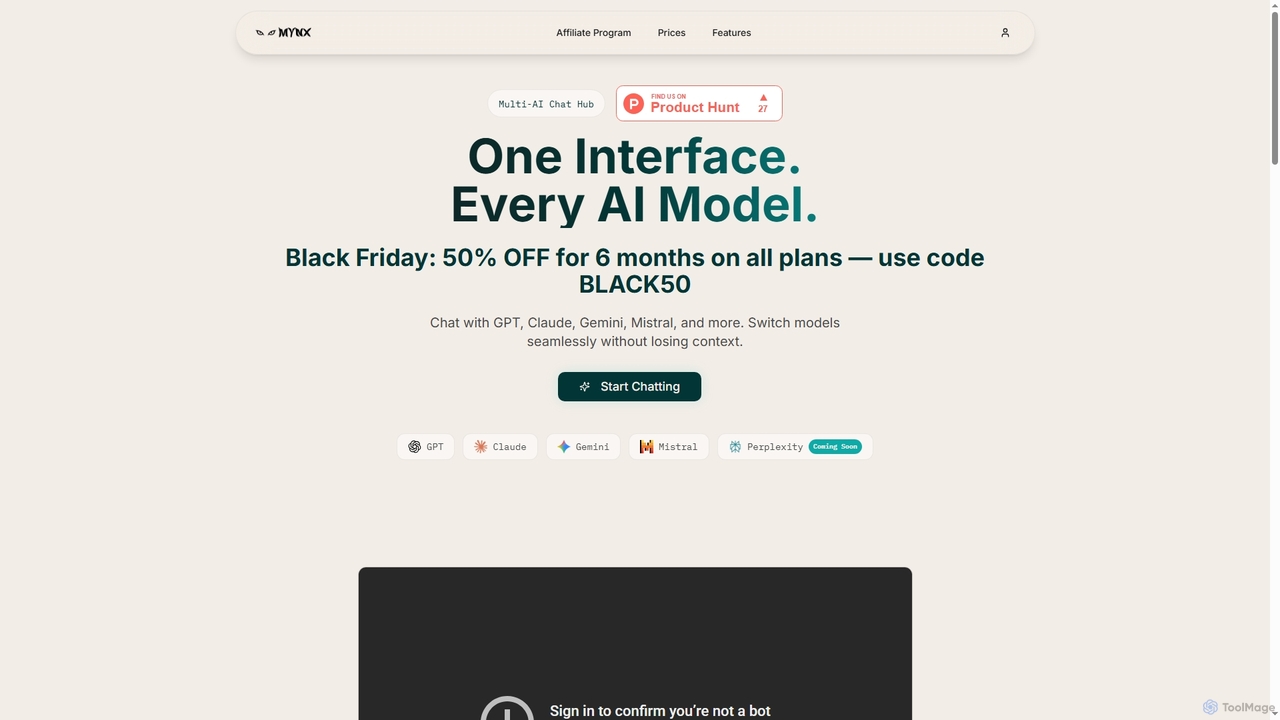
Mynx is a multi-AI chat hub that provides a unified interface to access leading AI models like GPT, Claude, Gemini, and Mistral. Switch between models seamlessly in a single conversation without losing context, enhancing productivity and workflow efficiency.

Unified Api
Visits 5.4KFavorites 124Likes 124

About Unified Api

Unified APIs are a class of developer tools that provide a single, standardized interface to access multiple disparate APIs within a specific domain, such as CRM, HR, payments, or AI models. They abstract away the complexities of integrating with various vendor-specific APIs, offering a consistent data model and authentication method. This significantly streamlines development, reduces integration time, and enhances the flexibility of applications. By normalizing data and operations across different services, Unified APIs empower developers to build robust and adaptable solutions more efficiently.

Core Features

  • Standardized Data Models: Transforms diverse vendor data into a consistent, unified format.
  • Single Integration Point: Offers one API endpoint to connect with numerous underlying services.
  • Automated Authentication: Manages varying authentication methods for different APIs seamlessly.
  • Vendor Abstraction: Allows easy switching between different service providers without re-coding.
  • Rate Limit Management: Handles and optimizes API call rates across integrated services.

Use Cases

Developers building SaaS platforms needing to integrate with multiple CRM systems (e.g., Salesforce, HubSpot) can use a Unified CRM API to avoid custom integrations for each. Similarly, fintech companies can leverage Unified Payment APIs to connect with various payment gateways through a single interface, simplifying transaction processing and compliance.

How to Choose

When selecting a Unified API, consider the breadth of its API coverage for your target domain and the depth of its data normalization capabilities. Evaluate its latency, reliability, and the availability of SDKs for your preferred programming languages. Additionally, assess the pricing model, security features, and the quality of developer documentation and support.

Featured tool rankings

Unified Api use cases

1

Integrate Multiple CRM Systems

A SaaS company developing a sales enablement platform needs to connect with various CRM providers like Salesforce, HubSpot, and Zoho. By using a Unified CRM API, their development team can integrate once with a standardized interface, abstracting away the unique API structures and authentication methods of each CRM. This accelerates feature development, reduces maintenance overhead, and allows their customers to connect their preferred CRM seamlessly.

2

Streamline Payment Gateway Connections

An e-commerce platform aims to offer diverse payment options globally, requiring integration with multiple payment gateways such as Stripe, PayPal, and local providers. A Unified Payment API allows them to process transactions through a single API endpoint, standardizing payment flows, error handling, and data reporting. This simplifies compliance, reduces development time for new payment methods, and provides flexibility to switch or add gateways without extensive re-coding.

3

Automate HRIS Data Synchronization

A human resources software vendor needs to pull employee data from various HR Information Systems (HRIS) like Workday, BambooHR, and ADP. Implementing a Unified HRIS API enables them to normalize employee records, payroll data, and benefits information from disparate sources into a consistent format. This facilitates automated data synchronization, reduces manual data entry errors, and ensures accurate reporting across different client environments.

4

Manage Multiple Communication Channels

A customer engagement platform wants to support communication across SMS, email, and popular messaging apps (e.g., WhatsApp, Slack) from different providers. A Unified Communications API provides a single interface to send and receive messages, manage contacts, and track delivery status across all channels. This simplifies message routing logic, reduces the complexity of managing multiple vendor SDKs, and ensures a consistent user experience.

5

Unify AI Model Access

A developer building an application that leverages various AI models for tasks like text generation, image analysis, and speech recognition (e.g., OpenAI, Google AI, Anthropic). A Unified AI API allows them to switch between different large language models (LLMs) or vision models through a single API call, standardizing inputs and outputs. This reduces vendor lock-in, simplifies model experimentation, and enables dynamic model selection based on cost or performance.

6

Simplify Marketing Automation Integrations

A marketing analytics platform needs to gather data from various marketing automation tools (e.g., Mailchimp, HubSpot Marketing, Marketo) and advertising platforms (e.g., Google Ads, Facebook Ads). A Unified Marketing API provides a consolidated view of campaign performance, audience data, and engagement metrics. This simplifies data collection, enables cross-platform reporting, and allows marketers to gain deeper insights without complex custom integrations for each service.

Unified Api FAQ

What are Unified APIs?

Unified APIs are developer tools that offer a single, standardized interface to interact with multiple underlying APIs from different vendors within a specific domain, such as CRM, HR, or payments. They abstract away the complexities of individual API integrations, providing a consistent data model, authentication, and error handling. This significantly simplifies development and reduces the time and effort required to connect with various services.

How do Unified APIs differ from direct API integration?

Direct API integration involves writing custom code for each individual vendor's API, managing unique authentication methods, data formats, and rate limits. Unified APIs, conversely, provide a single integration point that handles these complexities on your behalf. They normalize data across vendors, offer consistent authentication, and allow developers to switch or add new services with minimal code changes, drastically reducing development and maintenance overhead compared to direct integration.

What are the main benefits of using Unified APIs for developers?

Developers benefit from Unified APIs primarily through reduced development time and complexity. They only need to learn and integrate with one API, rather than many, which accelerates product development. Other benefits include standardized data models, easier vendor switching (reducing lock-in), improved maintainability of codebases, and often built-in features like rate limit management and webhooks, allowing developers to focus on core application logic.

Who should consider using Unified APIs?

Unified APIs are ideal for SaaS companies, platform developers, and enterprises that need to integrate with multiple third-party services within a specific category (e.g., multiple CRMs, payment gateways, or HRIS systems). They are particularly beneficial for businesses aiming to offer broad integration capabilities to their users, reduce development costs, accelerate time-to-market for new features, and maintain flexibility in their technology stack.

What factors should I consider when choosing a Unified API provider?

When choosing a Unified API provider, evaluate the breadth and depth of their API coverage for your specific domain, ensuring they support the vendors you need. Consider their data normalization capabilities, latency, and reliability. Look into the quality of their developer documentation, SDKs, and support. Finally, assess their security practices, pricing model, and how well they handle updates and changes from underlying vendor APIs to ensure long-term stability.