ToolMage
Sign in

Best 1 Website Analysis AI tools for Developer Tools

Popular Website Analysis AI tools in Developer Tools include GetWebsite.Report, helping you work more efficiently.

GetWebsite.Report
Freemium

GetWebsite.Report

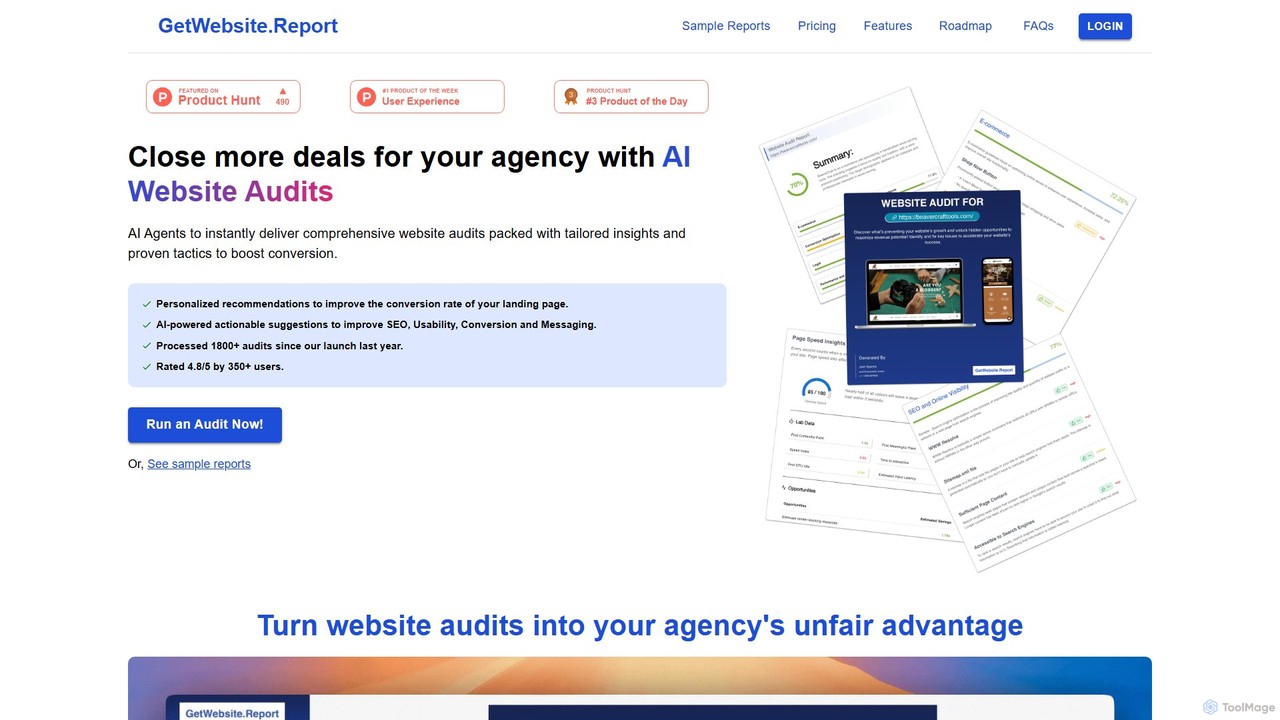
GetWebsite.Report is an AI-powered tool for digital agencies to instantly generate comprehensive website audits. It analyzes landing pages for SEO, performance, usability, and conversion opportunities, providing actionable, white-labeled reports to help agencies win more clients, close larger deals, and streamline their lead generation process.

Website Analysis
Visits 3.4KFavorites 70Likes 78

About Website Analysis

Website Analysis tools are a specialized category of developer utilities that use AI to automatically diagnose a site's technical health, SEO performance, and user experience. These tools go beyond traditional analytics by processing vast amounts of data to identify complex issues, predict potential problems, and provide actionable recommendations. They are essential for improving search engine rankings, enhancing user engagement, and ensuring a website is fast, accessible, and error-free. The core value lies in automating the time-consuming process of manual audits and providing data-driven insights for optimization.

Core Features

  • Automated SEO Audits: Scans for on-page, off-page, and technical SEO issues like broken links, meta tag errors, and crawlability problems.
  • Performance Monitoring: Analyzes page load speed, Core Web Vitals, and server response times to identify performance bottlenecks.
  • User Experience (UX) Analysis: Utilizes AI-powered heatmaps and session replays to understand user behavior and identify friction points.
  • Accessibility Compliance Checking: Automatically detects violations of accessibility standards (like WCAG) and suggests code-level fixes.
  • Competitor Analysis: Tracks competitors' keyword strategies, backlink profiles, and on-site changes to reveal strategic opportunities.

Use Cases

These tools are widely used by SEO specialists for conducting comprehensive technical audits, web developers for pre-launch performance testing, and digital marketers for competitive intelligence. For instance, an e-commerce manager can use UX analysis features to optimize the checkout funnel, while a content strategist can identify content gaps by analyzing top-ranking competitor pages.

How to Choose

When selecting a Website Analysis tool, consider the depth of its features—whether you need a focus on SEO, performance, or UX. Evaluate its integration capabilities with platforms like Google Analytics and Search Console. Assess the quality and clarity of its reports and actionable recommendations. Finally, consider the pricing model and whether it aligns with the scale of your website and analysis frequency.

Featured tool rankings

Website Analysis use cases

1

Automating Technical SEO Audits

An SEO specialist for a digital agency needs to audit a new client's website. Instead of manually checking hundreds of pages for issues like broken links, missing alt text, and slow page speeds, they use an AI Website Analysis tool. The tool crawls the entire site within minutes, generating a prioritized report of all technical SEO errors. This allows the specialist to immediately focus on the most critical issues impacting search rankings, saving dozens of hours of manual labor and providing instant value to the client.

2

Pre-Launch Website Performance Testing

A web development team is about to launch a new e-commerce site. Before going live, they use a website analysis tool to simulate user traffic and test performance under load. The tool analyzes the Core Web Vitals for key pages, identifies heavy JavaScript files that slow down rendering, and checks for mobile responsiveness issues. Based on the report, the developers optimize images and scripts, ensuring the site launches with a high performance score, which is crucial for user retention and SEO from day one.

3

Analyzing Competitor SEO Strategies

A digital marketer for a SaaS company wants to understand why a competitor consistently outranks them for key terms. They use an AI analysis tool to perform a deep dive into the competitor's website. The tool reveals the competitor's top-performing keywords, their backlink profile, and the structure of their highest-ranking content. The marketer discovers the competitor has a strong internal linking strategy and several high-authority backlinks they were unaware of. This intelligence allows them to build a data-informed SEO strategy to close the gap.

4

Optimizing E-commerce Conversion Funnels

An e-commerce manager notices a high drop-off rate during the checkout process. Using a website analysis tool with UX features, they analyze AI-generated heatmaps and session replays of anonymous users. The heatmaps show that users are repeatedly clicking on a non-clickable element, indicating confusing UI design. Session replays reveal that many users struggle to find the shipping cost information. With these specific insights, the manager redesigns the checkout page, making the UI more intuitive and the shipping costs transparent, leading to a measurable increase in completed purchases.

5

Ensuring Web Accessibility Compliance

A government agency is required to make its website compliant with WCAG 2.1 AA standards. Manually auditing thousands of pages is impractical. They deploy an AI website analysis tool that specializes in accessibility. The tool automatically scans the entire site, flagging issues such as insufficient color contrast, missing ARIA labels for screen readers, and non-navigable keyboard elements. It provides code snippets for remediation, allowing developers to efficiently fix violations and generate a compliance report to meet legal requirements.

6

Identifying Content Gaps and Opportunities

A content manager for a blog wants to plan their editorial calendar. They use a website analysis tool to compare their domain against three main competitors. The tool performs a content gap analysis, identifying keywords and topics that competitors rank for, but their own site does not. It highlights questions users are asking related to their niche. This provides a data-backed list of high-opportunity article ideas, ensuring that new content is created to meet existing user demand and capture valuable search traffic.

Website Analysis FAQ

What are AI Website Analysis tools?

AI Website Analysis tools are applications that use artificial intelligence to automatically crawl, audit, and analyze a website. Unlike traditional analytics which show what happened, these tools diagnose why it happened and how to fix it. They provide comprehensive reports on technical SEO, site performance, user experience, and accessibility, offering prioritized, actionable recommendations to improve a site's overall health and search engine visibility.

How to choose the right Website Analysis tool?

To choose the right tool, consider these factors:

  • Scope of Analysis: Determine if your primary need is technical SEO, performance monitoring, UX analysis, or a combination.
  • Data Accuracy: Look for tools known for reliable data, especially for metrics like site speed and backlink counts.
  • Actionability of Insights: The best tools don't just show data; they provide clear, prioritized recommendations for improvement.
  • Integrations: Check if it connects with essential platforms like Google Analytics, Google Search Console, or project management tools.
  • User Interface and Reporting: The tool should be easy to navigate and generate reports that are clear and shareable with stakeholders.
What's the difference between AI Website Analysis and Google Analytics?

Google Analytics primarily provides quantitative data—it tells you what is happening on your site (e.g., page views, bounce rate, user demographics). AI Website Analysis tools provide diagnostic and qualitative insights—they tell you why things are happening and how to fix them. For example, Google Analytics might show a high bounce rate on a page, but an AI tool can show you a heatmap revealing users are getting confused by the layout, thus explaining the 'why' behind the bounce rate.

What key metrics can AI Website Analysis tools track?

These tools can track a wide range of metrics across different domains. Key metrics often include:

  • SEO Metrics: Keyword rankings, backlink profiles, crawl errors, duplicate content, and on-page SEO scores.
  • Performance Metrics: Page load times, Time to First Byte (TTFB), Core Web Vitals (LCP, FID, CLS), and overall performance scores.
  • UX Metrics: User navigation paths, rage clicks, dead clicks, and engagement levels derived from heatmaps and session recordings.
  • Accessibility Metrics: WCAG compliance levels, color contrast ratios, and screen reader compatibility issues.
Who benefits most from using AI Website Analysis tools?

A wide range of professionals benefit from these tools. SEO specialists use them for in-depth technical audits and competitor research. Web developers rely on them for performance and accessibility testing before and after launch. Digital marketers leverage them to understand user behavior and optimize campaigns. UX/UI designers use them to validate design choices with real data. Even business owners with limited technical knowledge can use them to get a clear overview of their site's health and identify key areas for improvement.