Editor.do
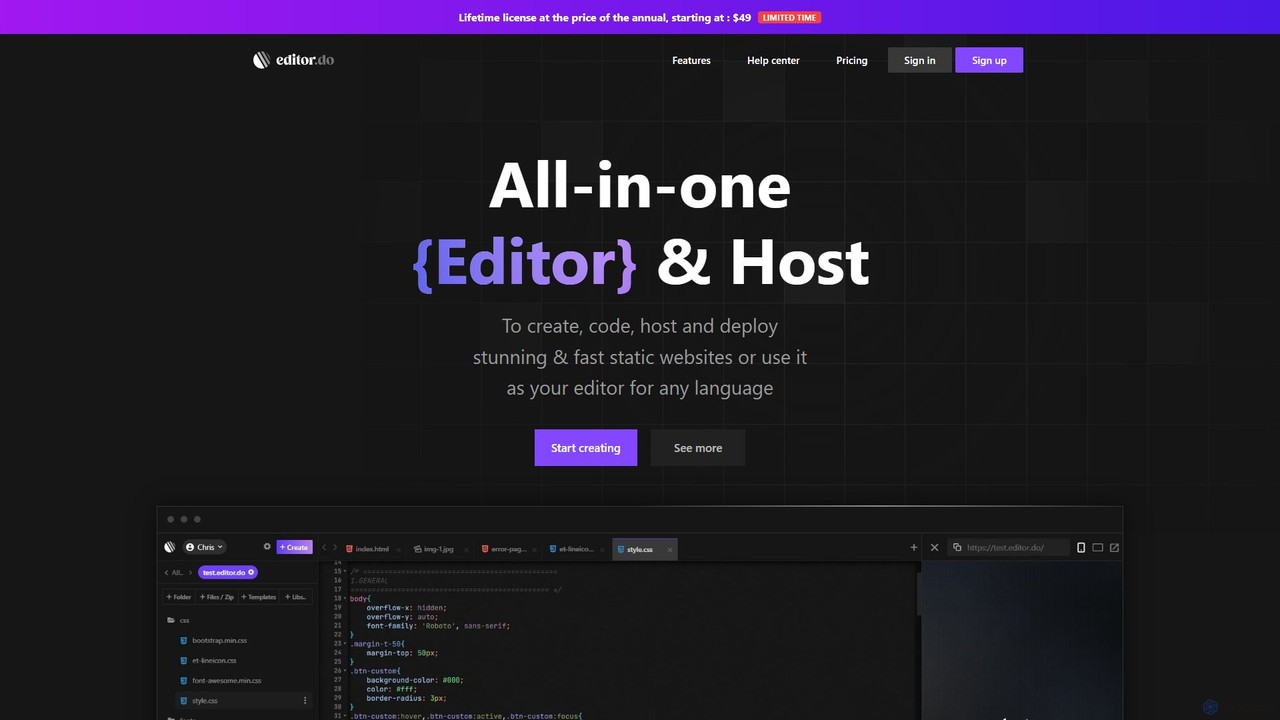
Editor.do is an all-in-one, browser-based platform for building and hosting static websites. It combines a powerful code editor …
Editor.do is an all-in-one, browser-based platform for building and hosting static websites. It combines a powerful code editor with integrated hosting, free SSL certificates, and a vast library of over 1000 templates. Users can create projects from scratch, upload existing files, or import from GitHub, making it ideal for developers and beginners to launch websites quickly and efficiently without complex setup.
About Code Editor
AI Code Editors are advanced development environments that integrate artificial intelligence to augment and accelerate the coding process. These tools leverage large language models to provide intelligent code completion, real-time error detection, and automated code generation from natural language prompts. They help developers write cleaner, more efficient code, significantly reducing development time and cognitive load. Unlike traditional editors, AI code editors can understand the context of an entire project, suggest complex algorithms, and even help in debugging logical errors.
Core Features
- AI-Powered Code Completion: Suggests entire lines or blocks of code based on the current context, not just single words.
- Natural Language to Code: Translates plain language descriptions or comments into functional code snippets.
- Real-time Bug Detection & Fixing: Identifies potential errors and vulnerabilities as you type and suggests automated corrections.
- Automated Code Refactoring: Analyzes existing code and suggests improvements for readability, performance, and maintainability.
- Context-Aware Documentation: Generates comments and documentation for functions and classes based on the code's logic.
Applicable Scenarios
AI Code Editors are used by software developers, data scientists, and DevOps engineers across all industries. They are particularly effective for rapid prototyping, learning new programming languages by seeing idiomatic examples, and maintaining large, complex codebases where understanding context is crucial. They also serve as an excellent tool for automating the creation of unit tests and boilerplate code.
Selection Criteria
When choosing an AI Code Editor, consider its support for your primary programming languages and frameworks. Evaluate its integration capabilities with version control systems like Git and other development tools. Assess the quality and relevance of its suggestions, as well as its performance and responsiveness, ensuring it enhances rather than hinders your workflow. Finally, review its privacy policy regarding how your code is used for model training.

Code EditorUse Cases
Accelerating API Endpoint Development
A backend developer is tasked with creating a new set of REST API endpoints for a user management module. Instead of writing all the boilerplate code manually, they use an AI Code Editor. By writing a simple comment like 'create a POST endpoint to register a new user with name, email, and password', the AI assistant generates the complete function, including request body parsing, data validation, password hashing, and database insertion logic. This reduces the development time for a single endpoint from 30 minutes to less than 5, allowing the developer to focus on more complex business logic.
Debugging Complex Algorithmic Logic
A data scientist is working on a complex data processing script in Python and encounters an unexpected output. The logic involves multiple nested loops and conditional statements, making manual debugging difficult. By highlighting the problematic function and asking the AI Code Editor to 'explain this code and find potential bugs,' the tool analyzes the logic flow. It identifies an off-by-one error in a loop's range and a condition that could lead to a division by zero, providing corrected code snippets for both issues. This saves hours of painstaking line-by-line inspection.
Automating Unit Test Generation
A software engineer has just completed a new feature that includes several utility functions for string manipulation. To ensure code quality and prevent future regressions, they need to write comprehensive unit tests. Using an AI Code Editor, they can right-click on a function and select 'Generate Unit Tests'. The AI analyzes the function's inputs, outputs, and edge cases (e.g., empty strings, special characters) and automatically generates a test file with multiple test cases using a popular testing framework like Jest or PyTest. This automates a tedious but critical part of the development lifecycle.
Refactoring Legacy Code for Modernization
A developer is tasked with updating a legacy codebase written in an older version of JavaScript (ES5). The code is functional but hard to read and maintain. Instead of manually refactoring hundreds of lines, they use the AI Code Editor's refactoring features. The tool can automatically convert `var` to `let`/`const`, transform prototype-based classes into modern `class` syntax, and change callback functions into `async/await` promises. The developer can review and approve each change, modernizing the entire file in a fraction of the time it would take manually, improving both readability and performance.
Learning a New Framework or Language
A front-end developer experienced in React needs to quickly learn Vue.js for a new project. They use an AI Code Editor as a learning companion. When they are unsure how to implement a feature, like creating a two-way data binding component, they can write a comment describing their goal. The AI provides the idiomatic Vue.js code, often with brief explanations. It can also translate a React component they've written into its Vue.js equivalent, highlighting the key differences in lifecycle hooks and state management. This interactive, context-aware learning process is much faster than relying solely on traditional documentation.
Generating Code Documentation
A team lead wants to improve the documentation of their project's codebase to make onboarding new members easier. Manually writing docstrings for hundreds of functions is time-consuming. By using an AI Code Editor, the team can automate this process. The developer can select a function or an entire class and use a command like 'Add Documentation'. The AI analyzes the code, understands its purpose, parameters, and return values, and generates a well-formatted docstring in a standard format (like JSDoc or Python's reST). This ensures the codebase is consistently and accurately documented with minimal manual effort.