ToolMage
Sign in

Best 19 Document AI tools

Popular Document AI tools include Toolsmart, Readable, Petal, Skimming AI, getbooknotes, Onnix, Mythos, AI Renamer, AI Finder, and inkwise, helping you work more efficiently.

Mythos

Mythos

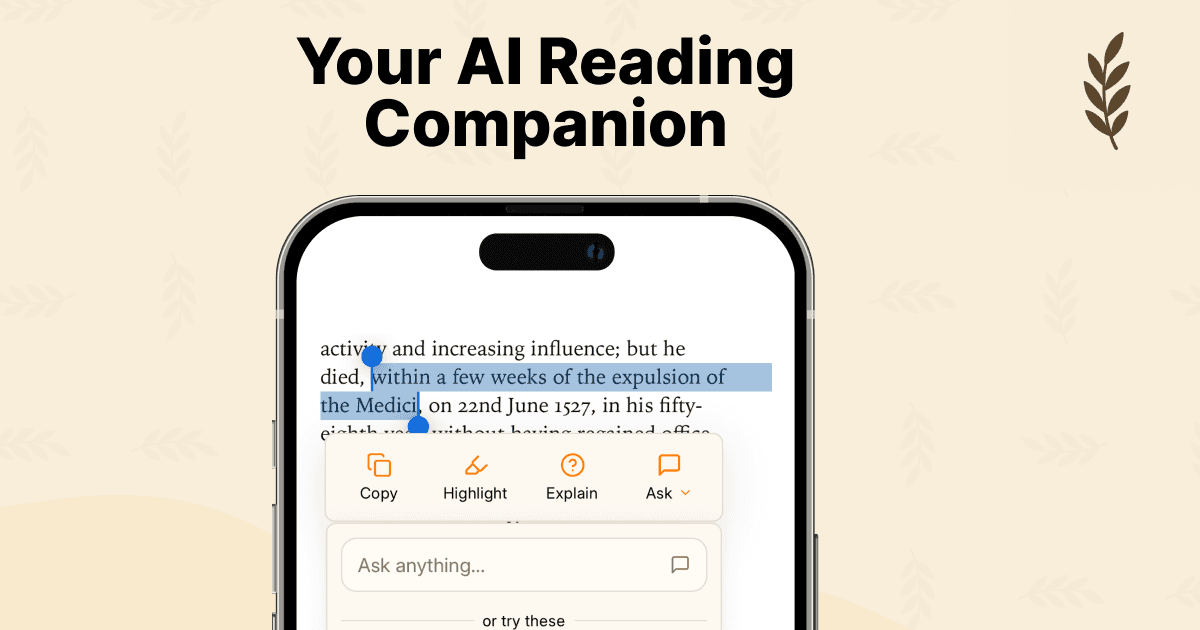
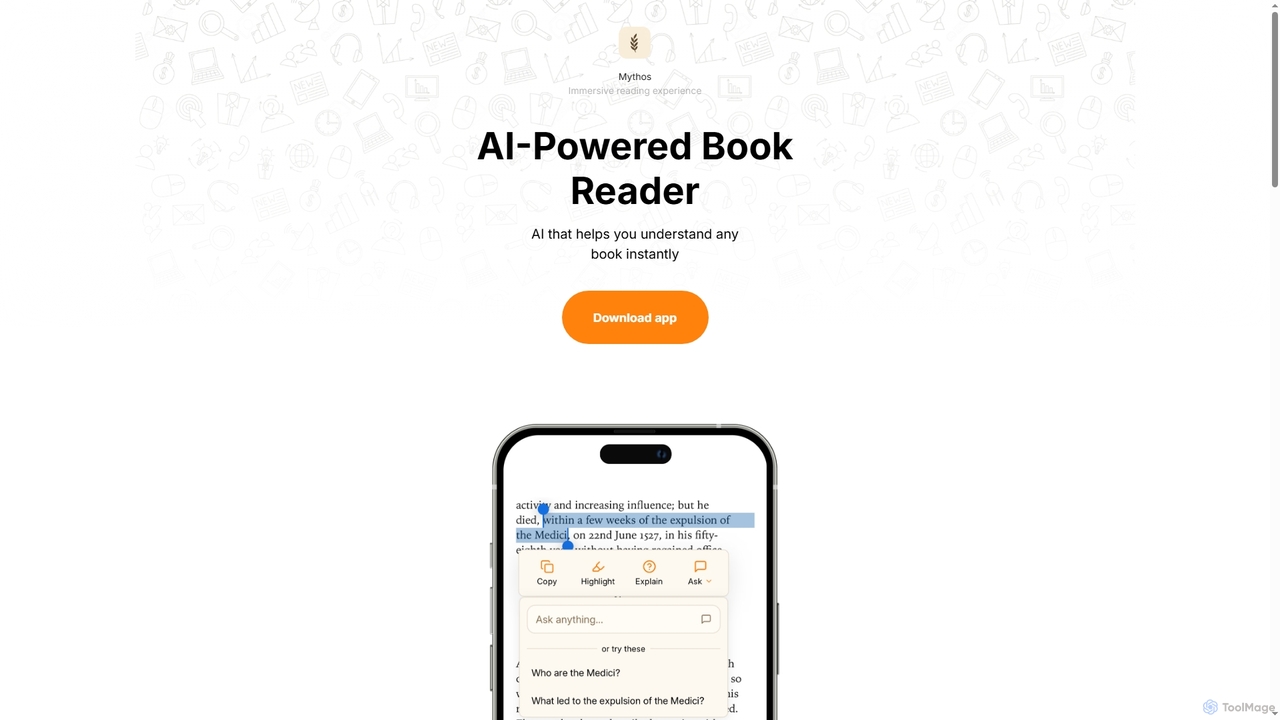
Mythos is an AI-powered book reader app designed to enhance your reading experience. It helps you instantly understand any book by providing smart AI actions and suggestions when you select text. It supports EPUB and PDF formats, making it easier to dive deep into complex topics, especially in technical books.

Analysis
Visits 6.5KFavorites 83Likes 84
AI Finder
Freemium

AI Finder

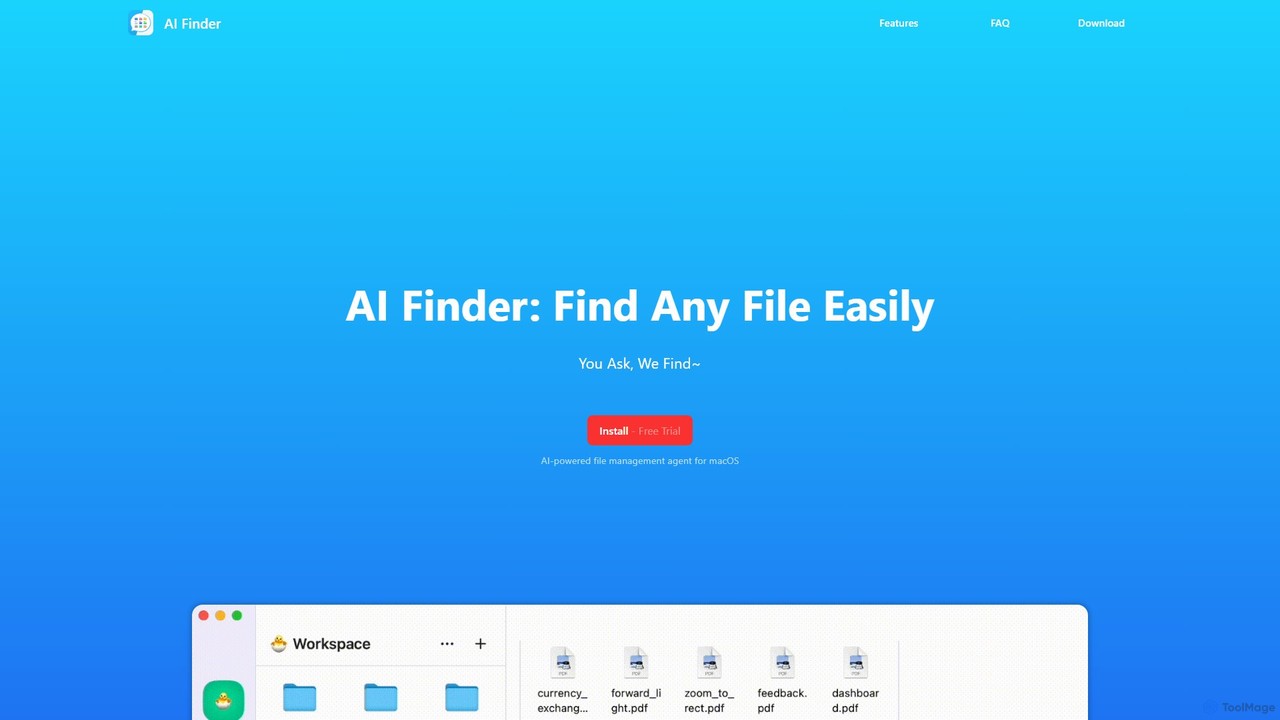
AI Finder is an intelligent file management agent for macOS that revolutionizes how you find files. Using natural language, you can search files by content, creation date, or even vague descriptions. It also features a 'Talk to PDF' function, allowing you to chat with, summarize, and extract key insights from your documents. All processing is done locally, ensuring your data remains private and secure.

Analysis
Visits 4.9KFavorites 107Likes 127
AI Renamer
Freemium

AI Renamer

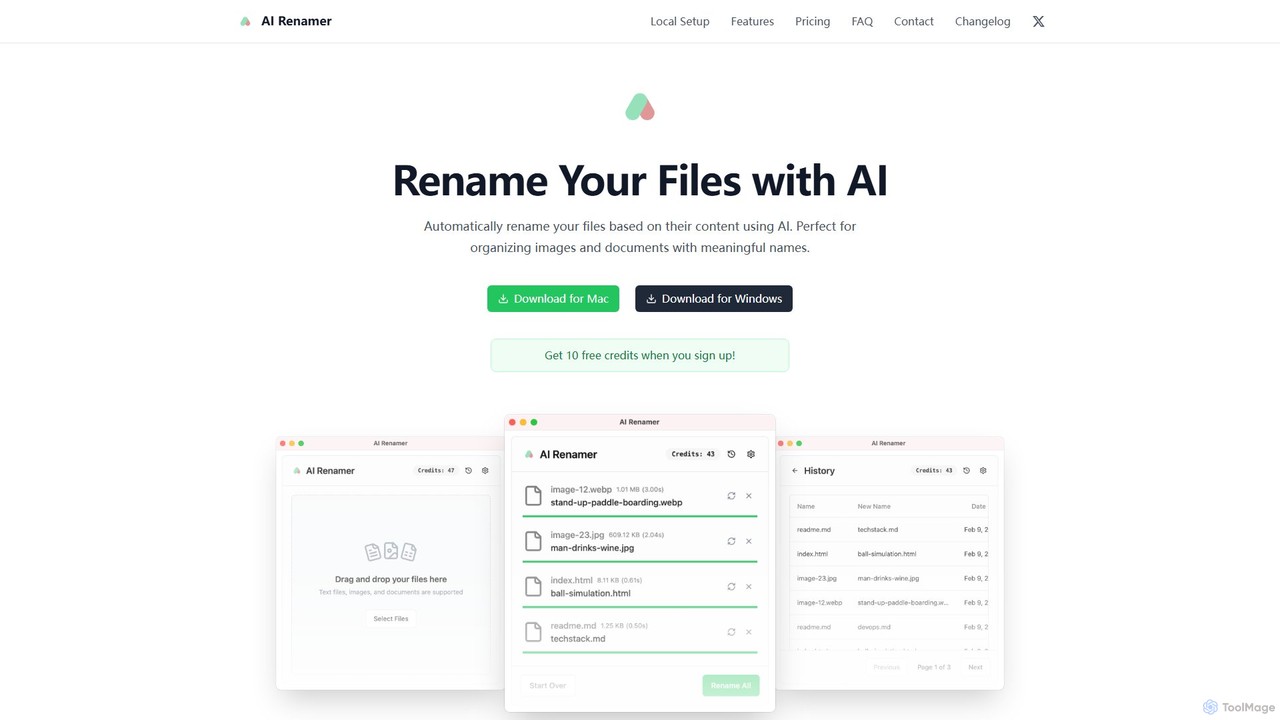
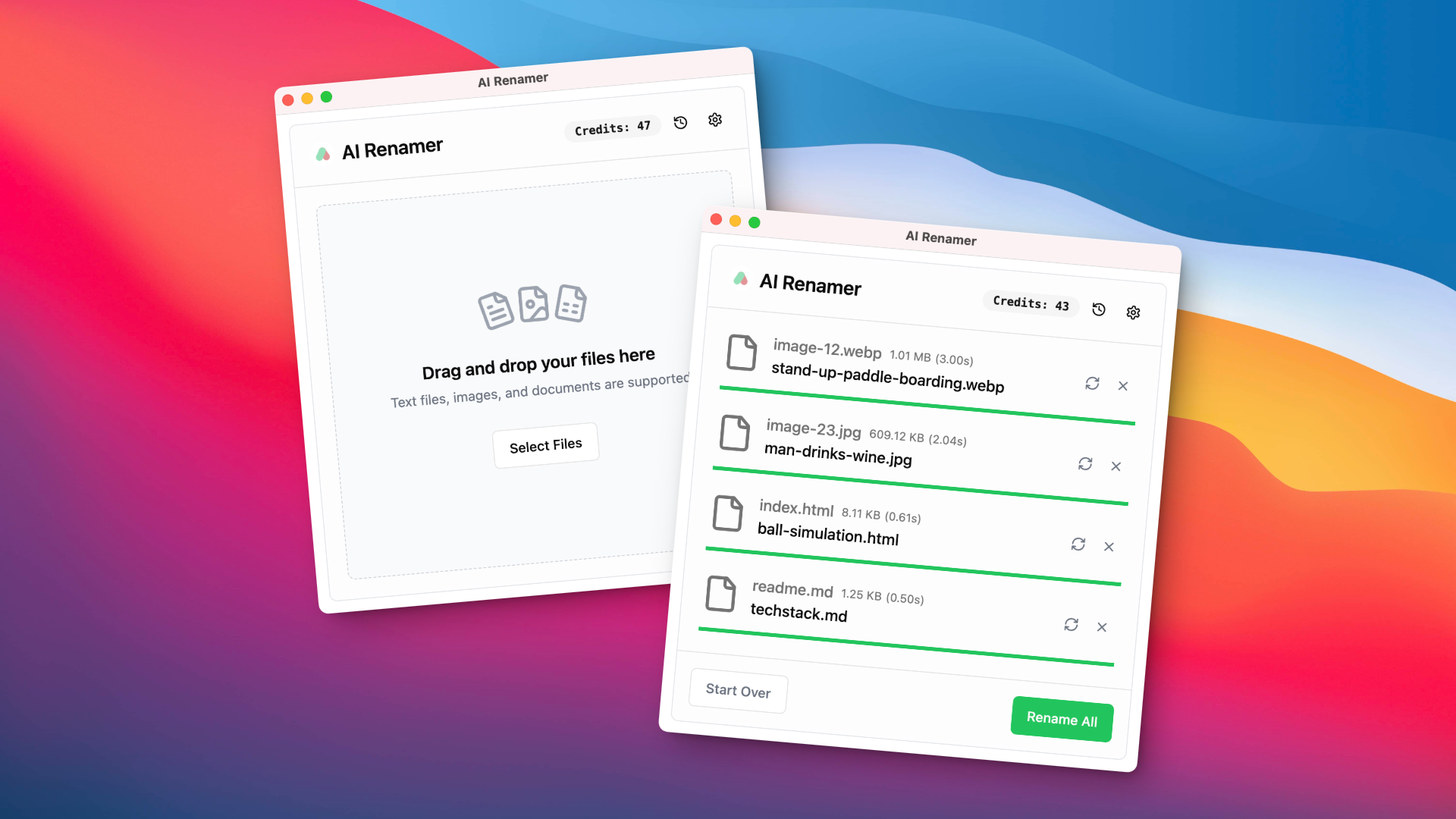
AI Renamer is a smart desktop application for Mac and Windows that automatically renames files based on their content. It analyzes images and documents to generate descriptive, meaningful names, helping you organize your digital life effortlessly. It supports batch processing, custom naming rules, and offers both a private, offline Local Mode and a convenient Cloud Mode.

Document Management
Visits 5.9KFavorites 100Likes 81

About Document

Document AI tools are AI-powered solutions designed to process, understand, generate, and manage various types of documents. Leveraging advanced technologies like Natural Language Processing (NLP), Optical Character Recognition (OCR), and machine learning, these tools automate complex document-centric tasks. They significantly enhance efficiency, accuracy, and insights across diverse industries by transforming unstructured data into actionable information.

Core Features

  • Intelligent Summarization: Automatically condenses long documents into concise summaries, highlighting key information.
  • Information Extraction: Identifies and extracts specific data points, entities, and relationships from unstructured text.
  • Automated Document Generation: Creates new documents, reports, or contracts based on templates and input data.
  • Semantic Search: Enables users to find relevant information within large document repositories based on meaning, not just keywords.
  • Document Classification & Routing: Automatically categorizes documents and directs them to the appropriate department or workflow.

Use Cases

AI Document tools are widely adopted in sectors requiring extensive document handling, such as legal, finance, healthcare, and human resources. They are used by professionals to streamline contract reviews, automate data entry from invoices, generate personalized reports, and manage vast archives of digital information efficiently.

How to Choose

When selecting an AI Document tool, consider its accuracy in data extraction and summarization, compatibility with your existing systems, and the range of document types it supports. Evaluate its security features for sensitive data, scalability for future growth, and pricing model to ensure it aligns with your budget and specific operational needs.

Featured tool rankings

Document use cases

1

Automated Contract Analysis for Legal Teams

Legal professionals can use Document AI tools to automatically review large volumes of contracts, identifying key clauses, potential risks, and compliance issues. By leveraging AI for information extraction and semantic understanding, teams can reduce manual review time by up to 70%, ensuring greater accuracy and consistency across legal documents, and accelerating due diligence processes.

2

Summarizing Research Papers for Academics

Researchers and students can utilize Document AI tools to quickly generate concise summaries of academic papers, articles, and reports. Instead of reading entire lengthy texts, users can obtain the core arguments, methodologies, and findings in minutes, significantly accelerating literature reviews and knowledge acquisition, allowing more time for critical analysis and original thought.

3

Automating Invoice Data Entry for Finance Departments

Finance departments can deploy Document AI tools to automate the extraction of critical data from invoices, receipts, and expense reports. Using OCR and intelligent data parsing, the tools accurately capture vendor names, amounts, dates, and line items, reducing manual data entry errors and processing time by over 80%, leading to faster reconciliation and improved financial reporting.

4

Generating Personalized Marketing Content

Marketing teams can leverage Document AI to generate personalized content at scale, such as email campaigns, product descriptions, or social media posts. By feeding customer data and product information into the AI, it can create tailored messages that resonate with specific audience segments, improving engagement rates and reducing the manual effort of content creation.

5

Enhancing Customer Support with Knowledge Base Creation

Customer support departments can use Document AI tools to automatically extract frequently asked questions (FAQs) and solutions from existing support tickets, manuals, and internal documents. This enables the rapid creation and maintenance of comprehensive knowledge bases, empowering customers with self-service options and reducing the workload on support agents by providing instant, accurate answers.

6

Streamlining HR Onboarding with Document Processing

HR departments can utilize Document AI to automate the processing of new hire paperwork, including resumes, offer letters, and compliance forms. The tools can extract relevant candidate information, verify data against internal systems, and automatically route documents for approvals, significantly reducing the administrative burden of onboarding and ensuring a smoother, faster experience for new employees.

Document FAQ

What are Document AI tools?

Document AI tools are artificial intelligence-powered software solutions designed to automate and enhance tasks related to document processing. They leverage technologies like Natural Language Processing (NLP) and Optical Character Recognition (OCR) to understand, extract, generate, and manage information from various document formats. These tools aim to convert unstructured document data into structured, actionable insights, significantly improving efficiency and accuracy in document-heavy workflows across industries.

How do AI Document tools improve business operations?

AI Document tools significantly enhance business operations by automating repetitive, manual tasks such as data entry, document classification, and information extraction. This automation reduces human error, accelerates processing times, and frees up employees to focus on higher-value activities. Furthermore, these tools provide deeper insights from document data, improve compliance by ensuring consistent data handling, and enable faster decision-making, leading to overall operational efficiency and cost savings.

What are the core capabilities of Document AI tools?

The core capabilities of Document AI tools typically include intelligent summarization, which condenses long texts; information extraction, for pulling specific data points like names, dates, and amounts; and automated document generation, creating new documents from templates. They also offer semantic search for meaning-based retrieval, and document classification and routing for efficient organization. Advanced tools may also feature language translation and sentiment analysis within documents.

How to choose the right Document AI tool for my business?

To choose the right Document AI tool, evaluate its accuracy in data extraction and summarization, which is crucial for reliable results. Consider its compatibility with your existing IT infrastructure and the range of document types it supports (e.g., PDFs, images, handwritten notes). Assess its security protocols for handling sensitive information, its scalability to grow with your business needs, and its pricing model to ensure it fits your budget and offers a clear return on investment. User-friendliness and integration capabilities are also key.

What technologies power Document AI tools?

Document AI tools are primarily powered by a combination of advanced artificial intelligence technologies. Optical Character Recognition (OCR) is fundamental for converting scanned documents and images into machine-readable text. Natural Language Processing (NLP) enables the tools to understand, interpret, and generate human language, facilitating tasks like summarization and information extraction. Machine learning (ML) algorithms are used for pattern recognition, classification, and continuous improvement of accuracy based on training data. Deep learning, a subset of ML, further enhances the capabilities for complex semantic understanding and generation.