ToolMage
Sign in

Best 2 Developer Tools for Education

Popular Developer Tools in Education include BigDevSoon and Write With Transformer, helping you work more efficiently.

BigDevSoon
Freemium

BigDevSoon

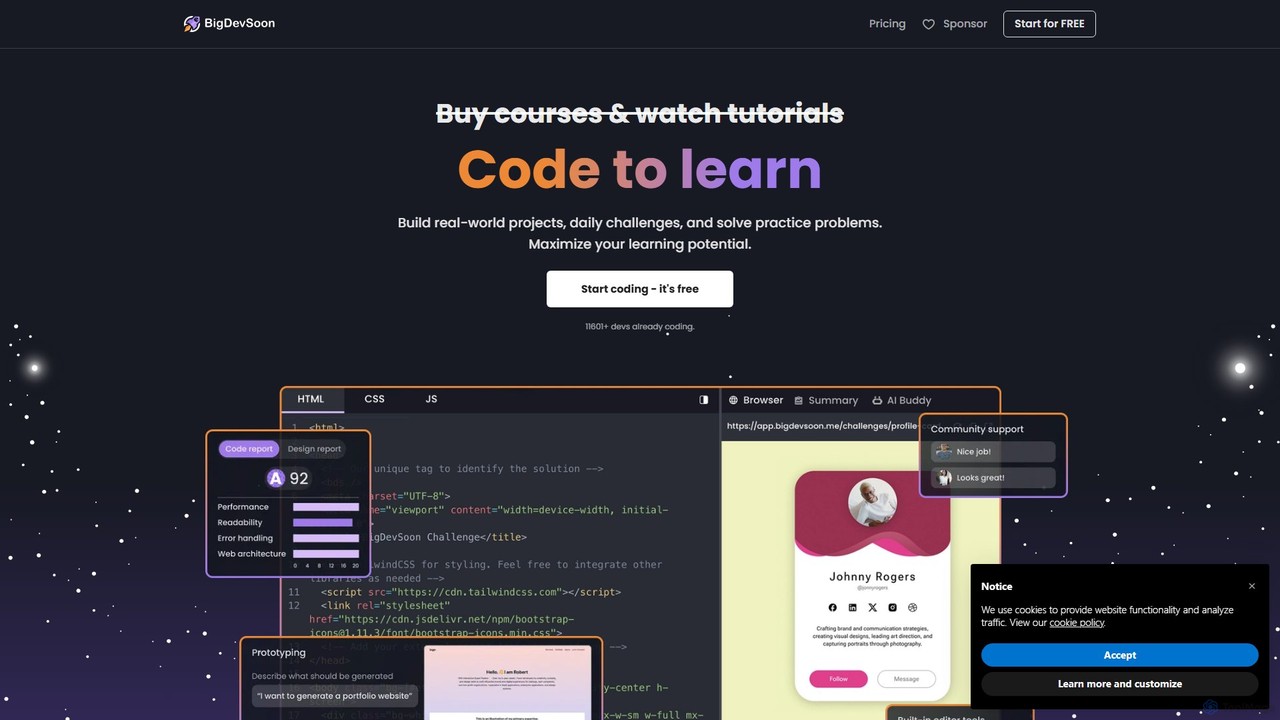
BigDevSoon is a hands-on learning platform for frontend developers. It helps users transition from tutorials to real-world applications by providing a library of projects, complete with Figma designs and structured tasks. It's designed to enhance coding skills, build a professional portfolio, and overcome the challenge of finding practical project ideas.

Frontend Development
Visits 32.2KFavorites 129Likes 164
Write With Transformer
Free

Write With Transformer

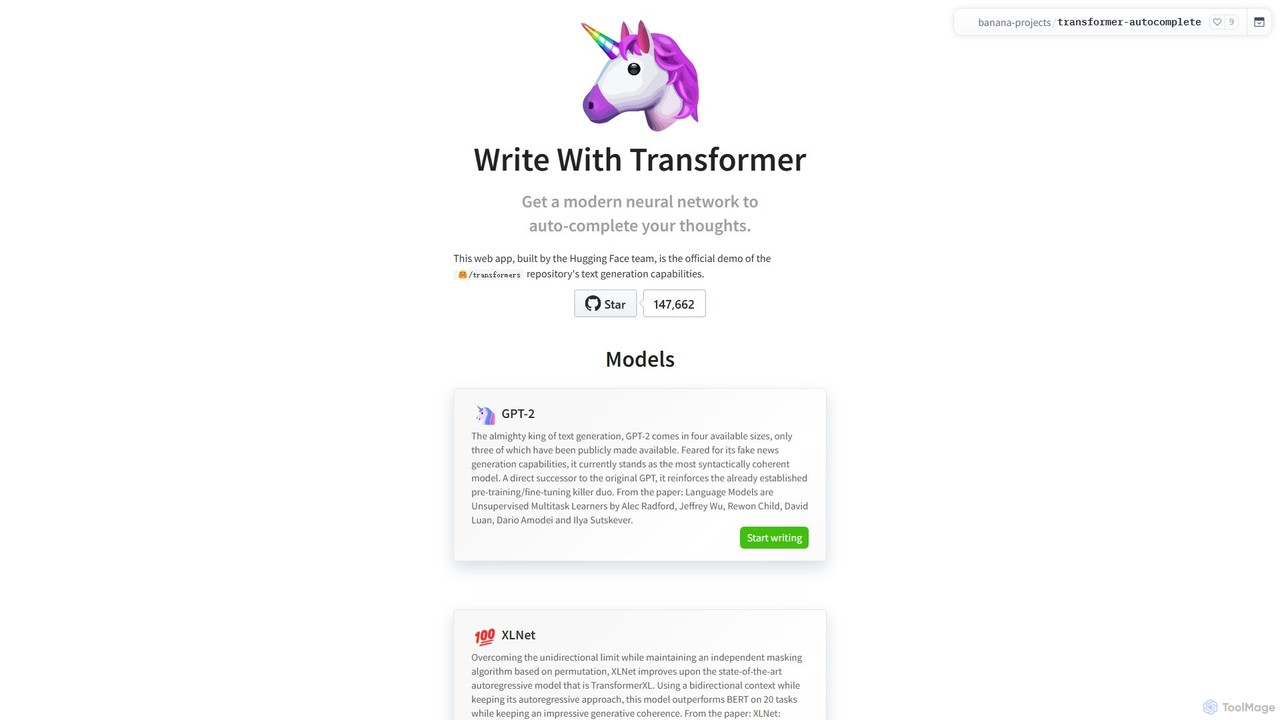
An official Hugging Face demo showcasing the text generation capabilities of various Transformer models. This web app allows users to experience real-time AI-powered text autocompletion with models like GPT-2, XLNet, and DistilGPT-2, serving as an intelligent writing assistant and an educational tool for developers and writers.

Developer Tools
Visits 9KFavorites 132Likes 120

About Developer Tools

Developer Tools are AI-powered platforms and applications designed to assist individuals in learning, practicing, and applying programming, software development, and technical skills. These tools leverage artificial intelligence to automate repetitive tasks, provide intelligent assistance, and enhance the overall development workflow. They serve to accelerate skill acquisition, improve code quality, and streamline complex technical projects, particularly within educational and professional development settings.

Core Features

  • AI-Assisted Coding: Provides intelligent code suggestions, auto-completion, and error detection to speed up programming.
  • Automated Debugging: Identifies and suggests fixes for code errors, helping users understand and resolve issues efficiently.
  • Code Generation: Generates boilerplate code, functions, or even entire scripts from natural language descriptions or specifications.
  • Code Review & Optimization: Analyzes code for best practices, security vulnerabilities, and performance bottlenecks, offering improvement suggestions.
  • Learning & Practice Environments: Offers interactive coding challenges, simulated environments, and personalized feedback for skill development.

Use Cases

These tools are invaluable for students learning programming, educators teaching complex technical concepts, and researchers developing AI models or software prototypes. They enable faster iteration on projects, provide immediate feedback on code, and help bridge the gap between theoretical knowledge and practical application, making complex development tasks more accessible and efficient for learners at all levels.

How to Choose

When selecting AI Developer Tools, consider the specific programming languages and frameworks supported, the level of AI assistance offered (e.g., code generation vs. debugging), integration capabilities with existing IDEs or learning platforms, and the target user's skill level. Evaluate the clarity of AI explanations, the accuracy of suggestions, and the overall learning curve to ensure it aligns with educational or development goals.

Developer Tools use cases

1

Accelerating Learning in Programming Courses

University students can utilize AI developer tools to get real-time feedback on their coding assignments, automatically debug errors, and receive intelligent suggestions for improving their code structure. This significantly reduces the time spent on troubleshooting, allowing them to focus more on understanding core concepts and developing problem-solving skills, thereby enhancing their learning efficiency and project completion rates.

2

Generating Boilerplate Code for New Projects

Software engineering teams or individual developers starting a new project can use AI code generation tools to quickly scaffold common components like API endpoints, database models, or UI elements. By simply describing the desired functionality in natural language, the AI generates the initial code, saving hours of manual setup and allowing developers to jump straight into implementing core business logic.

3

Intelligent Debugging for Complex Applications

Experienced developers working on large, intricate software systems often face challenging debugging scenarios. AI-powered debugging tools can analyze runtime errors, trace execution paths, and suggest potential root causes or fixes, even for obscure bugs. This capability drastically cuts down debugging time, improves code stability, and allows developers to maintain focus on feature development rather than error resolution.

4

Automating Code Review and Quality Assurance

Development teams can integrate AI developer tools into their continuous integration/continuous deployment (CI/CD) pipelines to automate code reviews. The AI can identify potential bugs, security vulnerabilities, adherence to coding standards, and performance issues before human reviewers, providing immediate, actionable feedback. This ensures higher code quality, reduces technical debt, and frees up senior developers for more strategic tasks.

5

Personalized Coding Practice and Skill Development

Aspiring programmers or those looking to learn new languages can leverage AI developer tools that offer interactive coding challenges and personalized learning paths. These tools adapt to the user's progress, provide hints, explain complex concepts, and offer tailored exercises, making the learning process more engaging and effective than traditional methods. This helps users build practical skills at their own pace.

6

Building and Deploying AI Models Efficiently

Data scientists and machine learning engineers can use AI developer tools specifically designed for model development, training, and deployment. These tools can automate data preprocessing, suggest optimal model architectures, assist in hyperparameter tuning, and streamline the deployment of models into production environments. This accelerates the entire machine learning lifecycle, from experimentation to operationalization.

Developer Tools FAQ

What are AI Developer Tools?

AI Developer Tools are software applications that integrate artificial intelligence to assist developers and learners in various stages of software development. They leverage AI to automate tasks, provide intelligent suggestions, and enhance efficiency in coding, debugging, testing, and deployment. These tools aim to simplify complex development processes and accelerate skill acquisition.

How do AI Developer Tools differ from traditional IDEs?

While traditional Integrated Development Environments (IDEs) provide essential coding, compiling, and debugging functionalities, AI Developer Tools go a step further by embedding intelligent assistance. They offer features like AI-driven code generation, predictive error detection, automated refactoring suggestions, and natural language to code translation, which traditional IDEs typically lack or offer only through basic plugins.

Who can benefit most from using AI Developer Tools?

A wide range of users can benefit, including students learning to code, educators teaching programming, professional software developers, data scientists, and machine learning engineers. Students gain personalized learning support, while professionals can significantly boost productivity by automating repetitive tasks, improving code quality, and accelerating project timelines.

What are the key features to look for in an AI Developer Tool?

When choosing an AI Developer Tool, prioritize features such as AI-assisted code completion and generation, intelligent debugging capabilities, automated code review for quality and security, support for your primary programming languages and frameworks, and seamless integration with your existing development environment. User-friendliness and the quality of AI suggestions are also crucial.

Can AI Developer Tools replace human programmers?

No, AI Developer Tools are designed to augment, not replace, human programmers. They automate mundane tasks, provide intelligent assistance, and help improve code quality and efficiency, but they lack the creativity, critical thinking, and complex problem-solving abilities of human developers. They serve as powerful assistants, allowing programmers to focus on higher-level design, innovation, and strategic decision-making.