DeckFlow
DeckFlow is an AI-powered document translator specializing in PowerPoint (PPTX) and PDF files. It delivers high-accuracy translations in …
DeckFlow is an AI-powered document translator specializing in PowerPoint (PPTX) and PDF files. It delivers high-accuracy translations in over 50 languages while perfectly preserving the original document's formatting, layout, animations, and design elements. Ideal for professionals who need to create multilingual presentations and documents without rework.
inotherword
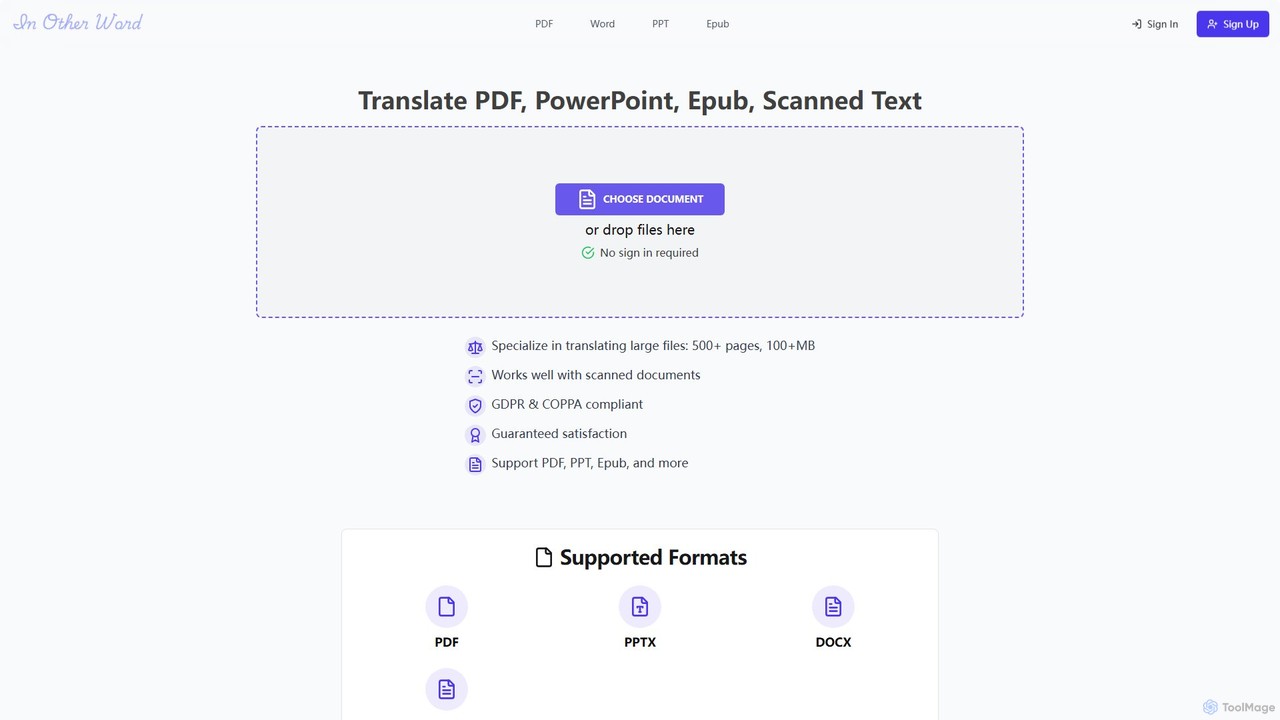
An AI-powered document translation tool that accurately translates various file formats like PDF, EPUB, PowerPoint, and scanned documents …
An AI-powered document translation tool that accurately translates various file formats like PDF, EPUB, PowerPoint, and scanned documents into over 100 languages. It specializes in handling large files while preserving the original layout and formatting, making it ideal for books, business presentations, and academic papers.
About Document Processing
AI Document Processing tools are applications that use artificial intelligence to understand, extract, and manage information from digital documents. They employ technologies like Optical Character Recognition (OCR) and Natural Language Processing (NLP) to analyze content within PDFs, images, and text files. This enables users to automate data extraction, summarize long texts, and interact with their documents through conversational queries. For professionals and students in educational settings, these tools significantly accelerate research and streamline information management.
Core Features
- Intelligent Data Extraction: Automatically identifies and pulls specific data points like names, dates, tables, and figures from unstructured documents.
- Automated Summarization: Condenses lengthy articles, research papers, or reports into concise summaries, highlighting key insights.
- Document Q&A: Allows users to ask questions in natural language and receive precise answers sourced directly from the document's content.
- OCR and Text Recognition: Converts scanned documents, images of text, and even handwritten notes into machine-readable, searchable, and editable text.
- Content Classification: Automatically categorizes and tags documents based on their content, simplifying organization and retrieval.
Use Cases
These tools are widely used in academia for literature reviews and study material analysis. In business, they are applied in legal contract review, financial report analysis, and invoice processing. Any role that involves handling large volumes of documents, such as researchers, paralegals, students, and administrative staff, can benefit from the automation and efficiency they provide.
How to Choose
When selecting an AI Document Processing tool, consider the types of documents you work with (PDFs, scans, etc.) and the required accuracy for data extraction. Evaluate its language support and integration capabilities with your existing software, such as cloud storage or databases. Also, assess the user interface's simplicity and the pricing model, whether it's based on per-document processing or a subscription plan.

Document ProcessingUse Cases
Accelerating Literature Reviews for Research
A postgraduate researcher preparing a thesis needs to review over 100 academic papers. Instead of manually reading each one, they upload the entire collection to an AI Document Processing tool. The tool automatically extracts key information such as methodologies, sample sizes, and conclusions from each paper. The researcher can then ask specific questions like, 'Which studies used a longitudinal design?' or 'Summarize the findings related to cognitive behavioral therapy.' This process reduces the literature review time from weeks to days, allowing for a more comprehensive analysis.
Creating Interactive Study Guides from Textbooks
A university student is struggling with a dense textbook for an upcoming exam. They scan the relevant chapters and upload them to a document processing tool. The AI generates a summary of each chapter, creates a list of key terms and definitions, and even formulates potential exam questions based on the content. The student can then 'chat' with the chapters, asking for clarification on complex topics like 'Explain the process of photosynthesis in simple terms.' This transforms static text into an interactive study partner, improving comprehension and retention.
Automating Invoice and Receipt Processing
A small business owner or a university's finance department handles hundreds of invoices and receipts monthly. Manually entering data from each document into accounting software is time-consuming and prone to errors. By using an AI document processing tool, they can simply upload scans or photos of the documents. The AI uses OCR to read the text and then intelligently extracts key fields like vendor name, invoice number, date, and total amount. This extracted data can then be automatically exported to a spreadsheet or accounting system, saving hours of manual work each week.
Streamlining Legal Contract Analysis
A paralegal or a law student is tasked with reviewing a 50-page contract to identify all clauses related to liability and termination. Manually reading through dense legal text is tedious. By uploading the contract to an AI tool, they can instantly search for specific concepts, not just keywords. They can ask, 'Show me all sections that limit our liability' or 'What are the conditions for contract termination?'. The tool highlights the relevant paragraphs and can even summarize them, ensuring no critical clause is missed and significantly speeding up the due diligence process.
Digitizing and Organizing Handwritten Archives
A historian or archivist is working with a collection of historical handwritten letters and journals. To make this collection searchable and accessible, they use an AI document tool with advanced OCR capabilities. They photograph or scan each page, and the tool transcribes the handwriting into digital text. It can even identify recurring names, places, and dates, automatically tagging the documents. This transforms a fragile, physical archive into a robust, searchable digital database, unlocking new possibilities for research and preservation.
Extracting Data from Financial Reports for Analysis
A financial analyst or business student needs to compare the performance of several companies by analyzing their annual reports. These reports are often long, complex PDFs. Using an AI document processing tool, the analyst can upload all the reports and instruct the tool to extract specific financial tables, such as the income statement and balance sheet, from each one. The tool can consolidate this data into a single, structured spreadsheet. This automates the tedious data collection phase, allowing the analyst to focus immediately on analysis, trend identification, and generating insights.