
we360.ai
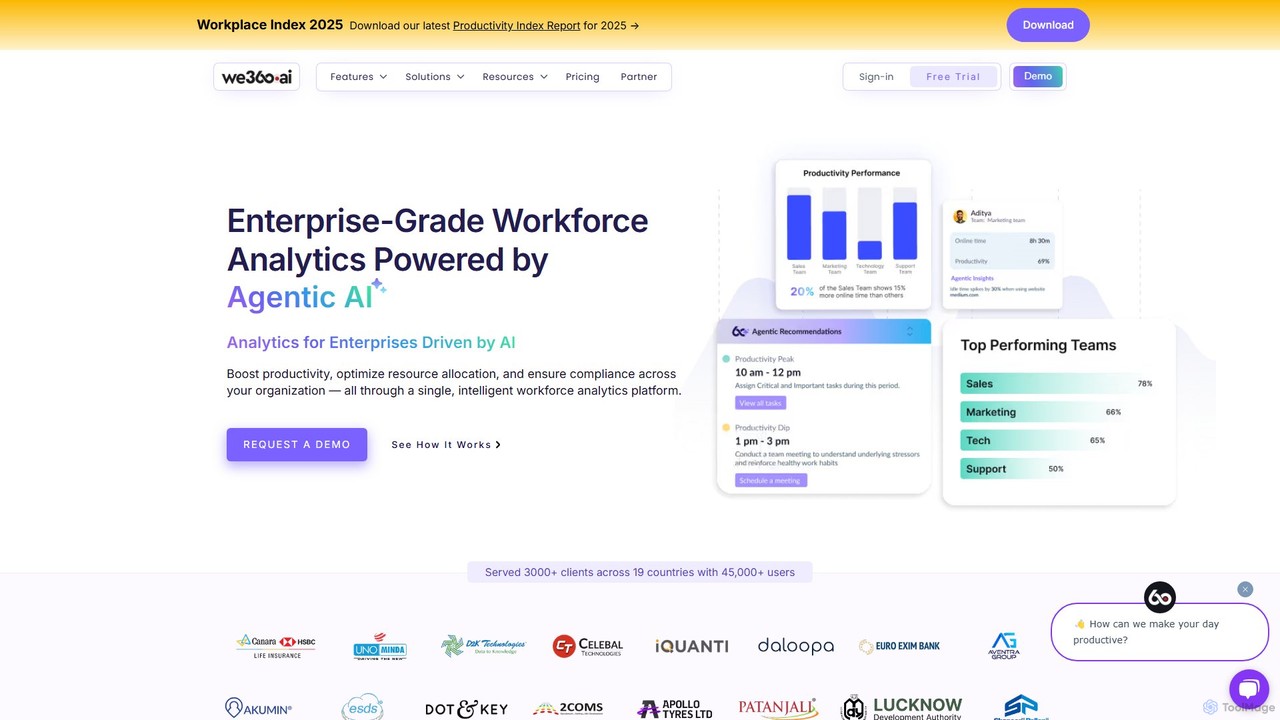
we360.ai is an enterprise-grade workforce analytics platform powered by Agentic AI. It provides deep insights into team productivity, …
we360.ai is an enterprise-grade workforce analytics platform powered by Agentic AI. It provides deep insights into team productivity, application usage, and workflow patterns to help businesses optimize resource allocation, enhance performance, and ensure compliance. Ideal for remote, hybrid, and in-office teams, it transforms raw data into actionable decisions for measurable efficiency gains.
About Employee Monitoring
Employee Monitoring tools are a class of software designed to track and analyze employee activity on company-owned digital devices. These tools operate by collecting data on application usage, website visits, time spent on tasks, and communication patterns to provide objective insights. They are used by organizations to enhance productivity, ensure compliance with company policies, and bolster internal security. As a specialized area within Human Resources technology, they offer data-driven visibility into workforce engagement and operational efficiency, particularly in remote or hybrid work environments.
Core Features
- Activity Tracking: Monitors application and website usage, logging active and idle time to understand work patterns.
- Productivity Analysis: Categorizes activities as productive or unproductive based on predefined rules, generating detailed performance reports.
- Screen Monitoring: Captures periodic screenshots or live video of employee screens for compliance audits and security investigations.
- Insider Threat Detection: Utilizes AI to flag suspicious behaviors, such as unusual file access or data transfers, to prevent data breaches.
- Automated Time Tracking: Records work hours and time allocated to specific projects automatically, eliminating the need for manual timesheets.
Use Cases
These tools are widely adopted for managing remote and hybrid teams, ensuring operational consistency and engagement. In regulated industries like finance and healthcare, they are essential for creating audit trails and demonstrating compliance with data handling policies. Tech companies and R&D departments also use them to protect sensitive intellectual property from internal threats.
How to Choose
When selecting an Employee Monitoring tool, prioritize solutions that offer transparency features to inform employees about what is being monitored. Ensure the tool complies with data privacy regulations like GDPR and CCPA. Evaluate its integration capabilities with your existing project management and HR software. Finally, consider the scalability of the platform and the granularity of its reporting features to match your specific business needs.
Employee MonitoringUse Cases
Optimizing Remote Team Productivity
A manager of a distributed team uses an employee monitoring tool to gain high-level insights into work patterns without micromanaging. The system provides aggregate data on application usage, project hours, and activity levels. By identifying that the design team spends excessive time in non-core applications, the manager can address potential workflow bottlenecks or software issues, leading to a more focused and efficient remote work environment.
Ensuring Compliance in Regulated Industries
A financial services firm implements an employee monitoring tool to meet strict regulatory requirements. The software automatically logs all digital communications and file access related to client data, creating an immutable audit trail. During a regulatory audit, the compliance officer can quickly generate reports to demonstrate that all data handling procedures were followed, preventing hefty fines and protecting the firm's reputation.
Protecting Sensitive Intellectual Property
A software development company uses an employee monitoring tool with insider threat detection. The AI-powered system establishes a baseline of normal user behavior for each developer. When a developer attempts to upload a large portion of the source code to a personal cloud drive late at night, the system flags this anomalous activity in real-time and alerts the security team. This proactive measure prevents a potential theft of valuable intellectual property before it occurs.
Improving Project Time and Cost Allocation
A digital marketing agency uses automated time tracking to accurately bill clients and analyze project profitability. The tool automatically logs the time employees spend on specific tasks and client projects within applications like Asana and Adobe Creative Suite. This provides precise data for invoices, eliminating guesswork. It also allows managers to see which projects are consuming the most resources, enabling better planning and resource allocation for future work.
Streamlining Employee Onboarding and Training
An HR department uses monitoring data to refine its onboarding process for new software engineers. By analyzing application usage patterns of new hires during their first month, they identify which internal tools are causing the most difficulty. This insight allows the training team to create targeted tutorials and offer proactive support, reducing the learning curve and helping new engineers become productive members of the team faster.
Validating Work Hours for Hybrid Schedules
A company with a flexible, hybrid work policy uses activity-based time tracking to ensure accurate payroll. Instead of relying on manual check-ins, the system automatically logs active computer time as work hours. This provides an objective and fair record for both in-office and remote employees, respecting their flexible schedules while ensuring that compensation is accurately tied to productive work time, simplifying payroll administration.