ToolMage
Sign in

Best 1 Human Resources Information System AI tools for Hr

Popular Human Resources Information System AI tools in Hr include Humaans, helping you work more efficiently.

Humaans
Paid

Humaans

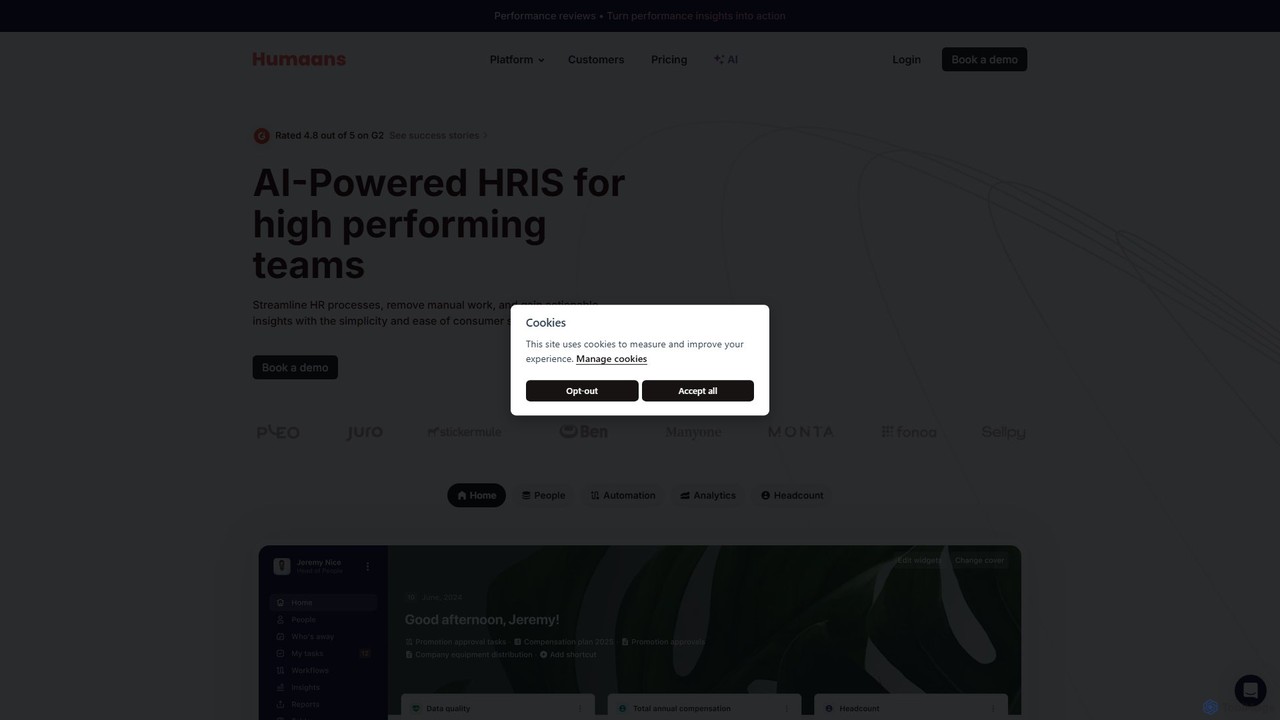
Humaans is an AI-powered Human Resource Information System (HRIS) designed for high-performing, growing teams. It centralizes all employee data, automates HR processes like onboarding and offboarding, and provides actionable insights through powerful analytics. Featuring an AI companion, it streamlines workflows and enhances employee experience.

Hr Analytics
Visits 126.9KFavorites 149Likes 143

About Human Resources Information System

Human Resources Information System (HRIS) tools are integrated software solutions designed to manage and automate core human resources processes and data. These systems centralize employee information, from recruitment to retirement, leveraging technology to streamline administrative tasks and enhance HR efficiency. By providing a unified platform, HRIS enables organizations to improve data accuracy, ensure compliance, and gain strategic insights into their workforce.

Core Functions

  • Employee Data Management: Centralized storage and management of employee profiles, contact details, job history, and personal information.
  • Payroll & Benefits Administration: Automation of salary processing, tax calculations, deductions, and management of employee benefits plans.
  • Time & Attendance Tracking: Digital recording and management of employee work hours, leaves, and absences for accurate payroll and compliance.
  • Recruitment & Onboarding: Streamlining applicant tracking, candidate communication, and the new hire onboarding process.
  • Performance Management: Tools for setting goals, conducting performance reviews, and tracking employee development.

Applicable Scenarios

HRIS is crucial for businesses of all sizes, particularly those with growing workforces or complex HR needs. Small to medium-sized enterprises (SMEs) use HRIS to professionalize their HR operations, while large corporations leverage it for global workforce management and strategic planning. HR departments, managers, and employees benefit from self-service portals, automated workflows, and comprehensive reporting capabilities.

How to Choose

When selecting an HRIS, consider your organization's specific needs regarding employee count, budget, and desired functionalities. Evaluate the system's scalability, integration capabilities with existing software (e.g., ERP, accounting), user-friendliness, and vendor support. Data security, compliance with local regulations, and the availability of self-service options for employees are also critical factors.

Human Resources Information System use cases

1

Automating Payroll Processing and Tax Compliance

HR managers use HRIS to automatically calculate salaries, deductions, and taxes for all employees, ensuring timely and accurate payments while adhering to local and national tax regulations. This significantly reduces manual errors and saves hours of administrative work each pay period, allowing HR teams to focus on more strategic initiatives.

2

Streamlining Employee Onboarding for New Hires

HR teams leverage HRIS to create a seamless onboarding experience, allowing new employees to digitally complete paperwork, access company policies, and enroll in benefits before their first day. This accelerates integration, reduces administrative burden, and ensures compliance with necessary documentation, improving the overall new hire experience.

3

Centralizing Employee Data for Comprehensive Reporting

Business leaders and HR professionals utilize HRIS to consolidate all employee information—from demographics to performance reviews—into a single database. This enables the generation of detailed reports on workforce analytics, talent trends, and compliance, supporting strategic decision-making and providing a holistic view of the organization's human capital.

4

Facilitating Performance Management and Goal Tracking

Managers use HRIS modules to set individual and team goals, conduct regular performance reviews, and track employee progress against objectives. The system provides a structured framework for feedback, development planning, and identifying high-potential talent, fostering a culture of continuous improvement and growth within the organization.

5

Managing Time Off Requests and Attendance Records

Employees submit leave requests directly through the HRIS self-service portal, which managers can approve or deny. The system automatically updates attendance records, tracks accrued leave balances, and ensures compliance with company leave policies, reducing manual tracking and potential discrepancies in time management.

6

Administering Employee Benefits and Open Enrollment

HR administrators use HRIS to manage various employee benefits programs, including health insurance, retirement plans, and wellness initiatives. During open enrollment periods, employees can review and select their benefits packages directly within the system, simplifying the process for both HR and staff and ensuring accurate record-keeping.

Human Resources Information System FAQ

What is a Human Resources Information System (HRIS)?

A Human Resources Information System (HRIS) is a comprehensive software solution that integrates various human resources functions into a single platform. It centralizes employee data, automates administrative tasks like payroll and benefits, and provides tools for recruitment, performance management, and reporting. Its core purpose is to streamline HR operations and provide strategic insights into the workforce.

How does an HRIS differ from an HRMS or HCM system?

While often used interchangeably, HRIS, HRMS (Human Resources Management System), and HCM (Human Capital Management) represent different scopes. HRIS primarily focuses on core HR functions and data management (e.g., payroll, benefits, employee records). HRMS includes all HRIS functionalities plus additional features like time & attendance and talent management. HCM is the broadest, encompassing all HRMS features along with strategic components like workforce planning, analytics, and global HR capabilities.

What are the key benefits of implementing an HRIS for a business?

Implementing an HRIS offers several key benefits, including enhanced data accuracy and accessibility, significant automation of routine HR tasks, and improved compliance with labor laws and regulations. It also provides valuable analytics for strategic decision-making, boosts employee engagement through self-service portals, and reduces operational costs by streamlining processes and minimizing manual errors.

What core functionalities should I look for in an HRIS?

When evaluating an HRIS, prioritize functionalities such as robust employee data management, efficient payroll processing, and comprehensive benefits administration. Look for integrated modules for time and attendance tracking, recruitment and onboarding, and performance management. Reporting and analytics capabilities, along with employee self-service options, are also crucial for a well-rounded system.

Who typically uses an HRIS within an organization?

An HRIS is primarily used by HR professionals for managing employee data, payroll, benefits, and compliance. Managers utilize it for performance reviews, approving time off, and accessing team information. Employees benefit from self-service portals to update personal details, view pay stubs, request leave, and access company policies. Executive leadership uses HRIS for strategic workforce planning and analytics.