ToolMage
Sign in

Best 1 Avatar Maker AI tools for Image

Popular Avatar Maker AI tools in Image include caricaturer, helping you work more efficiently.

caricaturer
Free

caricaturer

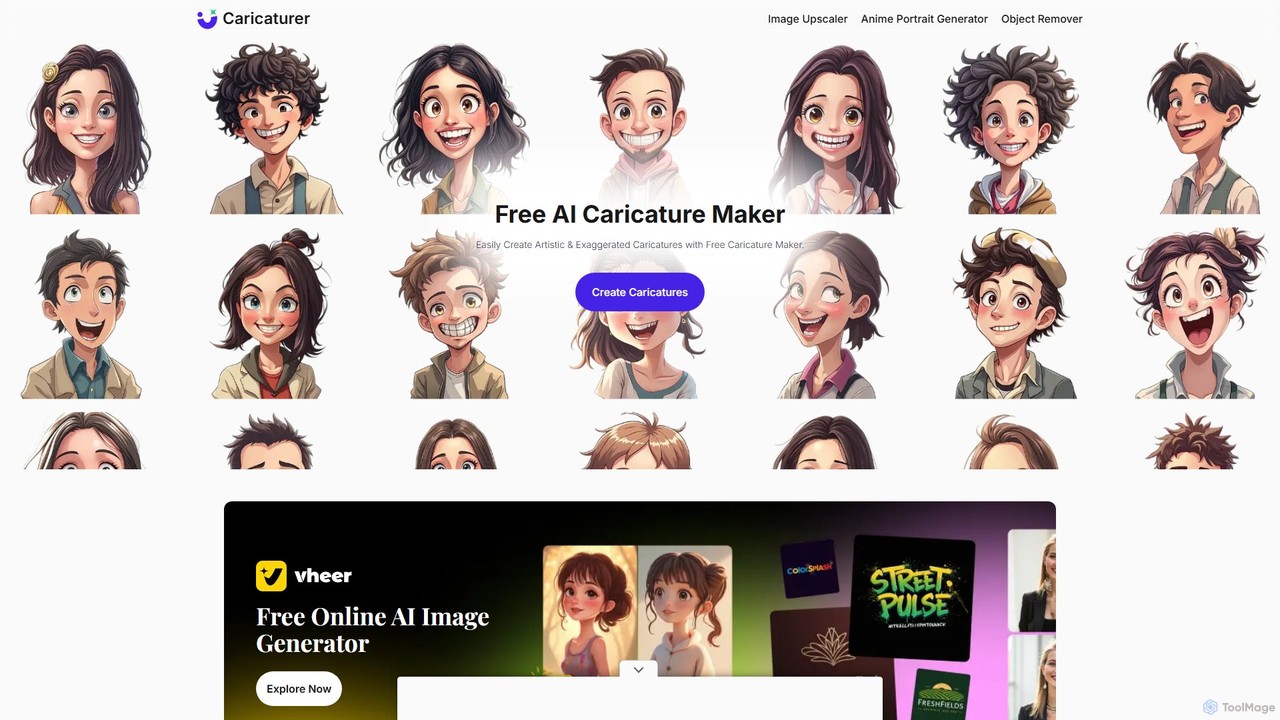
caricaturer is a free AI-powered tool that instantly transforms photos into fun, exaggerated caricatures. Simply upload an image, use text prompts to define the style, and generate high-quality, watermark-free caricatures in seconds. No artistic skills, registration, or payment required. Perfect for social media avatars, personalized gifts, and creative branding.

Image Generation
Visits 19.4KFavorites 105Likes 111

About Avatar Maker

AI Avatar Makers are specialized tools that generate unique, personalized profile pictures or character representations using artificial intelligence. They often utilize generative models to transform text prompts, photos, or sketches into a wide range of stylized avatars. These tools are widely used for creating distinct online identities for social media, gaming profiles, and virtual worlds. Unlike general image generators, they are fine-tuned for portrait-style outputs, offering specific controls for facial features, art styles, and accessories.

Core Features

  • Style Customization: Apply diverse artistic styles such as anime, cartoon, realistic, fantasy, or cyberpunk.
  • Photo-to-Avatar Conversion: Upload a real photo to generate an AI-stylized version that retains your likeness.
  • Text-to-Avatar Generation: Create a unique avatar from a detailed text description of a character's appearance and attributes.
  • Attribute Control: Fine-tune specific features like hair color, eye shape, clothing, and background elements.
  • Batch Generation: Produce multiple avatar variations from a single input, providing a wide array of options.

Use Cases

AI Avatar Makers are ideal for social media users, gamers, and content creators seeking a unique digital identity. They are also used by businesses for creating consistent brand mascots, virtual assistants for customer support, or uniform team profile pictures for internal platforms.

How to Choose

When selecting an AI Avatar Maker, consider the range of available art styles and the level of customization offered. Evaluate whether it supports photo uploads, text prompts, or both. Also, check the output resolution and the usage rights for the generated images, especially for commercial purposes.

Avatar Maker use cases

1

Creating a Unique Social Media Profile Picture

A content creator wants a standout profile picture for platforms like Instagram, Twitter, or LinkedIn. They upload a few selfies to an AI Avatar Maker, select a 'cyberpunk' or 'fantasy art' style, and generate dozens of variations. They can then choose the one that best represents their personal brand, avoiding generic photos and creating a memorable online presence that captures attention.

2

Designing Game Characters or NPCs

An indie game developer needs a diverse cast of non-player characters (NPCs). Instead of commissioning art for each one, they use an AI Avatar Maker with text prompts like 'old male wizard with a long white beard, glowing blue eyes'. The tool generates multiple concept portraits instantly, speeding up the character design workflow and providing visual inspiration for the game's art direction.

3

Generating Avatars for a Virtual Event

A company hosting a virtual conference wants attendees to have personalized avatars. They integrate an AI Avatar Maker API into their platform. Attendees upload a photo upon registration, and the system automatically generates a professional, stylized avatar in the company's brand colors. This creates a cohesive and engaging experience, making the virtual environment feel more personal and interactive.

4

Producing Consistent Team Avatars for Business

A marketing team wants a unified look for their 'About Us' page and internal tools like Slack. The manager uses an AI Avatar Maker that allows style-locking. Each team member uploads their photo, and the tool generates an avatar in the same consistent cartoon or illustrated style. This strengthens team identity and enhances brand consistency across different platforms.

5

Creating a Persona for a Brand Mascot

A startup needs a friendly mascot for their website and marketing materials but has a limited design budget. The marketing lead uses a text-to-avatar generator to experiment with concepts like 'a cute, helpful robot with a smiling screen face'. They can iterate on dozens of designs in minutes, finding the perfect visual representation for their brand's personality without extensive design cycles.

6

Personalizing User Profiles in an App

A developer of a social or educational app wants to enhance user engagement. They incorporate an AI Avatar Maker feature, allowing users to create their own unique avatars from a photo or prompt. This personalization makes the user experience more immersive and encourages users to invest more time in their profiles, fostering a stronger sense of community and identity within the app.

Avatar Maker FAQ

What is an AI Avatar Maker?

An AI Avatar Maker is a tool that uses artificial intelligence to create personalized digital portraits or characters. Unlike manual design software, it automatically generates images from inputs like photos or text descriptions. Key features include style transfer and attribute customization, making it ideal for quickly creating unique online identities for social media, gaming, or virtual platforms.

How to choose the right AI Avatar Maker?

To choose the right tool, consider these factors:

  • Input Method: Do you prefer uploading a photo or writing a text prompt? Choose a tool that matches your workflow.
  • Style Variety: Ensure the tool offers the specific art styles you need, such as anime, realistic, or cartoon.
  • Customization Level: Check how much control you have over details like facial features, clothing, and background.
  • Usage Rights: Review the terms to confirm you can use the avatars for your intended purpose (e.g., personal vs. commercial).
What's the difference between an AI Avatar Maker and a general AI Image Generator?

The main difference is specialization. A general AI Image Generator can create any type of image, from landscapes to abstract art. An AI Avatar Maker is specifically fine-tuned to create portraits and characters. This focus means they often provide more granular controls for facial features, expressions, and portrait-specific styles, resulting in more consistent and higher-quality headshots.

Can I use my own photo to create an avatar?

Yes, many leading AI Avatar Makers specialize in photo-to-avatar conversion. You typically upload one or more photos of yourself, and the AI model learns your facial features. It then re-renders your likeness in various artistic styles, such as a digital painting, a 3D cartoon character, or an anime hero, while preserving your core facial structure.

Are the avatars I create unique?

Generally, yes. The avatars are generated by complex AI models based on your unique input (your photo or a specific text prompt) and a random seed. This process makes it highly unlikely that someone else will generate the exact same image. However, the overall style is determined by the AI model, so other avatars created with the same tool may share a similar aesthetic.