
Image Editing Best in category 1 results Generation AI Tool

Popular AI tools in the Generation field of Image Editing include Nanobanana Google, etc., helping you quickly improve efficiency.

Nanobanana Google

Nanobanana Google

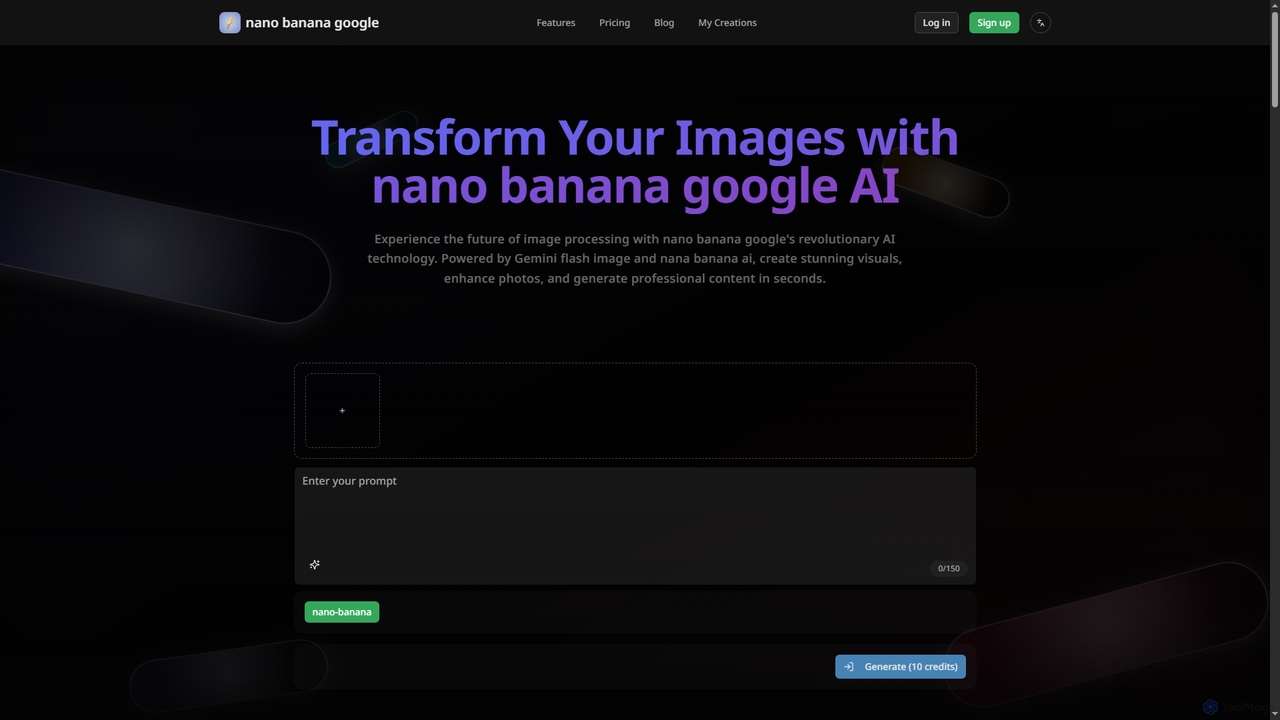
Nanobanana Google is an advanced AI image processing platform powered by Gemini Flash Image and Nana Banana AI. …

2.5K

About Generation

Image Generation tools are a specialized function within image editing that uses AI to create new visual content or intelligently expand existing images. These tools employ generative models to add, remove, or replace elements based on text prompts or the surrounding context of the image. Their primary value lies in seamlessly altering compositions, extending backgrounds, or removing distractions without needing external assets or complex manual editing. This technology transforms static images into dynamic canvases for creative exploration and efficient problem-solving.

Core Features

  • Generative Fill (Inpainting): Select an area and use a text prompt to add, replace, or remove objects, with the AI seamlessly blending the new content.
  • Outpainting (Canvas Extension): Expand the image's boundaries and let the AI intelligently generate new content that matches the existing scene's style and context.
  • Content-Aware Removal: Erase unwanted objects or people from a photo, and the AI automatically reconstructs the background behind them.
  • Text-to-Image Element Creation: Generate new objects or characters from a text description directly onto a layer within your existing project.

Use Cases

These tools are widely used by photographers for complex retouching, such as removing tourists from landscape shots. Graphic designers and marketers use them to extend backgrounds to fit various ad formats or create multiple visual concepts for campaigns quickly. Content creators also leverage these features to produce unique visuals for social media by adding imaginative elements to their photos.

How to Choose

When selecting a tool, evaluate the quality and realism of the generated content. Consider its integration with other editing features—a seamless workflow is crucial. Also, assess the control you have over the output, such as the ability to refine results or use negative prompts. Finally, review the pricing model, as many tools operate on a credit system for generative actions.

GenerationUse Cases

1

Expanding Backgrounds for Ad Creatives

A marketing designer is tasked with adapting a single product photo for multiple ad platforms, including wide banners and vertical stories. Instead of manually cloning or stretching the background, they use an outpainting feature. By extending the canvas dimensions, the AI generates a contextually appropriate and seamless background, preserving the original image's quality. This allows the designer to create over ten different aspect ratio versions in minutes, a task that would have previously taken hours of meticulous editing.

2

Removing Distractions from Real Estate Photos

A real estate photographer needs to present a property in the best possible light, but the exterior shots are cluttered with distracting elements like trash cans, garden hoses, or a parked car. Using a generative fill tool, the photographer selects these unwanted objects. The AI analyzes the surrounding area—such as grass, pavement, or siding—and replaces the selection with a perfectly reconstructed background. This process cleans up the image in seconds, significantly increasing the property's curb appeal without requiring complex Photoshop skills.

3

Adding Creative Elements to Portraits

A content creator wants to make their portrait photos stand out on social media. They start with a standard headshot. By selecting the area around the subject's head, they use a generative fill feature with the prompt 'glowing neon butterfly wings'. The AI generates intricate, beautifully lit wings that appear to emerge from behind the subject, seamlessly integrating with the photo's lighting and shadows. This allows them to produce highly imaginative and engaging content without needing to be a digital artist or use complex compositing techniques.

4

Conceptualizing Product Mockups

An e-commerce entrepreneur has a new product but lacks the budget for a professional photoshoot in various settings. They take a clean photo of the product on a white background. Using a generative tool, they select the background and enter prompts like 'on a rustic wooden table next to a coffee cup' or 'on a marble countertop in a modern kitchen'. The AI generates realistic scenes around the product, creating high-quality lifestyle mockups instantly. This helps them visualize marketing materials and create product listings without the cost of physical staging.

5

Restoring and Reimagining Old Photos

A user has a faded, torn photograph of their grandparents. After scanning it, they use a generative tool to repair the damage. They select the creased and missing areas, and the AI intelligently reconstructs them based on the existing parts of the photo. To take it a step further, they select the bland background and use a prompt like 'a beautiful 1950s garden in bloom' to create a new, vibrant context for the portrait. This not only restores the photo but also transforms it into a new piece of art, preserving a family memory in a creative way.

6

Iterating on Concept Art Variations

A game designer is developing a new character and needs to explore different armor styles quickly. They start with a base character illustration. Using a generative tool, they select the character's chest plate and use prompts like 'ornate golden armor with dragon engravings' or 'futuristic sci-fi chrome plating'. The tool generates multiple high-quality variations directly on the illustration. This rapid iteration process allows the design team to visualize and compare dozens of concepts in the time it would normally take to manually sketch just one or two, accelerating the creative workflow.

GenerationFrequently Asked Questions