
Image Editing Best in category 1 results Hairstyle Simulation AI Tool

Popular AI tools in the Hairstyle Simulation field of Image Editing include Buzz Cut, etc., helping you quickly improve efficiency.

Buzz Cut

Buzz Cut

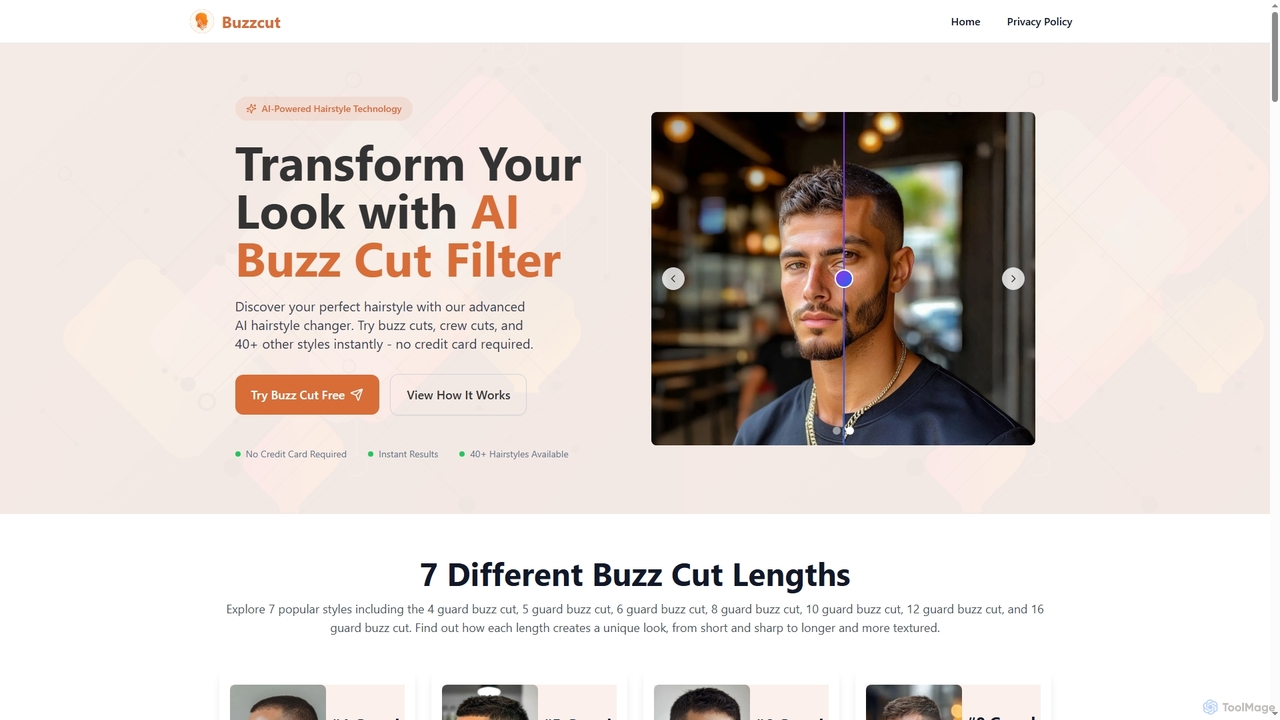
Buzz Cut is an AI-powered online tool that allows users to virtually try on various buzz cut styles …

12.1K

About Hairstyle Simulation

Hairstyle Simulation tools are a specialized category of image editors that use AI to virtually try on different hairstyles, colors, and cuts on a user's photo. Leveraging generative AI and computer vision, these applications accurately map facial features to realistically render how a new look would appear. They provide a risk-free way for individuals to experiment with their appearance before visiting a salon and serve as powerful consultation tools for hairstylists. Advanced tools can even simulate hair physics and lighting for hyper-realistic results.

Core Features

  • Virtual Try-On: Applies a wide range of hairstyles and colors to an uploaded photo in real-time.
  • Face Shape Analysis: Automatically detects the user's face shape to recommend flattering styles.
  • Realistic Rendering: Simulates hair texture, lighting, and shadows for a natural look.
  • Color Customization: Offers a spectrum of hair colors, including ombre, balayage, and highlights.
  • Style Comparison: Allows users to save and compare multiple hairstyle simulations side-by-side.

Use Cases

These tools are primarily used by individuals seeking inspiration for a new haircut or color, allowing them to visualize changes before making a commitment. In a professional context, hair salons and stylists use them as digital consultation aids to better understand client desires and showcase potential outcomes, improving customer satisfaction and communication.

How to Choose

When selecting a Hairstyle Simulation tool, consider the realism of the simulation; a larger, more current library of styles and colors is crucial. Evaluate the accuracy of the face detection and hair placement technology. For professional use, look for features that allow for fine-tuning adjustments and high-quality image exports for sharing with clients. Ease of use and platform compatibility (mobile vs. web) are also important factors.

Hairstyle SimulationUse Cases

1

Pre-Salon Hairstyle Visualization

An individual planning a significant hair change, such as from long to a short bob or trying a bold new color, uses a Hairstyle Simulation tool. They upload a clear, front-facing photo and browse a library of styles and colors. The AI applies the selected hairstyle, adjusting for their face shape and skin tone. This allows them to compare dozens of options in minutes, find the most flattering look, and take a reference image to their hairstylist, ensuring clear communication and reducing the anxiety of a bad haircut.

2

Digital Consultation for Hair Salons

A hairstylist uses a tablet with a Hairstyle Simulation app during a client consultation. Instead of relying solely on verbal descriptions or magazine photos, the stylist can take the client's picture and instantly show them various cuts and colors. This interactive process helps manage client expectations, clarifies their preferences (e.g., 'warm blonde' vs. 'ash blonde'), and allows for collaborative decision-making. The result is higher client satisfaction, fewer misunderstandings, and a modern, tech-forward salon experience.

3

Content Creation for Beauty Bloggers

A beauty influencer or blogger uses a hairstyle simulation tool to create engaging content. They can generate a series of images showcasing themselves with various trending hairstyles and colors without actually dyeing or cutting their hair. This allows them to produce content like 'Trying 10 Viral Hairstyles with AI' or 'Which Hair Color Suits Me Best?'. The visually compelling before-and-after images drive high engagement on social media platforms like Instagram and TikTok, attracting new followers and positioning them as a trend-savvy creator.

4

Marketing for Hair Product Brands

A hair care or hair dye brand integrates a hairstyle simulation tool into its website or mobile app. Customers can virtually 'try on' the brand's new hair color shades on their own photos. This interactive marketing approach increases user engagement and time spent on the site. It also helps customers make confident purchasing decisions by visualizing the end result, which can lead to higher conversion rates and reduced product returns. The brand can also collect anonymized data on the most popular shades to inform future product development.

5

Character Design for Gaming and Animation

A concept artist or character designer uses a hairstyle simulation tool to quickly iterate on character looks. Instead of manually drawing or modeling dozens of hairstyles, they can upload a character's base model or portrait and apply various AI-generated styles. This accelerates the ideation phase, allowing them to explore a wider range of possibilities for a character's personality and background. They can quickly generate options for different hair lengths, textures (curly, straight, wavy), and colors to present to the art director, streamlining the creative workflow.

6

Personal Entertainment and Social Sharing

A user explores a hairstyle simulation tool purely for fun and curiosity. They might try on celebrity hairstyles, experiment with fantasy hair colors like neon green or purple, or see what they would look like with a completely different hair texture. They can then share these amusing or surprising transformations with friends on social media or in messaging apps. This use case is driven by entertainment, self-exploration, and the social aspect of sharing novel digital creations, turning a practical tool into a source of lighthearted fun.

Hairstyle SimulationFrequently Asked Questions