
ToolMage
Sign in

Best 1 Image To Image AI tools for Image Editing

Popular Image To Image AI tools in Image Editing include Nano Banana AI, helping you work more efficiently.

Nano Banana AI
Paid

Nano Banana AI

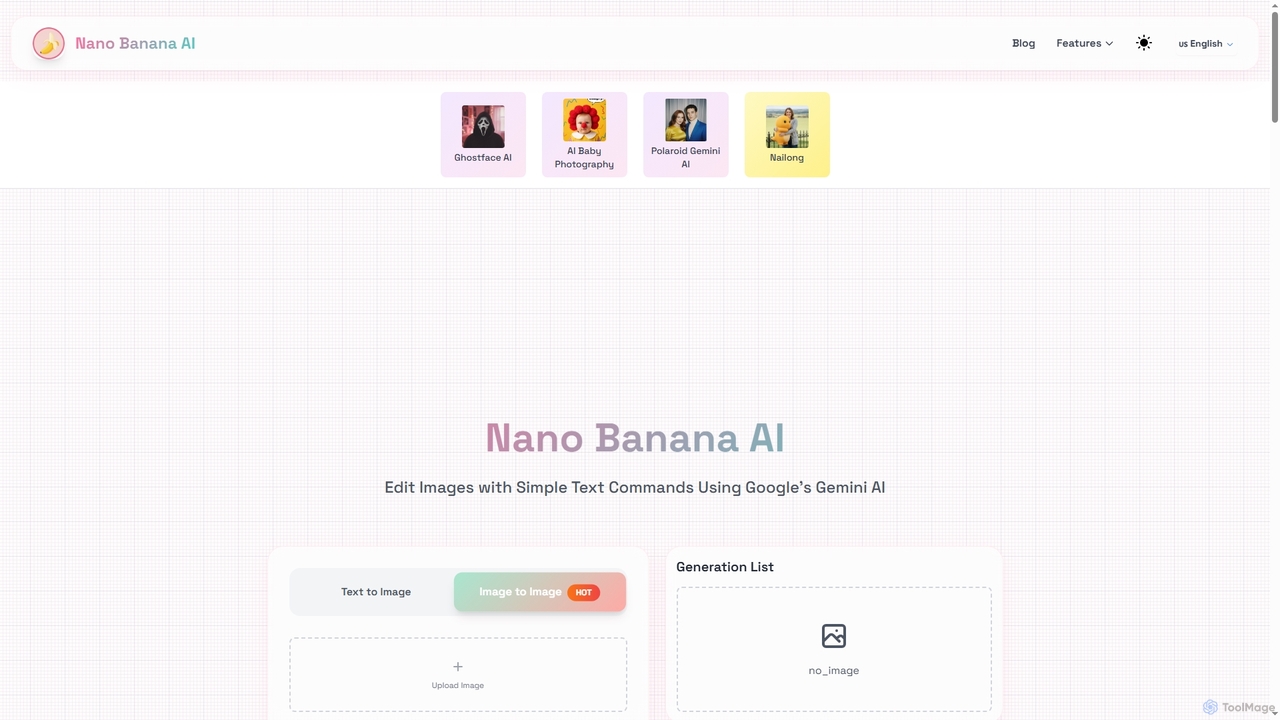
Nano Banana AI is a cutting-edge image editing tool powered by Google's Gemini 2.5 Flash. It allows users to modify images using simple text commands, ensuring character consistency and understanding real-world context. Experience fast, intelligent photo editing directly in your browser.

Image To Image
Visits 6.2KFavorites 146Likes 144

About Image To Image

Image to Image tools are a specialized category of AI that transforms an existing image into a new one based on user instructions. Unlike traditional editors that merely modify pixels, these tools use the source image as a structural or stylistic guide, combined with a text prompt, to generate a completely new visual output. This process enables creative reinterpretations, style transfers, and controlled generation of complex scenes. They are valuable for artists, designers, and creators seeking to iterate on ideas rapidly or explore visual styles without starting from scratch.

Core Features

  • Style Transfer: Applies the artistic style of one image (e.g., a painting) to the content of another (e.g., a photograph).
  • Prompt-Based Restyling: Fundamentally alters an input image according to a text description, such as changing a daytime photo to a nighttime scene.
  • Structural Guidance: Uses elements like pose, depth maps, or outlines from a source image to control the composition of a new generation.
  • Sketch-to-Image Rendering: Transforms simple drawings, sketches, or line art into detailed, fully rendered images.

Use Cases

These tools are widely used in creative industries. Concept artists use them to quickly explore variations of a character sketch. Architects and interior designers turn basic 3D models into photorealistic visualizations with specific materials and lighting. Fashion designers can also generate product mockups with different patterns on a base clothing item.

How to Choose

When selecting an Image to Image tool, consider the level of control it offers, such as support for specific structural guidance models. Evaluate the quality and diversity of its style models, its processing speed, and its integration capabilities. Also, assess the user interface's intuitiveness and the pricing model, especially regarding generation credits or subscription tiers.

Image To Image use cases

1

Concept Art and Design Iteration

A concept artist for a video game starts with a simple digital sketch of a character's pose. Instead of manually painting dozens of variations, they upload the sketch to an Image to Image tool. Using prompts like 'fantasy armor, glowing runes, dark forest background' or 'sci-fi exosuit, neon lights, futuristic city,' they can generate a wide array of high-quality, fully rendered concepts in minutes. This process drastically accelerates the ideation phase, allowing the creative team to visualize and approve a final design direction much faster.

2

Architectural and Interior Visualization

An architect creates a basic 3D line model of a building's exterior. To present a compelling vision to a client, they need photorealistic images. They input the line model into an Image to Image tool with the prompt 'modern glass and steel facade, sunny day, with oak trees'. The AI generates a realistic rendering, transforming the simple structure into a lifelike building. Similarly, an interior designer can upload a photo of an empty room and generate various decor styles like 'Scandinavian minimalist' or 'bohemian chic' to show clients potential designs instantly.

3

Fashion and Product Design Mockups

A fashion designer has a photograph of a plain white t-shirt. They want to visualize how different graphic designs would look on it. Using an Image to Image tool, they can upload the t-shirt photo and use prompts like 'a vintage-style tiger graphic on the front' or 'a repeating pattern of small geometric shapes'. The tool generates realistic mockups, showing the designs conforming to the fabric's folds and shadows. This method is much faster than using traditional graphic design software and allows for rapid exploration of hundreds of creative possibilities for apparel and other products.

4

Creating Stylized Social Media Content

A content creator wants to maintain a unique, consistent visual theme for their Instagram feed. They take a standard portrait photo and use an Image to Image tool to transform it. With a prompt like 'transform into a watercolor painting' or 'reimagine as a 1980s anime character', they can instantly create eye-catching, stylized images that stand out. This allows them to apply a complex artistic style to any photo without needing advanced artistic skills, ensuring their brand's visual identity remains strong and cohesive across all posts.

5

Maintaining Character Consistency in Storytelling

An independent comic artist or writer needs to generate multiple images of the same character in different scenes and poses. Creating this manually is time-consuming. By using an Image to Image tool with structural guidance (like ControlNet), they can use a reference image of the character's face and another image for the desired pose. With a prompt describing the scene, the AI generates a new image where the original character is now in the new pose and setting, maintaining facial consistency. This is a powerful technique for creating storyboards, comic panels, or illustrations for a novel.

6

AI-Powered Interior Redecorating

A homeowner wants to remodel their living room but is unsure which style to choose. They take a photo of their current living room and upload it to an Image to Image tool. They can then experiment with prompts like 'redecorate in a modern minimalist style with oak furniture and large windows' or 'change to an industrial loft style with exposed brick and metal fixtures'. The AI uses the layout of the original photo to generate realistic visualizations of the redecorated space, providing a powerful and inspiring way to make design decisions before committing to any purchases or physical changes.

Image To Image FAQ

What is AI Image to Image generation?

AI Image to Image generation is a process where an AI model uses an existing source image and a text prompt to create a new image. Unlike simple filters, it doesn't just alter colors; it reinterprets the source image's content, composition, or style based on the text instructions. This technology is a core part of generative AI, enabling powerful transformations like turning a sketch into a photorealistic painting or changing a photo's style to that of a famous artist.

What's the difference between Image to Image and Text to Image?

The key difference is the starting input. Text to Image generates an image from a text prompt alone, starting from random noise. Image to Image, however, uses both a text prompt and a source image. The source image provides a strong foundation for composition, structure, color, or style, giving the user much more control over the final output. Essentially, Text to Image creates from scratch, while Image to Image transforms and re-imagines what already exists.

How to choose a good Image to Image tool?

To choose the right tool, consider these factors:

  • Control Features: Look for tools that offer precise control, such as structural guidance (e.g., ControlNet for poses, depth), and strength sliders to adjust how much the AI adheres to the source image versus the prompt.
  • Model Quality & Variety: Evaluate the quality of the output and whether the tool offers a diverse range of pre-trained styles or models suited to your needs (e.g., photorealism, anime, painting).
  • Speed and Resolution: Check the average generation time and the maximum output resolution. Higher resolution is crucial for professional work.
  • User Interface & Workflow: A good tool should have an intuitive interface that makes it easy to upload images, write prompts, and adjust settings.
What are the main features of Image to Image tools?

Most Image to Image tools share a set of core features. These include the ability to upload a source image, a text input field for prompts, and parameters to control the generation process. Key features often include:

  • Style Transfer: Applying the aesthetic of one image to another.
  • Image Variation: Generating multiple different versions of an input image based on a prompt.
  • Inpainting/Outpainting: Modifying or extending parts of an image while maintaining context.
  • Structural Control: Using inputs like sketches, poses, or depth maps to guide the AI's composition.
Who can benefit from using Image to Image tools?

A wide range of professionals and hobbyists can benefit from these tools. This includes:

  • Artists and Illustrators: For rapidly iterating on sketches, exploring color palettes, and creating variations of their work.
  • Graphic and Fashion Designers: For creating mockups, visualizing patterns on products, and generating marketing materials.
  • Architects and Interior Designers: For turning structural plans or basic renders into photorealistic visualizations.
  • Content Creators and Marketers: For producing unique, stylized visuals for social media, blogs, and advertisements.