
ToolMage
Sign in

Best 6 Object Removal AI tools for Image Editing

Popular Object Removal AI tools in Image Editing include reimaginehome, hama, jpgrm, VirtualStaging.art, Nanobananainpaint, and OptiClean, helping you work more efficiently.

OptiClean
Paid

OptiClean

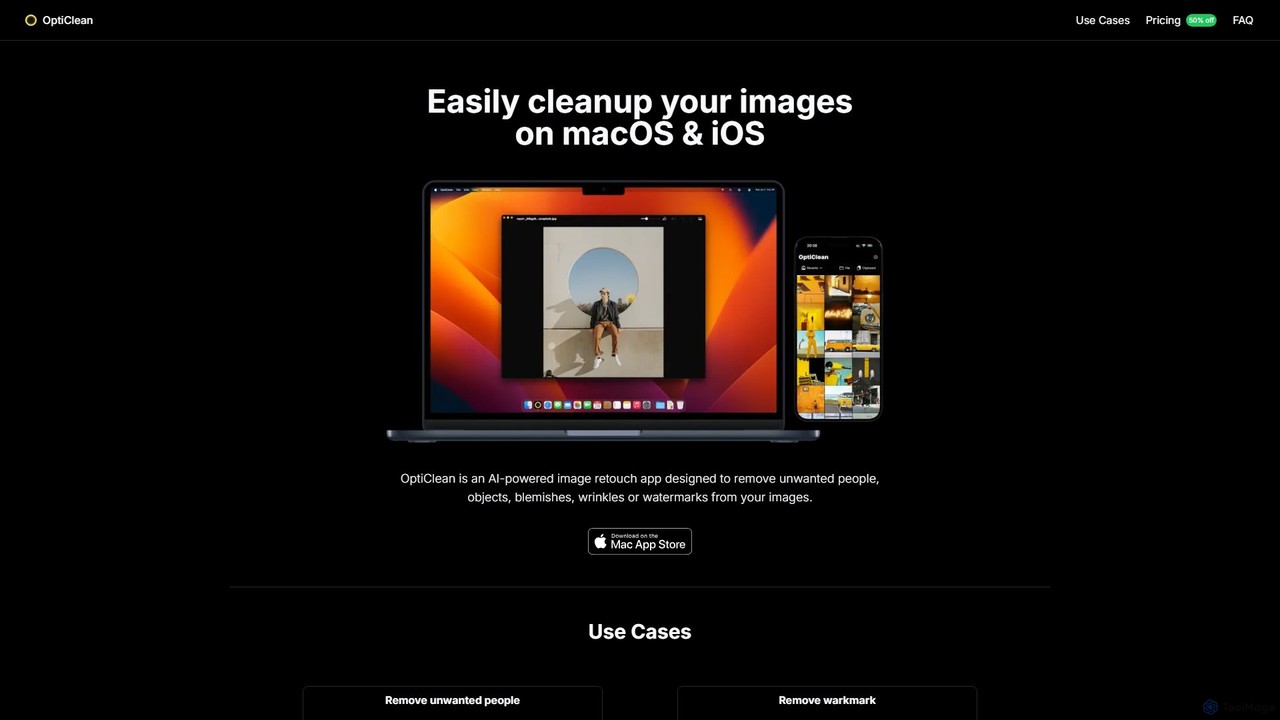
OptiClean is an AI-powered image retouching app for macOS and iOS, designed to effortlessly remove unwanted objects, people, watermarks, and blemishes. It offers a simple, one-click solution for professional-quality photo cleanup with a focus on user privacy through on-device processing.

Object Removal
Visits 5.7KFavorites 120Likes 125

About Object Removal

AI Object Removal tools are a specialized category of image editors that use artificial intelligence to seamlessly erase unwanted elements from photos. Leveraging advanced algorithms like generative inpainting, these tools intelligently analyze surrounding pixels to reconstruct the background behind the removed object. This technology is invaluable for photographers, marketers, and content creators who need to clean up images, remove distractions, or restore old photos with precision and speed, directly enhancing visual quality without complex manual editing.

Core Features

  • Smart Object Selection: Automatically detect or let users manually brush over unwanted people, text, or blemishes for precise removal.
  • Content-Aware Fill: Intelligently generates realistic background texture and patterns to replace the erased area seamlessly.
  • Background Reconstruction: Recreates complex structures and gradients behind the object for a natural and undetectable finish.
  • Text & Watermark Removal: Specifically trained to identify and erase text overlays and watermarks without damaging the underlying image.
  • Blemish & Wrinkle Retouching: Offers dedicated modes for fine-tuning portraits by removing minor imperfections with a single click.

Use Cases

These tools are widely used in professional photography for removing tourists from travel shots, in e-commerce for cleaning up product backgrounds, and in real estate for decluttering property photos. Social media creators also use them to perfect their content by removing photobombers or distracting elements, ensuring a polished and professional final image.

How to Choose

When selecting an Object Removal tool, consider the precision of its selection tools (brush, lasso, auto-detect) and the realism of the background fill. Evaluate its ability to handle complex textures and whether it offers batch processing for high-volume work. Also, assess the user interface for ease of use and the pricing model (e.g., subscription vs. one-time purchase) to find the best fit for your workflow and budget.

Object Removal use cases

1

Clean Up E-commerce Product Photos

E-commerce managers often receive product photos with distracting props, dust, or reflections. Using an AI object removal tool, they can quickly brush over these imperfections. The AI then automatically fills in the background, creating a clean, professional look that focuses customer attention on the product. This process improves conversion rates and enhances brand image without the need for costly and time-consuming reshoots.

2

Perfect Real Estate Photography

Real estate agents need to present properties in the best possible light. These tools allow them to remove clutter, vehicles from the driveway, or distracting elements like trash cans from interior and exterior shots. By creating a cleaner, more spacious look, the edited photos help attract more potential buyers and can increase the perceived value of the property, leading to faster sales.

3

Remove Tourists from Travel Photos

Photographers and travel bloggers can restore the pristine beauty of landmarks by erasing crowds and other tourists from their shots. By simply highlighting the unwanted people, the AI reconstructs the original scene. This results in a unique, professional-quality image that stands out on social media or in a portfolio, capturing the location's essence without distractions.

4

Restore and Repair Old Photographs

Individuals and archivists can use object removal tools to repair damaged historical photos. This process involves removing scratches, creases, stains, and unwanted marks that obscure the original image. The AI's ability to intelligently rebuild the underlying image helps preserve precious memories and restore photos to their former clarity, making them suitable for printing or digital archiving.

5

Declutter Social Media Content

Content creators and influencers can enhance their visual storytelling by removing unwanted objects like trash cans, power lines, or photobombers from their images. This ensures a clean, aesthetic composition that aligns with their brand and keeps their audience engaged with the main subject. A polished image can significantly improve engagement rates and perceived professionalism.

6

Erase Unwanted Text and Watermarks

Graphic designers and marketers can repurpose images by removing existing text, logos, or watermarks. This is useful for creating clean templates or adapting visuals for different campaigns without having access to the original, unedited source file. The AI's ability to seamlessly remove these elements saves significant time in the design and content creation process.

Object Removal FAQ

What are AI Object Removal tools?

AI Object Removal tools are specialized software that use artificial intelligence, specifically generative inpainting, to identify and erase unwanted elements from an image. Unlike manual methods, they automatically analyze the surrounding area to realistically reconstruct the background. This creates a seamless and natural-looking result for tasks like removing people, text, blemishes, or any distracting object.

How do I choose the right AI Object Removal tool?

When choosing a tool, evaluate these key factors:

  • Removal Quality: Does it leave artifacts or create a natural-looking fill, especially on complex backgrounds?
  • Ease of Use: Is the interface intuitive, with simple brush or auto-selection tools?
  • Performance Speed: How quickly does it process the removal on high-resolution images?
  • Specific Features: Does it offer specialized modes for removing text, people, or blemishes?
  • Pricing Model: Is it a subscription, pay-per-use, or a one-time purchase that fits your budget?
What's the difference between AI Object Removal and a Clone Stamp tool?

The key difference is automation and intelligence. A Clone Stamp tool requires you to manually select a source area to paint over the unwanted object, which is tedious and difficult on complex backgrounds. AI Object Removal automates this; you simply mark the object, and the AI intelligently generates a new, context-aware background to fill the space. This often produces a more seamless and faster result with less manual effort.

What kinds of objects can these AI tools remove?

Modern AI Object Removal tools are versatile and can handle a wide range of elements. Common examples include:

  • Unwanted people (photobombers, crowds)
  • Distracting background objects (trash cans, signs, power lines)
  • Text overlays and watermarks
  • Skin blemishes (acne, wrinkles, scars)
  • Physical damage on old photos (scratches, stains, creases)

The effectiveness can vary depending on the complexity of the background and the object's prominence.

Who benefits most from using AI Object Removal tools?

This technology is beneficial for a wide range of users. Photographers use it for post-processing, e-commerce businesses for creating clean product images, and real estate agents for enhancing property photos. Marketers, social media managers, and graphic designers also rely on these tools to declutter ad visuals and repurpose content. Essentially, anyone who needs to quickly clean up an image without advanced editing skills can benefit.