ToolMage
Sign in

Best 1 Perspective Transformation AI tools for Image Editing

Popular Perspective Transformation AI tools in Image Editing include Qwen Angles, helping you work more efficiently.

Qwen Angles
Freemium

Qwen Angles

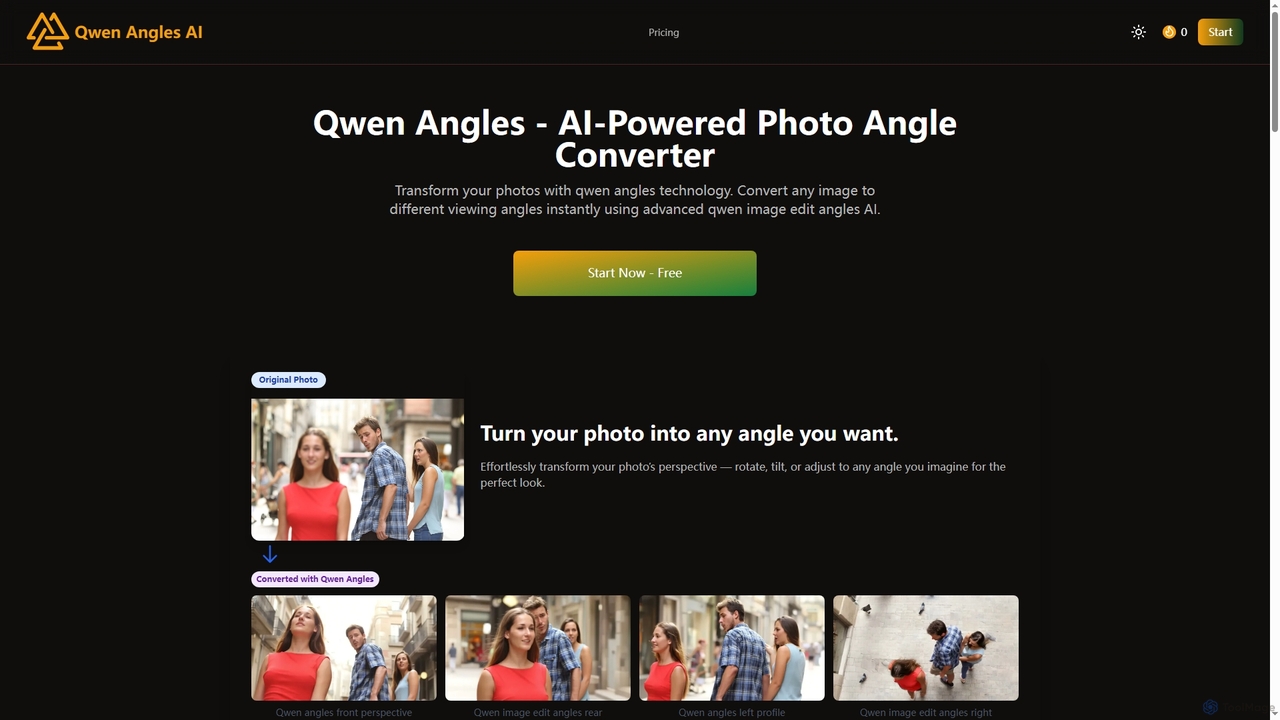
Qwen Angles is an advanced AI-powered web tool that instantly transforms photos to different viewing angles and perspectives. It uses cutting-edge technology to generate multiple viewpoints from a single image, ideal for e-commerce, real estate, and creative design.

Mockup Generation
Visits 7KFavorites 141Likes 119

About Perspective Transformation

Perspective Transformation tools are AI-powered solutions designed to adjust the viewpoint and spatial relationships within images. These tools leverage advanced algorithms to correct distortions, change angles, and seamlessly integrate elements, making them invaluable for photo editing, graphic design, and architectural visualization. They enable users to manipulate image geometry with precision, transforming flat or skewed visuals into perfectly aligned or artistically altered perspectives.

Core Features

  • Automatic Distortion Correction: Intelligently identifies and corrects lens distortions, keystoning, and other perspective errors.
  • Viewpoint Adjustment: Allows users to change the apparent angle or height from which an image is viewed.
  • Object Integration: Seamlessly warps and aligns objects or textures into existing scenes with correct perspective.
  • Grid-based Manipulation: Provides customizable grids for precise manual control over perspective points and planes.
  • Batch Processing: Applies perspective corrections or transformations to multiple images simultaneously.

Use Cases

Professionals in photography, graphic design, and architecture frequently utilize perspective transformation tools. Photographers correct skewed building shots, designers integrate product mockups onto angled surfaces, and architects adjust renderings to match specific site views. These tools are crucial for achieving visual accuracy and creative flexibility in various visual media projects.

How to Choose

When selecting a perspective transformation tool, consider its accuracy in distortion correction, the flexibility of viewpoint adjustment controls, and its ability to seamlessly integrate elements. Evaluate the user interface for ease of use, especially for complex manipulations, and check for batch processing capabilities if you handle large volumes of images. Integration with existing design workflows and pricing models are also important factors.

Perspective Transformation use cases

1

Correcting Architectural Photography

A real estate photographer captures a building from a low angle, resulting in converging vertical lines. Using an AI perspective transformation tool, they can automatically or manually adjust the image to straighten the verticals, making the building appear as if shot head-on. This ensures a professional and accurate representation of the property, enhancing its appeal to potential buyers.

2

Integrating Product Mockups

A graphic designer needs to place a new product label onto an angled bottle in an existing lifestyle photo. Instead of manual warping, the AI tool can intelligently match the perspective of the label to the bottle's surface, adjusting its skew and scale. This creates a realistic and convincing product visualization for marketing materials without complex manual adjustments.

3

Enhancing Landscape Panoramas

An amateur photographer stitches together multiple landscape photos into a panorama, but slight camera movements introduce subtle perspective shifts. An AI perspective transformation tool can analyze the stitched image and subtly correct these misalignments, creating a smoother, more cohesive panoramic view. This improves the overall visual quality and realism of the wide-angle shot.

4

Virtual Staging for Interiors

An interior designer wants to add virtual furniture to an empty room photo for a client presentation. By using perspective transformation, they can accurately place 3D furniture models into the 2D image, adjusting their angles and sizes to match the room's perspective. This allows clients to visualize the space with furnishings before any physical items are moved in.

5

Game Environment Design

A game artist needs to project a texture onto a non-planar surface within a game environment, such as a curved wall or a sloped ground. AI perspective tools can help warp the texture to precisely fit the 3D geometry from a specific camera angle. This ensures that environmental details appear natural and correctly aligned within the game world, enhancing immersion.

6

Forensic Image Analysis

Forensic experts often analyze surveillance footage or crime scene photos where objects appear distorted due to camera angles. Perspective transformation tools can be used to 'un-distort' these images, correcting the perspective of objects or measurements. This aids in accurately assessing distances, sizes, and spatial relationships, providing clearer evidence for investigations.

Perspective Transformation FAQ

What are Perspective Transformation tools?

Perspective Transformation tools are AI-powered software designed to manipulate the apparent viewpoint and spatial geometry of images. They correct distortions caused by camera angles, allowing users to straighten skewed lines, adjust angles, and seamlessly integrate elements into new perspectives. These tools are crucial for achieving visual accuracy and creative effects in image editing.

How do AI Perspective Transformation tools differ from manual methods?

AI perspective transformation tools automate much of the complex calculation and manual adjustment required by traditional methods. While manual tools require users to define multiple points and planes, AI can often detect distortions and suggest corrections automatically. This significantly speeds up the process, improves precision, and reduces the learning curve, especially for complex transformations.

Who benefits most from using Perspective Transformation tools?

Photographers, graphic designers, architects, and 3D artists benefit significantly. Photographers use them to correct lens distortions and architectural keystone effects. Designers integrate mockups and create realistic composites. Architects adjust renderings to match real-world views. Anyone needing precise control over image geometry for professional or creative projects finds these tools invaluable.

What features should I look for in a Perspective Transformation tool?

Key features include automatic distortion detection and correction, flexible manual control over perspective grids and points, and the ability to warp objects seamlessly. Look for tools that offer real-time previews, batch processing for efficiency, and integration with your existing creative suite. Support for various image formats and cloud-based capabilities can also be beneficial.

Can Perspective Transformation tools be used for creative effects, not just correction?

Absolutely. Beyond correction, perspective transformation tools are powerful for creative manipulation. Artists can use them to create surreal compositions, project textures onto unusual surfaces, or generate unique visual effects by intentionally distorting or skewing elements. They offer a versatile way to alter the narrative or mood of an image by changing its perceived spatial reality.