ToolMage
Sign in

Best 1 Photo Editing AI tools for Image Editing

Popular Photo Editing AI tools in Image Editing include Picnana, helping you work more efficiently.

Picnana
Freemium

Picnana

Picnana is an advanced AI image editing platform featuring Nano Banana, a next-gen AI model for text-driven image edits. It offers unmatched character consistency and scene fidelity, allowing users to transform concepts into high-quality visuals with ease. Ideal for creators, marketers, and designers seeking precise control over their visual content.

Digital Art
Visits 5.4KFavorites 148Likes 142

About Photo Editing

AI Photo Editing tools are a specialized category within AI Image Editing, leveraging artificial intelligence to enhance, retouch, and transform photographs with unprecedented speed and precision. These tools utilize advanced algorithms for tasks like intelligent object removal, smart color correction, and stylistic adjustments, significantly streamlining workflows for photographers, designers, and content creators. They offer a powerful blend of automation and creative control, making professional-grade photo manipulation accessible to a wider audience and improving overall image quality.

Core Features

  • Intelligent Object Removal: Seamlessly erases unwanted elements or distractions from photos without leaving traces.
  • AI-Powered Retouching: Automatically enhances portraits by smoothing skin, removing blemishes, and refining facial features naturally.
  • Smart Color Correction: Analyzes image content to automatically adjust white balance, exposure, contrast, and saturation for optimal visual appeal.
  • Background Manipulation: Enables quick removal, replacement, or blurring of photo backgrounds with high accuracy.
  • Image Upscaling & Enhancement: Increases photo resolution and sharpens details without significant loss of quality, ideal for printing or large displays.

Use Cases

AI Photo Editing tools are indispensable for professionals and enthusiasts alike. They are widely used in professional photography for post-production, in e-commerce for preparing product images, and by social media managers for creating engaging visual content. These tools automate tedious tasks, allowing users to focus more on creative aspects and achieve polished results efficiently.

How to Choose

When selecting an AI Photo Editing tool, consider its specific AI capabilities (e.g., object removal, upscaling), ease of use and interface design, the quality of its output, and its integration with your existing creative workflow. Evaluate pricing models and ensure the tool supports the file formats you commonly use. Prioritize tools that offer a balance of powerful features and intuitive controls for your specific needs.

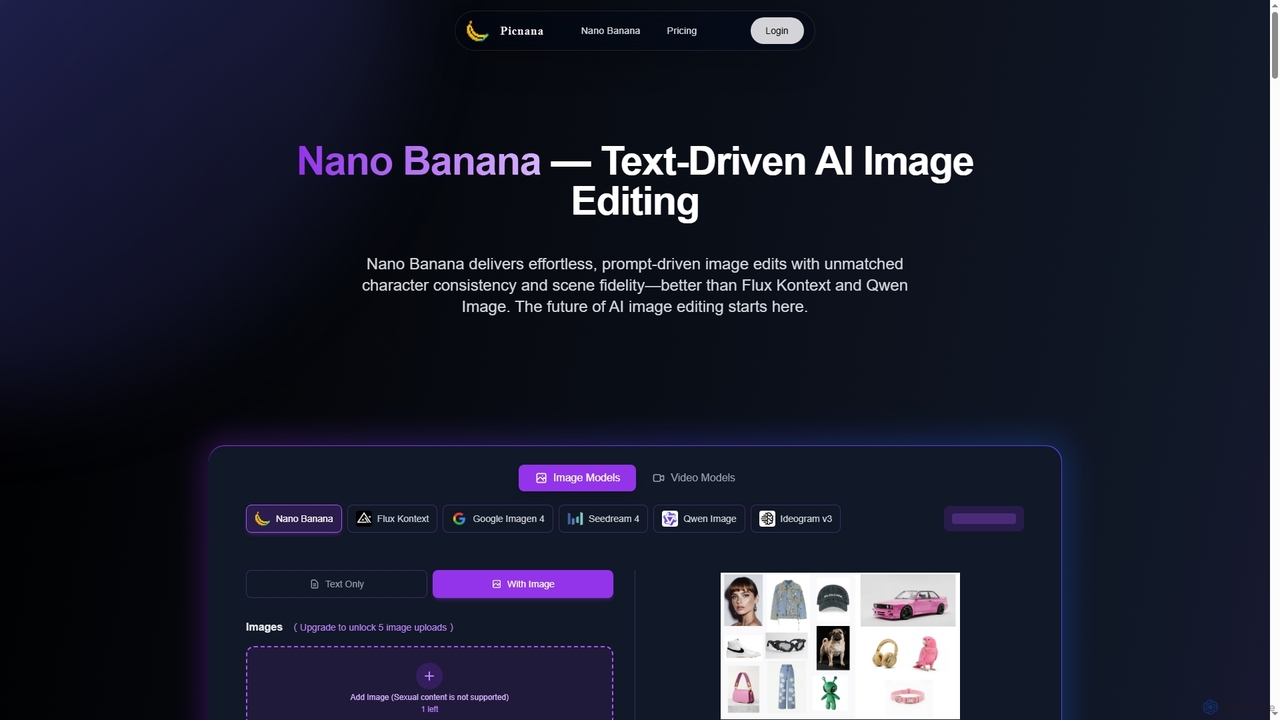
Photo Editing use cases

1

Batch Process E-commerce Product Photos

E-commerce managers and online retailers frequently need to prepare hundreds of product images for their listings. AI photo editing tools enable them to automatically remove backgrounds, adjust lighting, and standardize colors across entire product lines with a single click. This significantly reduces the manual effort and time required for image preparation, ensuring visual consistency and enhancing the professional appearance of online stores, leading to better customer engagement and sales.

2

Professional Portrait Retouching

Portrait photographers and studios can leverage AI photo editing tools to streamline their post-production workflow for client photoshoots. These tools can automatically perform subtle skin smoothing, blemish removal, teeth whitening, and eye enhancement while maintaining a natural look. This automation saves hours of meticulous manual retouching, allowing photographers to deliver high-quality, polished portraits to their clients faster and focus more on the creative aspects of their craft.

3

Restoring Old or Damaged Photos

Individuals and archivists often possess old family photos or historical documents that have faded, been scratched, or suffered water damage over time. AI photo editing tools can intelligently analyze these images to repair scratches, correct discoloration, enhance faded details, and even colorize black-and-white photos. This capability allows for the preservation and revitalization of precious memories and historical records with minimal effort, making them suitable for digital archiving or sharing.

4

Creating Engaging Social Media Visuals

Social media managers and content creators constantly need fresh, high-quality visuals to capture audience attention. AI photo editing tools allow them to quickly transform ordinary photos into eye-catching posts by applying artistic filters, adjusting compositions, adding text overlays, and optimizing images for different platform dimensions. This accelerates content production, maintains brand consistency, and helps drive higher engagement rates across various social media channels, saving significant time compared to manual adjustments.

5

Enhancing Real Estate and Architectural Photography

Real estate agents and architectural photographers rely on high-quality visuals to showcase properties effectively. AI photo editing tools can automatically correct lens distortions, enhance sky details, improve interior lighting, and remove unwanted reflections or objects from property photos. This results in more appealing and professional-looking images that highlight a property's best features, attracting more potential buyers or clients and significantly reducing the time spent on complex manual adjustments.

6

Artistic Style Transfer and Creative Effects

Digital artists, graphic designers, and hobbyists can use AI photo editing tools to explore new creative dimensions. Features like artistic style transfer allow users to transform their photographs into the style of famous paintings or unique artistic renditions with a few clicks. Beyond simple filters, AI can intelligently apply complex effects, generate variations, and even create entirely new elements based on existing imagery, opening up possibilities for unique visual storytelling and experimental art forms.

Photo Editing FAQ

What are AI Photo Editing tools?

AI Photo Editing tools are software applications that leverage artificial intelligence and machine learning to automate and enhance various aspects of photo manipulation. They go beyond traditional editing by intelligently analyzing image content to perform tasks like object removal, background changes, color grading, and facial retouching with minimal user input. These tools aim to streamline the editing process, improve image quality, and unlock new creative possibilities for users ranging from casual photographers to professional designers.

How do AI Photo Editing tools differ from traditional photo editing software?

Traditional photo editing software relies heavily on manual adjustments and user expertise for every edit, requiring precise selection and detailed work. In contrast, AI Photo Editing tools automate many complex tasks by understanding image content through machine learning. For example, AI can automatically detect and remove objects, intelligently enhance colors, or upscale images without significant pixelation, whereas traditional tools require precise manual selection and adjustments for similar results. While traditional tools offer granular control, AI tools prioritize speed, efficiency, and accessibility for complex edits, often achieving results that would take hours manually in seconds.

What are the core capabilities of AI Photo Editing software?

AI Photo Editing software offers a range of powerful capabilities designed to automate and enhance image manipulation. These include intelligent object removal (seamlessly erasing unwanted elements), automatic background removal or replacement, advanced facial retouching (smoothing skin, enhancing features naturally), AI-powered image upscaling (increasing resolution without quality loss), smart color correction and grading, and artistic style transfer. Many tools also feature AI-driven noise reduction, sharpening, and automatic composition adjustments for clearer, more impactful images.

Who can benefit most from using AI Photo Editing tools?

A wide range of users can benefit significantly from AI Photo Editing tools. Professional photographers can accelerate their post-production workflow, especially for large batches of images. E-commerce businesses can quickly prepare product photos for online listings, ensuring consistency. Social media managers and content creators can generate engaging visuals rapidly. Graphic designers can use them for quick mock-ups or complex image manipulations. Even casual users can easily enhance personal photos without extensive technical knowledge, making professional-grade edits accessible to everyone.

What should I consider when choosing an AI Photo Editing tool?

When selecting an AI Photo Editing tool, consider several key factors. First, evaluate the specific AI features you need, such as advanced object removal, upscaling, or intelligent retouching. Second, assess the ease of use and user interface, especially if you're not a professional editor. Third, check the output quality and resolution capabilities to ensure it meets your standards. Fourth, consider integration with your existing workflow or other creative software. Finally, compare pricing models (subscription vs. one-time purchase) and ensure it aligns with your budget and usage frequency. Reading user reviews can also provide valuable insights.