ToolMage
Sign in

Best 3 Photo Manipulation AI tools for Image Editing

Popular Photo Manipulation AI tools in Image Editing include OutfitAI, DreamOmni2, and Nudifier, helping you work more efficiently.

DreamOmni2
Paid

DreamOmni2

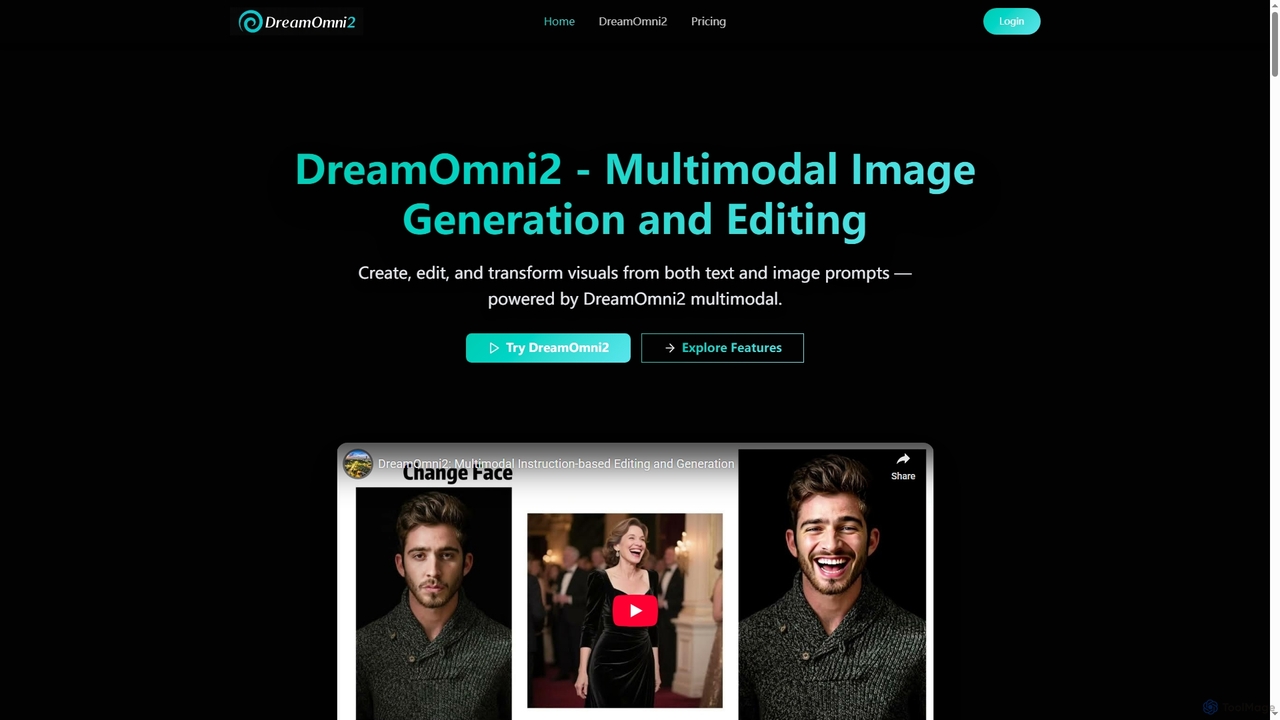
DreamOmni2 is a multimodal AI tool for advanced image generation and editing. It allows users to create and transform visuals using both text and image prompts, ensuring superior consistency and creative control for diverse applications from design to advertising.

Photo Manipulation
Visits 5.7KFavorites 133Likes 124
Nudifier
Freemium

Nudifier

Nudifier is an advanced AI-powered tool designed for digitally removing clothing from images. It supports both real human photos and anime-style illustrations, handling any pose and outfit. The tool aims to produce high-quality, realistic results through a simple, user-friendly web interface, catering to artists, designers, and entertainment purposes.

Generative Art
Visits 5.7KFavorites 146Likes 145
OutfitAI
Freemium

OutfitAI

OutfitAI is an AI-powered outfit generator that allows you to virtually try on clothes. Simply upload your photo, choose from hundreds of styles or create a custom one, and instantly see yourself in new outfits. It's a personal stylist in your pocket, perfect for exploring new looks, planning your wardrobe, and making smarter shopping decisions.

Virtual Try On
Visits 5.8KFavorites 151Likes 140

About Photo Manipulation

AI Photo Manipulation tools are a specialized category of image editors that use artificial intelligence to perform complex, creative, and transformative alterations on photographs. Unlike standard editing which focuses on enhancement, these tools leverage generative AI and deep learning to fundamentally change an image's content and reality. They enable users to seamlessly add or remove objects, combine elements from multiple pictures, or apply artistic styles to create entirely new visual narratives. This capability is invaluable for digital artists, marketers, and designers seeking to produce highly imaginative and impactful imagery.

Core Features

  • AI Compositing & Blending: Intelligently merges subjects and backgrounds from different images with realistic lighting and perspective matching.
  • Generative Object Manipulation: Allows for the addition, removal, or transformation of complex objects, with AI generating context-aware details.
  • Artistic Style Transfer: Applies the aesthetic of a famous painting or artistic style to a photograph, transforming its entire look and feel.
  • Surreal Scene Creation: Generates fantastical or impossible elements within a photo, enabling the creation of dreamlike and conceptual art.
  • Smart Masking & Selection: Automatically identifies and isolates complex subjects like hair or foliage for precise manipulation.

Use Cases

These tools are primarily used by digital artists, advertising agencies, and graphic designers. For instance, an advertiser can create a conceptual product image that defies physics, while a concept artist can build fantastical worlds by blending real-world photos with generated elements. Social media creators also use them to produce unique and eye-catching content that stands out.

How to Choose

When selecting an AI Photo Manipulation tool, consider the realism of its output and the level of creative control it offers. Evaluate the specificity of its features—whether it excels at object removal, style transfer, or full-scene compositing. Also, assess its integration capabilities with existing software like Adobe Photoshop and its overall ease of use, as some tools are designed for professionals while others cater to beginners.

Photo Manipulation use cases

1

Creating Surreal Digital Art

A digital artist aims to create a dreamlike composition that blends reality with fantasy. Using an AI Photo Manipulation tool, they start with a base photograph of a serene landscape. They then use the AI compositing feature to seamlessly integrate an image of a giant, floating jellyfish into the sky. The tool automatically adjusts the lighting and color of the jellyfish to match the ambient light of the landscape, creating a believable yet surreal scene. This process allows the artist to bypass hours of manual masking and color grading, enabling rapid experimentation with fantastical concepts.

2

Conceptual Advertising Imagery

A marketing agency is tasked with creating a campaign for a new sports drink. Instead of a standard product shot, they use an AI Photo Manipulation tool to create a visually arresting image. They take a photo of the bottle and use generative features to make it appear as if it's shattering into a flock of birds, symbolizing energy and freedom. The AI handles the complex task of generating realistic feather textures and bird shapes that seamlessly transition from the bottle's form, producing a high-impact advertisement image in a fraction of the time it would take a traditional digital artist.

3

Advanced Background Replacement for Themed Portraits

A portrait photographer wants to offer clients themed photoshoots, such as a 'fantasy forest' or 'cyberpunk city', without the expense of physical sets. They take portraits against a neutral backdrop in their studio. Using an AI Photo Manipulation tool, they can select the subject with a single click. Then, they input a text prompt like 'enchanted forest with glowing mushrooms and misty light'. The AI generates a high-resolution, photorealistic background that perfectly matches the lighting and perspective of the original portrait, seamlessly integrating the subject into a completely new, imaginative environment.

4

Transforming Photos into Different Art Styles

A social media manager wants to create a visually consistent and unique feed for a brand. They use an AI Photo Manipulation tool with a style transfer feature. They upload a series of standard product and lifestyle photos. Then, they select a reference style, such as 'Van Gogh's Starry Night' or 'Japanese Ukiyo-e woodblock print'. The AI analyzes the stylistic elements of the reference image—brushstrokes, color palette, and texture—and applies them to the entire photo series. This creates a cohesive set of artistic images for the campaign, giving the brand a memorable and distinct visual identity.

5

Complex Object Removal from Busy Scenes

A real estate photographer has a great shot of a property's exterior, but it's marred by a large construction crane in the background. Manually removing the crane would be extremely difficult due to the complex background of trees and other buildings. Using an AI Photo Manipulation tool's object removal feature, they simply draw a rough outline around the crane. The AI analyzes the surrounding pixels and intelligently reconstructs the area behind the crane, filling it with plausible sky, tree branches, and building textures. The result is a clean, professional photo ready for listing, achieved in minutes instead of hours.

6

Creating Concept Art for Game Development

A concept artist for a video game studio needs to visualize a new fantasy creature. They start by compositing photos of different real-world animals using an AI tool—for example, the body of a lizard, the wings of a bat, and the horns of a ram. The AI seamlessly blends these elements, creating a cohesive base creature. The artist then uses generative features to add fantastical elements like glowing scales or ethereal smoke trailing from its wings. This AI-assisted workflow dramatically accelerates the ideation process, allowing the artist to generate dozens of high-quality creature variations for the design team to review.

Photo Manipulation FAQ

What are AI Photo Manipulation tools?

AI Photo Manipulation tools are advanced software that use artificial intelligence to make significant, creative, and often reality-altering changes to images. Unlike basic photo editors that adjust color or brightness, these tools can add, remove, or transform objects, merge different photos into seamless composites, or completely change an image's artistic style. They are designed for tasks that require imagination and a fundamental change to the photo's content, such as creating digital art, conceptual advertisements, or fantastical scenes.

What's the difference between Photo Manipulation and Photo Editing?

The key difference lies in intent and outcome. Photo Editing aims to enhance or correct a photo to make it a better version of reality. This includes adjustments like color correction, cropping, sharpening, and minor blemish removal. Photo Manipulation, on the other hand, aims to alter reality to create something new or impossible. It involves transformative actions like combining multiple images (compositing), adding or removing significant objects, and changing a scene's context entirely. In short, editing refines reality, while manipulation creates a new one.

How to choose the right AI Photo Manipulation tool?

Choosing the right tool depends on your specific creative needs. Consider the following factors:

  • Primary Function: Do you need a tool that excels at compositing, generative fill, object removal, or artistic style transfer? Some tools specialize in one area.
  • Level of Control: Look for tools that offer fine-tuning controls over the AI's output. The ability to adjust lighting, shadows, and textures is crucial for professional results.
  • Realism and Quality: Evaluate the output quality. Does the tool generate realistic textures and blend elements seamlessly, or does the result look artificial?
  • Workflow Integration: Check if the tool works as a standalone application or as a plugin for software you already use, like Adobe Photoshop or Lightroom. This can significantly speed up your workflow.
  • Ease of Use: Consider the learning curve. Some tools are intuitive and prompt-based, while others may require more technical skill to master.
What are the key features of AI Photo Manipulation software?

AI Photo Manipulation software typically includes a range of powerful, transformative features. Key features often include:

  • Generative Fill: Allows users to select an area and use a text prompt to generate new content within it, such as adding an object or extending a background.
  • AI Compositing: Automatically blends subjects from one photo into the background of another, matching lighting, color, and perspective for a realistic result.
  • Smart Object Selection: Uses AI to instantly and accurately select complex subjects, like people, animals, or objects, separating them from their backgrounds.
  • Style Transfer: Applies the complete artistic style of a source image (like a painting) to a target photo.
  • Context-Aware Removal: Intelligently removes unwanted objects and fills the empty space with new, AI-generated content that matches the surroundings.
Who can benefit from using AI Photo Manipulation tools?

A wide range of creative professionals and hobbyists can benefit from these tools. Key users include:

  • Digital Artists & Illustrators: To create surreal art, fantasy landscapes, and unique character designs by blending photographic elements with generated content.
  • Advertisers & Marketers: To produce high-impact, conceptual ad campaigns that grab attention and communicate a message in a visually creative way.
  • Graphic Designers: For creating compelling visuals for posters, book covers, and websites by compositing images and adding creative effects.
  • Concept Artists: In the film and gaming industries to quickly visualize worlds, creatures, and characters by manipulating and combining real-world imagery.
  • Social Media Creators: To develop a unique aesthetic for their content, making their posts stand out in a crowded feed.