
ToolMage
Sign in

Best 1 Text To Image AI tools for Image Editing

Popular Text To Image AI tools in Image Editing include Nano Banana AI, helping you work more efficiently.

Nano Banana AI
Paid

Nano Banana AI

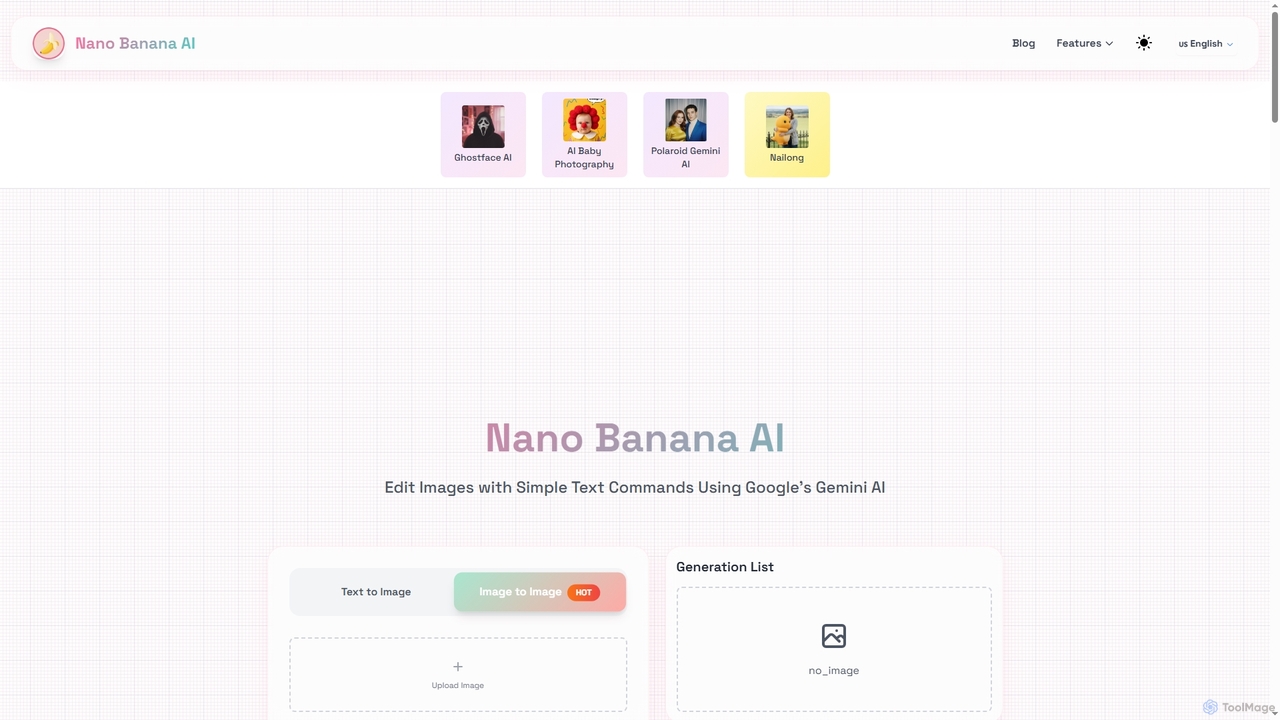
Nano Banana AI is a cutting-edge image editing tool powered by Google's Gemini 2.5 Flash. It allows users to modify images using simple text commands, ensuring character consistency and understanding real-world context. Experience fast, intelligent photo editing directly in your browser.

Image To Image
Visits 6.5KFavorites 146Likes 145

About Text To Image

Text To Image tools are a class of AI applications that generate visual images from natural language descriptions. They utilize advanced deep learning models, such as diffusion or GANs, to interpret text prompts and synthesize corresponding, often highly detailed, visuals. This technology empowers users to create unique concept art, marketing materials, and photorealistic scenes without traditional artistic skills. As a specialized area within image editing, these tools focus on creation from scratch rather than modifying existing photos.

Core Features

  • Text Prompt Interpretation: Translates complex descriptive text into visual elements, understanding context, subjects, and attributes.
  • Style Customization: Allows users to specify artistic styles like photorealistic, anime, oil painting, or 3D render.
  • Parameter Control: Provides options to adjust aspect ratio, image quality, and use negative prompts to exclude unwanted elements.
  • Iterative Refinement: Supports generating multiple variations from a single prompt and upscaling promising results for higher resolution.

Use Cases

These tools are widely used by marketers for creating ad campaigns, game developers for concept art, content creators for blog and social media visuals, and designers for rapid prototyping of ideas. They serve anyone needing original imagery on demand.

How to Choose

When selecting a Text To Image tool, consider the model's image quality and coherence, the diversity of available styles, the generation speed and cost per image, and the availability of advanced features like image-to-image or specific control models for finer control over the output.

Text To Image use cases

1

Creating Unique Marketing Campaign Visuals

A marketing manager for a new beverage brand needs compelling visuals for a social media campaign but has a limited budget for photoshoots. Using a Text To Image tool, they input prompts like 'A vibrant, photorealistic can of sparkling water with condensation, surrounded by fresh citrus fruits on a sunlit beach.' The tool generates dozens of high-quality, royalty-free variations in minutes. This allows the team to A/B test different visual concepts and select the most engaging images, significantly reducing production time and costs compared to traditional methods.

2

Concept Art for Game and Film Development

A game designer is in the early stages of creating a new fantasy world. To quickly visualize characters, environments, and creatures, they use a Text To Image generator. By providing detailed descriptions like 'An ancient, moss-covered golem made of stone, with glowing blue runes, standing in a misty forest,' they can generate a wide array of visual interpretations. This process accelerates the creative workflow, facilitates better communication with the art team, and allows for rapid exploration of different artistic directions before committing to detailed modeling and illustration.

3

Generating Blog and Social Media Illustrations

A content creator runs a blog about historical events and needs unique header images for each article. Instead of relying on generic stock photos, they use a Text To Image tool. For an article about ancient Rome, they might prompt 'A detailed digital painting of a Roman forum at sunset, with senators in togas debating, style of a historical epic.' The AI generates a custom, thematically appropriate image that enhances the article's visual appeal and originality, helping it stand out and attract more readers without incurring high illustration costs.

4

Rapid Prototyping for Product Design

A product designer is brainstorming ideas for a new futuristic smart watch. To quickly communicate different design concepts to stakeholders, they use an AI image generator. They input prompts like 'A sleek, minimalist smartwatch with a holographic display showing weather data, titanium casing, on a person's wrist.' Within moments, they have several visual prototypes. This allows the team to evaluate different aesthetics, features, and form factors instantly, making the ideation process more dynamic and collaborative without needing to create time-consuming 3D models for each initial idea.

5

Architectural and Interior Design Visualization

An architect wants to show a client several potential facade designs for a new office building. Instead of spending days on detailed renderings, they use a Text To Image tool with prompts like 'A modern 10-story office building with a glass and steel facade, vertical gardens, at street level in a bustling city, photorealistic style.' The tool produces various design concepts quickly, helping the client visualize the final look and make decisions faster. This is also useful for interior designers to generate mood boards and room concepts based on client preferences.

6

Creating Personalized Art and Illustrations

An individual wants to create a unique piece of art for their home or as a gift. They have a specific idea but lack the artistic skills to draw or paint it. Using a Text To Image tool, they can describe their vision in detail, for example, 'A surrealist painting of a giant glowing jellyfish floating over a quiet cityscape at night, in the style of Salvador Dalí.' The AI can generate a high-resolution image that matches this description, which can then be printed and framed. This democratizes art creation, allowing anyone to turn their imagination into a tangible visual piece.

Text To Image FAQ

What are Text To Image AI tools?

Text To Image AI tools are applications that use artificial intelligence to create images from written descriptions, also known as prompts. They interpret words, concepts, and styles you describe to generate a completely new visual from scratch. Unlike standard image editors that modify existing pictures, these tools are for pure creation. Key features include the ability to control style, composition, and subject matter simply by typing, making them accessible to users without graphic design skills.

How do I choose the right Text To Image generator?

To choose the right tool, consider these factors:

  • Image Quality & Coherence: Does the tool produce high-resolution, realistic, and logically consistent images? Check sample outputs.
  • Style Diversity: Does it support a wide range of styles you need, such as photorealism, anime, 3D, or abstract art?
  • Ease of Use & Features: Is the interface intuitive? Does it offer advanced features like negative prompts, aspect ratio control, or image-to-image generation?
  • Cost: Understand the pricing model. Is it a monthly subscription, or do you pay per image generated (credit system)? Choose one that fits your usage volume.
What's the difference between Text To Image generators and stock photo sites?

The key difference is creation versus curation. Stock photo sites offer a curated library of existing photos and illustrations created by humans. You search for and license an image that already exists. Text To Image generators create a brand new, unique image from scratch based on your text prompt. This means you can generate visuals that are highly specific to your needs and have never existed before, offering complete originality. However, stock photos may offer more consistent quality for common subjects.

What are 'prompts' and 'negative prompts' in AI image generation?

A 'prompt' is the text description you provide to the AI, detailing what you want it to create. A good prompt is specific and descriptive, mentioning the subject, action, style, and composition. For example, 'A photorealistic cat wearing a tiny wizard hat, sitting on a stack of books.' A 'negative prompt' is a list of things you want the AI to avoid. For the same example, a negative prompt might be 'blurry, poorly drawn hands, extra limbs, text, watermark' to improve the quality and coherence of the final image.

Who can benefit from using Text To Image tools?

A wide range of users can benefit. This includes:

  • Marketers and Advertisers: For creating unique ad visuals and social media content quickly.
  • Designers and Artists: For rapid concept exploration, inspiration, and creating base images for further editing.
  • Content Creators: For generating custom blog headers, YouTube thumbnails, and illustrations.
  • Game and Film Developers: For visualizing characters, environments, and props in pre-production.
  • Anyone without artistic skills: For bringing personal creative ideas to life for projects, gifts, or fun.