Image Best in category 1 results Model Library AI Tool

Popular AI tools in the Model Library field of Image include Flux LoRA Model Library, etc., helping you quickly improve efficiency.

Free
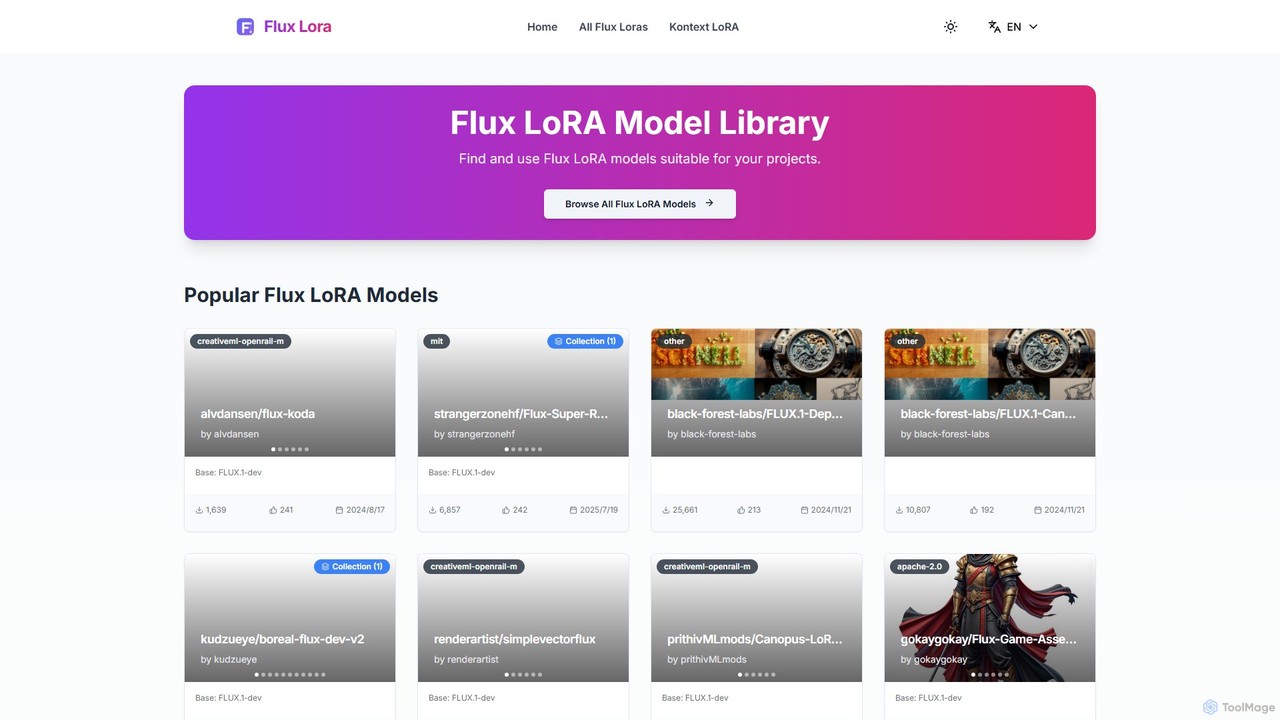
Flux LoRA Model Library

Flux LoRA Model Library

A dedicated community hub and library for discovering, sharing, and downloading LoRA models specifically designed for the FLUX …

17.6K

About Model Library

An AI Model Library is a platform that hosts a vast collection of pre-trained models for AI image generation. These libraries act as centralized repositories where users can discover, download, and share models like Checkpoints, LoRAs, and Textual Inversions to customize their image creation process. They enable creators to achieve specific artistic styles, generate consistent characters, or add unique elements without training a model from scratch. This approach significantly expands the creative possibilities of standard image generation tools.

Core Features

  • Extensive Model Search: Find models by keywords, tags, styles, or creators.
  • Diverse Model Types: Access various formats like Checkpoints (base models), LoRAs (style/character fine-tuning), and VAEs (quality enhancers).
  • Community Ratings and Previews: View user-generated images and reviews to assess a model's quality and effect before downloading.
  • Version Control: Track updates and download different versions of a model as it improves.
  • Creator Profiles: Follow favorite model creators and get notified of their new releases.

Use Cases

AI Model Libraries are essential for AI artists, game developers, and designers who use tools like Stable Diffusion. Artists use them to find specific anime, photorealistic, or fantasy styles. Game developers download character LoRAs to maintain visual consistency across concept art. Designers can find models for specific objects or textures to incorporate into their work, streamlining the creative workflow.

How to Choose

When selecting a model, consider its compatibility with your image generation software (e.g., AUTOMATIC1111, ComfyUI). Check the model's license to ensure it permits your intended use (personal vs. commercial). Evaluate the sample images and community feedback for quality and consistency. Finally, consider the file size, as larger Checkpoint models require more storage and processing power than smaller LoRAs.

Model LibraryUse Cases

1

Achieving a Consistent Artistic Style

An AI artist wants to create a series of illustrations in a specific watercolor painting style. Instead of trying to craft complex prompts, they browse a model library for a 'watercolor' style LoRA. After finding a highly-rated model with excellent sample images, they download and apply it to their image generation tool. This allows them to generate dozens of different scenes and characters, all sharing the same consistent and beautiful watercolor aesthetic, saving significant time in prompt engineering and post-production editing.

2

Generating Consistent Characters for a Story

A comic book author needs to visualize a new protagonist for their story. They require multiple images of the character in different poses, outfits, and settings, but with a consistent face and build. They search a model library for a character LoRA that matches their vision or use one they trained themselves. By including the LoRA in their prompts, they can generate hundreds of concept images where the character's identity remains stable. This process is far more efficient than manually drawing each frame or trying to achieve consistency with text prompts alone.

3

Enhancing Image Realism and Quality

An AI enthusiast notices that their photorealistic generations often have unnatural lighting or slightly distorted faces. To fix this, they visit a model library and search for a VAE (Variational Autoencoder) model known for improving color and detail. They download the recommended VAE and configure their image generation software to use it. Immediately, they see a noticeable improvement in their outputs: colors are richer, shadows are more natural, and fine details on faces and textures are sharper. This simple addition elevates the quality of all their future creations.

4

Exploring New and Experimental Art Styles

A digital artist feels creatively stuck and wants to find new inspiration. They decide to explore a model library's 'trending' or 'newest' sections. They discover a recently uploaded LoRA that creates a unique 'glitch art' effect. Intrigued, they download it and start experimenting. By combining this new model with their existing prompts, they generate a series of abstract, visually striking images unlike anything they've made before. The library acts as a constant source of innovation, allowing them to push their creative boundaries and discover novel aesthetics shared by the community.

5

Adding Specific Objects or Concepts to Scenes

A concept artist for a sci-fi film needs to incorporate a specific, recurring alien artifact into various scenes. Describing this complex object with text prompts is difficult and yields inconsistent results. The art department trains a LoRA model on 3D renders of the artifact. The artist then downloads this private model from their team's shared library. Now, by simply adding the LoRA trigger word to their prompts, they can place the artifact perfectly into any environment—a desert landscape, a spaceship interior, or held by a character—ensuring perfect consistency across all concept art.

6

Rapid Prototyping of Product Designs

A product designer is tasked with creating concepts for a new line of futuristic sneakers. To quickly generate a wide variety of ideas, they use a model library to download a powerful base model (Checkpoint) known for high-quality product renders. They combine this with several style LoRAs—one for 'cyberpunk', one for 'minimalist', and another for 'organic design'. By switching between these LoRAs, they can generate hundreds of distinct design variations in a single afternoon, providing a rich visual portfolio for the marketing team to review, a process that would have taken weeks with traditional methods.

Model LibraryFrequently Asked Questions