ToolMage
Sign in

Best 1 Style Transfer AI tools for Image

Popular Style Transfer AI tools in Image include gpt_image, helping you work more efficiently.

gpt_image
Freemium

gpt_image

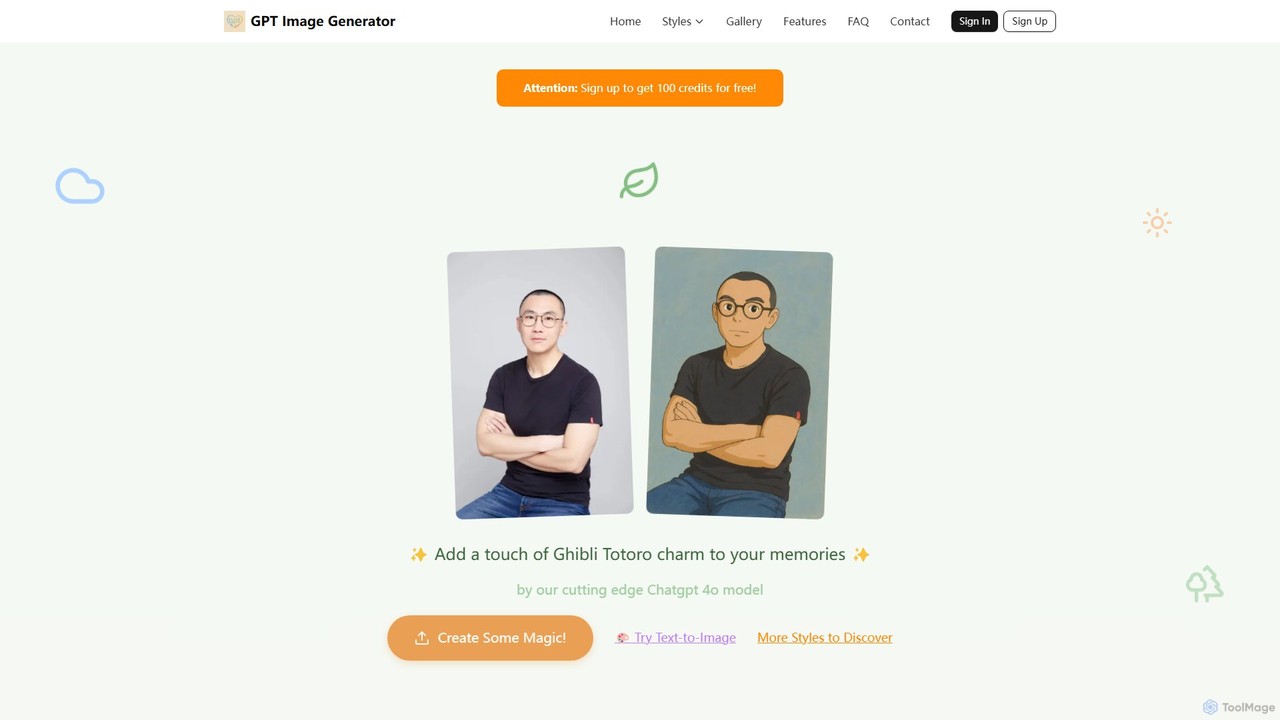
An AI art studio powered by ChatGPT 4o that transforms text prompts and photos into a wide range of artistic styles. It specializes in anime aesthetics like Studio Ghibli and Shinkai Makoto, but also offers styles like marble art, 4-panel comics, minimalist 3D, and more. Users get free credits to start and can purchase more via a flexible, no-subscription model.

Ai Art Generator
Visits 18.9KFavorites 137Likes 126

About Style Transfer

Style Transfer tools are AI-powered applications that apply the artistic style of one image to the content of another. Leveraging deep learning models, particularly convolutional neural networks, these tools can extract and combine distinct visual elements. They enable creators to transform photos, videos, and graphics into unique artistic renditions without requiring manual artistic skill. This capability opens up new avenues for digital art, design, and creative expression within the broader field of AI image generation.

Core Features

  • Style Extraction: Automatically identifies and extracts artistic patterns, textures, and color palettes from a style image.
  • Content Preservation: Maintains the structural integrity and recognizable objects of the original content image.
  • Real-time Preview: Allows users to see the style transfer effect instantly and adjust parameters.
  • Parameter Customization: Offers controls for style intensity, content fidelity, and output resolution.
  • Batch Processing: Enables applying a single style to multiple content images or vice-versa efficiently.

Use Cases

Style Transfer tools are widely adopted by digital artists, graphic designers, marketers, and game developers. They are used to create unique artworks from photographs, generate consistent visual branding for campaigns, and apply unified artistic themes to diverse game assets, significantly streamlining creative workflows.

How to Choose

When selecting a Style Transfer tool, consider the variety and quality of available styles, the level of customization options (e.g., style intensity, resolution), processing speed for large projects, and whether it supports video or batch processing. Evaluate its integration capabilities with existing design software and the overall ease of use for your specific creative needs.

Featured tool rankings

Style Transfer use cases

1

Transforming Personal Photos into Artistic Masterpieces

A hobbyist photographer wants to give their landscape photos a unique artistic flair. Using a Style Transfer tool, they can apply the brushstrokes and color schemes of impressionist paintings to their photos, creating stunning digital art pieces for social media or prints, without needing traditional painting skills. This allows for personalized artistic expression.

2

Creating Unique Branding & Marketing Visuals

A marketing team needs to launch a new campaign with a distinct visual identity. They use Style Transfer to apply a specific graphic novel or watercolor style to product images, advertisements, and social media posts, ensuring brand consistency and making their content stand out from competitors. This helps in building a memorable brand aesthetic.

3

Stylizing Game Assets for Unified Aesthetics

A game studio is developing a new game and wants all in-game assets (characters, environments, items) to have a consistent, hand-painted look. They utilize Style Transfer tools to automatically apply this specific artistic style across thousands of 3D renders and 2D textures, significantly reducing manual artistic labor and ensuring visual coherence throughout the game world.

4

Exploring Aesthetic Finishes in Design Visualizations

An interior designer presents a room concept to a client but wants to quickly show how it would look with different artistic finishes, like a sketch, watercolor, or even a futuristic digital art style. Style Transfer tools allow them to instantly render the same 3D model or photo with various artistic interpretations, aiding client communication and design exploration.

5

Enhancing Video Content with Artistic Filters

A YouTube content creator wants to make their vlogs or short films more visually engaging. They use Style Transfer tools to apply dynamic artistic filters (e.g., a comic book effect, a vintage film look, or an an abstract painting style) to their video footage, adding a unique aesthetic layer that captures viewer attention and differentiates their channel from others.

6

Educational Exploration of Art Styles

An art history student is studying different artistic movements and wants to understand their visual characteristics. They use a Style Transfer tool to apply the styles of various historical periods (e.g., Impressionism, Cubism, Pop Art) to modern photographs, gaining a practical understanding of how these styles transform visual content and experimenting with creative compositions.

Style Transfer FAQ

What are Style Transfer tools?

Style Transfer tools are AI applications that use deep learning to combine the artistic style of one image with the content of another. They analyze patterns, textures, and colors from a style image and apply them to a content image, creating a new, stylized output. This allows for the artistic transformation of photos, videos, and other visuals into unique art pieces.

How do Style Transfer tools work?

Most Style Transfer tools utilize convolutional neural networks (CNNs). They typically involve two main components: a "content loss" function that ensures the output image retains the content of the original, and a "style loss" function that matches the statistical features (like texture and color distribution) of the style image. By minimizing both losses, the network generates an image that has the desired content and style.

What's the difference between Style Transfer and a regular photo filter?

Regular photo filters apply predefined adjustments like color overlays, saturation changes, or basic effects uniformly across an image. Style Transfer, however, uses AI to *learn* and *reapply* the complex artistic patterns, brushstrokes, and textures from a specific style image. It's a more intelligent and dynamic transformation, creating a truly unique artistic rendition rather than a simple overlay.

Can Style Transfer be used for video?

Yes, many advanced Style Transfer tools support video. Applying Style Transfer to video involves processing each frame sequentially, often with additional techniques to ensure temporal consistency and reduce flickering between frames. This allows creators to transform entire video clips into animated artworks, opening up possibilities for unique visual storytelling and effects in film, animation, and social media.

What factors should I consider when choosing a Style Transfer tool?

When selecting a Style Transfer tool, consider the quality and variety of available styles, the level of customization offered (e.g., style intensity, resolution control), processing speed for large projects, and whether it supports batch processing or video. Also, evaluate the user interface for ease of use, integration capabilities with other design software, and the pricing model for your specific creative needs.