ToolMage
Sign in

Best 1 App Development AI tools for Mobile

Popular App Development AI tools in Mobile include TestLabs, helping you work more efficiently.

TestLabs
Freemium

TestLabs

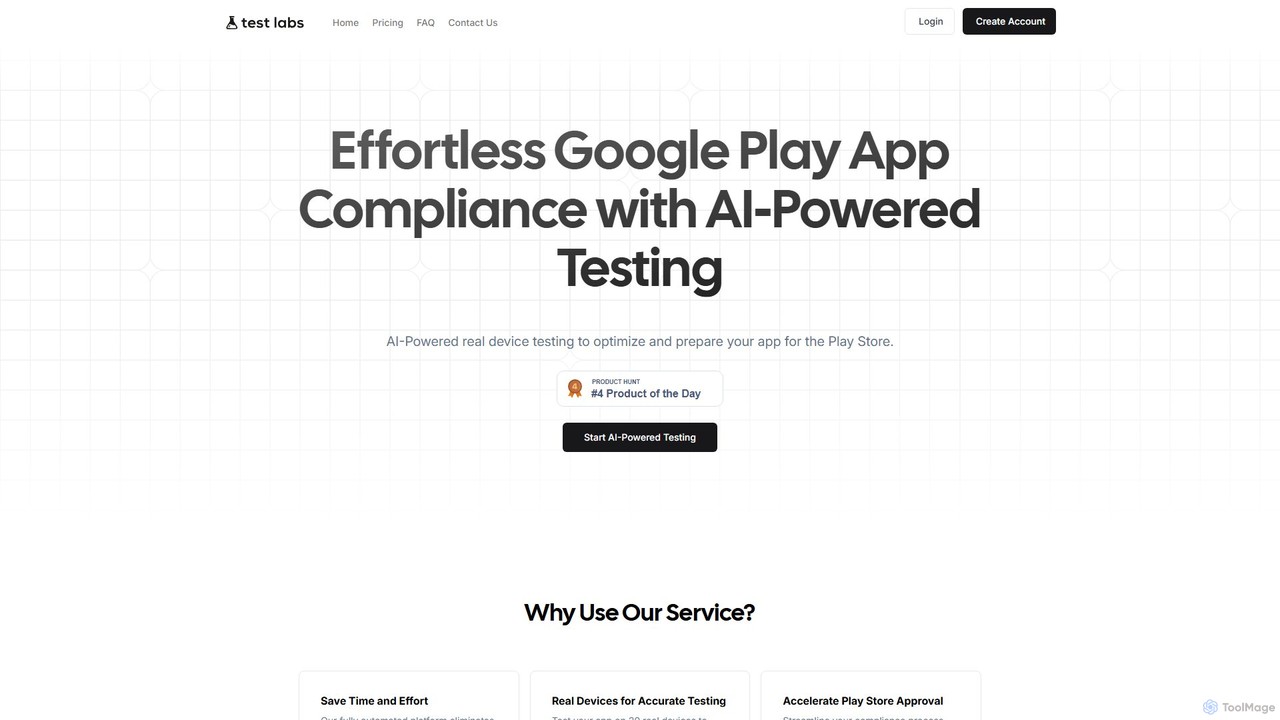
TestLabs is an AI-powered platform that automates app testing on real devices to ensure compliance with Google Play Store policies. It simplifies the mandatory 14-day, 20-tester process, saving developers time and resources. The service provides detailed daily reports, device logs, and screenshots, helping developers accelerate their app's launch and approval. It's a cost-effective solution for startups, freelancers, and businesses to streamline their testing workflow and deliver high-quality, compliant applications.

Testing
Visits 3.9KFavorites 90Likes 86

About App Development

AI App Development tools are a class of software that leverages artificial intelligence to automate and accelerate the creation of mobile and web applications. These platforms use technologies like machine learning and natural language processing to translate text prompts, design mockups, or business logic into functional code and user interfaces. They significantly lower the technical barrier to entry, enabling faster prototyping, development, and deployment for both developers and non-developers. This approach streamlines the entire development lifecycle, from initial concept to final product.

Core Features

  • Natural Language to Code Generation: Converts plain text descriptions of features or logic into source code for platforms like iOS, Android, or web.
  • AI-Powered UI/UX Design: Automatically generates user interface layouts, color palettes, and components from simple inputs or wireframes.
  • Automated Testing and Debugging: Intelligently creates test cases, identifies potential bugs in the code, and suggests corrections to improve app stability.
  • Predictive Logic Implementation: Simplifies the integration of complex features like recommendation engines or data analysis by generating the necessary backend logic.
  • No-Code/Low-Code Interfaces: Provides visual, drag-and-drop environments where users can build applications with minimal or no manual coding.

Use Cases

These tools are widely used by startups and entrepreneurs to quickly build and test Minimum Viable Products (MVPs) without large engineering teams. Product managers and designers use them to create interactive prototypes that are closer to the final product. In large enterprises, development teams leverage these tools to automate repetitive coding tasks and build internal applications for specific business needs, such as data dashboards or workflow management tools.

How to Choose

When selecting an AI App Development tool, first consider the target platform (iOS, Android, web, or cross-platform). Evaluate the balance between no-code (for non-technical users) and low-code (for developers seeking acceleration) capabilities. Assess its integration options with third-party services, databases, and APIs. Finally, examine the scalability of the platform to ensure it can support your app's growth in terms of users and feature complexity.

Featured tool rankings

App Development use cases

1

Rapid MVP Prototyping for Startups

An entrepreneur with a new app idea but limited coding knowledge needs to create a functional prototype to present to potential investors. Using an AI app development platform, they describe the core features in natural language, such as 'a user login screen with email and Google sign-in' and 'a dashboard to display user data'. The AI generates the corresponding screens, user flows, and basic backend logic. This allows the founder to build a testable Minimum Viable Product (MVP) in a matter of days instead of months, significantly reducing time-to-market and initial development costs.

2

Automating UI Component Generation

A UI/UX designer is working on a complex mobile application and needs to create dozens of standard components like forms, cards, and navigation bars. Instead of designing each one manually and waiting for a developer to code it, the designer uploads a wireframe or a sketch to an AI app development tool. The AI analyzes the design, identifies the components, and generates production-ready code in the desired framework (e.g., Swift for iOS, React Native for cross-platform). This process bridges the gap between design and development, ensuring visual consistency and freeing up developer time for more complex logic.

3

Building Internal Business Tools without IT

A project manager in a marketing department needs a custom application to track campaign progress and budget allocation. The internal IT department has a long backlog. Using a no-code AI app builder, the project manager describes the required data fields (Campaign Name, Budget, Status) and the desired views (a table view and a chart view). The AI platform generates a fully functional web and mobile app that connects to a Google Sheet or another data source. This empowers non-technical employees to solve their own operational challenges and create bespoke tools without relying on limited developer resources.

4

AI-Assisted Code Refactoring and Optimization

A software developer is tasked with improving the performance of a legacy mobile app. The codebase is large and complex. The developer uses an AI development tool that integrates with their IDE. They feed sections of the old code into the AI, which analyzes it for inefficiencies, potential bugs, and outdated practices. The tool then suggests refactored code snippets that are more performant, readable, and adhere to modern coding standards. This accelerates the modernization process, improves code quality, and reduces the risk of introducing new bugs during manual refactoring.

5

Generating Automated Test Cases from User Stories

A Quality Assurance (QA) team needs to ensure comprehensive test coverage for a new feature. Instead of manually writing hundreds of test cases, a QA engineer provides the AI tool with the user story or feature description, such as 'As a user, I want to be able to reset my password via email'. The AI analyzes the requirements and automatically generates a suite of test cases, including positive scenarios (correct email), negative scenarios (incorrect email, expired link), and edge cases (network failure). This not only saves significant time but also helps identify scenarios the human team might have overlooked.

6

Building a Data-Driven E-commerce App

An online retail business wants to create a mobile app with a personalized shopping experience. Using an AI app builder, they can easily integrate their product catalog from a platform like Shopify. The AI tool helps them build features like an AI-powered product recommendation engine based on user browsing history and purchase patterns. It can also generate the logic for dynamic pricing or personalized promotions. This allows the business to create a sophisticated, data-driven application that increases user engagement and sales, without needing a dedicated team of data scientists and machine learning engineers.

App Development FAQ

What are AI App Development tools?

AI App Development tools are software platforms that use artificial intelligence to automate or assist in the creation of applications. Unlike traditional coding environments, they can generate code, design user interfaces, create test cases, and even implement business logic from natural language prompts or visual inputs. Their primary goal is to accelerate the development lifecycle, reduce manual coding, and make app creation more accessible to individuals without deep technical expertise.

How do AI app builders differ from traditional IDEs like Xcode or Android Studio?

Traditional IDEs (Integrated Development Environments) like Xcode and Android Studio are powerful environments for developers to manually write, debug, and manage code. In contrast, AI app builders are designed to generate code and application structures automatically. Key differences include:

  • Input Method: IDEs require manual code input, while AI builders accept natural language, wireframes, or visual components.
  • Automation Level: IDEs provide tools to assist coding (like autocomplete), whereas AI builders automate the creation of entire features or screens.
  • Target Audience: IDEs are primarily for professional developers. AI builders serve a broader audience, including designers, product managers, and entrepreneurs with no-code options.

In essence, an IDE is a workshop for a craftsperson, while an AI app builder is more like an automated factory assembly line.

Who can benefit from using AI App Development tools?

A wide range of users can benefit from AI App Development tools. This includes:

  • Entrepreneurs and Startups: To quickly build MVPs (Minimum Viable Products) and validate business ideas with minimal upfront investment.
  • Product Managers and Designers: To create high-fidelity, functional prototypes that accurately represent the final product, improving stakeholder communication.
  • Professional Developers: To automate repetitive tasks like writing boilerplate code, generating UI components, or creating unit tests, allowing them to focus on complex problem-solving.
  • Business Users and Citizen Developers: To build custom internal tools and automate workflows without needing to rely on overloaded IT departments.
What are the key features to look for in an AI App Development tool?

When choosing an AI App Development tool, consider the following key features:

  • Platform Support: Does it build for iOS, Android, web, or all of them (cross-platform)?
  • No-Code vs. Low-Code: Assess whether you need a purely visual, no-code interface or a low-code platform that allows for custom code and greater flexibility.
  • Quality of Generated Code: For developers, it's important that the generated code is clean, maintainable, and follows best practices.
  • Integration Capabilities: Check its ability to connect with external databases, APIs, and third-party services (like payment gateways or authentication providers).
  • Scalability and Deployment: Ensure the platform can handle user growth and offers straightforward options for deploying and hosting your application.
Can AI completely replace human app developers?

No, AI is unlikely to completely replace human app developers in the foreseeable future. While AI excels at automating repetitive tasks, generating standard code, and accelerating prototyping, it currently lacks the creativity, critical thinking, and nuanced understanding of user experience required for building truly innovative and complex applications. Human developers are essential for strategic architectural decisions, solving unique problems, and providing the creative vision that defines a great app. AI tools are best viewed as powerful assistants that augment developer capabilities, not replace them.