ToolMage
Sign in

Best 1 Creative Apps for Mobile

Popular Creative Apps in Mobile include Polyverse Studio, helping you work more efficiently.

Polyverse Studio
Freemium

Polyverse Studio

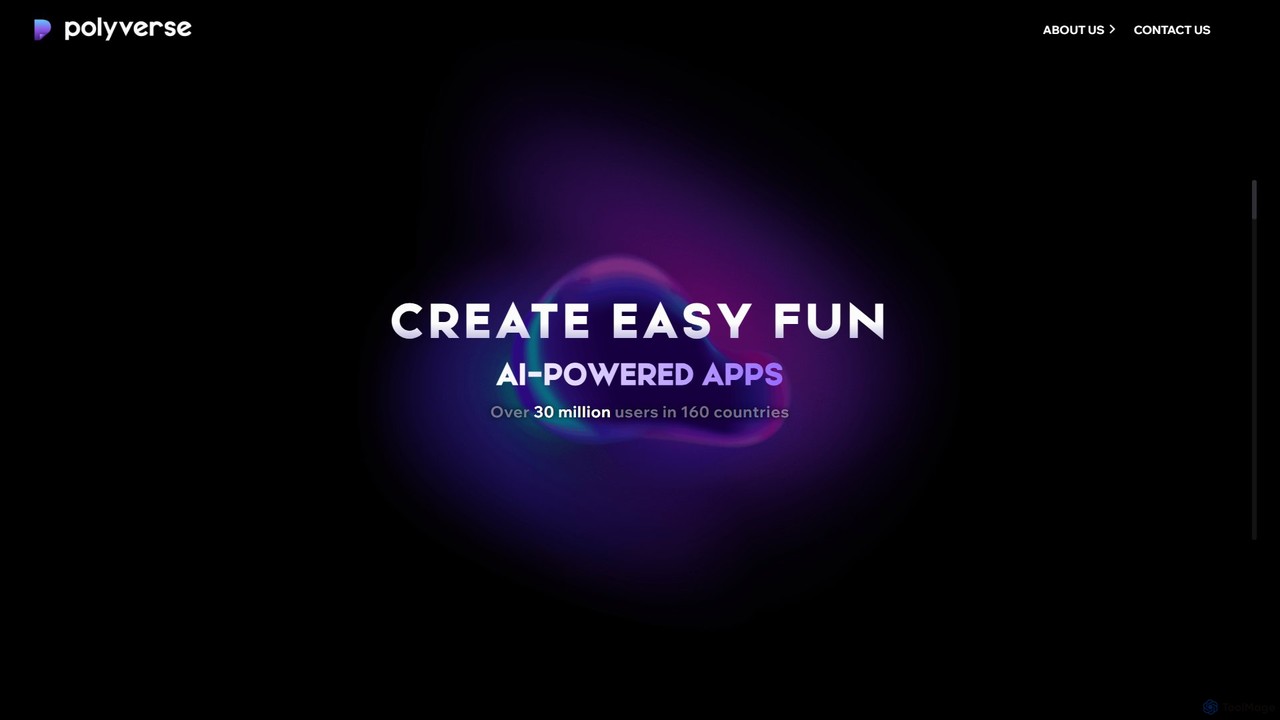
Polyverse Studio is a mobile app developer specializing in fun and easy-to-use AI-powered content creation platforms. Their flagship products, AI Mirror and Spellai, empower over 30 million users to transform photos and videos into various art styles and generate stunning images from text, making creative expression accessible to everyone.

Art Generation
Visits 5.2KFavorites 131Likes 146

About Creative Apps

Creative Apps are AI-powered mobile tools that leverage advanced artificial intelligence to transform and enhance various creative processes. These applications enable users to generate, edit, and refine visual, audio, and textual content directly from their smartphones or tablets. They democratize access to sophisticated creative capabilities, making professional-grade content creation accessible and intuitive for everyone, regardless of their technical expertise.

Core Features

  • AI Image Generation: Create unique images, art, and designs from text prompts or sketches on the go.
  • Smart Video Editing: Automate video cuts, add AI-generated effects, and enhance footage with intelligent suggestions.
  • Instant Music Composition: Generate short musical pieces, background scores, or sound effects based on mood or genre inputs.
  • Text-to-Art & Design: Convert written descriptions into visual assets like logos, icons, or social media graphics.
  • Advanced Photo Enhancement: Utilize AI for automatic object removal, background changes, upscaling, and stylistic transformations of photos.

Use Cases

Creative Apps are indispensable for individuals and professionals who need to produce high-quality content efficiently on mobile devices. They are widely used by social media managers for rapid content creation, vloggers for on-the-spot video edits, and small business owners for quick marketing material generation. These tools streamline workflows, allowing for creative output anytime, anywhere, without the need for complex desktop software.

How to Choose

When selecting a Creative App, consider its specific AI capabilities, user interface design for mobile, and performance on your device. Evaluate the range of creative tasks it supports, such as image, video, or audio generation, and check for intuitive touch controls. Assess the subscription model, offline functionality, and integration with other mobile apps or cloud services to ensure it meets your workflow and budget requirements.

Featured tool rankings

Creative Apps use cases

1

Instant Social Media Content Creation

Social media managers and influencers can rapidly generate engaging posts, stories, and reels directly from their mobile devices. By inputting text prompts or selecting templates, AI Creative Apps produce eye-catching visuals, short video clips, or even suggest captions, significantly reducing the time spent on daily content production and maintaining a consistent online presence.

2

On-the-Go Video Editing for Vlogs & Shorts

Vloggers, content creators, and casual users can edit and enhance video footage captured on their phones immediately after recording. AI features like automatic scene detection, intelligent transitions, background music suggestions, and one-tap color grading allow for quick, professional-looking video production without transferring files to a desktop, perfect for spontaneous content sharing.

3

Personalized Digital Art & Avatars

Artists and individuals looking for unique digital expressions can create personalized avatars, profile pictures, or abstract art using text-to-image AI on their tablets or smartphones. These apps allow for experimentation with various artistic styles and themes, providing a fun and accessible way to generate custom digital assets for personal use or creative projects.

4

Quick Design Mockups for Entrepreneurs

Small business owners and entrepreneurs can quickly generate logo ideas, marketing visuals, or product mockups without needing graphic design expertise. By describing their vision, AI Creative Apps can produce multiple design variations, helping them visualize concepts, test branding ideas, and create professional-looking promotional materials efficiently from their mobile device.

5

AI-Assisted Music & Sound Design

Musicians, podcasters, and game developers can compose short musical pieces, background tracks, or unique sound effects directly on their mobile devices. These apps use AI to generate melodies, harmonies, and rhythms based on user-defined parameters like mood, genre, or instrument preferences, offering a portable solution for creative audio production and experimentation.

6

Smart Photo Enhancement & Restoration

Photographers and everyday users can enhance, restore, or transform their photos with advanced AI capabilities on their mobile devices. Features include intelligent object removal, background replacement, noise reduction, upscaling low-resolution images, and even colorizing old black-and-white photos, providing powerful editing tools for improving image quality and creative expression.

Creative Apps FAQ

What are Creative Apps?

Creative Apps are mobile applications powered by artificial intelligence designed to assist and automate various creative tasks. They enable users to generate, edit, and enhance digital content such as images, videos, audio, and text directly on their smartphones or tablets, making sophisticated creative tools accessible and easy to use for a broad audience.

How to choose the right Creative App for mobile?

When selecting a Creative App, consider your primary creative needs (e.g., image generation, video editing, music composition). Evaluate the app's AI features, user interface for mobile devices, and overall performance. Look for intuitive touch controls, a wide range of stylistic options, and the ability to integrate with your existing mobile workflow. Also, compare pricing models and review user feedback for reliability.

What unique AI features do Creative Apps offer on mobile?

Mobile Creative Apps offer unique AI features optimized for on-the-go use, such as real-time content generation from text or voice prompts, smart object recognition for quick editing, and AI-powered suggestions for design elements, transitions, or musical compositions. They often include mobile-optimized interfaces with gesture controls and cloud synchronization for seamless access across devices.

How do mobile Creative Apps differ from traditional desktop creative software?

Mobile Creative Apps prioritize portability, ease of use, and AI-driven automation, making them ideal for quick tasks and casual creators. Traditional desktop software typically offers more granular control, extensive feature sets, and higher performance for complex, professional-grade projects. Mobile apps often leverage cloud AI for processing, while desktop software relies more on local hardware, though hybrid models are emerging.

Who benefits most from using Creative Apps?

Creative Apps are highly beneficial for social media creators, vloggers, digital artists, small business owners, and anyone needing quick, high-quality creative output on the go. They empower users without extensive technical skills or expensive equipment to produce professional-looking content efficiently, fostering creativity and enabling rapid content iteration for various personal and professional projects.