
ToolMage
Sign in

Best 1 Album Art AI tools for Music

Popular Album Art AI tools in Music include Daft Art, helping you work more efficiently.

Daft Art
Paid

Daft Art

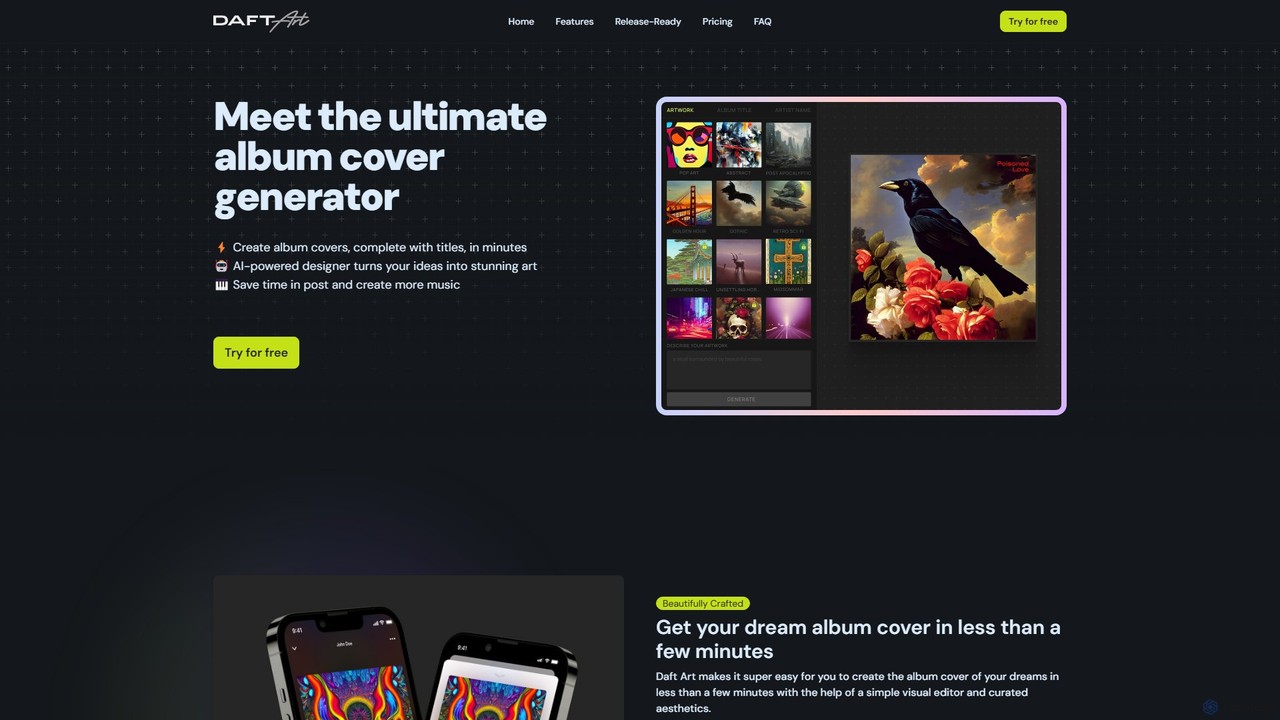
Daft Art is an AI-powered platform designed for musicians, producers, and artists to effortlessly create professional album covers. By leveraging advanced AI, users can generate unique, high-resolution artwork from text descriptions. The tool offers a range of curated aesthetics and a simple editor for adding titles, ensuring your cover is release-ready for platforms like Spotify and Apple Music. It operates on a flexible, non-subscription pass system, making it ideal for both single projects and frequent releases.

Image Generation
Visits 7.9KFavorites 150Likes 171

About Album Art

AI Album Art generators are specialized tools that create unique visual covers for music releases. Leveraging advanced text-to-image models, these tools translate descriptions of mood, genre, or abstract concepts into compelling, high-resolution artwork. This enables musicians, producers, and labels to produce professional-quality covers that visually represent their sound without requiring extensive design skills or budget. Many platforms are specifically trained on artistic styles relevant to music, offering a tailored creative process for the industry.

Core Features

  • Genre-Aware Styling: Generates visuals that align with specific music genres like lo-fi, metal, pop, or electronic.
  • Text-to-Image Prompting: Creates artwork from descriptive text prompts detailing scenes, emotions, and artistic styles.
  • Customization and Control: Allows users to adjust colors, composition, aspect ratio, and artistic influences for a unique result.
  • Typography Tools: Provides options to overlay and style artist names and album titles directly onto the generated image.
  • High-Resolution Output: Exports images in formats and resolutions required by major streaming platforms like Spotify and Apple Music.

Use Cases

These tools are ideal for independent artists and bands needing affordable, high-quality artwork for singles and EPs. Music producers use them to create distinct covers for beat tapes and sample packs, while record labels employ them for rapid concept prototyping during album campaigns. Playlist curators also use them to design eye-catching covers that attract more followers on streaming services.

How to Choose

When selecting an AI Album Art generator, first verify the commercial license to ensure you can legally use the art for releases. Evaluate the image quality and maximum output resolution to meet platform standards. Consider the diversity of available art styles and whether they match your musical aesthetic. Finally, assess the ease of use, particularly the effectiveness of its text overlay and customization features.

Album Art use cases

1

Creating a Debut Single Cover for Independent Artists

An independent musician is preparing to release their first single on platforms like Spotify and Apple Music but has a minimal budget for design. Instead of hiring a graphic designer, they use an AI Album Art tool. They input prompts describing the song's mood, such as 'ethereal dream pop, pastel clouds, lonely figure, vintage film grain.' Within minutes, the tool generates dozens of unique visual concepts. The artist selects the best option, uses the built-in typography tool to add their name and the song title, and exports a 3000x3000 pixel image, ready for digital distribution. This process saves significant time and money while producing a professional-quality cover.

2

Designing Art for Beat Tapes and Sample Packs

A music producer sells beat tapes and sample packs on online marketplaces like BeatStars. To make each product visually distinct and appealing, they need unique artwork for every pack. Using an AI Album Art generator, they can quickly create covers that match the genre and vibe of the music. For a pack of dark trap beats, they might use prompts like 'neon-lit cyberpunk alleyway, rain-slicked streets, moody atmosphere.' This allows them to produce a high volume of professional-looking covers efficiently, enhancing their product's brand identity and attracting more buyers without taking time away from music production.

3

Rapid Prototyping for Record Label Campaigns

A creative director at a record label is planning the visual campaign for a major artist's upcoming album. To quickly explore different artistic directions, they use an AI Album Art generator. By inputting themes from the album's lyrics and overall sound, such as 'nostalgic 80s synthwave, sunset over Miami, chrome reflections,' they can generate a wide array of concept images in a single session. These AI-generated mockups are then used in internal meetings to facilitate discussions with the artist and marketing team, helping to align on a final visual direction much faster and more cost-effectively than commissioning multiple designers for initial ideas.

4

Crafting Custom Covers for Playlist Curators

A popular playlist curator on Spotify wants to create a strong brand identity for their playlists to attract more followers. Each playlist, like 'Late Night Lo-fi' or 'Gym Workout Anthems,' needs a unique and memorable cover. They use an AI Album Art tool to generate visuals that perfectly capture the mood of each collection. For the lo-fi playlist, they might use the prompt 'cozy anime room, cat sleeping on windowsill, rain against the glass.' For the workout playlist, 'abstract explosion of energy, neon colors, dynamic lines.' This allows them to consistently produce high-quality, thematic artwork, making their playlists stand out visually in a crowded field.

5

Creating Episode-Specific Artwork for Podcasts

A podcaster who hosts a music history show needs unique artwork for each weekly episode to post on podcast platforms and social media. Each episode focuses on a different genre or artist. Manually creating new art every week is time-consuming. By using an AI Album Art generator, the host can quickly create relevant visuals. For an episode on 70s psychedelic rock, they input 'cosmic landscape, swirling colors, vintage analog feel.' For a show on the origins of hip-hop, 'gritty New York street scene, graffiti art, 1980s boombox.' This workflow automates a key part of their content production, ensuring a fresh and engaging visual identity for every episode with minimal effort.

6

Generating Visuals for DJ Mixes and Live Sets

A DJ regularly uploads their mixes to platforms like SoundCloud and YouTube, where a strong visual component is key to attracting listeners. For each new mix, they need a compelling cover that reflects its energy and track selection. Using an AI Album Art generator, they can create a unique image for every set. For a high-energy techno mix, they might use prompts like 'abstract geometric patterns, pulsating light grid, dark club atmosphere.' For a chillout ambient set, 'serene watercolor landscape, soft gradients, minimalist design.' This enables the DJ to maintain a professional and visually dynamic online presence, helping their mixes stand out and capture the attention of potential fans.

Album Art FAQ

What are AI Album Art generators?

AI Album Art generators are specialized software tools that use artificial intelligence, primarily text-to-image models, to create custom artwork for music singles, EPs, and albums. Unlike general image generators, they are often fine-tuned with styles relevant to music genres and may include features like text overlays for artist names. They empower musicians and labels to produce high-quality, unique covers quickly and affordably, without needing graphic design skills.

How to choose the right AI Album Art tool?

When selecting an AI Album Art tool, consider these key factors:

  • Commercial Use License: Ensure the tool's terms of service explicitly grant you the rights to use the generated images for commercial purposes, such as on streaming platforms.
  • Image Quality and Resolution: Check that the tool can export high-resolution images (e.g., 3000x3000 pixels) to meet the standards of distributors like Spotify and Apple Music.
  • Stylistic Range: Look for a generator that offers a wide variety of artistic styles that align with your music's genre and aesthetic.
  • Customization Features: Evaluate the level of control you have over the final image, including text overlay tools, color adjustments, and composition controls.
What's the difference between an AI Album Art generator and a general AI Image generator?

The primary difference is specialization. While both use similar core technology, AI Album Art generators are specifically tailored for musicians. This often means they are trained on datasets rich with artistic and musical themes, offer genre-specific style presets (e.g., 'psychedelic rock,' 'lo-fi hip-hop'), and may include built-in tools for adding text that follows design principles for covers. General AI image generators are more versatile but may require more complex prompting and post-processing to achieve a result that looks and feels like an album cover.

Can I legally use AI-generated art for my album cover on Spotify?

Generally, yes, but it is crucial to check the terms of service of the specific AI tool you use. Most reputable AI art generators have clear policies on commercial use. You must ensure that the license they provide allows for commercial distribution, which includes use on streaming platforms like Spotify and Apple Music. Copyright law regarding AI-generated art is still evolving globally, so always rely on the platform's official licensing agreement as your primary guide for legal use.

What kind of inputs can I use to create album art?

Most AI Album Art generators primarily use text prompts as input. You describe the desired visual in detail, including elements, mood, colors, and artistic style (e.g., 'a lone astronaut on a neon-drenched planet, photorealistic, 80s sci-fi style'). Some advanced tools may also offer:

  • Image-to-Image: Uploading a reference image to guide the generation process.
  • Genre/Mood Selection: Choosing from predefined tags like 'Acoustic Folk' or 'Energetic Pop' to influence the style.
  • Audio Analysis: A few cutting-edge tools can analyze an uploaded audio track to suggest visual themes based on its tempo, mood, and instrumentation.