
Freemium
Mozart
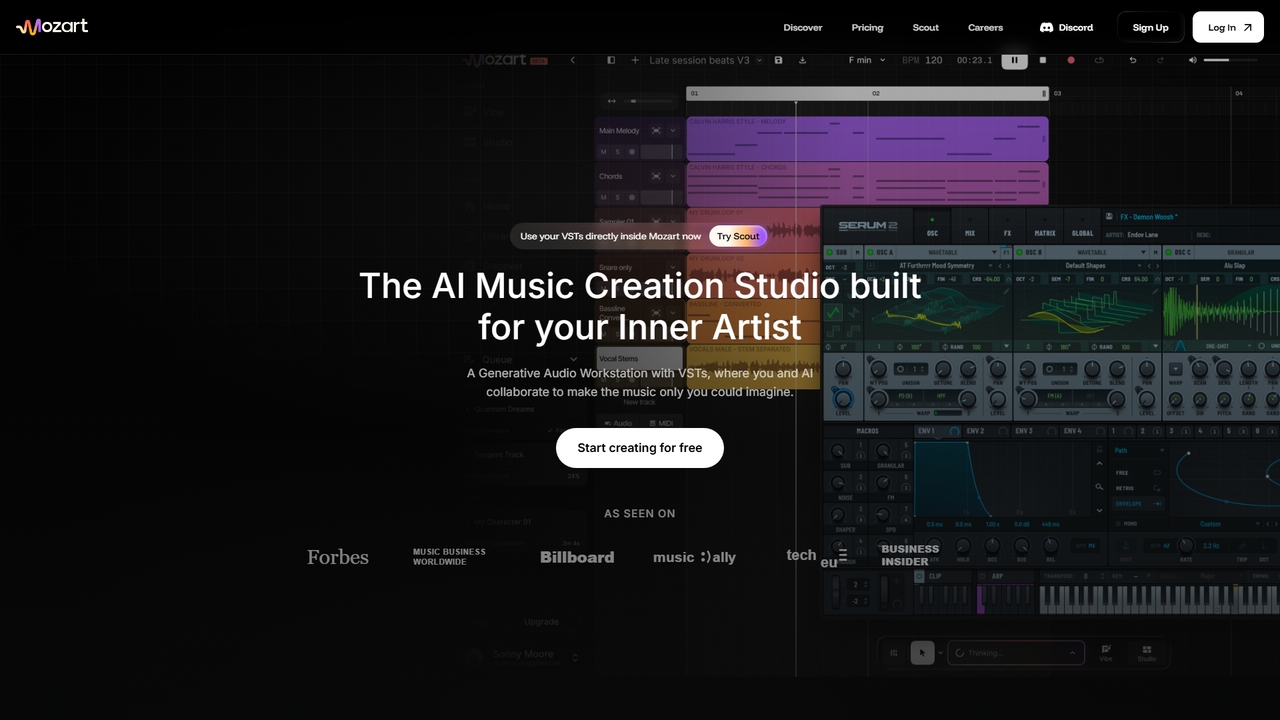
Mozart is an AI-powered music creation studio that lets you generate songs, use VSTs, and collaborate with AI to produce studio-quality music.
Ai Music GeneratorVisits 187.3KFavorites 52Likes 52
Popular Audio Production AI tools in Music include Mozart and AlbumCoverAI, helping you work more efficiently.
Mozart is an AI-powered music creation studio that lets you generate songs, use VSTs, and collaborate with AI to produce studio-quality music.
Ai Music Generator
AlbumCoverAI is an AI-powered tool that transforms your music into stunning, professional album covers. By analyzing your audio's mood, genre, and energy, it generates a variety of high-quality, unique cover art options in minutes. It's perfect for artists, producers, and creators who need professional visuals for streaming platforms like Spotify and Apple Music without the time and cost of hiring a designer. The tool also includes a one-click feature to add the official Parental Advisory label.
Image GenerationAI Audio Production tools are a class of software that uses artificial intelligence to assist in and automate the technical processes of creating finished audio. These tools leverage machine learning models trained on vast datasets of professional audio to perform complex tasks like mixing, mastering, and audio repair. They enable creators of all skill levels to achieve professional-quality sound, streamline complex workflows, and unlock new creative possibilities. As a key part of the broader AI Music ecosystem, these tools focus specifically on the post-composition and recording stages, turning raw audio into a polished final product.
These tools are widely used by music producers, audio engineers, podcasters, video creators, and sound designers. For example, a bedroom producer can use AI mastering for a quick release on streaming platforms, a podcaster can use AI noise reduction to clean up an interview recorded in a noisy environment, and a video editor can use stem separation to create a custom music bed from a commercial track.
When selecting an AI Audio Production tool, consider its primary function—whether it's a specialized tool for mastering or a comprehensive suite for repair. Evaluate its integration capabilities, such as whether it operates as a standalone application or as a plugin (VST, AU, AAX) within your Digital Audio Workstation (DAW). Also, assess the balance between automation and user control, and check reviews or demos to verify the final audio quality.
An independent musician or home producer has just finished mixing their latest track. Lacking the budget or technical expertise for a professional mastering engineer, they use an AI mastering service. They upload their final mix, and the AI analyzes its genre, dynamics, and frequency balance. Within minutes, the tool applies precise EQ, multi-band compression, and limiting to optimize the track for streaming platforms like Spotify and Apple Music. The result is a commercially loud, clear, and polished master, ready for distribution, achieved without expensive hardware or years of experience.
A podcaster records an interview in a location with noticeable background noise and echo. Manually editing this would be time-consuming. Instead, they process the audio through an AI audio repair tool. The tool's algorithm, trained on clean speech, intelligently identifies and separates the dialogue from unwanted sounds like hum, hiss, and reverb. It can even reduce mouth clicks and plosives automatically. The final audio is crisp and professional, significantly improving the listening experience for their audience and saving hours of tedious editing work.
A DJ or music producer wants to remix a classic song but doesn't have access to the original multitrack recordings (the stems). They use an AI stem separation tool to process the final stereo track. The AI model, trained to recognize different instruments, splits the song into high-quality, isolated tracks for vocals, drums, bass, and other instruments. This provides them with a clean acapella and instrumental parts, which they can then sample, rearrange, and incorporate into their own new production, opening up creative possibilities that were previously only possible with official stems.
An audio engineer is working on a complex project with over 50 tracks and a tight deadline. To speed up the initial balancing process, they use an AI mixing assistant plugin within their Digital Audio Workstation (DAW). The plugin analyzes each track and automatically sets initial levels, panning, and basic EQ to create a coherent starting point. This AI-generated foundation allows the engineer to bypass hours of tedious setup and immediately focus on the creative aspects of the mix, like adding effects, automation, and fine-tuning the emotional impact of the song.
An indie game developer needs a specific sound effect for a magical spell, described as 'a crackling energy orb with a glassy shimmer'. Searching stock sound libraries yields generic results. Instead, they use an AI sound synthesis tool. By inputting the text description, the AI generates several unique audio clips that match the prompt. The developer can then refine the results by adding further descriptors like 'low-pitched' or 'short decay'. This process allows for the rapid creation of bespoke, royalty-free sound effects that perfectly fit the game's aesthetic, without needing any field recording or complex synthesis knowledge.
An archivist is tasked with digitizing a collection of historical speeches recorded on vinyl records. The recordings suffer from significant crackle, hiss, and low-frequency hum. Using a traditional audio editor would require meticulous, manual work. They opt for an AI audio restoration tool. The software analyzes the audio, distinguishes the speech from the artifacts, and surgically removes the noise while preserving the tonal character of the original voice. The result is a dramatically clearer and more listenable recording, making the historical content accessible to a modern audience and preserving it for the future.
AI Audio Production tools are software applications that use artificial intelligence to perform or assist with technical audio tasks. Their core purpose is to refine existing audio, rather than create it from scratch. Key functions include AI-powered mixing, mastering, noise reduction, stem separation (isolating vocals or instruments), and audio restoration. These tools are used by musicians, producers, podcasters, and video creators to achieve professional-quality results more efficiently.
The key difference lies in their function: creation versus refinement. AI Music Generation tools create new musical content from scratch, such as melodies, chord progressions, or entire songs, based on prompts. AI Audio Production tools work on existing audio recordings to improve their quality. They perform post-production tasks like mixing tracks together, mastering a final song for release, or cleaning up noisy dialogue. In short, one is for composition, the other is for polishing.
To choose the right tool, consider these factors:
AI tools are best viewed as powerful assistants, not replacements. They excel at technical, data-driven tasks like identifying noise, balancing frequencies based on a model, or separating sound sources. This can dramatically speed up workflows. However, they currently lack the creative intent, critical listening skills, and nuanced artistic judgment of an experienced human engineer. The best results often come from a collaboration where AI handles the technical heavy lifting, freeing up the human engineer to focus on creative decisions.
A wide range of creators can benefit: