ToolMage
Sign in

Best 1 Vocal Remover AI tools for Music

Popular Vocal Remover AI tools in Music include FreeTTS, helping you work more efficiently.

FreeTTS
Freemium

FreeTTS

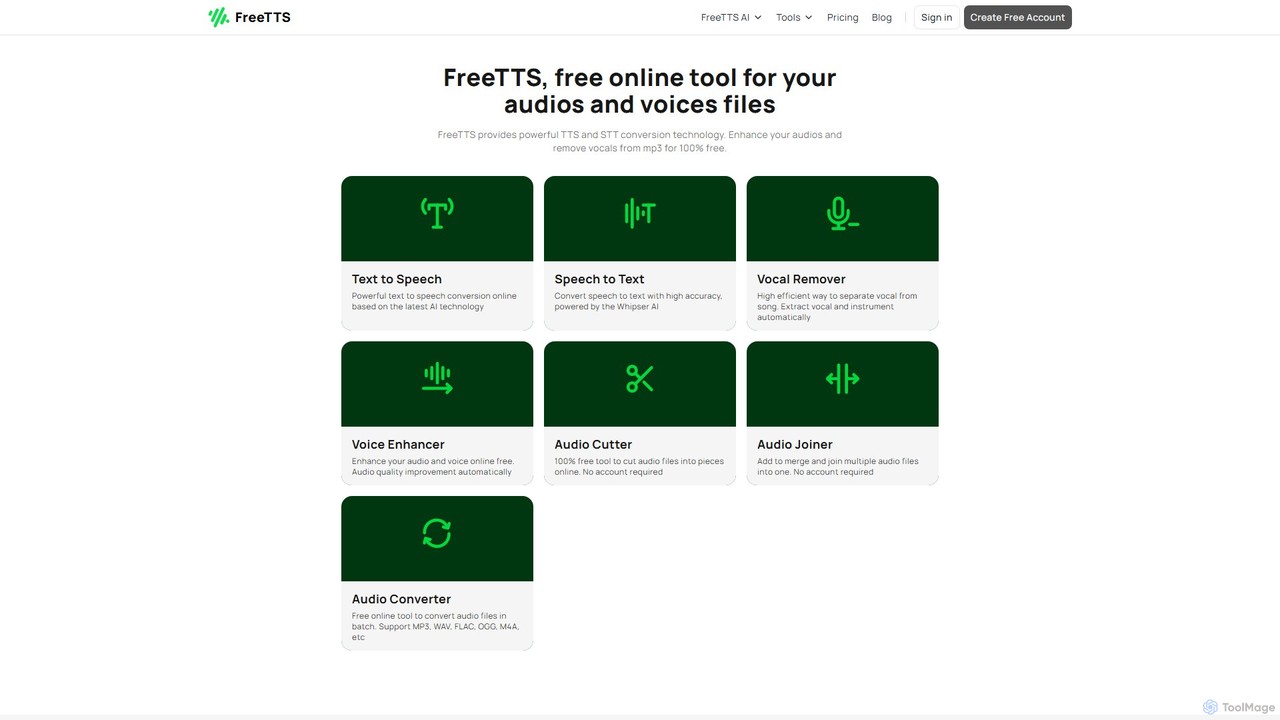
FreeTTS is a versatile AI-powered audio toolkit offering a suite of free and premium services. It excels in converting text to natural-sounding speech with a wide range of human-like voices. Beyond TTS, it provides high-accuracy speech-to-text transcription, an AI vocal remover, a voice enhancer, and various audio editing tools like a converter, cutter, and joiner. It's an all-in-one solution for content creators, musicians, and anyone needing high-quality audio processing.

Audio Editing
Visits 202.6KFavorites 133Likes 125

About Vocal Remover

AI Vocal Removers are specialized tools that use deep learning algorithms to isolate and extract vocal tracks from a mixed audio source. These tools analyze the frequency and pattern characteristics of a song to differentiate vocals from instruments like drums, bass, and guitar. This allows users to create clean instrumental versions (karaoke tracks) or isolated vocal tracks (acapellas) with high fidelity. The technology has become essential for music production, remixing, and content creation, offering a level of precision that was previously difficult and time-consuming to achieve.

Core Features

  • Vocal & Instrumental Separation: The primary function to split a song into two main tracks: vocals and background music.
  • Multi-Stem Separation: Advanced tools can further separate instrumentals into individual stems like drums, bass, piano, and others.
  • Audio Quality Control: Options to adjust the separation model or post-processing to minimize artifacts and preserve audio quality.
  • Batch Processing: The ability to upload and process multiple audio files simultaneously, saving significant time for large projects.
  • Format Flexibility: Support for various input and output audio formats, such as MP3, WAV, FLAC, and others.

Use Cases

These tools are widely used by music producers and DJs for creating remixes and mashups by isolating acapellas. Karaoke enthusiasts and cover artists use them to generate high-quality backing tracks for practice and performance. Audio engineers and forensic analysts may use them to clean up dialogue or analyze specific vocal performances within a complex audio mix.

How to Choose

When selecting an AI Vocal Remover, consider the separation quality and the presence of audio artifacts. Evaluate the number of stems it can separate—some only offer vocals/instrumentals, while others provide drums, bass, etc. Also, check processing speed, supported file formats, and whether the tool operates online or as downloadable software. Finally, compare pricing models, from free tools with limitations to subscription-based professional services.

Vocal Remover use cases

1

Creating Karaoke and Backing Tracks

A cover artist or karaoke enthusiast wants to perform a popular song but needs a high-quality instrumental version. They upload the original MP3 or WAV file to an AI Vocal Remover. The tool processes the audio and provides a downloadable instrumental track, with the lead vocals cleanly removed. This allows them to practice their singing, record their own cover version for YouTube, or host a karaoke night without being limited by officially available tracks.

2

Producing Music Remixes and Mashups

A DJ or music producer wants to create a remix by layering the vocals of a classic pop song over a new electronic beat. Using an AI Vocal Remover, they isolate the acapella (vocal-only track) from the original song. The tool separates the vocals with minimal instrumental bleed. They can then import this clean acapella into their Digital Audio Workstation (DAW), time-stretch it to fit the new tempo, and mix it with their own instrumental arrangement to create a unique and professional-sounding remix.

3

Language Learning and Transcription

A language student is trying to improve their listening comprehension and pronunciation by studying a song in a foreign language. The singer's voice is often obscured by loud instruments. By using an AI Vocal Remover, the student can generate a vocals-only track. This allows them to hear every word and nuance of the pronunciation clearly, making it much easier to follow along with lyrics, practice mimicking the accent, and accurately transcribe the words for study.

4

Audio Analysis for Music Education

A music theory teacher wants to demonstrate vocal harmony techniques to their students using a famous song. Instead of just playing the full mix, the teacher uses an AI tool to separate the lead vocals, backing vocals, and instrumental tracks. They can then play each vocal part in isolation, allowing students to clearly hear the different harmony lines and how they interact. This provides a much more effective and engaging learning experience than trying to pick out parts from a dense musical arrangement.

5

Sampling Vocals for Beat Making

A hip-hop producer finds an old soul record with a powerful but short vocal phrase they want to sample. The phrase is buried under drums and a bassline. They use an AI Vocal Remover to extract a clean acapella of the phrase. This isolated sample can then be chopped, pitched, and rearranged in their sampler or DAW without the clutter of the original instruments. This process gives them creative freedom to build an entirely new beat around the vocal sample, a cornerstone technique in modern music production.

6

Audio Cleanup for Post-Production

A podcast editor is working on an interview recorded in a noisy environment where background music was playing. The speaker's voice is clear, but the music is distracting. Instead of manually trying to EQ out the music, which could degrade the voice quality, the editor uses an AI Vocal Remover. The tool effectively isolates the dialogue track from the background music. The editor can then slightly mix the cleaned music back in at a much lower volume or replace it entirely, resulting in a professional and easy-to-listen-to final podcast episode.

Vocal Remover FAQ

What is an AI Vocal Remover?

An AI Vocal Remover is a software tool that uses artificial intelligence, specifically deep learning models, to separate vocal tracks from instrumental tracks in an audio file. Unlike older methods that relied on phase cancellation and often produced poor results, AI models are trained on vast datasets of music to recognize and isolate the unique characteristics of the human voice. This allows them to create much cleaner acapellas (vocals only) and instrumentals (karaoke tracks) from a finished song.

How to choose the right AI Vocal Remover?

Choosing the right tool depends on your specific needs. Consider the following factors:

  • Separation Quality: Listen to samples. How clean is the separation? Are there noticeable artifacts, like watery sounds or parts of instruments left in the vocal track?
  • Number of Stems: Do you just need vocals and instrumentals, or do you need to separate drums, bass, and other instruments as well? More advanced tools offer multi-stem separation.
  • Processing Speed: Some online tools can be slow, especially with long files. Desktop applications might offer faster processing.
  • File Formats: Ensure the tool supports the audio formats you work with (e.g., MP3, WAV, FLAC).
  • Cost: Options range from free web-based tools with limitations to professional-grade software with a subscription fee. Determine your budget and how critical the quality is for your project.
Vocal Remover vs. Music Stem Separator: What's the difference?

A Vocal Remover is a specific type of Music Stem Separator. The main difference lies in their focus and complexity. A basic Vocal Remover typically splits audio into just two stems: vocals and instrumentals. A more advanced Music Stem Separator, however, can deconstruct a song into multiple stems, often including vocals, drums, bass, and 'other' (piano, synths, guitars). While all vocal removers are stem separators, not all stem separators are limited to just removing vocals. If your goal is simply to create a karaoke track, a vocal remover is sufficient. If you need to deconstruct a song for a detailed remix, a multi-stem separator is the better choice.

Can AI completely remove vocals without any artifacts?

While modern AI models are incredibly effective, achieving a 100% perfect separation with zero artifacts is still very challenging, especially on dense or complex mixes. You might sometimes hear faint remnants of the vocals in the instrumental track, or slight instrumental 'bleeding' into the acapella. The quality of the result heavily depends on the source audio's quality and how the song was originally mixed. However, for most applications like creating backing tracks, sampling, or remixing, the quality provided by leading AI tools is more than sufficient and a significant improvement over older technologies.

Is it legal to use AI Vocal Removers on copyrighted songs?

The legality depends on how you use the resulting tracks. Using a vocal remover for personal, private use, such as practicing singing or for educational study, is generally considered acceptable under fair use in many regions. However, if you plan to publicly distribute, perform, or sell the instrumental or acapella tracks you create (e.g., uploading a cover to Spotify, using a remix in a commercial), you are creating a derivative work and would likely need a license from the original copyright holders. Laws vary by country, so it's important to understand your local regulations. This is not legal advice.