
Ask On Data
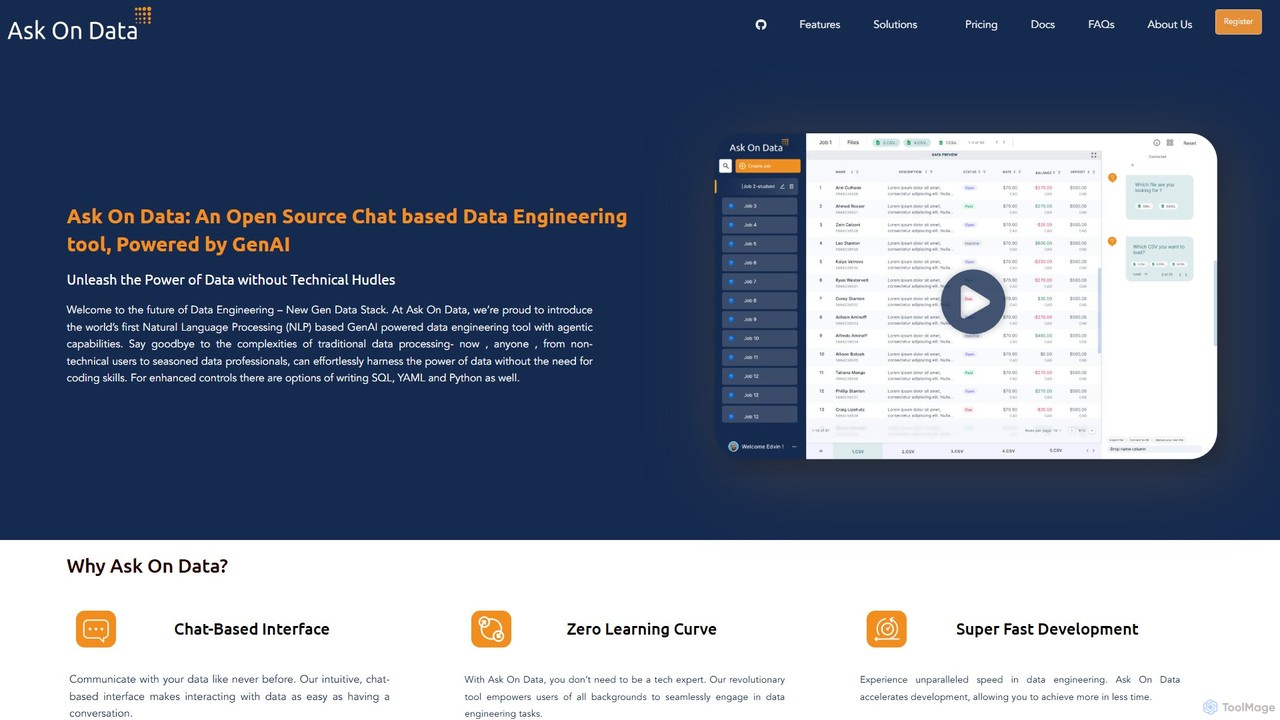
Ask On Data is an open-source, GenAI-powered data engineering tool that lets you build and manage data pipelines …
Ask On Data is an open-source, GenAI-powered data engineering tool that lets you build and manage data pipelines using a simple chat interface. By translating natural language commands into complex data operations, it eliminates the need for coding, making data engineering accessible to everyone. It supports various data sources, offers real-time previews, and provides both cloud-hosted and self-hosted options.
About Data Processing
Data Processing tools, within the no-code and low-code context, are platforms that allow users to visually build automated workflows for manipulating, cleaning, and integrating data. These tools utilize graphical interfaces with drag-and-drop components to connect different applications and services, replacing the need for custom scripts. Their primary value lies in empowering non-technical users to automate complex data tasks, sync information across systems, and prepare datasets for analysis or reporting. This approach significantly accelerates data-related projects and reduces reliance on engineering resources.
Core Features
- Visual Workflow Builder: Design data pipelines using a drag-and-drop canvas to connect steps and logic.
- Data Transformation: A rich library of functions to format, filter, merge, and clean data without writing code.
- Pre-built Connectors: Seamless integration with hundreds of SaaS applications, databases, and APIs.
- Automated Triggers & Scheduling: Run workflows automatically based on schedules, webhooks, or events in other apps.
- Error Handling & Logging: Monitor workflow execution and diagnose issues with detailed logs.
Use Cases
These tools are widely used by marketing operations teams to enrich and route leads, finance departments to automate reporting, and e-commerce managers to sync inventory and order data. Business analysts also use them to prepare and blend data from multiple sources for visualization in BI tools like Tableau or Power BI.
How to Choose
When selecting a Data Processing tool, consider the availability of connectors for your specific apps. Evaluate the complexity of logic and transformations the platform can handle. Also, review the pricing model (often based on task volume or operational steps) and ensure it aligns with your usage patterns. Finally, assess the platform's learning curve and community support.
Data ProcessingUse Cases
Automate Marketing Lead Enrichment
A marketing operations specialist needs to ensure that leads from web forms are properly qualified before being sent to the sales team. They use a no-code data processing tool to create a workflow. When a new lead is submitted in HubSpot, the workflow automatically triggers. It takes the lead's email, uses a Clearbit API to enrich it with company size and industry data, standardizes the 'Job Title' field, and then creates a new, fully-qualified lead in Salesforce, assigning it to the correct sales representative based on territory rules.
Sync E-commerce Inventory Across Platforms
An e-commerce store owner sells products on Shopify, Amazon, and eBay. Keeping inventory levels synchronized manually is time-consuming and prone to errors. They set up a data processing workflow that runs every 15 minutes. The workflow pulls the latest inventory count from their central database (e.g., a PostgreSQL database). It then transforms the data format for each platform and uses the respective APIs to update the stock levels on their Shopify, Amazon, and eBay stores simultaneously, preventing overselling.
Consolidate Customer Feedback into a Single Hub
A product manager needs to analyze customer feedback from various channels like Intercom chats, App Store reviews, and Twitter mentions. They build a workflow that connects to these sources. The tool fetches new feedback daily, cleans the text by removing irrelevant characters, uses a built-in AI function to classify sentiment (positive, negative, neutral), and then pushes the structured data—including source, feedback text, and sentiment—into a single Airtable base. This creates a unified dashboard for the product team to easily spot trends and prioritize feature requests.
Generate Automated Daily Financial Reports
A finance analyst at a startup spends hours each morning manually exporting data from Stripe, QuickBooks, and their bank to create a daily performance report. They automate this process using a data processing tool. A scheduled workflow runs at 6 AM daily, pulling transaction data from all three sources via their APIs. The workflow joins the data, calculates key metrics like daily revenue and new subscriptions, formats the results into a clean summary, and posts it to a dedicated finance channel in Slack. This provides the executive team with timely insights without any manual effort.
Prepare Disparate Data for BI Dashboards
A business analyst is tasked with creating a sales performance dashboard in Tableau. However, the required data is scattered across a PostgreSQL database for sales transactions, a Google Sheet for sales team quotas, and Salesforce for lead information. Instead of writing complex SQL queries and manually exporting CSVs, they use a no-code data processing tool. The tool connects to all three sources, joins the tables based on common identifiers, cleans up date formats, and aggregates the data weekly. The final, clean dataset is then automatically pushed to a Google BigQuery table, which serves as a direct, live data source for the Tableau dashboard.
Migrate and Cleanse Data Between Applications
A company is migrating from an old, legacy CRM system to a new one like Salesforce. An IT administrator is tasked with moving thousands of contact records. They use a data processing tool to extract all data from the old CRM's database. The workflow then performs several cleaning steps: it removes duplicate contacts, standardizes country and state fields to use ISO codes, validates email address formats, and splits full names into 'First Name' and 'Last Name' fields. Finally, the clean and transformed data is bulk-loaded into the new Salesforce instance using its API, ensuring data quality from day one.