ToolMage
Sign in

Best 1 Website Tools for No Code & Low Code

Popular Website Tools in No Code & Low Code include Testbook.ai, helping you work more efficiently.

Testbook.ai
Freemium

Testbook.ai

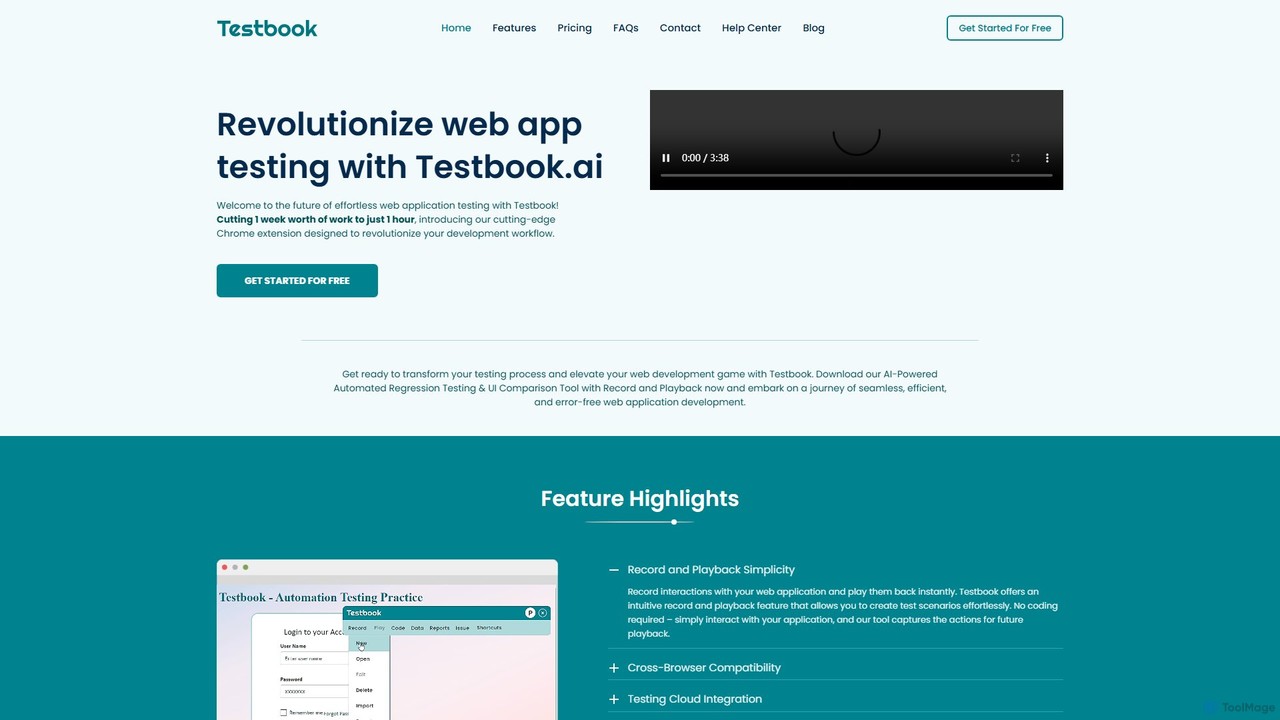
Testbook.ai is an AI-powered, no-code platform for automated web application testing. It uses a Chrome extension to record and playback user interactions, enabling rapid regression, UI, and cross-browser testing. Features include self-healing scripts, detailed reporting, and Jira integration to streamline development workflows.

Testing
Visits 8.4KFavorites 156Likes 138

About Website Tools

AI Website Tools are a new generation of no-code platforms that leverage artificial intelligence to automate and accelerate the entire website creation process. These tools use generative AI models to design layouts, write copy, select images, and even structure entire websites from simple text prompts. Their primary value lies in dramatically lowering the technical barrier and time required to launch a professional, functional website. This enables entrepreneurs, marketers, and small businesses to establish an online presence quickly and efficiently, without needing design or coding expertise.

Core Features

  • Generative Website Design: Creates unique website layouts, color palettes, and font pairings based on user descriptions or industry type.
  • AI Content Creation: Automatically generates SEO-friendly headlines, paragraphs, product descriptions, and blog posts tailored to the site's purpose.
  • Intelligent SEO Assistance: Provides real-time suggestions for keyword optimization, meta descriptions, and alt text to improve search engine rankings.
  • Automated Image Selection & Editing: Suggests and sources royalty-free images relevant to the content, and can perform basic edits like background removal.

Applicable Scenarios

These tools are ideal for individuals and small teams needing to launch websites rapidly. This includes startups creating a minimum viable product (MVP) site, marketers building campaign-specific landing pages, freelancers showcasing their portfolios, and small businesses establishing their first online storefront. The focus is on speed and ease of use over complex, custom-coded functionality.

Selection Criteria

When choosing an AI Website Tool, evaluate the depth of its AI capabilities—does it just write text or generate the entire site? Consider the balance between AI automation and manual customization options. Also, assess its integration potential with third-party services like analytics, marketing automation, and e-commerce platforms. Finally, review the hosting performance, scalability, and pricing models to ensure they align with your long-term goals.

Website Tools use cases

1

Rapid Landing Page Creation for Marketing

A marketing manager needs to launch a new product campaign within 48 hours. Instead of waiting for developers, they use an AI website tool. By providing a prompt like 'Create a high-converting landing page for our new eco-friendly water bottle,' the AI generates a complete page with compelling headlines, benefit-oriented copy, a call-to-action button, and relevant stock images. The manager makes minor branding tweaks and publishes the page in under an hour, significantly accelerating the campaign launch.

2

Building an Online Portfolio for a Freelancer

A freelance photographer with no coding skills wants to create a professional online portfolio. They use an AI website tool and describe their style as 'minimalist and elegant photography portfolio.' The AI generates several layout options, creates a gallery structure, and even writes an initial 'About Me' section based on a few key points provided by the photographer. The tool automatically optimizes high-resolution images for web performance, ensuring the site loads quickly without sacrificing quality. The result is a polished, professional portfolio site created in a single afternoon.

3

Launching a Small E-commerce Store

An entrepreneur wants to start selling handmade jewelry online but has a limited budget. Using an AI website tool with e-commerce capabilities, they describe their brand and products. The AI generates a clean, mobile-friendly store layout, creates compelling product descriptions for each jewelry piece by analyzing uploaded images and brief notes, and sets up a basic checkout process. This allows the entrepreneur to launch a functional online store in days instead of weeks, saving significant costs on web development and copywriting services.

4

Automating Blog Content for SEO

A small B2B service company wants to improve its search engine ranking through content marketing but lacks a dedicated writer. They use the AI content generation feature of their website tool. The marketing lead provides a topic, such as '5 benefits of cloud computing for small businesses,' and a few target keywords. The AI drafts a structured blog post, complete with an introduction, five distinct points with explanations, and a conclusion. After a quick review and edit for brand voice, the post is published. This process allows them to consistently produce relevant content, boosting their SEO authority over time.

5

Creating a Multilingual Website Instantly

A startup aims to launch in three different countries simultaneously. Manually translating a website is time-consuming and expensive. They use an AI website tool that has built-in, high-quality translation features. After the initial English site is generated, the founder simply selects the target languages (e.g., Spanish, German). The AI translates all content, including navigation menus, buttons, and body text, while maintaining the original design layout. This enables the startup to have a localized presence in multiple markets from day one, without the logistical challenges of coordinating with multiple translation agencies.

6

A/B Testing Website Copy without a Copywriter

A SaaS company wants to optimize the headline on its homepage to increase sign-ups. Instead of manually writing and testing multiple versions, they use their AI website tool's A/B testing feature. They define their goal (sign-up button clicks) and the AI generates five different headline variations, each with a slightly different angle (e.g., benefit-focused, problem-focused, social proof). The tool automatically splits traffic between the variations and tracks performance. After a week, it provides a clear winner, allowing the team to adopt the most effective copy with confidence, all without hiring a conversion rate optimization specialist.

Website Tools FAQ

What are AI Website Tools?

AI Website Tools are platforms that use artificial intelligence to automate the design, content creation, and optimization of websites. Unlike traditional builders that rely on templates, these tools can generate unique websites from text prompts. Key features often include AI-powered copywriting, automated SEO suggestions, and intelligent layout generation. They are part of the no-code movement, designed to empower users without technical skills to build professional websites quickly and efficiently.

How do AI Website Tools differ from traditional builders like WordPress?

The main difference lies in the creation process. Traditional builders like WordPress or Squarespace provide templates and a drag-and-drop interface for manual construction. You choose a theme and build upon it. AI Website Tools take a generative approach; you provide a prompt or answer questions, and the AI generates a complete, unique website draft—including layout, text, and images—which you then refine. AI tools focus on automating the initial creative and structural work, while traditional builders provide a framework for you to do that work manually.

Who should use AI Website Tools?

AI Website Tools are best suited for individuals and businesses who prioritize speed and ease of use over complex customization. This includes:

  • Entrepreneurs and Startups: To quickly launch a professional-looking MVP site or landing page.
  • Small Business Owners: To establish an online presence without hiring a developer or designer.
  • Marketers: To rapidly create dedicated pages for specific campaigns.
  • Freelancers and Creatives: To build a simple, elegant portfolio to showcase their work.

Users who require highly specific, custom functionality or deep integration with complex backend systems might still prefer traditional development methods.

Can I customize a website built with an AI tool?

Yes, virtually all AI website tools allow for customization after the initial generation. While the AI provides a strong, fully-designed starting point, you are not locked into its suggestions. Most platforms offer a familiar drag-and-drop editor or similar interface where you can:

  • Modify text and replace images.
  • Change colors, fonts, and spacing.
  • Rearrange, add, or delete sections.
  • Integrate your own branding elements.

The goal of these tools is to combine the speed of AI generation with the flexibility of manual control, giving you the best of both worlds.

What are the limitations of AI Website Tools?

While powerful, AI website tools have some limitations. The design uniqueness, while better than templates, can sometimes follow predictable patterns. They may not be suitable for websites requiring highly complex, bespoke functionalities, deep database integrations, or adherence to extremely rigid corporate branding guidelines that AI cannot fully interpret. Additionally, the AI-generated content, especially for niche topics, always requires human review and editing for accuracy, nuance, and brand voice. They are best seen as powerful accelerators, not complete replacements for human oversight.