
ToolMage
Sign in

Best 1 Website AI tools for No Code & Low Code

Popular Website AI tools in No Code & Low Code include getseo, helping you work more efficiently.

getseo
Freemium

getseo

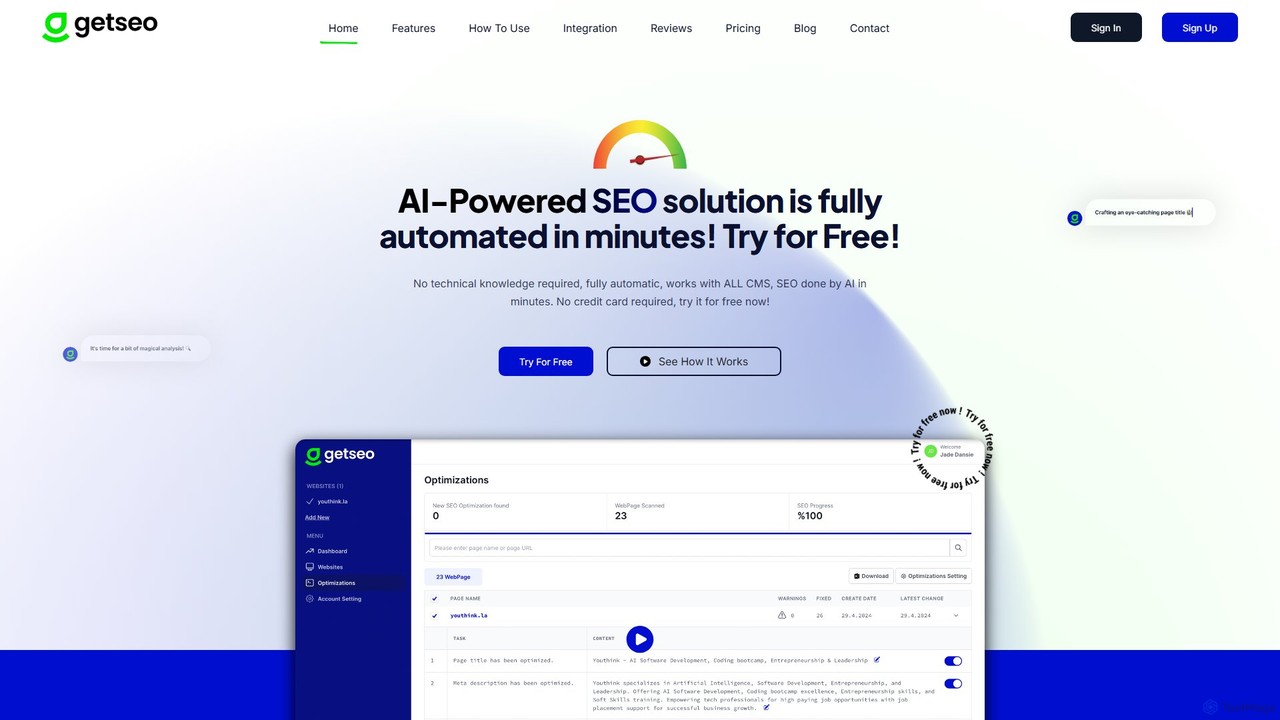
getseo is a fully automated, AI-powered SEO solution designed to optimize your website's on-page elements in minutes. By simply embedding a code snippet, the AI scans your site, generates actionable recommendations for meta tags, keywords, and more, and implements them with a single click. It requires no technical knowledge and works with any CMS, making it ideal for businesses aiming to boost their search engine rankings and organic traffic effortlessly.

Search Engine Marketing
Visits 3.4KFavorites 100Likes 105

About Website

Website tools, within the No Code & Low Code paradigm, are platforms that empower users to build and launch websites without writing a single line of code. These tools typically leverage intuitive visual drag-and-drop editors, pre-designed templates, and often AI assistance for content generation and layout suggestions. They democratize web development, enabling individuals and businesses to establish a robust online presence quickly and cost-effectively, focusing on content and business logic rather than complex programming.

Core Features

  • Visual Drag-and-Drop Editor: Intuitive interface for arranging elements and designing pages without coding.
  • Pre-built Templates & Sections: Extensive libraries of professional, customizable designs for various industries and purposes.
  • AI Content & Design Generation: Automated suggestions for text, images, and layout based on user input or industry.
  • Responsive Design Capabilities: Ensures websites automatically adapt and look great on desktops, tablets, and mobile devices.
  • Integrated SEO & Analytics: Tools to optimize for search engines and track website performance directly within the platform.

Applicable Scenarios

These tools are ideal for small business owners needing a quick online storefront, freelancers showcasing their portfolios, or marketers rapidly deploying landing pages for campaigns. They also serve entrepreneurs validating new ideas with an MVP website or individuals creating personal blogs and brand sites.

How to Choose

When selecting a No Code website builder, consider its ease of use and learning curve, the extent of customization options available, and its integration capabilities with other essential services like e-commerce or CRM. Evaluate scalability for future growth and compare pricing models to ensure it aligns with your budget and feature requirements.

Featured tool rankings

Website use cases

1

Small Business Online Presence

A local bakery owner, without any coding knowledge, uses a No Code website builder to create a professional online presence. They easily upload their menu, showcase photos of their products, list opening hours, and integrate a contact form, allowing customers to find information and place orders directly, significantly expanding their reach beyond physical storefronts.

2

Freelancer Portfolio Showcase

A freelance graphic designer needs a dynamic online portfolio to attract new clients. Using a drag-and-drop website tool, they quickly build a visually appealing site, embedding high-resolution project images, client testimonials, and a clear service offerings section. This enables them to present their work professionally and secure more projects efficiently.

3

Event Landing Page Creation

A marketing manager needs to launch a dedicated landing page for an upcoming webinar within a tight deadline. They utilize an AI-powered website builder to rapidly assemble a page with registration forms, speaker bios, and a countdown timer. This allows for quick campaign deployment, efficient lead capture, and real-time performance tracking without developer intervention.

4

Personal Blog/Brand Site

An aspiring content creator wants to establish a personal brand and share their insights through a blog. They choose a No Code platform to design a clean, readable blog layout, easily publishing articles, embedding multimedia, and integrating social media links. This empowers them to build an audience and monetize their content without technical hurdles.

5

E-commerce Storefront Setup

A small artisan selling handmade jewelry decides to expand online. They use a No Code website builder with integrated e-commerce features to set up a simple yet attractive online store. They upload product images, manage inventory, set pricing, and process secure payments, enabling them to reach a wider customer base and grow their business independently.

6

Rapid Prototype/MVP Website

A startup founder has an innovative app idea and needs to validate it quickly. They use a No Code website builder to create a minimum viable product (MVP) website, showcasing the app's features, collecting user sign-ups, and gathering feedback through integrated forms. This allows for rapid iteration and market testing before committing to extensive development.

Website FAQ

What are No Code Website builders?

No Code Website builders are platforms that allow users to create and manage websites without writing any code. They typically feature visual drag-and-drop interfaces, pre-designed templates, and often AI assistance for content and layout. These tools empower individuals and businesses to quickly establish an online presence, focusing on design and content rather than complex programming.

How do No Code Website builders differ from traditional web development?

No Code website builders significantly differ from traditional web development by eliminating the need for coding. Traditional development requires programming languages (HTML, CSS, JavaScript) and often specialized developers, offering maximum customization but demanding more time and resources. No Code tools prioritize speed, ease of use, and accessibility, using visual interfaces to build sites rapidly, though with potentially less granular control than custom code.

What are the key features to look for in a No Code Website builder?

When choosing a No Code website builder, look for an intuitive drag-and-drop editor, a wide selection of responsive and customizable templates, and robust SEO tools. Essential features also include integration capabilities with third-party services (e-commerce, CRM, analytics), reliable hosting, and good customer support. Consider AI-powered design or content generation for added efficiency.

Can I build an e-commerce site with a No Code Website builder?

Yes, many No Code website builders offer robust e-commerce functionalities, allowing users to create fully operational online stores. These platforms typically include features for product listings, inventory management, secure payment processing, shipping options, and order tracking. They are ideal for small to medium-sized businesses looking to sell products or services online without complex development.

Are No Code websites good for SEO?

Yes, No Code websites can be very good for SEO. Most modern No Code builders include built-in SEO features like customizable meta titles and descriptions, clean URL structures, image alt text options, and sitemap generation. While the platform handles the technical SEO foundation, users still need to focus on high-quality content, relevant keywords, and link building to achieve strong search engine rankings.