ToolMage
Sign in

Best 1 Spreadsheets AI tools for No Code

Popular Spreadsheets AI tools in No Code include Commabot, helping you work more efficiently.

Commabot
Freemium

Commabot

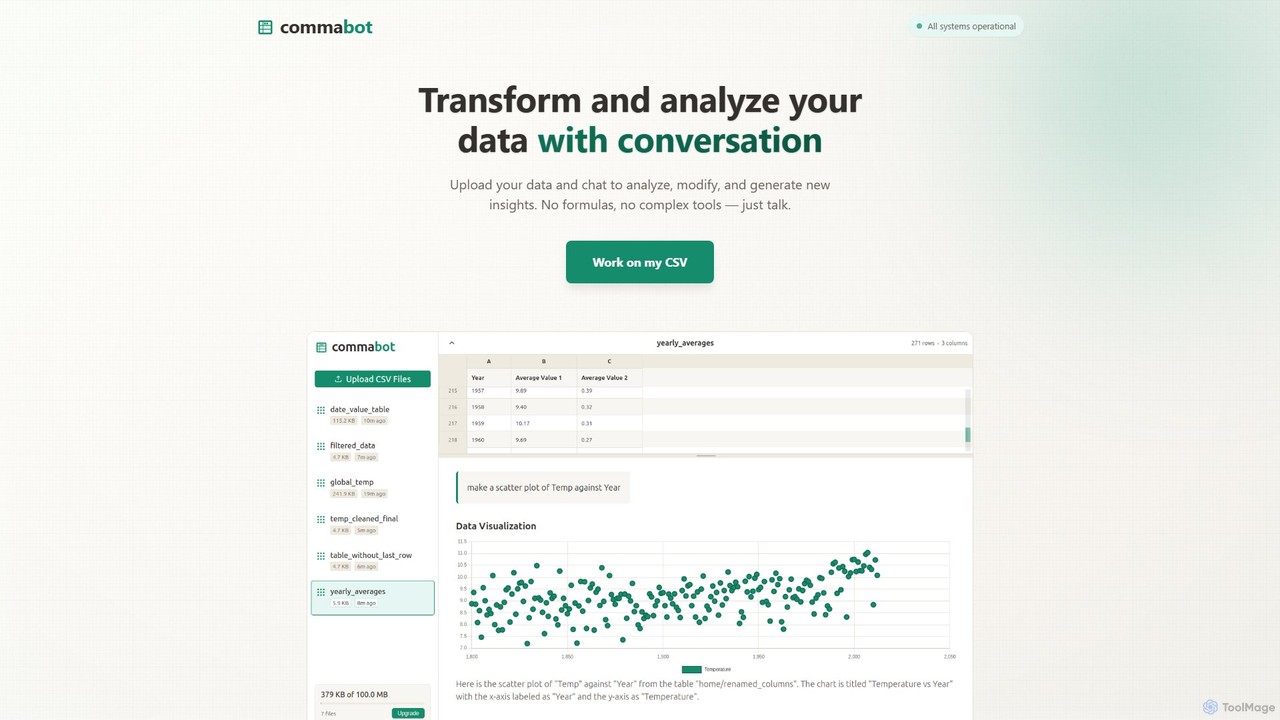
Commabot is an AI-powered platform for data analysis and contact list management. Upload CSV files and use natural language to clean, transform, and analyze data. It features specialized workflows to prepare contact lists for CRMs like HubSpot and Salesforce, automating tedious data prep and eliminating the need for complex formulas.

Automation
Visits 6.4KFavorites 155Likes 147

About Spreadsheets

AI-powered Spreadsheets are a category of no-code tools that integrate artificial intelligence directly into the familiar spreadsheet interface. These tools leverage AI to automate data processing, enhance analysis, and simplify complex tasks, transforming traditional data management into an intelligent, interactive experience. They empower users to derive deeper insights and streamline workflows without requiring advanced coding skills, making sophisticated data operations accessible to everyone.

Core Features

  • Natural Language Querying: Users can ask questions about their data in plain English (or other languages) and receive instant answers or generate formulas, charts, and summaries automatically.
  • Automated Data Cleaning & Transformation: AI algorithms can identify and correct errors, standardize formats, remove duplicates, and transform raw data into usable structures with minimal manual effort.
  • Intelligent Formula Generation: AI assists in creating complex formulas by suggesting functions, completing formulas, or even generating them based on natural language descriptions of desired outcomes.
  • Predictive Analytics & Forecasting: Built-in AI models can analyze historical data to predict future trends, forecast sales, or identify potential risks, often with simple prompts.
  • Smart Data Entry & Extraction: AI can automate data entry from unstructured text, images, or documents, and intelligently extract relevant information directly into cells.

Use Cases

AI-powered spreadsheets are invaluable for business analysts, marketing professionals, financial planners, and small business owners. They are used for automating routine data tasks, performing quick ad-hoc analysis, generating reports, and creating interactive dashboards. For example, a marketing team might use them to analyze campaign performance by simply asking "What was our ROI last quarter?" or a finance department could forecast next year's budget based on historical spending patterns.

How to Choose

When selecting an AI spreadsheet tool, consider its integration capabilities with existing data sources (e.g., CRM, ERP), the breadth and depth of its AI features (e.g., NLP, predictive modeling), ease of use for non-technical users, and scalability for your data volume. Evaluate the accuracy of its AI suggestions and the flexibility of its customization options. Pricing models and community support are also important factors to ensure long-term value and adoption.

Spreadsheets use cases

1

Automate Sales Performance Reporting

Sales managers can use AI spreadsheets to automatically pull sales data from CRM, clean inconsistencies, and generate weekly performance reports. By simply asking "Show me top-performing regions last month" or "Identify underperforming products," the AI can instantly process data, create charts, and highlight key insights, saving hours of manual data aggregation and analysis.

2

Intelligent Budget Forecasting for Small Businesses

Small business owners can leverage AI spreadsheets to forecast future expenses and revenues based on historical financial data. The AI can analyze past spending patterns, identify seasonal trends, and suggest budget allocations, allowing owners to make informed financial decisions without needing complex financial modeling software or expert consultants.

3

Streamline Marketing Campaign Analysis

Marketing analysts can connect their ad platform data to an AI spreadsheet to quickly evaluate campaign effectiveness. The AI can automatically calculate ROI, identify best-performing ad creatives, and suggest optimization strategies by responding to natural language queries like "Which ad copy generated the most leads?" or "What's the cost per conversion for Facebook ads?".

4

Automate Customer Feedback Sentiment Analysis

Customer service teams can import customer feedback (e.g., survey responses, chat logs) into an AI spreadsheet. The AI can then perform sentiment analysis, categorizing feedback as positive, negative, or neutral, and even identifying common themes or pain points. This helps teams quickly understand customer satisfaction trends and prioritize areas for improvement.

5

Generate Dynamic Project Timelines and Resource Allocation

Project managers can use AI spreadsheets to create and manage project timelines. By inputting tasks, dependencies, and estimated durations, the AI can suggest optimal scheduling, identify potential bottlenecks, and allocate resources efficiently. It can also dynamically adjust the timeline based on real-time progress updates, providing a clear overview of project status.

6

Simplify Inventory Management and Reorder Point Calculation

Retailers or warehouse managers can utilize AI spreadsheets to track inventory levels, sales data, and supplier lead times. The AI can analyze these factors to automatically calculate optimal reorder points and quantities, minimizing stockouts and overstocking. Users can simply ask "When should I reorder product X?" to get data-driven recommendations.

Spreadsheets FAQ

What are AI-powered Spreadsheets?

AI-powered Spreadsheets are enhanced spreadsheet applications that integrate artificial intelligence capabilities to automate and intelligentize data tasks. They go beyond traditional spreadsheets by offering features like natural language processing for queries, automated data cleaning, intelligent formula generation, and predictive analytics, making complex data operations accessible without coding.

How do AI Spreadsheets differ from traditional spreadsheets?

Traditional spreadsheets primarily rely on manual input, formulas, and macros for data manipulation. AI Spreadsheets, while retaining the familiar grid interface, augment these capabilities with AI. They can understand natural language, automate data transformations, generate insights, and perform predictive modeling autonomously, significantly reducing manual effort and enhancing analytical depth.

What are the key benefits of using AI-powered Spreadsheets?

The main benefits include increased efficiency through automation of repetitive data tasks, improved data accuracy via AI-driven cleaning and validation, enhanced decision-making with predictive analytics and deeper insights, and greater accessibility to advanced data analysis for non-technical users. They empower users to focus on strategic thinking rather than tedious data preparation.

Who can benefit most from AI-powered Spreadsheets?

A wide range of professionals can benefit, especially those who regularly work with large datasets but lack programming skills. This includes business analysts, marketing specialists, financial professionals, HR managers, project managers, and small business owners. Anyone needing to quickly analyze data, automate reports, or forecast trends without writing code will find these tools invaluable.

How do AI Spreadsheets fit into the "No Code" ecosystem?

AI Spreadsheets are a prime example of "No Code" tools because they allow users to perform sophisticated data analysis, automation, and even application building (e.g., simple dashboards) using intuitive interfaces and natural language, rather than writing code. They democratize access to powerful data capabilities, enabling users to build and manage complex data workflows visually or through conversational AI.