
ToolMage
Sign in

Best 1 Portrait Generation AI tools for Photography

Popular Portrait Generation AI tools in Photography include Imamind, helping you work more efficiently.

Imamind
Freemium

Imamind

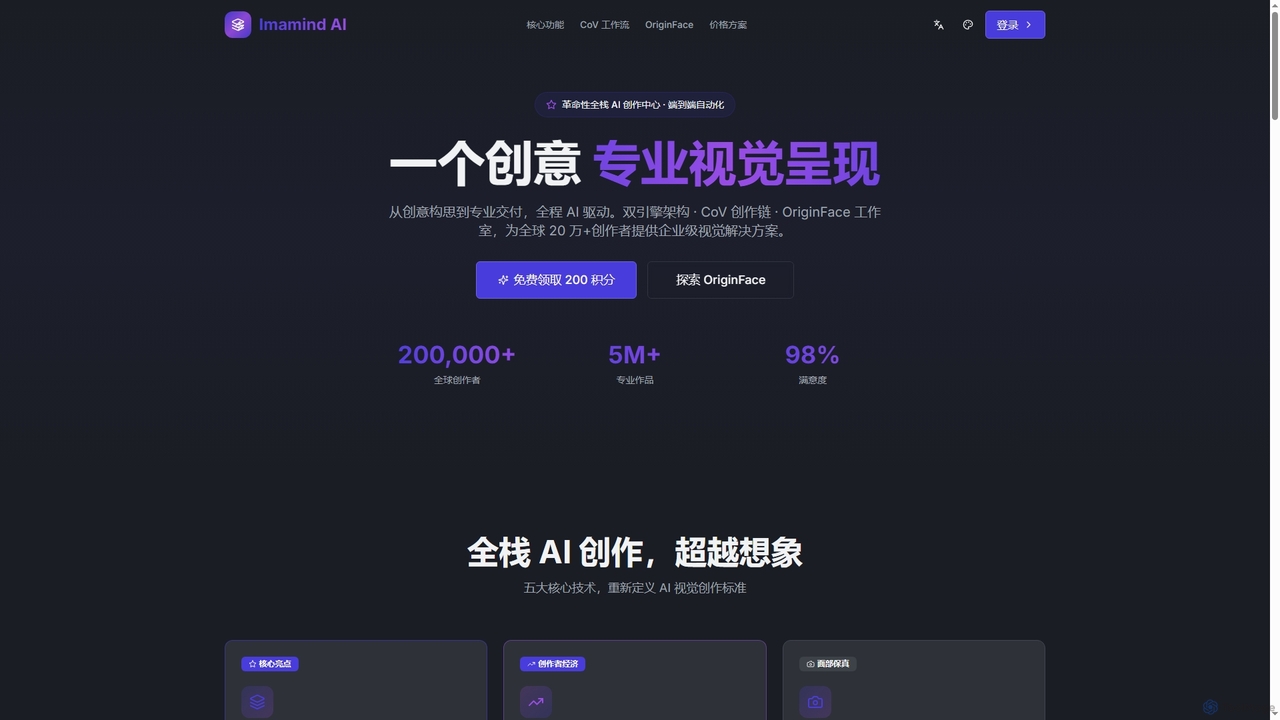
Imamind is a revolutionary full-stack AI visual design platform that automates the entire creative process from concept to professional delivery. It offers dual-engine architecture, intelligent AI workflows, precise face fidelity for portraits, and advanced AI editing tools, empowering over 200,000 creators globally.

Product Imaging
Visits 6.4KFavorites 127Likes 113

About Portrait Generation

Portrait Generation tools are a specialized class of AI that creates detailed and expressive portraits of human or fictional characters. These tools utilize models finely tuned on vast datasets of faces, enabling precise control over facial features, expressions, and artistic styles. They are primarily used to generate realistic headshots, stylized avatars, or character concepts from text descriptions or existing images. This specialization allows for higher fidelity and consistency in depicting faces compared to general-purpose image generators.

Core Features

  • Style Versatility: Generate portraits in numerous styles, from photorealistic and corporate headshots to fantasy, anime, or classical painting.
  • Fine-Grained Facial Control: Precisely adjust attributes like age, gender, ethnicity, hair style, eye color, and emotional expressions.
  • Character Consistency: Maintain the appearance of a specific character across multiple images with different poses, lighting, and backgrounds.
  • Photo-to-Portrait Transformation: Convert existing photographs into stylized portraits or avatars while retaining the subject's likeness.
  • Background & Lighting Customization: Control the environment, from professional studio backdrops to imaginative settings, along with lighting effects.

Use Cases

These tools are widely used by digital artists and game developers for character concept design, marketers for creating visuals of customer personas, and businesses for generating uniform professional headshots for teams. Individuals also use them to create unique social media avatars, personalized art, and digital gifts.

How to Choose

When selecting a Portrait Generation tool, consider the required output style (realism vs. artistic). Evaluate the level of customization and control over facial details. If you need multiple images of the same person, prioritize tools with strong character consistency features. Also, review the platform's usage rights to ensure they align with your personal or commercial needs.

Portrait Generation use cases

1

Creating Professional Business Headshots

A startup or remote team needs consistent, high-quality headshots for their website and LinkedIn profiles without the expense of a physical photoshoot. Using a portrait generator, a manager can define a consistent style (e.g., 'professional, grey background, soft lighting') and generate headshots for each team member based on their photos or detailed descriptions. This ensures a uniform and professional brand image across all platforms, saving significant time and budget.

2

Designing Fictional Characters for Creative Projects

An author writing a novel or a game developer designing a new character needs to visualize their creations. Instead of commissioning an artist for initial concepts, they can use a portrait generator. By inputting detailed text prompts like 'a wise old wizard with a long white beard, piercing blue eyes, and a kind smile,' they can generate dozens of visual variations in minutes. This accelerates the creative process, helps solidify the character's appearance, and provides a strong visual reference for further development or illustration.

3

Generating Unique Social Media Avatars

A content creator or individual wants a unique and eye-catching profile picture that stands out from standard photos. They can upload a selfie to a portrait generation tool and apply various artistic styles, such as 'cyberpunk neon', 'fantasy elf', or '3D cartoon character'. The tool transforms their photo into a high-quality, stylized avatar that reflects their personality or brand identity. This allows for a highly personalized and memorable online presence without needing advanced graphic design skills.

4

Developing Marketing Personas

A marketing team is creating detailed customer personas for a new campaign but lacks stock photography that truly represents their target audience. Using a portrait generator, they can create highly specific, realistic images. For example, they can generate 'a 35-year-old female urban professional, smiling, in a bright office setting'. This provides a relatable and consistent visual for internal documents, presentations, and ad mockups, making the target persona more tangible for the entire team without privacy or licensing concerns associated with real photos.

5

Producing Personalized Digital Art and Gifts

A user wants to create a unique birthday gift for a friend. They can use a portrait generator to create a custom piece of art. By uploading a photo of their friend and selecting a style like 'Renaissance oil painting' or 'pop art caricature,' the tool generates a high-resolution image perfect for printing on a canvas, mug, or t-shirt. This process allows anyone to become an artist and create deeply personal, one-of-a-kind gifts that are more meaningful than generic store-bought items.

6

Creating Consistent Virtual Influencers

A digital marketing agency wants to create and manage a virtual influencer for brand partnerships. A key challenge is maintaining a consistent look across all content. They use an advanced portrait generator with character consistency features. By creating a base model of their influencer, they can generate hundreds of images for social media posts, showing the character in different outfits, locations, and emotional states, all while preserving their core facial features. This automates content creation and ensures a believable and consistent digital identity.

Portrait Generation FAQ

What is AI Portrait Generation?

AI Portrait Generation refers to a specialized category of artificial intelligence tools designed specifically to create images of faces and characters. Unlike general image generators, these tools are trained on massive datasets of portraits, giving them a deeper understanding of facial anatomy, expressions, lighting, and artistic styles. This allows users to generate highly realistic or stylized portraits with a fine degree of control over details like eye color, hair style, and emotion.

What's the difference between a general AI Image Generator and a Portrait Generator?

The main difference is specialization. A general AI image generator is a jack-of-all-trades, capable of creating landscapes, objects, animals, and people. A Portrait Generator is a specialist, fine-tuned specifically on facial data. This specialization typically results in:

  • Higher Realism: More accurate facial structures, skin textures, and lighting on faces.
  • Greater Control: More specific controls for modifying facial features, expressions, and hairstyles.
  • Better Consistency: Superior ability to recreate the same character across multiple images.

For creating high-quality, detailed faces, a portrait generator is usually the better choice.

How do I choose the right AI Portrait Generator?

Choosing the right tool depends on your specific needs. Consider these factors:

  • Output Style: Do you need photorealistic headshots, anime characters, or painterly portraits? Check the tool's gallery to see if its style matches your vision.
  • Level of Control: Do you need to fine-tune every detail, or is a simple text prompt enough? Some tools offer advanced controls for expressions, lighting, and camera angles.
  • Character Consistency: If you need to generate multiple images of the same person, look for tools that explicitly offer a character consistency or 'locking' feature.
  • Ease of Use: Assess the user interface. Some tools are beginner-friendly, while others are geared towards professional artists with more complex workflows.

Can I use AI-generated portraits for commercial purposes?

The ability to use AI-generated portraits commercially depends entirely on the terms of service of the specific tool you use. Many platforms have different subscription tiers that grant varying levels of commercial rights. Some free tools may restrict commercial use, while paid plans often allow it. It is crucial to always read and understand the licensing agreement of any AI tool before using its output for business, marketing, or any other commercial activity to avoid legal issues.

Can AI create a portrait from a real photo?

Yes, many AI portrait generators have a feature often called 'img2img' (image-to-image) or 'photo-to-art'. This allows you to upload a photograph of a person and then apply a text prompt to transform it. For example, you could upload a selfie and ask the AI to redraw it in an anime style, as a charcoal sketch, or as a 3D character. This process typically preserves the key facial features and likeness of the person in the original photo while applying the new artistic style.