ToolMage
Sign in

Best 1 Freelancer Tools for Project Management

Popular Freelancer Tools in Project Management include Ersilia, helping you work more efficiently.

Ersilia
Paid

Ersilia

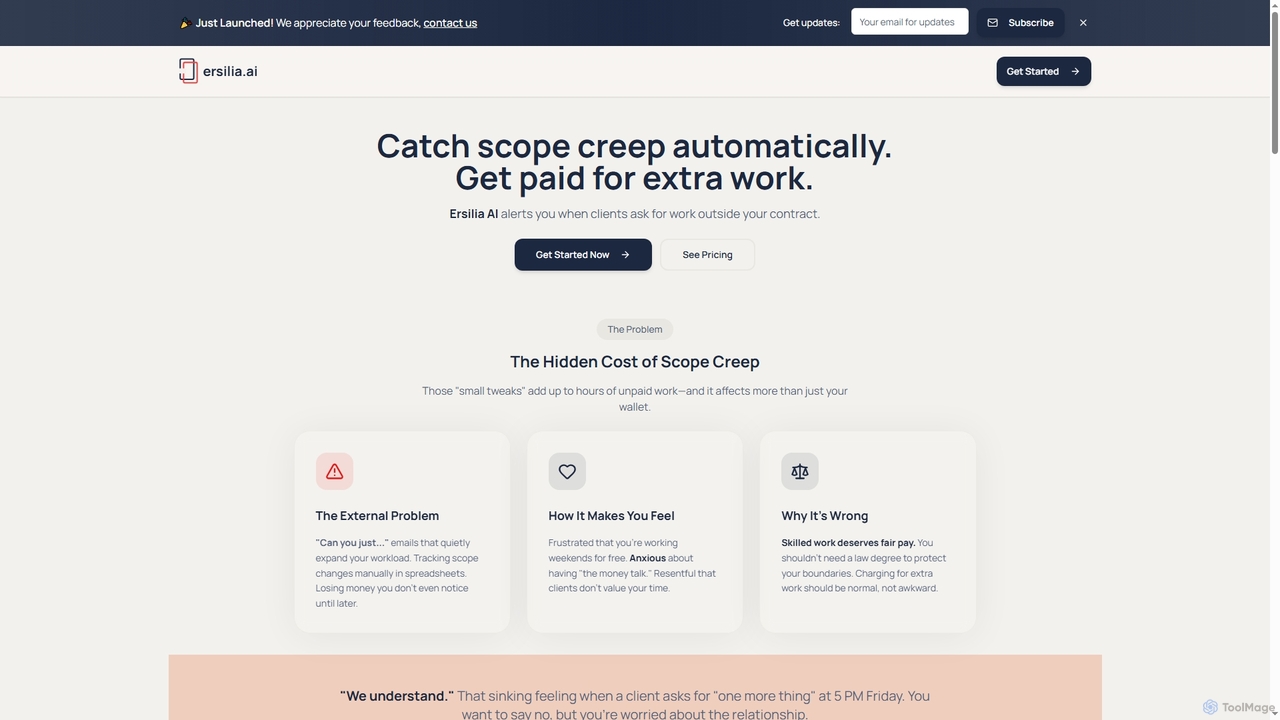
Ersilia is an AI-powered tool designed for freelancers and agencies to automatically detect scope creep in client communications. It helps users identify out-of-scope requests, provides professional response templates, and tracks recovered revenue, ensuring they get paid for all their work.

Communication
Visits 5.4KFavorites 130Likes 155

About Freelancer Tools

AI Freelancer Tools are specialized platforms designed to manage the entire business lifecycle for independent professionals. As a focused subset of project management, these tools integrate AI to automate administrative tasks like proposal generation, time tracking, and invoicing. They centralize client communication, project deliverables, and financial management, allowing freelancers to focus more on their creative or technical work. This consolidation of functions distinguishes them from broader project management software, which is typically built for team collaboration.

Core Features

  • AI Proposal & Contract Generation: Creates customized, professional proposals and legally sound contracts based on project details and client information.
  • Automated Time Tracking: Intelligently tracks billable hours across different projects and tasks, often with automatic start/stop detection.
  • Smart Invoicing & Payment Processing: Generates detailed invoices from tracked time and expenses, and integrates with payment gateways for seamless collection.
  • Client Relationship Management (CRM): Organizes all client data, communication history, and project statuses in a single, accessible dashboard.
  • Financial Reporting & Analytics: Provides insights into income, expenses, project profitability, and tax estimations to aid in business decisions.

Use Cases

These tools are essential for solo entrepreneurs, independent contractors, and small agencies across various industries. For example, a freelance graphic designer can use them to send proposals and get paid, a software developer can track hours for multiple clients, and a marketing consultant can analyze the profitability of different service packages. They streamline operations for anyone who manages their own client projects and finances.

How to Choose

When selecting an AI Freelancer Tool, consider the scope of features—do you need an all-in-one solution or just invoicing? Evaluate its integration capabilities with your existing tools like calendars, cloud storage, and accounting software. Examine the pricing model, whether it's a flat subscription, a percentage of revenue, or a freemium plan. Finally, assess the client portal features for a professional client experience.

Freelancer Tools use cases

1

Automating Proposal and Contract Creation

A freelance graphic designer needs to create a professional proposal for a new branding project. Instead of spending hours formatting documents, they use an AI freelancer tool. By inputting key project details like scope, timeline, and pricing, the AI generates a visually appealing, well-structured proposal in minutes. Once the client agrees, the same tool can produce a legally vetted contract template, which is then sent for e-signature. This process reduces administrative time by over 80%, allowing the designer to take on more client work.

2

Streamlining Time Tracking and Invoicing

A freelance software developer works for multiple clients on an hourly basis. Manually logging hours is tedious and prone to error. They use a freelancer tool with an integrated time tracker. The tool runs in the background, allowing the developer to switch between tasks and projects seamlessly. At the end of the month, the tool automatically compiles all billable hours for each client and generates accurate, itemized invoices. This eliminates manual calculations, prevents lost billable hours, and ensures faster payments from clients.

3

Managing Multiple Client Projects in One Dashboard

A virtual assistant (VA) juggles tasks for five different clients, each with unique deadlines and communication channels. To stay organized, they use an AI freelancer tool as a central hub. The dashboard provides a clear overview of all active projects, upcoming deadlines, and unread client messages. They can create task lists for each client, track progress, and store project-related files securely. This centralized approach prevents tasks from slipping through the cracks and allows the VA to provide a consistent, high-quality service to all clients simultaneously.

4

Tracking Project Profitability and Expenses

A freelance marketing consultant offers various service packages. To understand which services are most profitable, they use a freelancer tool with financial reporting features. They log all project-related expenses, such as software subscriptions and ad spend, and link them to specific client projects. The tool then calculates the net profit for each project and service type. This data-driven insight helps the consultant adjust their pricing, focus on high-margin services, and make more informed business decisions for long-term growth.

5

Simplifying Client Onboarding and Communication

A freelance writer uses a tool that offers a dedicated client portal. When a new client is signed, they are invited to the portal where they can find the contract, project brief, and all relevant documents. All communication, feedback on drafts, and file sharing happens within this secure, branded environment. This eliminates messy email chains and lost files. The client appreciates the professional and transparent process, which helps build trust and encourages repeat business. The writer saves time by having all project information in one organized place.

6

Managing Tax and Expense Reporting

A solo entrepreneur needs to prepare for their annual tax filing. Throughout the year, they use their freelancer tool to capture and categorize all business expenses, from software subscriptions to travel costs. The tool can connect to their bank account to automatically import transactions. At tax time, they can generate a comprehensive expense report with just a few clicks. This report can be shared directly with their accountant, saving hours of manual data entry and ensuring no deductible expenses are missed, potentially saving them a significant amount of money.

Freelancer Tools FAQ

What are AI Freelancer Tools?

AI Freelancer Tools are integrated software platforms designed specifically for the business needs of independent professionals. Unlike general project management tools that focus on team collaboration, these tools consolidate the entire freelance workflow, from acquiring clients to getting paid. Key features often include AI-powered proposal generation, automated time tracking, invoicing, client management (CRM), and financial reporting. They act as a central command center for a freelancer's business operations.

How do Freelancer Tools differ from standard Project Management software?

The main difference lies in their focus and scope. Standard project management software (like Asana or Trello) is built for team collaboration, focusing on task assignment, timelines, and communication within a group. Freelancer tools are built for the individual entrepreneur. They go beyond simple task management to include critical business functions such as:

  • Proposals & Contracts: Features to create and send legally binding agreements.
  • Invoicing & Payments: Direct integration with payment gateways to bill clients and get paid.
  • Expense Tracking: Tools to manage business costs for tax purposes.
  • Client Management: A CRM-like system to track leads and client history.

In essence, freelancer tools manage the entire business, while project management tools primarily manage the work itself.

What are the key features to look for in an AI Freelancer Tool?

When evaluating AI Freelancer Tools, prioritize features that automate your most time-consuming administrative tasks. Look for a comprehensive solution that includes:

  • Proposal and Contract Management: AI-assisted creation and e-signature capabilities.
  • Time and Expense Tracking: Automated logging of billable hours and business expenses.
  • Invoicing and Payments: Customizable invoices and integration with popular payment gateways like Stripe or PayPal.
  • Client Management (CRM): A centralized database for all client information and communication history.
  • Project Management: Basic task and deadline tracking tailored for individual projects.
  • Financial Reporting: Dashboards showing income, profitability, and tax estimates.
Who should use AI Freelancer Tools?

AI Freelancer Tools are ideal for any individual who runs their own service-based business. This includes a wide range of professionals such as:

  • Creative Professionals: Designers, writers, photographers, and videographers.
  • Technical Professionals: Software developers, IT consultants, and web designers.
  • Consultants and Coaches: Business consultants, marketing strategists, and life coaches.
  • Virtual Assistants (VAs): Individuals providing administrative, technical, or creative assistance to clients remotely.

Essentially, if you are responsible for finding clients, managing projects, and handling your own billing and finances, these tools are designed to simplify your operations.

How do I choose the right AI Freelancer Tool?

Choosing the right tool depends on your specific needs and workflow. Consider the following factors:

  • All-in-One vs. Specialized: Do you need a single platform to manage everything, or do you prefer to use separate, best-in-class tools for tasks like invoicing and project management?
  • Integrations: Check if the tool connects with software you already use, such as your calendar, email, accounting software (like QuickBooks or Xero), and payment gateways.
  • Pricing Model: Compare subscription fees, transaction fees on payments, and any limitations on the number of clients or projects in free or lower-tier plans.
  • User Experience: Look for a tool with an intuitive interface that is easy to navigate. Many offer free trials, which are a great way to test the software before committing.