ToolMage
Sign in

Best 2 Visual Search AI tools for Shopping

Popular Visual Search AI tools in Shopping include Beautyai and Seeora AI, helping you work more efficiently.

Seeora AI
Freemium

Seeora AI

Seeora AI is an advanced AI-powered visual search engine that helps users find products by photo and compare prices across over 40 e-commerce platforms, primarily focusing on the Turkish market. It offers a fast, accurate, and convenient way to discover items and secure the best deals, transforming the online shopping experience.

Price Comparison
Visits 7.6KFavorites 109Likes 115
Beautyai

Beautyai

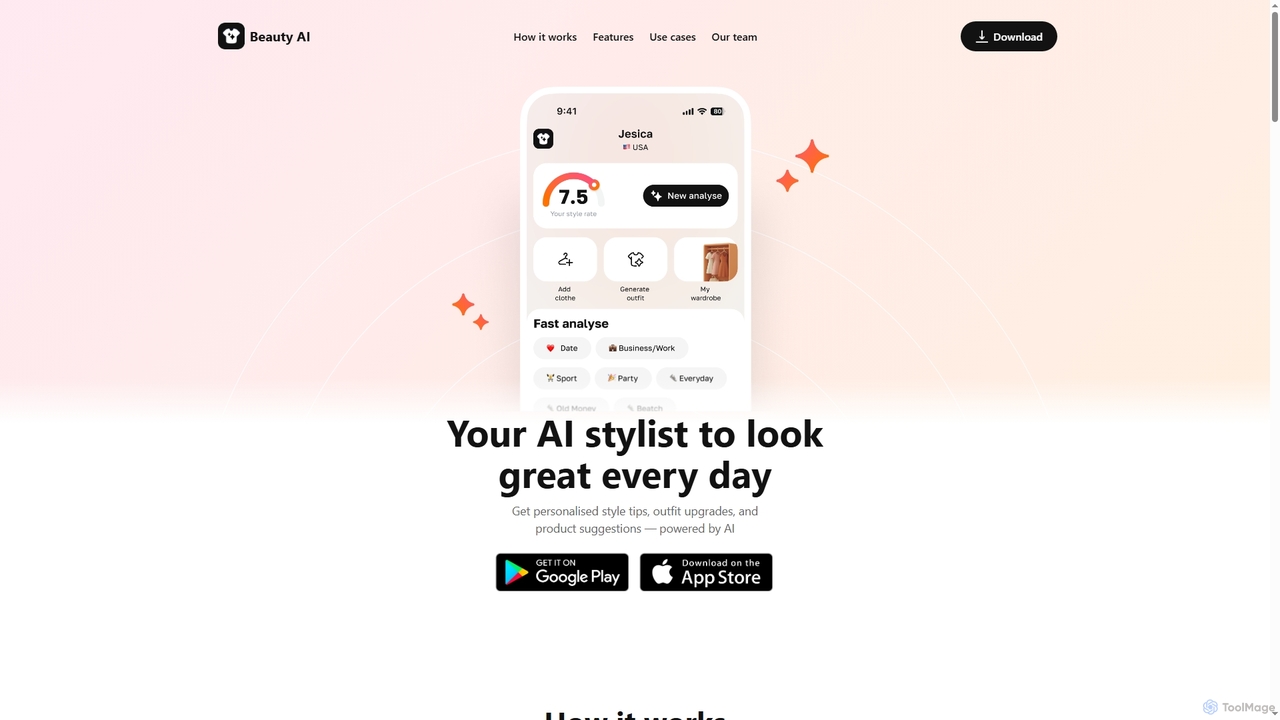
Beautyai is an AI-powered personal stylist and outfit generator designed to enhance your daily look. It provides instant feedback on your outfits, personalized style tips, and product suggestions. With its Beauty Lens feature, you can find and shop for similar clothing items on Amazon simply by uploading a photo.

Personal Stylist
Visits 14.4KFavorites 115Likes 132

About Visual Search

Visual Search tools are a class of AI applications that enable users to search for information using an image as the query instead of text. These tools leverage advanced computer vision and deep learning models to analyze visual data, identify objects, patterns, and text within an image, and then find visually similar or contextually relevant results online. Primarily used in e-commerce to streamline product discovery, this technology effectively turns a device's camera into an interactive search bar, bridging the gap between the physical and digital worlds.

Core Features

  • Image Recognition: Identifies specific objects, places, people, and text within an uploaded or captured image.
  • Similarity Matching: Finds products, images, or content that are visually similar in style, color, pattern, or shape to the query image.
  • Object Detection & Cropping: Allows users to select a specific item within a larger photo to initiate a more focused search.
  • Real-time Camera Search: Uses a live camera feed to instantly identify objects in the user's environment and provide information.

Use Cases

Visual Search is heavily utilized in the retail and e-commerce sectors, allowing shoppers to find products by simply taking a photo. It's also valuable for content creators and marketers for reverse image searching to track content usage or find image sources. Additionally, it serves educational and informational purposes, such as identifying plants, animals, or landmarks.

How to Choose

When selecting a Visual Search tool, consider the accuracy and speed of its recognition engine. Evaluate its integration capabilities with existing platforms, such as e-commerce sites or mobile apps. Assess the scope of its database—whether it's specialized for products, general web images, or specific niches. Finally, consider the user interface and overall ease of use for the end-user.


Visual Search use cases

1

Instant Product Discovery for E-commerce

An e-commerce manager integrates a visual search API into their mobile shopping app. When a user sees a product they like in the real world (e.g., a friend's jacket or a piece of furniture in a cafe), they can open the app, take a photo, and instantly see a list of identical or visually similar items available for purchase. This removes the friction of trying to describe an item with text, directly connecting visual inspiration to a point of sale and significantly improving the user's shopping experience and conversion rates.

2

Find Similar Products from a Photo

A user sees an influencer wearing a jacket on social media and wants to find a similar style within their budget. They take a screenshot and upload it to a visual search tool. The AI analyzes the image, identifies the jacket's key features—color, cut, material texture—and instantly returns a list of visually similar jackets from various online retailers. The user can then filter by price and brand, finding and purchasing a comparable item in minutes, a task that would be difficult and time-consuming using only text-based search terms like 'blue denim jacket'.

3

Instant Product Discovery for E-commerce

An online shopper sees a piece of furniture they like in a design magazine's digital version. Instead of trying to describe it with keywords like 'mid-century modern wooden armchair with green cushion,' they take a screenshot. They then upload this image to their favorite furniture retailer's app, which uses a visual search tool. The AI instantly analyzes the image, identifies the armchair, and displays the exact product page or a list of visually similar chairs available for purchase. This reduces search friction and significantly increases the likelihood of a conversion.

4

Identify and Purchase Items in the Real World

While visiting a friend's home, a person admires a unique floor lamp. Instead of asking for details, they discreetly take a photo of it. Using a visual search app, the AI identifies the lamp from the photo, even with other furniture in the background. The app provides the product name, brand, and direct links to e-commerce sites where it can be purchased. This bridges the gap between offline inspiration and online commerce, allowing for immediate action on purchasing desires discovered in physical environments.

5

Identifying Plants, Animals, or Landmarks

A nature enthusiast or a tourist uses a dedicated visual search app on their smartphone. While hiking, they encounter an unfamiliar flower. They simply point their camera at it, and the app identifies the species, providing details like its common name, scientific name, and characteristics. Similarly, a tourist can point their camera at a historic building to instantly receive information about its name, history, and significance. This application turns the camera into a powerful tool for learning and exploration.

6

Interactive 'Shop the Look' for Social Media

A fashion influencer posts a photo of their outfit on social media. Their followers no longer need to ask 'Where did you get that jacket?'. By integrating a visual search tool, the platform allows users to tap on the image. The AI identifies each shoppable item—the jacket, the jeans, the shoes, and the handbag—and provides direct links to purchase them from various retailers. This creates a seamless shopping experience directly from inspirational content, boosting affiliate revenue for the creator and sales for the brands.

7

E-commerce 'Complete the Look' Recommendations

An online fashion retailer integrates a visual search tool into their product pages. When a customer views a dress, instead of just showing text-based 'related items', the tool displays a 'Complete the Look' section. The AI analyzes the style, color, and pattern of the dress in the main product image and visually curates a selection of compatible shoes, handbags, and accessories from the store's inventory. This not only improves the user experience but also increases the average order value by encouraging customers to purchase an entire outfit.

8

Finding Spare Parts and Components

A maintenance technician or a DIY enthusiast needs to replace a specific, unlabeled machine part. Instead of spending hours searching through catalogs or forums with vague descriptions, they take a clear photo of the part. They upload it to a specialized visual search engine for industrial parts. The system identifies the component by its shape and features, providing the part number, specifications, and links to suppliers. This drastically reduces downtime and sourcing errors.

9

Identifying Spare Parts in Maintenance

A field service technician is repairing a piece of industrial machinery but doesn't know the part number of a broken component. Instead of spending hours searching through manuals or catalogs, they use a specialized mobile app equipped with visual search. They take a clear photo of the part. The AI compares the image against a database of thousands of components, identifies the exact part, and provides its name, number, and a link to order a replacement. This drastically reduces downtime and improves first-time fix rates.

10

Style and Decor Inspiration Matching

An interior designer is working with a client who has a specific aesthetic in mind, often shown through inspiration photos from magazines or social media. The designer uses a visual search tool to upload these images. The tool analyzes the style, color palette, and furniture types, then suggests similar products from various retailers. This allows the designer to quickly source items that match the client's vision, create mood boards efficiently, and present a curated shopping list, streamlining the entire design and procurement process.

11

Real-World Object Identification

A tourist visiting a new city sees an interesting architectural landmark but doesn't know its name. They use a visual search app, point their phone's camera at the building, and the app immediately identifies it as 'The Gherkin' in London. It then provides supplementary information like its history, architect, and links to buy tickets for a tour. This application extends beyond shopping, turning the user's camera into a powerful tool for learning about and interacting with the world around them.

12

Visual Search for Industrial Spare Parts

A maintenance technician in a factory needs to replace a broken, unlabeled machine part. Describing the complex component with text is nearly impossible. The technician takes a clear photo of the part and uploads it to a specialized industrial visual search engine. The system, trained on a vast catalog of machine parts, identifies the exact model number by matching its unique shape, size, and features. It then provides procurement information, including suppliers and availability, drastically reducing downtime and eliminating errors from manual identification.

13

Interior Design Mood Board to Reality

An interior designer creates a digital mood board for a client, combining inspirational images of furniture, lighting, and decor from various sources. To source the actual products, the designer uses a visual search tool. They upload the mood board or individual images from it. The AI identifies each item—a specific sofa style, a type of pendant light, a patterned rug—and finds commercially available products that are either exact matches or close stylistic alternatives. This streamlines the procurement process, saving hours of manual searching across multiple vendor websites.

14

In-Store Price and Information Check

A customer in a physical retail store is considering buying a new television. Before making a decision, they use the retailer's app to scan the product's barcode with their phone. The visual search function instantly pulls up the product's online page, showing detailed specifications, customer reviews, and online-exclusive promotions. This empowers the customer with more information, builds trust in the retailer's pricing, and bridges the gap between the physical and digital shopping experience, potentially preventing them from leaving to search on a competitor's site.

15

Verifying Image Authenticity and Source

A journalist or content moderator needs to verify the origin of a photo circulating on social media. They use a reverse visual search tool to upload the image. The search results show where else the image has appeared online, including the date of its first appearance. This helps them determine if the photo is being used out of context, if it's an old image being presented as new, or if it has been digitally altered. This process is crucial for fact-checking and combating misinformation.

16

Automated Product Tagging for Catalogs

An e-commerce manager for a large fashion retailer needs to process thousands of new product images each week. Manually tagging each image with attributes like 'long-sleeve', 'v-neck', 'floral pattern', and 'blue' is time-consuming and prone to error. By using a visual search AI, they can automate this process. The AI analyzes each product photo and automatically generates accurate, detailed tags. This not only saves hundreds of hours of manual labor but also improves the accuracy of on-site search filters, helping customers find exactly what they are looking for more easily.

17

Reverse Image Search for E-commerce IP Protection

An e-commerce brand owner invests heavily in unique product photography. To protect their intellectual property, they use a visual search tool to monitor the web. They upload their proprietary product images, and the tool scans the internet to find other websites, marketplaces, or social media accounts using the exact same or visually similar images without permission. This allows the brand to quickly identify copyright infringement or counterfeit listings, issue takedown notices, and protect their brand's reputation and exclusive content.

18

Translating Text from Images in Real-Time

A traveler in a foreign country encounters a menu, a road sign, or a product label with text they cannot read. Using a visual search app with Optical Character Recognition (OCR) and translation capabilities, they point their phone's camera at the text. The app overlays a real-time translation directly onto the image on their screen. This allows for immediate understanding without needing to manually type the foreign characters into a separate translation app, making navigation and daily interactions seamless.

Visual Search FAQ

What is Visual Search?

Visual Search is a technology that uses an image as a search query instead of text. Powered by artificial intelligence and computer vision, these tools analyze the pixels in a photo to identify objects, patterns, colors, and styles. They then search a database to find matching or visually similar items. It's most commonly used in e-commerce to help users find products they've seen in the real world or online, providing a more intuitive discovery process than typing descriptive keywords.

What is Visual Search?

Visual Search is a type of search technology that uses an image, rather than text, as the query to find information online. It employs artificial intelligence, specifically computer vision and machine learning, to analyze the content of an image, identify objects within it, and return results that are identical, visually similar, or contextually related. It's commonly used in e-commerce apps for product discovery and in tools for identifying real-world objects like plants or landmarks.

What is Visual Search?

Visual Search is a technology that uses artificial intelligence to allow users to search the internet using an image as their query, rather than text. It works by analyzing the content of an image—identifying objects, colors, patterns, and even text—and then finding similar or relevant information online. Its most common application is in e-commerce, where a user can take a photo of a product to find it or similar items for sale.

How does Visual Search differ from text-based search?

The primary difference lies in the input query. Text-based search relies on keywords and language to find relevant information, requiring the user to describe what they are looking for. Visual Search bypasses language entirely, using the pixels, colors, shapes, and patterns of an image as the query. This is particularly powerful for finding items when you don't know the name or correct terminology, or for matching complex styles and aesthetics that are difficult to describe with words.

How does Visual Search differ from traditional text search?

The primary difference lies in the input query. Traditional search relies on users describing what they want with keywords, which can be difficult for visual concepts like a specific pattern or style. Visual Search eliminates this ambiguity by using an image as the direct query. This allows for more precise results when the user knows what something looks like but not what it's called. It's a shift from 'describing' to 'showing'.

How does Visual Search differ from text-based search in shopping?

Text-based search relies on users accurately describing an item with keywords, which can be subjective and incomplete. Visual Search bypasses this by analyzing the item's actual appearance. Key differences include:

  • Query Type: Image vs. text.
  • Discovery: Visual search excels at finding items when you don't know the name or brand, answering 'What is this?'. Text search answers 'Find me things described as...'.
  • Attribute Matching: Visual search matches nuanced attributes like pattern complexity, color gradients, and shape, which are hard to describe with words.
  • Use Case: Ideal for aesthetic-driven purchases like fashion and home decor, while text search is effective for specific, known items.

What are the key features to look for in a Visual Search tool for shopping?

For shopping and e-commerce, several features are crucial. Look for:

  • High Accuracy: The tool must accurately identify products and match them with relevant items in your catalog.
  • Speed: Results should be returned almost instantly to keep the user engaged.
  • Scalability: It should handle a large product catalog and high query volumes.
  • Object Detection: The ability for users to select one item out of a complex scene (e.g., a single chair in a fully furnished room).
  • Easy Integration: A well-documented API that allows for straightforward integration into your existing website or mobile app.
What are the key features of a good Visual Search tool?

A high-quality Visual Search tool should offer more than just basic image matching. Key features to look for include:

  • High Accuracy: The ability to correctly identify objects even in cluttered or low-quality images.
  • Speed: Fast processing and delivery of relevant search results to maintain user engagement.
  • Large Product Index: Access to a vast and up-to-date database of products for comprehensive results.
  • Multi-Object Detection: The capability to recognize and allow users to select from multiple different items within a single photo.
  • Attribute Recognition: Understanding not just the object, but its attributes like material ('leather'), style ('bohemian'), or pattern ('plaid').

What are the main benefits of using Visual Search for online shopping?

For online shoppers, Visual Search offers a more intuitive and faster way to find products, reducing the frustration of trying to describe an item with words. It bridges the gap between inspiration (seeing something you like) and purchase. For businesses, implementing visual search can lead to:

  • Increased Conversion Rates: By making it easier for customers to find and buy products.
  • Enhanced User Engagement: Offering a novel and interactive way to browse a catalog.
  • Improved Product Discovery: Helping customers find items they didn't know you offered.

Can Visual Search identify multiple items in one photo?

Yes, advanced Visual Search systems can. This capability is known as object detection. The tool first identifies the boundaries of multiple distinct objects within a single image (e.g., a lamp, a sofa, and a rug in a living room photo). It then allows the user to tap on any of these detected objects to search for that specific item. This is a highly valuable feature for e-commerce, as it lets users deconstruct an entire look or room setting to find individual products they are interested in.

How do I choose the right Visual Search tool for my e-commerce site?

When selecting a visual search tool, focus on these key factors:

  • Accuracy: How well does the tool identify products, even in cluttered or low-quality images? Test it with your own product catalog.
  • Speed: Search results should be nearly instantaneous to keep users engaged.
  • Integration: Ensure the tool offers a well-documented API or SDK that can be easily integrated into your existing website or mobile app.
  • Scalability: The solution should be able to handle your current traffic and scale up as your business grows.

Who benefits most from using Visual Search tools?

Visual Search offers significant advantages to several groups. E-commerce businesses benefit from increased conversion rates and higher average order values by making product discovery easier. Online shoppers gain a powerful tool for finding exactly what they want, even without knowing the right keywords. Content creators and designers can quickly find and source items they see for inspiration. Finally, industrial sectors benefit by streamlining parts identification and maintenance, reducing costly downtime.

Is Visual Search only for finding products?

No, while product discovery in shopping is a major application, Visual Search has many other uses. It can be used for:

  • Information Retrieval: Identifying landmarks, plants, animals, or works of art.
  • Content Moderation: Detecting inappropriate or copyrighted content by matching it against a database.
  • Text Recognition (OCR): Extracting and translating text from signs, menus, and documents.
  • Reverse Image Search: Finding the source of an image, tracking its usage, or discovering similar images online.
Can Visual Search identify multiple items in one photo?

Yes, many advanced Visual Search platforms support multi-object detection. This feature allows the AI to identify several distinct items within a single, complex image, such as a fully furnished room or a person wearing a complete outfit. The user interface typically then allows the shopper to tap on or select a specific item (e.g., just the shoes, or just the table lamp) they are interested in. This capability makes the search process much more efficient and user-friendly, as it doesn't require the user to crop the image manually before searching.

Is Visual Search only useful for fashion and home decor?

While fashion and home decor are popular use cases due to their highly visual nature, Visual Search is valuable across many other sectors. For example, it can be used to identify industrial parts, electronic components, plants, or even food items from a photo of a meal. Any industry with a large catalog of visually distinct items can benefit from this technology, making it a versatile tool for more than just traditional retail.