
ToolMage
Sign in

Best 1 Voicecontrol AI tools for System

Popular Voicecontrol AI tools in System include Outskill, helping you work more efficiently.

Outskill

Outskill

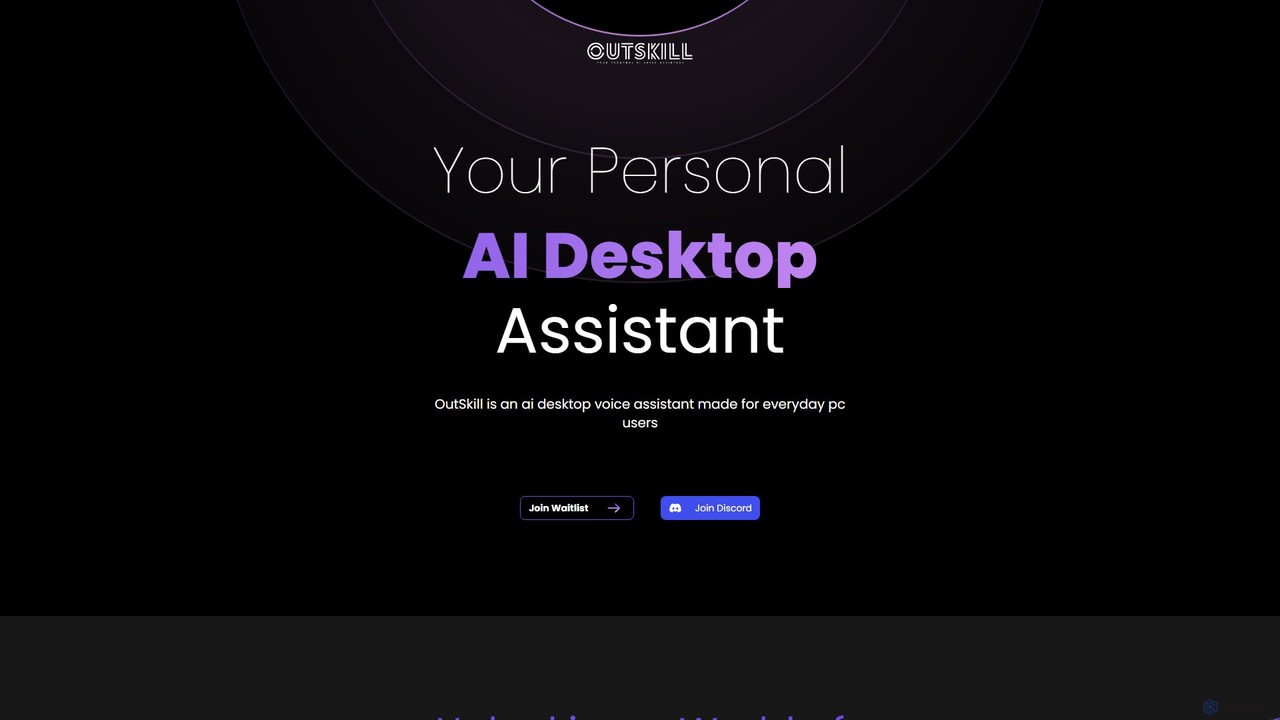
Outskill is a revolutionary AI-powered desktop voice assistant designed for both productivity and gaming. Control your PC, manage applications, automate workflows, and enhance your gaming experience with simple voice commands. It integrates seamlessly with your apps to provide a personalized, hands-free computing experience.

Gameassistant
Visits 9KFavorites 112Likes 125

About Voicecontrol

AI Voicecontrol tools are applications that enable users to operate computers, software, and devices using spoken commands. These tools leverage advanced speech recognition and natural language processing to translate voice input into executable actions, providing a hands-free method for system interaction. They are particularly valuable for increasing accessibility, automating repetitive tasks, and streamlining complex workflows without physical input. Unlike general voice assistants, dedicated voice control tools often offer deeper customization and integration with specific professional software.

Core Features

  • Custom Command Creation: Define personalized voice commands to trigger complex macros or multi-step scripts.
  • Context-Aware Recognition: Understands commands based on the active application, allowing for app-specific shortcuts.
  • Wake Word Activation: Initiates listening mode with a specific user-defined phrase for completely hands-free operation.
  • System-Level Integration: Directly controls operating system functions like file management, window switching, and application launching.
  • Continuous Dictation & Control: Seamlessly switch between transcribing text and issuing commands without changing modes.

Use Cases

These tools are widely used by professionals seeking efficiency, such as developers executing code snippets or designers running multi-step actions in creative software. They are also essential for individuals with physical disabilities or repetitive strain injuries (RSI), providing full computer access. In industrial or laboratory settings, they allow for hands-free equipment operation and data entry.

How to Choose

When selecting a voice control tool, evaluate its accuracy and responsiveness to your specific accent and ambient noise. Check its level of customizability for creating complex commands. Assess its integration capabilities with your primary operating system and essential applications. Finally, consider the learning curve and the availability of community or developer support for troubleshooting and advanced scripting.

Voicecontrol use cases

1

Hands-Free Coding and Development

For software developers, especially those managing repetitive strain injury (RSI), voice control tools transform the coding process. Instead of constant typing, a developer can dictate code, navigate through files, and execute commands like 'compile project' or 'run tests'. This is particularly powerful for creating complex scripts or macros that automate build processes or version control actions, such as 'git commit with message fix login bug'. This reduces physical strain and can accelerate development workflows by keeping hands free for other tasks or simply for rest.

2

Enhancing Accessibility for Computer Use

For users with motor disabilities, voice control tools are not just a convenience but a necessity for digital independence. These tools provide a primary method for controlling the entire operating system. A user can say 'open web browser,' 'scroll down,' 'click link about section,' and 'type my email address' to navigate the web and communicate. This empowers individuals to work, study, and engage with the digital world on their own terms, breaking down barriers that physical interfaces like keyboards and mice can present.

3

Streamlining Creative Design Workflows

A graphic designer or video editor often performs repetitive, multi-step actions. By creating custom voice macros, they can streamline their workflow significantly. For instance, a designer in Photoshop could say 'create web banner' to trigger a macro that resizes the canvas, adds specific guides, creates layer groups, and applies a default color profile. This allows the creative professional to maintain focus on the artistic aspect of their work, reducing time spent on navigating menus and clicking through technical setups, ultimately boosting productivity and creative flow.

4

Voice-Driven Smart Home and IoT Management

For home automation enthusiasts, a desktop voice control tool can act as a powerful central hub. While mobile assistants are common, a PC-based tool can integrate with more complex systems and custom scripts. A user can run a 'good morning' command that not only turns on the lights and adjusts the thermostat but also opens specific news websites on their monitor, launches their email client, and starts a curated music playlist. This level of multi-application orchestration on a desktop provides a more comprehensive and personalized smart home experience.

5

Hands-Free Control in Industrial or Lab Settings

In environments where hands are occupied or must remain sterile, such as a laboratory or a manufacturing floor, voice control is critical for efficiency and safety. A technician can operate machinery, log data into a spreadsheet, or navigate technical manuals on a screen without taking off gloves or putting down tools. Commands like 'start sequence three,' 'log temperature 98.6,' or 'show schematic for part B' allow for seamless interaction with digital systems while performing physical tasks, reducing downtime and minimizing contamination risks.

6

Efficient Dictation and Document Navigation

For professionals like lawyers, doctors, or writers who produce large volumes of text, voice control tools combine high-accuracy dictation with powerful navigation commands. A user can dictate a report, then say 'select last paragraph,' 'make it bold,' and 'insert footnote here' without touching the keyboard. This fusion of transcription and control is far more efficient than typing and then manually formatting. It allows for a more natural, fluid workflow where the user's thoughts are captured and structured in real-time, directly within their document editor.

Voicecontrol FAQ

What are AI Voicecontrol tools?

AI Voicecontrol tools are software applications that translate spoken commands into executable actions on a computer or device. Unlike simple dictation software that only converts speech to text, these tools focus on system and application control. They use artificial intelligence, specifically speech recognition and natural language understanding, to interpret a user's intent and interact with operating systems, web browsers, and other programs to perform tasks hands-free.

How to choose the right Voicecontrol tool?

Choosing the right tool depends on your specific needs. Consider these factors:

  • Accuracy & Performance: Test how well the tool understands your accent and performs in your typical noise environment.
  • Customization: Evaluate its ability to create custom commands, scripts, and macros. Power users need deep scripting capabilities.
  • Integration: Ensure it works seamlessly with your operating system (Windows, macOS, Linux) and the key applications you use daily.
  • Ease of Use: Consider the learning curve. Some tools are simple out of the box, while others require more setup but offer greater power.
What's the difference between Voicecontrol tools and voice assistants like Siri or Alexa?

The main difference is scope and customizability. Voice assistants like Siri and Alexa are general-purpose, cloud-based services designed for simple queries, media playback, and smart home integration. AI Voicecontrol tools, on the other hand, are typically specialized, often locally-run software designed for deep, granular control over a computer's operating system and professional applications. They excel at creating complex, multi-step command sequences (macros) tailored to a user's specific workflow, something general assistants cannot do.

What are the key features of advanced Voicecontrol software?

Advanced Voicecontrol software goes beyond simple commands. Key features often include a powerful scripting engine for creating complex macros, context-aware commands that adapt to the active application, and the ability to create custom vocabularies for specialized fields (like legal or medical terminology). They also typically feature continuous dictation that can be seamlessly mixed with control commands, and deep integration with operating system accessibility APIs for reliable control over all user interface elements.

Who benefits most from using Voicecontrol tools?

Several groups benefit significantly from Voicecontrol tools. The primary beneficiaries are users with physical disabilities or repetitive strain injuries (RSI), for whom these tools provide essential computer accessibility. Additionally, power users and professionals like programmers, designers, and writers can dramatically increase their productivity by automating complex and repetitive tasks. Finally, anyone interested in ergonomics or a more futuristic, hands-free way of interacting with their technology can find value in these applications.