ToolMage
Sign in

Best 1 Document AI tools for Translation

Popular Document AI tools in Translation include DeepPDF, helping you work more efficiently.

Freemium

DeepPDF

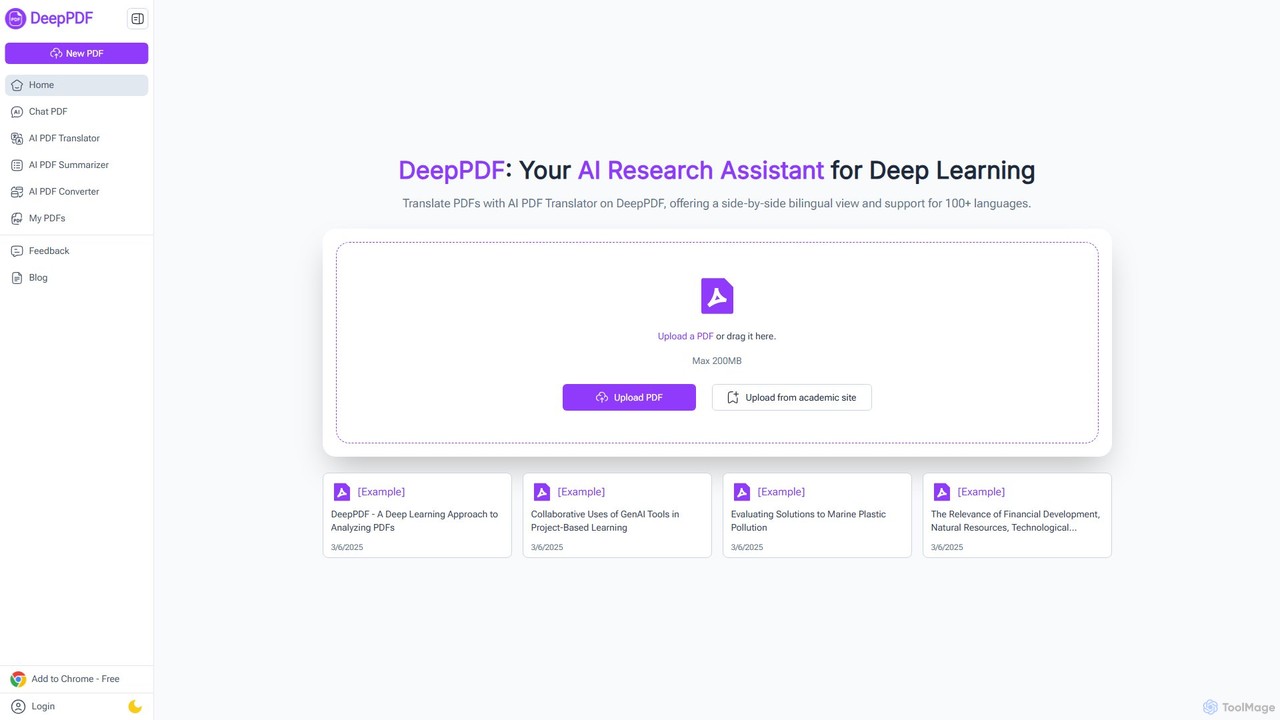
DeepPDF is an AI-powered research assistant for deep interaction with PDF documents. It allows users to chat with their PDFs, get instant summaries, translate content into over 100 languages with a side-by-side view, and convert files. Featuring OCR, image analysis, and academic search integration, it's designed to enhance productivity for students, researchers, and professionals by making complex documents easy to understand and manage.

Document Management
Visits 80.9KFavorites 124Likes 121

About Document

AI Document Translation tools are specialized applications that translate entire files while preserving their original layout and formatting. These tools utilize advanced Neural Machine Translation (NMT) combined with Optical Character Recognition (OCR) and layout analysis to process complex file types like PDF, DOCX, and PPTX. Their primary value lies in enabling businesses and professionals to efficiently create multilingual versions of technical manuals, legal contracts, and marketing materials without tedious manual reformatting. The key advantage is their ability to handle non-textual elements such as tables, charts, and images, delivering a ready-to-use translated document.

Core Features

  • Format Preservation: Maintains the original document's layout, fonts, images, and overall structure after translation.
  • Batch Processing: Allows users to upload and translate multiple documents simultaneously, streamlining large-scale projects.
  • Broad File Support: Natively handles a wide range of file formats, including PDF, Microsoft Word (.docx), PowerPoint (.pptx), and Excel (.xlsx).
  • Terminology Management: Supports custom glossaries to ensure consistent and accurate translation of specific industry or brand terms.
  • API Access: Provides integration capabilities for developers to build document translation workflows into their own applications.

Use Cases

These tools are essential for multinational corporations, legal firms, and academic institutions. For example, a manufacturing company can localize its technical manuals for global markets, or a law firm can quickly translate foreign contracts for review. Marketing teams also use them to adapt presentations and brochures for international campaigns, ensuring brand consistency across languages.

How to Choose

When selecting a tool, consider the specific file formats you need to support. Evaluate the translation accuracy for your required language pairs and the quality of layout preservation. For sensitive information, prioritize tools with robust data security and confidentiality policies. Finally, compare pricing models, whether it's per-page, per-word, or a subscription-based plan, to find the most cost-effective solution for your volume.

Featured tool rankings

Document use cases

1

Translating Legal Contracts for International Business

A corporate law firm is handling a merger with a company based in Japan. They receive a 100-page due diligence report in Japanese as a PDF file. Instead of spending weeks on manual translation and recreation, a paralegal uploads the document to an AI Document Translation tool. Within minutes, the tool delivers an English version that preserves the original's complex tables, footnotes, and layout. This allows the legal team to immediately begin their review, significantly accelerating the deal's timeline while reducing translation costs.

2

Localizing Technical Manuals for Global Product Launches

A medical device manufacturer is launching a new product in Germany and France. Their 250-page technical user manual, created in Adobe InDesign and exported as a PDF, needs to be accurately translated. A technical writer uses an AI document translation tool that supports PDF files with complex diagrams. The tool translates the text and maintains the precise positioning of all schematics and safety warnings. The translated documents are then quickly reviewed by native-speaking engineers, cutting the localization time from months to just a couple of weeks.

3

Adapting Marketing Presentations for International Sales Teams

A global software company's marketing team has created a 50-slide PowerPoint presentation for a new product. To equip their sales teams in Spain and Brazil, they need versions in Spanish and Portuguese. Using an AI document translator, they upload the .pptx file. The tool translates all text on slides, in speaker notes, and within charts, while preserving the company's branding, color scheme, and layout. This enables the regional sales teams to receive localized, ready-to-use materials on the same day, ensuring a consistent global message.

4

Streamlining Academic Research Collaboration

An international team of climate scientists needs to review dozens of research papers published in various languages. A post-doctoral researcher is tasked with summarizing key findings. They use an AI document translator to process PDF versions of papers from German, Chinese, and Russian journals. The tool accurately translates the text, including complex scientific terminology and data tables, into English. This enables the entire team to access and discuss the latest global research without language barriers, fostering faster scientific progress.

5

Translating Financial Reports for Global Stakeholders

A multinational corporation listed on several stock exchanges must provide its quarterly financial reports to international investors. The original report is an Excel (.xlsx) file with complex financial models and charts. The finance department uses an AI document translator that specializes in Excel files. It translates all text cells while keeping formulas, data structures, and chart visualizations intact. This ensures that investors in different regions receive accurate, professionally formatted reports simultaneously, maintaining transparency and compliance.

6

Batch Translating E-commerce Product Catalogs

An online fashion retailer wants to expand into the Latin American market. Their product catalog, containing over 5,000 items with descriptions, specifications, and categories, is stored in a single large PDF. The e-commerce manager uses an AI document translator's batch processing feature. They upload the catalog, and the tool translates the entire document into Spanish and Portuguese while preserving the product image layouts and tables. This allows them to quickly populate their new regional websites with thousands of localized product listings in a single afternoon.

Document FAQ

What are AI Document Translation tools?

AI Document Translation tools are specialized software that translate the content of entire files (like PDFs, Word documents, or PowerPoint presentations) into another language while aiming to preserve the original formatting and layout. Unlike simple text translators, they use technologies like OCR and layout analysis to understand and reconstruct elements such as tables, images, and columns in the translated version. This makes them ideal for professional use where maintaining document structure is critical.

How is Document Translation different from standard text translation?

The key difference lies in handling format and context. Standard text translation tools (like Google Translate's text box) process raw text strings without regard for their original presentation. AI Document Translation tools are designed to:

  • Preserve Layout: They analyze the document's structure to keep headings, paragraphs, images, and tables in their correct places.
  • Handle Various File Types: They can directly process complex files like PDFs and DOCX, which text translators cannot.
  • Process in Bulk: They are built for translating entire documents or multiple documents at once, not just snippets of text.
In essence, document translation focuses on delivering a complete, ready-to-use translated file, not just translated words.

How do I choose the right AI Document Translator?

To choose the right tool, evaluate these factors based on your specific needs:

  • File Format Support: Ensure the tool supports the file types you work with most, such as PDF, DOCX, PPTX, or even InDesign files.
  • Layout Preservation Quality: Test the tool with a complex sample document to see how well it maintains tables, charts, and images. Some tools are better than others at this.
  • Language Pair Accuracy: The quality of translation can vary significantly between language pairs. Check for high accuracy in the specific languages you need.
  • Security and Confidentiality: If you handle sensitive documents, choose a provider with strong encryption, clear data privacy policies, and options for on-premise deployment if necessary.
  • Cost vs. Volume: Compare pricing models. A per-page model might be good for occasional use, while a monthly subscription is better for high-volume translation needs.

Can these tools handle complex documents with images and tables?

Yes, this is a primary strength of AI Document Translation tools. They use a combination of technologies to manage complex layouts. First, Optical Character Recognition (OCR) extracts text from images and scanned PDFs. Then, layout detection algorithms identify the position of text blocks, images, tables, and other elements. During translation, the tool replaces the source text with the target text while attempting to reconstruct the original layout as closely as possible. The quality of this reconstruction varies between tools, but the best ones can handle technical manuals, financial reports, and marketing brochures with high fidelity.

Who are the primary users of AI Document Translation tools?

The primary users are typically professionals and organizations that need to manage multilingual content efficiently. This includes:

  • Multinational Corporations: For internal communications, technical documentation, and marketing materials.
  • Legal Professionals: To translate contracts, patents, and evidence for international cases.
  • Technical Writers: For localizing user manuals, help guides, and product specifications.
  • Marketing Teams: To adapt brochures, presentations, and websites for global campaigns.
  • Academic Researchers: For reading and collaborating on research papers published in different languages.
Essentially, anyone who needs to translate entire, formatted documents quickly without manual recreation can benefit from these tools.