Posture Reminder App
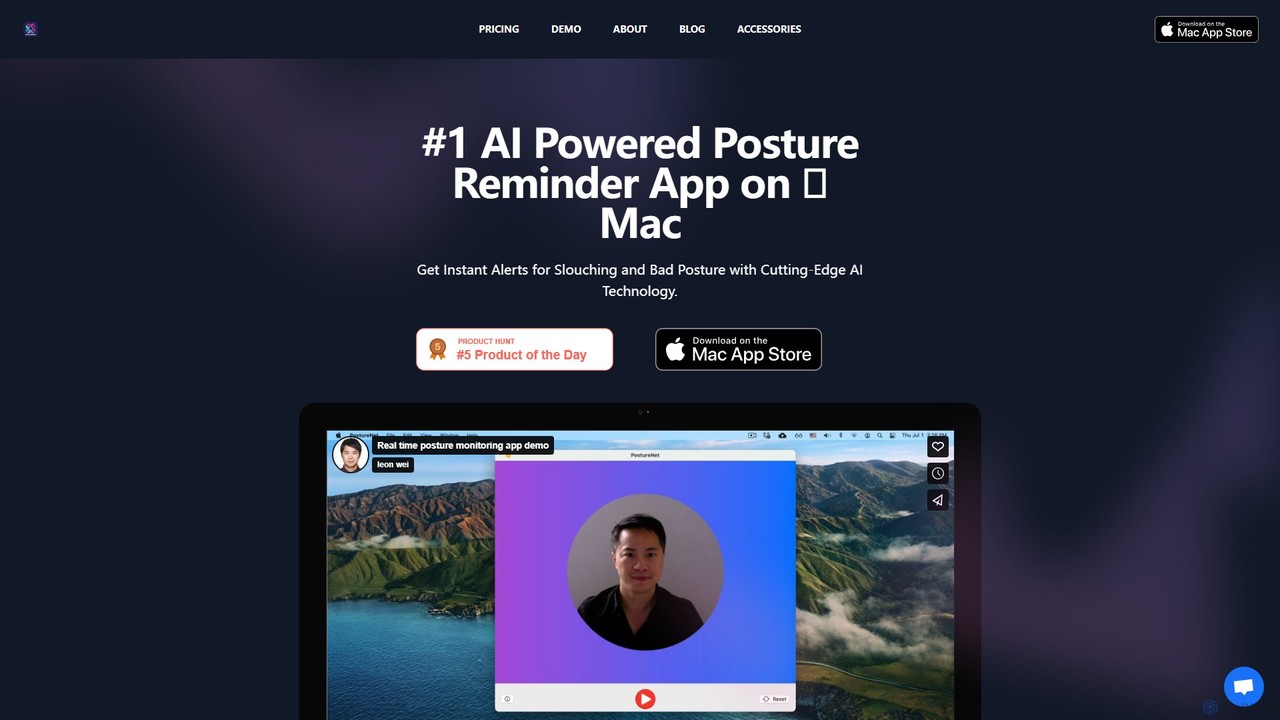
An AI-powered Mac app that uses your camera to monitor your posture in real-time. It gently reminds you …
An AI-powered Mac app that uses your camera to monitor your posture in real-time. It gently reminds you to sit up straight, helping to prevent back and neck pain caused by slouching. Privacy is paramount, with all processing done on-device.
About Desktop Enhancements
AI Desktop Enhancements are tools that integrate directly with your operating system to provide intelligent search, automation, and personalization. They leverage AI to understand user context and intent, transforming the standard desktop experience into a more responsive and efficient environment. These tools go beyond traditional utilities by offering proactive assistance, unifying access to information across local files and cloud apps, and automating complex, repetitive tasks directly from your desktop. This results in a significantly streamlined workflow and reduced cognitive load for users.
Core Features
- Unified AI Search: Instantly find files, apps, contacts, and web results using natural language queries, often including content within documents.
- Contextual Command Palette: Execute complex commands, run scripts, or control applications using a single, intelligent interface that understands your current task.
- Automated Organization: Intelligently sort files, manage windows, and organize your clipboard history based on your usage patterns and predefined rules.
- Proactive Assistance: Receive intelligent suggestions, reminders, and shortcuts based on your current activity and workflow.
- Deep OS Integration: Seamlessly works with the native operating system's functions, notifications, and user interface for a cohesive experience.
Use Cases
These tools are particularly valuable for power users, developers, researchers, and knowledge workers who frequently interact with a large volume of files and applications. For instance, a developer can use a command palette to instantly open a project in their code editor and run a build script, while a writer can use unified search to find research notes across local folders, Evernote, and web bookmarks simultaneously.
How to Choose
When selecting an AI Desktop Enhancement tool, consider its operating system compatibility (macOS, Windows, Linux). Evaluate its performance impact and resource consumption, as it will run in the background. Assess the breadth of its integrations with other applications and services you use. Finally, review the privacy policy to understand how your data and usage patterns are handled, especially for cloud-connected features.

Desktop EnhancementsUse Cases
Unified Search for Researchers
A university researcher is working on a literature review and needs to find information scattered across PDF papers, local notes in Obsidian, web bookmarks, and emails. Instead of searching each application individually, they use an AI desktop enhancement tool. By typing a natural language query like 'find studies on neural network pruning from the last 2 years', the tool instantly surfaces relevant paragraphs from PDFs, linked notes, and conversation threads, saving hours of manual searching and context switching.
Automating Developer Workflows
A software developer frequently switches between their code editor, terminal, and a project management tool. Using a contextual command palette, they can streamline this process. They can type 'create new branch for ticket 123', and the tool automatically runs the Git command, opens the relevant project files, and updates the ticket status in Jira. This automation of multi-step, cross-application tasks reduces friction and allows the developer to stay focused on coding.
Intelligent Window Management for Multitasking
A financial analyst needs to compare data across multiple spreadsheets, a live stock ticker, and a news feed. Manually arranging these windows is tedious. An AI desktop tool can automate this. By setting up a 'Market Analysis' workspace, the tool automatically arranges the windows in a predefined layout whenever this mode is activated. It can even learn preferred layouts for specific tasks, proactively suggesting window arrangements when it detects the user is starting a familiar workflow, ensuring optimal use of screen real estate.
Automated File Organization for Creatives
A graphic designer's 'Downloads' folder is constantly cluttered with assets, fonts, and client feedback files. An AI desktop enhancement tool with organization features can monitor this folder. Using rules and AI-based file type recognition, it automatically moves images to a 'Stock Photos' folder, fonts to the system's font directory, and PDFs containing 'feedback' in the filename to the relevant project folder. This keeps the workspace tidy and ensures assets are always easy to find without manual sorting.
Proactive Meeting Preparation
An account manager has a client meeting scheduled in their calendar. Half an hour before the meeting, their AI desktop assistant proactively displays a notification. This notification contains direct links to the client's CRM profile, the most recent email thread with them, and the presentation file for the meeting. The AI has connected the calendar event to relevant files and contacts across the system, eliminating the last-minute scramble to gather necessary information and allowing the manager to enter the meeting fully prepared.
Personalized Desktop Ambiance
A user wants their desktop environment to be more dynamic and inspiring. They use an AI enhancement tool to generate custom wallpapers based on simple text prompts like 'serene Japanese garden at dawn'. The tool can also be set to automatically change the wallpaper based on the time of day, current weather, or even the type of application currently in focus (e.g., a calming background for writing, a technical one for coding). This creates a personalized and adaptive workspace that enhances mood and focus.