
ToolMage
Sign in

Best 1 Batch Processing AI tools for Utilities

Popular Batch Processing AI tools in Utilities include Frankenfile, helping you work more efficiently.

Frankenfile
Paid

Frankenfile

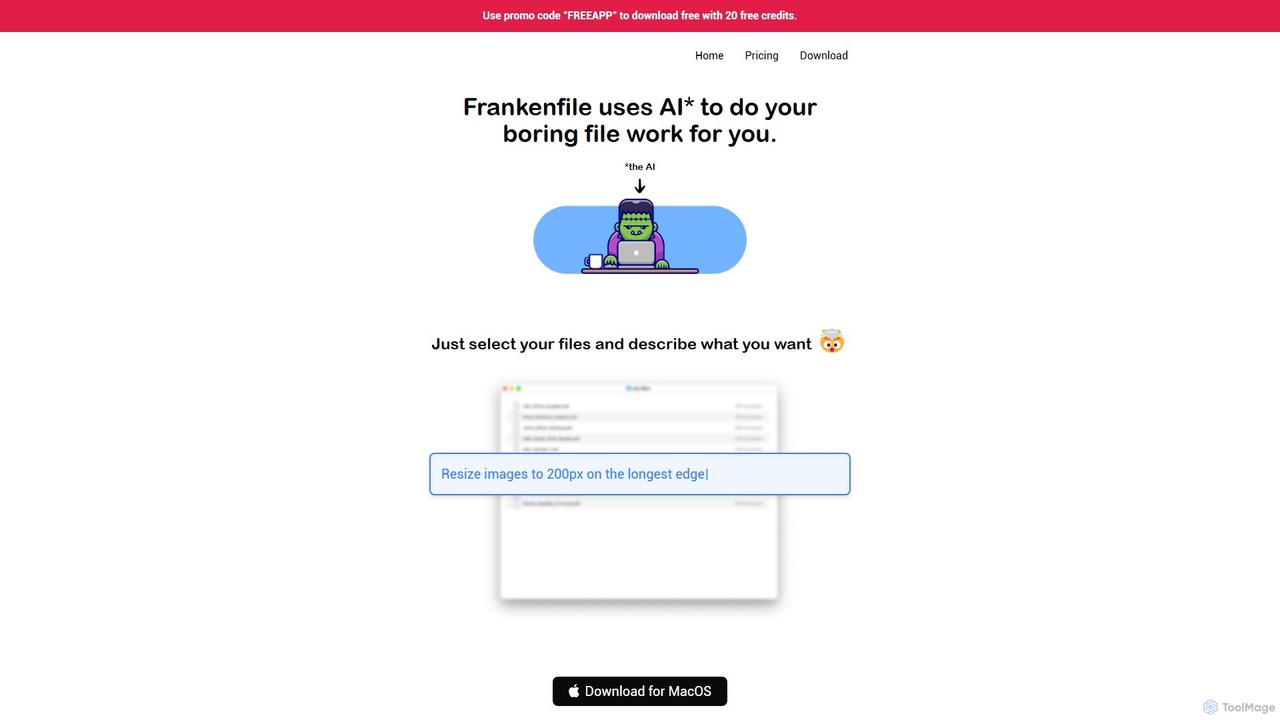
Frankenfile is an AI-powered assistant for MacOS that automates your file management tasks. Simply describe what you want to do in plain English, and the app handles complex operations on images, videos, audio, and PDFs. It runs entirely locally, ensuring your files remain private and secure.

Task Automation
Visits 3.4KFavorites 119Likes 115

About Batch Processing

Batch Processing tools are a category of AI-powered utilities designed to execute a series of tasks or operations on large volumes of data without continuous manual intervention. These tools leverage AI to intelligently group, optimize, and automate repetitive workflows, significantly enhancing efficiency and throughput. They are essential for handling extensive datasets and complex computational jobs, making them a cornerstone for data-intensive applications within the broader utilities landscape.

Core Features

  • Automated Task Scheduling: Automatically initiates and executes predefined tasks at specific times or intervals.
  • Parallel Processing: Divides large workloads into smaller, concurrent tasks for faster execution.
  • Error Handling & Logging: Automatically detects and logs errors, often with retry mechanisms, ensuring data integrity.
  • Data Transformation: Applies various operations like resizing, format conversion, or content generation across multiple files.
  • Workflow Orchestration: Manages complex sequences of dependent tasks, ensuring correct order and execution.

Use Cases

Businesses frequently use batch processing for routine operations like end-of-day financial reconciliations, monthly report generation, or large-scale data migrations. Content creators might use it to resize hundreds of images for a website or convert video formats. Developers leverage it for compiling large codebases or running extensive test suites overnight.

How to Choose

When selecting a batch processing tool, consider its scalability to handle your data volume and processing speed requirements. Evaluate its integration capabilities with existing systems and data sources. Look for robust error handling, logging, and monitoring features to ensure reliability. Finally, assess the ease of defining and managing complex workflows, along with its cost-effectiveness for your specific use case.

Featured tool rankings

Batch Processing use cases

1

Automating Large-Scale Image Resizing and Watermarking

E-commerce businesses and digital marketers often need to process thousands of product images for different platforms, requiring specific dimensions and branding. AI batch processing tools can automatically resize, crop, compress, and add watermarks to entire image libraries in minutes, ensuring consistency and saving hours of manual graphic design work. This streamlines content updates and improves website loading speeds.

2

Bulk Data Migration and Transformation

When migrating data between systems or preparing it for analysis, organizations face the challenge of cleaning, transforming, and loading massive datasets. Batch processing tools, often enhanced with AI for anomaly detection and intelligent mapping, can automate the extraction, transformation, and loading (ETL) of millions of records, ensuring data quality and integrity while significantly reducing manual effort and potential errors.

3

Scheduled Report Generation and Distribution

Financial analysts, sales managers, and operational teams require regular reports (daily, weekly, monthly) compiled from various data sources. AI-powered batch processing can automatically collect data from databases, generate complex reports (e.g., sales performance, inventory levels, financial summaries), and distribute them to relevant stakeholders via email or dashboards at predefined intervals, ensuring timely insights without manual intervention.

4

Content Localization and Translation at Scale

Global businesses need to localize website content, marketing materials, and product descriptions into multiple languages. Batch processing tools integrated with AI translation engines can process large volumes of text files, translating them and adapting cultural nuances automatically. This accelerates market entry, ensures consistent messaging across regions, and drastically reduces the cost and time associated with manual translation services.

5

Automated Video Encoding and Format Conversion

Media companies and content creators frequently need to convert video files into various formats and resolutions for different streaming platforms, devices, or archival purposes. AI batch processing can automatically encode, transcode, and optimize large batches of video content, applying specific codecs and quality settings. This ensures compatibility and efficient delivery across diverse channels, saving significant rendering time.

6

Processing Customer Feedback and Survey Responses

Businesses collect vast amounts of customer feedback through surveys, reviews, and support tickets. AI batch processing tools can analyze these unstructured text data sets in bulk, performing sentiment analysis, topic extraction, and keyword identification. This allows companies to quickly identify emerging trends, common issues, and overall customer satisfaction without manually reading through individual responses, enabling data-driven decision-making.

Batch Processing FAQ

What are AI Batch Processing tools?

AI Batch Processing tools are specialized software utilities that automate the execution of a sequence of operations or tasks on large datasets without requiring continuous human interaction. Unlike real-time processing, they are designed for efficiency and throughput, often running during off-peak hours or when system resources are available. They leverage artificial intelligence to optimize task scheduling, enhance data transformation, and intelligently handle complex data types like images, text, or audio in bulk.

How do AI Batch Processing tools differ from real-time processing?

AI Batch Processing tools are optimized for handling large volumes of data in discrete groups, typically at scheduled intervals, prioritizing throughput and resource efficiency over immediate response. Real-time processing, conversely, focuses on immediate data analysis and response as data streams in, crucial for applications like fraud detection or live analytics. Batch processing is ideal for non-urgent, high-volume tasks, while real-time is for instant, low-latency needs.

What are the key benefits of using AI for Batch Processing?

Integrating AI into batch processing offers several key benefits. AI can optimize task scheduling and resource allocation, leading to faster execution and reduced operational costs. It enhances data quality through intelligent validation and transformation, minimizing errors. Furthermore, AI enables the processing of complex, unstructured data (like images or text) at scale, allowing for advanced analytics, content generation, and intelligent decision-making that traditional batch systems cannot achieve.

What types of tasks are best suited for AI Batch Processing?

AI Batch Processing is best suited for repetitive, data-intensive tasks that do not require immediate human interaction. This includes operations like large-scale data cleaning and migration, bulk image or video processing (resizing, encoding, watermarking), automated report generation, mass content localization, and extensive data analysis for business intelligence. Any task involving consistent operations across a large volume of items or data points is a strong candidate.

How do I choose the right AI Batch Processing tool for my needs?

To choose the right AI Batch Processing tool, first assess your specific data volume and processing speed requirements to ensure scalability. Consider the types of data you'll be processing (structured, unstructured, media) and the AI capabilities needed (e.g., NLP, computer vision). Evaluate its integration with your existing IT infrastructure, ease of workflow definition, error handling mechanisms, and monitoring features. Finally, compare pricing models and vendor support to find a solution that aligns with your budget and technical expertise.