
ToolMage
Sign in

Best 1 Password Management AI tools for Utilities

Popular Password Management AI tools in Utilities include CyberIQ, helping you work more efficiently.

CyberIQ
Freemium

CyberIQ

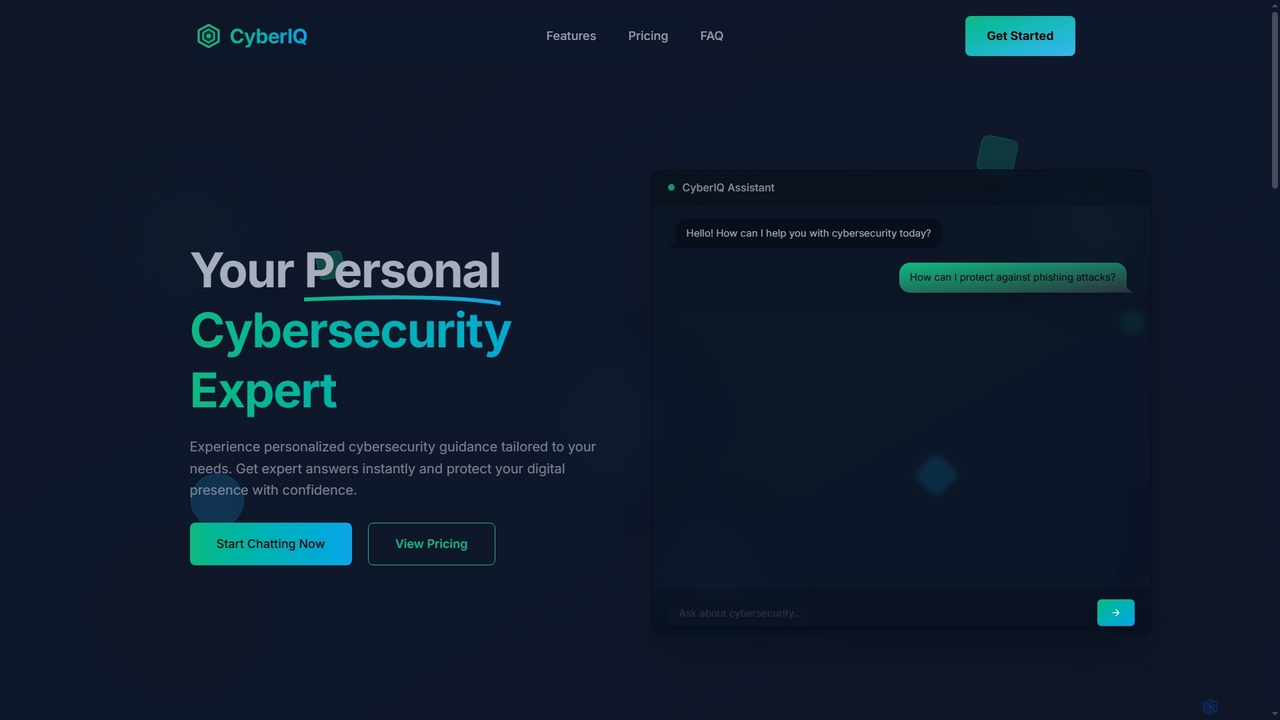
CyberIQ is your personal AI-powered cybersecurity assistant, offering tailored guidance and instant expert answers to protect your digital presence. It covers everything from personal security and home network protection to enterprise solutions and security learning.

Enterprise Security
Visits 5.5KFavorites 116Likes 113

About Password Management

Password Management tools are utilities that automate the secure generation, storage, and retrieval of complex passwords and other sensitive credentials, utilizing advanced encryption technology. These tools significantly enhance digital security by eliminating manual password handling. They streamline access across various platforms, drastically reducing the risk of data breaches and improving user convenience in managing numerous online accounts.

Core Features

  • Automated Password Generation: Creates strong, unique, and complex passwords that meet security standards.
  • Secure Credential Storage: Encrypts and stores passwords, passkeys, and other sensitive information in a secure vault.
  • Cross-Device Synchronization: Seamlessly syncs credentials across desktops, laptops, and mobile devices.
  • Auto-fill and Auto-login: Automatically fills login forms and logs users into websites and applications.
  • Security Audits & Alerts: Identifies weak, reused, or compromised passwords and alerts users to potential risks.

Use Cases

Individuals managing dozens of online accounts, ensuring each has a unique, strong password without memorization. Businesses securing employee access to internal systems and third-party applications, enforcing strong password policies.

How to Choose

Evaluate encryption standards and security protocols (e.g., zero-knowledge architecture). Check for cross-platform compatibility and browser extension support. Consider features like two-factor authentication (2FA) integration and emergency access. Assess the user interface for ease of use and administrative capabilities for teams.

Password Management use cases

1

Centralized Management of Personal Digital Identities

Individuals with numerous online accounts (social media, banking, shopping) can use password management tools to generate and store unique, strong passwords for each. This eliminates the need to remember complex credentials, reduces the risk of credential stuffing attacks, and ensures consistent security across all personal digital interactions, saving significant time and reducing stress.

2

Personal Digital Security Enhancement

Individual users can leverage password management tools to fortify their personal online security. By generating and storing unique, complex passwords for every email, social media, and banking account, users drastically reduce their vulnerability to credential stuffing and phishing attacks. The auto-fill feature saves time while ensuring strong security without memorizing dozens of complex combinations.

3

Enhancing Personal Digital Security

Individual users often struggle with remembering unique, strong passwords for dozens of online accounts, leading to password reuse or weak choices. Password management tools address this by generating complex, unique passwords for each service, storing them securely in an encrypted vault, and auto-filling them when needed. This significantly reduces the risk of credential stuffing attacks and improves overall personal cybersecurity hygiene, ensuring sensitive personal data remains protected across all platforms.

4

Enforcing Strong Password Policies for Teams

IT administrators in organizations deploy password management solutions to enforce robust password policies across all employees. These tools ensure that staff use unique, complex passwords for internal systems and external services, provide secure sharing capabilities for team credentials, and offer centralized oversight, drastically reducing the attack surface from weak or reused passwords.

5

Streamlining Team Access to Shared Accounts

Small businesses or teams often need to share access to social media accounts, SaaS tools, or development environments without revealing actual passwords to individual members. Password management tools facilitate this by allowing secure sharing of credentials with granular permissions. This ensures only authorized team members can access specific accounts, tracks usage, and enables instant revocation of access upon an employee's departure, significantly improving operational efficiency and security compliance.

6

Streamlining Team Access Management

Small businesses and teams use these tools to securely manage shared access to critical company accounts like CRM, marketing platforms, and project management software. Centralized vaults allow administrators to grant and revoke access permissions efficiently, ensuring that sensitive information remains protected even when team members join or leave. This enhances collaboration while maintaining strict security protocols.

7

Secure Access to Development Environments and APIs

Developers often manage access to multiple development servers, databases, and API keys. A password manager can securely store these sensitive credentials, auto-fill login forms for various environments, and facilitate secure sharing among team members. This ensures that critical infrastructure access is protected with strong, unique passwords without hindering productivity.

8

Enforcing Strong Password Policies in Enterprises

IT administrators in large organizations face the challenge of enforcing company-wide strong password policies, including complexity requirements, regular changes, and multi-factor authentication. Centralized password management solutions provide dashboards for auditing password strength, identifying weak or reused passwords across the organization, and prompting users for updates. This proactive approach significantly bolsters organizational security, reduces the attack surface, and ensures compliance with industry regulations.

9

Protecting Sensitive Financial Information

For individuals and professionals handling financial data, password managers are indispensable. They provide an encrypted sanctuary for logins to banking portals, investment platforms, and payment services. Generating and storing ultra-strong passwords for these critical accounts, combined with breach monitoring, offers a robust defense against financial fraud and unauthorized transactions, safeguarding assets and privacy.

10

Safeguarding Banking and Investment Account Logins

Users managing multiple banking, investment, and cryptocurrency exchange accounts require the highest level of security. Password management tools provide a secure vault for these critical logins, often integrating with biometric authentication and offering alerts for suspicious activity. This ensures that financial assets are protected by unique, unguessable passwords, minimizing fraud risk.

11

Protecting Sensitive Customer Data for Developers

Developers and system administrators often manage access to databases, APIs, and servers containing highly sensitive customer information. Password managers secure these critical credentials, often integrating with development workflows and offering features like SSH key management. By centralizing and encrypting access to these privileged accounts, organizations can significantly reduce the attack surface, prevent unauthorized access, and maintain data integrity, which is crucial for compliance and customer trust.

12

Enhancing E-commerce Account Security

Frequent online shoppers benefit immensely from password management tools. Instead of reusing simple passwords across various retail sites, users can automatically generate and store unique, strong credentials for each e-commerce account. This prevents a breach on one shopping site from compromising other accounts, while the auto-fill function streamlines the checkout process, making online shopping both secure and convenient.

13

Instant Access to Frequently Used Online Services

For users who frequently log into various websites and applications throughout the day, password management tools offer seamless auto-fill and auto-login capabilities. This eliminates the repetitive task of typing credentials, saving time and improving workflow efficiency, while maintaining strong security by using unique passwords for each service.

14

Developer/IT Professional Credential Management

Developers and IT professionals often manage a vast array of credentials for servers, APIs, databases, and development environments. Password management tools allow them to securely store SSH keys, API tokens, and database logins in encrypted vaults. Integration with development workflows ensures quick, secure access to necessary resources, preventing unauthorized access to critical infrastructure and improving operational efficiency.

15

Securely Managing Financial & Healthcare Logins

Individuals and professionals frequently access banking portals, investment platforms, or electronic health records (EHR) systems, which demand the highest level of security. Password management tools provide an extra layer of protection for these highly sensitive financial and health data, often with biometric authentication, emergency access features, and secure notes for storing critical details. This ensures that critical information remains protected against sophisticated cyber threats and unauthorized access, offering peace of mind.

16

Proactive Identification of Compromised Credentials

Security-conscious individuals and businesses utilize password management tools to regularly audit their stored credentials. These tools can identify weak, duplicated, or potentially compromised passwords by checking against known data breaches. Users receive actionable alerts, enabling them to promptly update vulnerable passwords and proactively strengthen their overall digital security.

17

Family Password Sharing and Management

Families can use password management tools to securely share common logins like streaming services, Wi-Fi networks, or utility accounts. A shared family vault allows designated members to access specific credentials without revealing the actual password, promoting convenience and security. This eliminates the need to write down passwords or share them insecurely, ensuring everyone has access when needed, even in emergencies.

18

Dark Web Monitoring for Proactive Security

Users are increasingly concerned about their credentials being compromised in data breaches and appearing on the dark web. Many modern password management tools include dark web monitoring services. These services continuously scan the dark web for leaked email addresses or passwords associated with the user's vault, alerting them if their stored credentials are found in known breaches. This allows users to proactively change compromised credentials before they are exploited, adding a crucial layer of proactive security.

19

Simplifying Multi-Factor Authentication (MFA) Management

While MFA significantly enhances security, managing multiple authenticator apps and codes can be cumbersome. Advanced password management tools often integrate MFA capabilities, allowing users to store and generate one-time passcodes (OTPs) directly within the vault. This centralizes both passwords and MFA codes, simplifying the login process while maintaining a high level of security, reducing friction for users who need to access many secured accounts daily.

Password Management FAQ

What are Password Management tools?

Password Management tools are applications designed to securely generate, store, and manage complex passwords and other digital credentials using advanced encryption technology. They provide an encrypted vault to centralize all login information and typically feature auto-fill, password generation, and security auditing, helping users easily maintain strong digital security.

What are Password Management tools?

Password Management tools are specialized software applications designed to help users securely store, generate, and manage their digital login credentials. They typically use strong encryption to protect passwords, offer features like auto-fill for convenience, and often include tools for generating complex, unique passwords and monitoring for security breaches. These tools are crucial for maintaining robust online security across numerous accounts.

What are Password Management tools?

Password Management tools are software applications designed to help users securely store, generate, and manage their digital credentials. They typically feature an encrypted vault for passwords, auto-fill capabilities for easy login, and a strong password generator. Their primary purpose is to enhance online security by promoting the use of unique, complex passwords for every account, thereby reducing the risk of data breaches and unauthorized access.

How do I choose the best Password Management tool for my needs?

To choose the best password management tool, consider several key factors. Prioritize robust security features like zero-knowledge encryption and multi-factor authentication (MFA) options. Evaluate platform compatibility (desktop, mobile, browser extensions) to ensure seamless access across all your devices. Look for ease of use, a clear interface, and reliable auto-fill functionality. If for business, assess team collaboration features, user provisioning, and access control. Finally, compare pricing models, storage limits, and additional security services like dark web monitoring.

How do Password Management tools enhance security?

These tools enhance security by generating unique, strong passwords for every account, eliminating reuse. They store credentials in an encrypted vault, protecting them from phishing and keyloggers. Features like security audits identify weak or compromised passwords, offering proactive protection and effectively reducing the risk of data breaches.

How do Password Management tools enhance digital security?

Password Management tools significantly enhance digital security by enabling users to create and use strong, unique passwords for every online account, eliminating password reuse. They store these credentials in an encrypted vault, protecting them from unauthorized access. Many tools also offer multi-factor authentication (MFA) integration, monitor for compromised passwords, and alert users to potential data breaches, providing a comprehensive security layer.

What features should I look for when choosing a Password Management tool?

When choosing a password management tool, prioritize robust security features like AES-256 encryption and support for multi-factor authentication (MFA). Look for cross-platform compatibility (desktop, mobile, browser extensions), reliable auto-fill and auto-login capabilities, and a strong password generator. Additional valuable features include secure sharing options, a password health checker, and a zero-knowledge architecture from a reputable provider.

Are Password Management tools truly secure?

Yes, reputable password management tools are designed with robust security at their core. They typically employ a zero-knowledge architecture, meaning only you can access your encrypted vault, not even the service provider. Strong encryption algorithms (like AES-256) protect your data, and multi-factor authentication (MFA) adds an extra layer of security. However, the security also depends on users choosing a strong master password and enabling MFA for the manager itself.

What is the difference between a traditional password manager and a modern password management tool?

Traditional password managers primarily focus on secure storage, generation, and auto-fill. Modern password management tools build upon these core functions by integrating more intelligent features. This can include more advanced security audits, anomaly detection for suspicious login attempts, more sophisticated breach monitoring, and adaptive authentication, offering a more dynamic and proactive approach to digital security.

What's the difference between a dedicated Password Management tool and a browser's built-in password saver?

Dedicated password management tools offer significantly enhanced security and functionality compared to browser's built-in password savers. Browser savers are convenient but often lack robust encryption, cross-platform synchronization, and advanced features like password auditing, secure sharing, or dark web monitoring. Dedicated tools provide a more secure, centralized, and feature-rich solution for managing all your credentials across various devices and applications, offering a higher level of protection against cyber threats.

Are Password Management tools safe to use?

Yes, reputable Password Management tools are generally very safe to use. They employ advanced encryption methods, often a "zero-knowledge" architecture where even the provider cannot access your master password or vault contents. While storing all passwords in one place might seem risky, the security provided by strong encryption and a single, strong master password is far superior to reusing weak passwords or writing them down. Always choose well-established and audited providers.

Can Password Management tools manage more than just passwords?

Yes, most modern password management tools are designed to manage a wide array of digital credentials beyond just passwords. This often includes secure notes, credit card information, bank account details, software licenses, Wi-Fi passwords, secure files, and even passkeys. They serve as a comprehensive digital vault for all sensitive personal and professional information.

How do Password Management tools differ from browser's built-in password managers?

Dedicated Password Management tools offer significantly more robust features than browser's built-in managers. They provide stronger, end-to-end encryption, cross-browser and cross-application compatibility, advanced password generation, and comprehensive security audits. Dedicated tools also typically include multi-factor authentication, secure sharing capabilities, dark web monitoring for breaches, and secure note storage, which browser managers often lack.

How do I choose the best Password Management tool for my needs?

When choosing a password management tool, consider its security architecture (e.g., zero-knowledge encryption), cross-platform compatibility (desktop, mobile, browser extensions), and ease of use. Look for features like robust password generation, two-factor authentication support, secure sharing options, and comprehensive security auditing capabilities. Also, evaluate pricing models and customer support.

What are the essential features of a good Password Management tool?

A good password management tool should include a secure, encrypted vault for storing credentials, a robust password generator for creating strong and unique passwords, and reliable auto-fill/auto-login functionality for convenience. Essential features also encompass multi-factor authentication (MFA) support, password auditing to identify weak or reused passwords, and secure sharing options for teams. Additionally, cross-device synchronization and dark web monitoring are highly valuable for comprehensive security.

Can Password Management tools help with Multi-Factor Authentication (MFA)?

Yes, many advanced password management tools offer integrated support for Multi-Factor Authentication (MFA). They can store and generate one-time passcodes (OTPs) directly within the secure vault, acting as an authenticator app. This centralizes both your passwords and MFA codes, streamlining the login process while maintaining a high level of security. Some tools also provide secure storage for physical security keys or offer biometric authentication as an MFA option for accessing the vault itself.