ToolMage
Sign in

Best 1 Testing AI tools for Utilities

Popular Testing AI tools in Utilities include Onlinecpstest, helping you work more efficiently.

Onlinecpstest
Free

Onlinecpstest

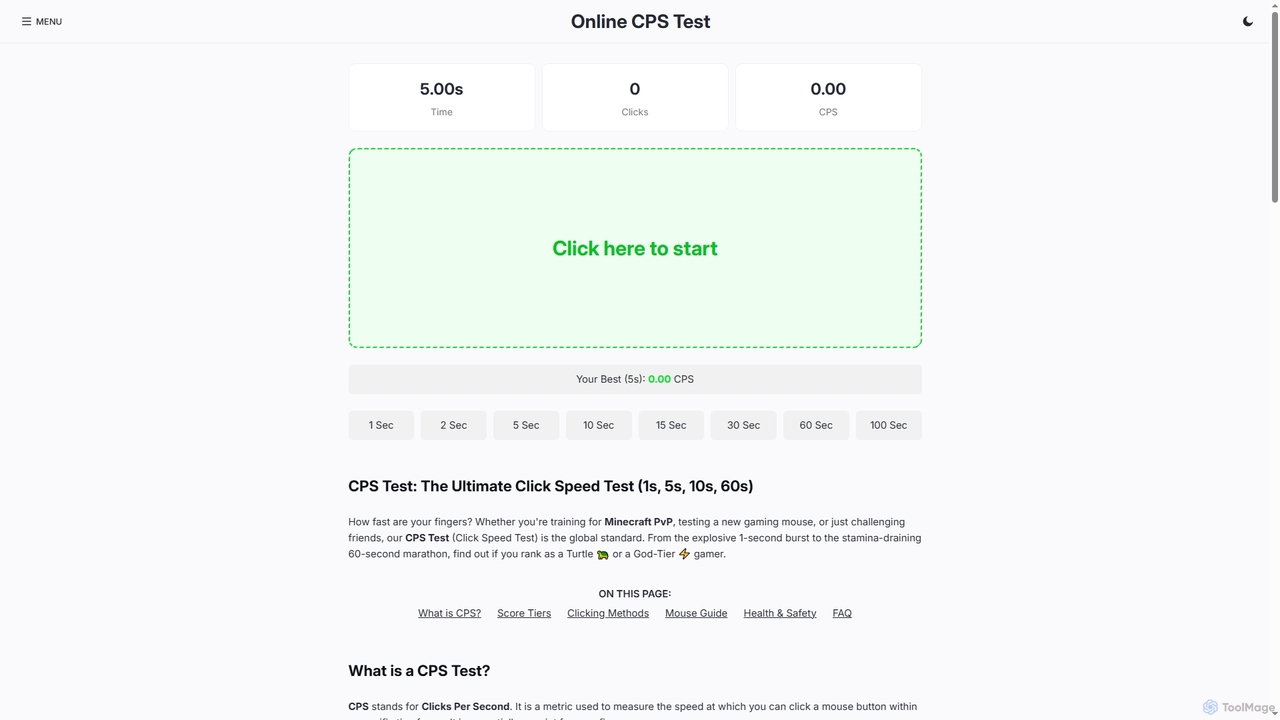
A free, browser-based tool for testing your mouse's Clicks Per Second (CPS). Ideal for gamers, hardware enthusiasts, and anyone looking to measure and improve their clicking speed with various time challenges (1s, 5s, 10s, etc.).

Training Tool
Visits 9KFavorites 163Likes 159

About Testing

AI Testing tools are a specialized category within AI Utilities, designed to automate and enhance the software testing process using artificial intelligence. These tools leverage machine learning, natural language processing, and computer vision to generate test cases, execute tests, identify defects, and analyze results with greater efficiency and accuracy. They significantly reduce manual effort, accelerate development cycles, and improve software quality across various applications.

Core Features

  • Intelligent Test Case Generation: Automatically creates comprehensive test scenarios and data based on application behavior and specifications.
  • Automated UI/API Testing: Executes tests across user interfaces and APIs, identifying functional and performance issues without manual scripting.
  • Predictive Defect Detection: Uses AI to analyze historical data and predict potential areas of failure, enabling proactive bug fixing.
  • Self-Healing Tests: Automatically adapts test scripts to minor UI changes, reducing maintenance overhead for test automation.
  • Performance and Load Testing: Simulates user traffic and analyzes system responsiveness under various loads to ensure scalability.

Applicable Scenarios

AI Testing tools are crucial for software development teams, QA engineers, and DevOps professionals aiming to streamline their testing pipelines. They are particularly valuable in agile environments requiring rapid iteration and continuous delivery, ensuring new features are robust before deployment. Companies developing complex web applications, mobile apps, or enterprise software benefit immensely from their ability to handle large-scale testing efficiently.

How to Choose

When selecting an AI Testing tool, consider its compatibility with your existing tech stack and CI/CD pipelines, the range of testing types it supports (e.g., UI, API, performance), and its ability to integrate with defect tracking systems. Evaluate the ease of test creation (e.g., no-code/low-code options), the accuracy of its AI models in defect detection, and the scalability of its infrastructure to meet future testing demands. Also, assess the vendor's support and community resources.

Testing use cases

1

Automated Regression Testing for Web Applications

For large-scale web applications with frequent updates, QA teams use AI testing tools to automatically run comprehensive regression tests. The AI analyzes code changes and user behavior to prioritize and execute relevant test cases, ensuring new features don't break existing functionalities. This significantly reduces the time spent on manual regression cycles, allowing for faster release schedules and higher confidence in software stability.

2

Generating Test Data for Complex Database Systems

Developers and testers working with complex database systems often struggle to create realistic and varied test data. AI testing tools can generate synthetic, yet realistic, test data that mimics production data patterns while protecting sensitive information. This ensures thorough testing of data integrity, performance under various data loads, and edge cases without compromising privacy or requiring manual data creation efforts.

3

Cross-Browser and Cross-Device UI Compatibility Testing

Ensuring a consistent user experience across numerous browsers, operating systems, and device types is a major challenge. AI-powered testing tools can automatically execute UI tests across a vast matrix of environments, identifying visual discrepancies, layout issues, and functional bugs. This eliminates the need for extensive manual testing on each platform, accelerating the delivery of responsive and accessible applications.

4

Performance Bottleneck Identification in Microservices

In distributed microservices architectures, pinpointing performance bottlenecks can be complex. AI testing tools monitor system behavior during load tests, using machine learning to analyze response times, resource utilization, and inter-service communication patterns. They can automatically identify the root cause of performance degradation, such as inefficient API calls or database queries, enabling developers to optimize specific services quickly.

5

Automated API Endpoint Validation and Security Testing

API testing is critical for backend stability and security. AI testing tools can automatically discover API endpoints, generate test requests with various parameters, and validate responses against expected schemas. They can also perform basic security checks, like identifying common vulnerabilities (e.g., injection flaws, broken authentication), ensuring robust and secure API interactions without extensive manual scripting.

6

Accessibility Compliance Testing for Digital Products

Ensuring digital products are accessible to users with disabilities is a legal and ethical requirement. AI testing tools can automatically scan web pages and applications for common accessibility issues, such as missing alt text, insufficient color contrast, or improper keyboard navigation. They provide detailed reports and suggestions for remediation, helping teams meet WCAG (Web Content Accessibility Guidelines) standards efficiently.

Testing FAQ

What are AI Testing tools?

AI Testing tools are software applications that leverage artificial intelligence, primarily machine learning, to automate and enhance various aspects of the software testing lifecycle. They can intelligently generate test cases, execute tests across different platforms, identify defects, and analyze results, significantly improving the speed, coverage, and accuracy of quality assurance processes compared to traditional manual or script-based automation.

How do AI Testing tools differ from traditional test automation frameworks?

Traditional test automation frameworks rely heavily on explicit, pre-scripted rules and manual maintenance of test scripts. AI Testing tools, however, use machine learning to understand application behavior, adapt to changes, and even generate new test cases autonomously. This "self-healing" and intelligent generation capability reduces script maintenance, increases test coverage, and makes the testing process more resilient to application updates, requiring less human intervention.

What types of testing can AI tools perform?

AI Testing tools are versatile and can perform a wide range of testing types. This includes functional testing (UI, API), regression testing, performance and load testing, security testing (basic vulnerability scans), and even accessibility testing. Their intelligence allows them to adapt to complex scenarios, identify visual regressions, and predict potential issues, making them suitable for comprehensive quality assurance across different layers of an application.

What are the main benefits of integrating AI into software testing?

Integrating AI into software testing offers several key benefits. It dramatically increases testing speed and efficiency by automating repetitive tasks and generating tests intelligently. It improves test coverage by identifying edge cases and potential failure points that might be missed manually. AI also enhances accuracy in defect detection, reduces the cost of test maintenance through self-healing scripts, and accelerates time-to-market for new software releases by streamlining the QA process.

Are AI Testing tools suitable for small development teams?

Yes, AI Testing tools can be highly beneficial for small development teams, especially those with limited resources for extensive manual testing or dedicated automation engineers. Many AI testing platforms offer low-code or no-code interfaces, making them accessible to testers without deep programming knowledge. They enable small teams to achieve high test coverage, maintain quality with fewer resources, and accelerate their development cycles, allowing them to compete more effectively.