ToolMage
Sign in

Best 1 Workplace Tools for Utilities

Popular Workplace Tools in Utilities include LazyJobSeeker, helping you work more efficiently.

LazyJobSeeker
Freemium

LazyJobSeeker

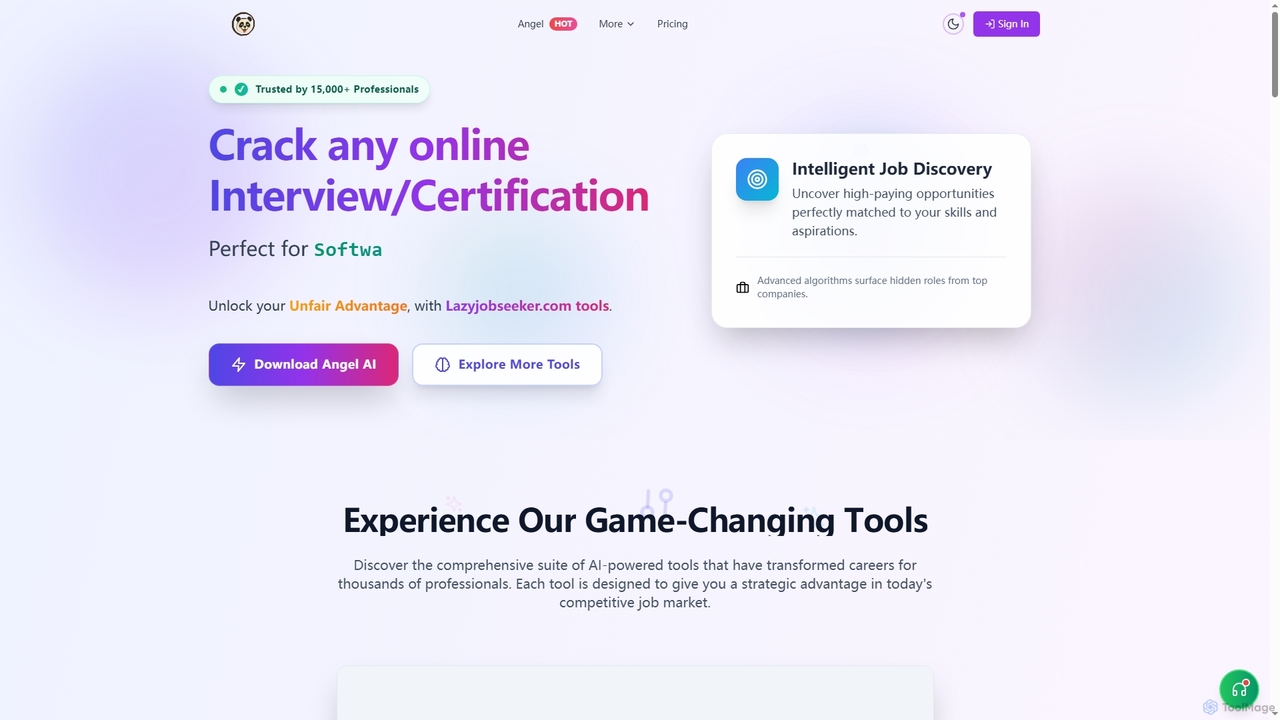
LazyJobSeeker offers a comprehensive suite of AI-powered tools designed to give job seekers a strategic advantage. It includes Angel AI for invisible interview assistance, Magic CV for ATS-optimized resume creation, Human Keys for simulating active work, and Magic Templates for professional resume designs, helping users secure interviews and advance their careers.

Job Search
Visits 34.6KFavorites 90Likes 77

About Workplace Tools

Workplace Tools are AI-powered applications designed to automate, optimize, and enhance various daily office tasks and business processes. Leveraging advanced technologies like natural language processing, machine learning, and robotic process automation, these tools streamline operations from intelligent document management to automated communication, significantly boosting productivity and efficiency across organizations. As a vital segment within the broader Utilities category, they specifically focus on transforming traditional work environments into more intelligent, data-driven, and collaborative spaces.

Core Features

  • Intelligent Document Processing: Automates extraction, classification, and analysis of information from various document types, reducing manual data entry.
  • AI-Powered Scheduling & Task Management: Optimizes meeting times, manages calendars, and assigns tasks based on availability and project needs.
  • Automated Communication & Response Generation: Drafts emails, generates meeting summaries, and provides quick, context-aware responses.
  • Data Analysis & Reporting: Transforms raw business data into actionable insights and generates comprehensive reports automatically.
  • Workflow Automation: Connects disparate applications and automates multi-step processes, from onboarding to customer support.

Applicable Scenarios

These tools are indispensable for businesses of all sizes, from startups to large enterprises, and for roles ranging from administrative assistants to project managers and HR professionals. They are particularly valuable in scenarios requiring high volumes of repetitive tasks, complex data processing, or enhanced team collaboration across distributed teams. For instance, an HR department can automate candidate screening, while a marketing team can generate personalized content at scale.

How to Choose

When selecting AI Workplace Tools, consider their integration capabilities with existing software (e.g., CRM, ERP), the specific tasks they are designed to automate, and their scalability to grow with your business. Evaluate the level of customization offered, data security protocols, and the clarity of their pricing model. Prioritize tools with intuitive user interfaces and robust support, ensuring a smooth adoption process and maximum return on investment.

Workplace Tools use cases

1

Automating Meeting Summaries and Action Items

For project managers and team leads, manually summarizing lengthy meetings and tracking action items can be time-consuming. AI Workplace Tools can automatically transcribe meeting audio, identify key discussion points, extract decisions, and list assigned tasks with deadlines. This allows teams to focus on strategic discussions during meetings, ensures no critical information is missed, and significantly reduces post-meeting administrative overhead, improving overall project execution and accountability.

2

Intelligent Document Classification and Data Extraction

Finance departments, legal firms, and administrative staff often deal with vast amounts of unstructured documents like invoices, contracts, and reports. AI tools can automatically classify these documents, extract specific data fields (e.g., invoice numbers, dates, client names), and populate databases or spreadsheets. This eliminates tedious manual data entry, reduces errors, accelerates processing times for financial reconciliation or contract review, and ensures compliance through accurate record-keeping.

3

AI-Powered Email Management and Response Generation

Customer service teams, sales professionals, and busy executives are often overwhelmed by email volumes. AI Workplace Tools can prioritize incoming emails, categorize them by urgency or topic, and even draft contextually relevant responses based on historical data or predefined templates. This drastically cuts down response times, ensures consistent communication, allows users to manage their inboxes more efficiently, and frees up valuable time for more complex tasks requiring human intervention.

4

Streamlining Project Management with AI Assistants

Project teams can leverage AI assistants to enhance their project management workflows. These tools can analyze project progress, identify potential bottlenecks, suggest resource reallocations, and even predict task completion times based on historical data. They can automate routine updates, generate status reports, and facilitate communication by proactively alerting team members to critical changes or upcoming deadlines. This leads to more efficient project execution, better resource utilization, and improved on-time delivery.

5

Enhancing Internal Communication and Knowledge Sharing

Large organizations often struggle with fragmented internal communication and difficulty in accessing institutional knowledge. AI Workplace Tools can act as intelligent knowledge bases, allowing employees to quickly find answers to common questions, access relevant documents, or connect with subject matter experts. They can also analyze communication patterns to suggest improvements, facilitate cross-departmental collaboration, and ensure that critical information is disseminated effectively across the entire workforce.

6

Personalized Employee Onboarding and Training

HR departments can utilize AI Workplace Tools to create personalized onboarding experiences for new hires and continuous training programs for existing employees. These tools can deliver tailored learning modules, answer common HR policy questions, and guide employees through initial setup processes. By automating repetitive HR tasks and providing instant, personalized support, AI tools ensure new employees integrate faster, reduce HR workload, and foster a more engaged and knowledgeable workforce.

Workplace Tools FAQ

What are AI Workplace Tools?

AI Workplace Tools are software applications that integrate artificial intelligence to automate, optimize, and enhance various business functions and daily office tasks. They leverage technologies like machine learning, natural language processing, and automation to streamline processes such as document management, communication, scheduling, and data analysis, aiming to boost productivity and efficiency across an organization.

How do AI Workplace Tools differ from traditional office software?

Traditional office software typically requires manual input and rule-based operations. In contrast, AI Workplace Tools possess intelligence; they can learn from data, adapt to user behavior, and perform tasks autonomously or semi-autonomously. For example, while a traditional spreadsheet requires manual data entry, an AI tool can automatically extract data from invoices and populate the sheet, offering predictive insights and intelligent automation beyond simple functions.

What are the key benefits of using AI in the workplace?

Integrating AI in the workplace offers several key benefits. It significantly increases operational efficiency by automating repetitive tasks, freeing up human employees for more strategic work. It enhances decision-making through advanced data analysis and predictive insights. AI tools also improve accuracy by reducing human error, foster better collaboration through intelligent communication aids, and provide scalability for businesses to manage growing workloads without proportional increases in human resources.

How to choose the right AI Workplace Tools for your business?

Choosing the right AI Workplace Tools involves assessing your specific business needs and pain points. Prioritize tools that offer seamless integration with your existing IT infrastructure and applications. Evaluate their core functionalities to ensure they directly address your automation goals, considering factors like scalability, data security, and compliance. Also, look for user-friendly interfaces, robust customer support, and a clear return on investment potential to ensure successful adoption and long-term value.

What are the common challenges when adopting AI Workplace Tools?

Adopting AI Workplace Tools can present several challenges. Data privacy and security concerns are paramount, requiring careful vetting of tools. Resistance to change from employees, who may fear job displacement or struggle with new workflows, is also common. Integration complexities with legacy systems, the need for clean and sufficient training data, and the initial investment costs can also be significant hurdles. Effective change management and clear communication are crucial for successful implementation.

Who benefits most from using AI Workplace Tools?

AI Workplace Tools offer significant benefits across various roles and industries. Administrative staff gain from automation of repetitive tasks like scheduling and data entry. Project managers can streamline workflows and gain predictive insights. HR professionals can personalize onboarding and manage employee data more efficiently. Customer service teams improve response times and consistency. Essentially, any role or business seeking to enhance efficiency, reduce manual errors, and leverage data for smarter decision-making will find substantial value in these intelligent tools.