
3D Best in category 1 results 3D Modeling AI Tool

Popular AI tools in the 3D Modeling field of 3D include DiverseShot, etc., helping you quickly improve efficiency.

Free
DiverseShot

DiverseShot

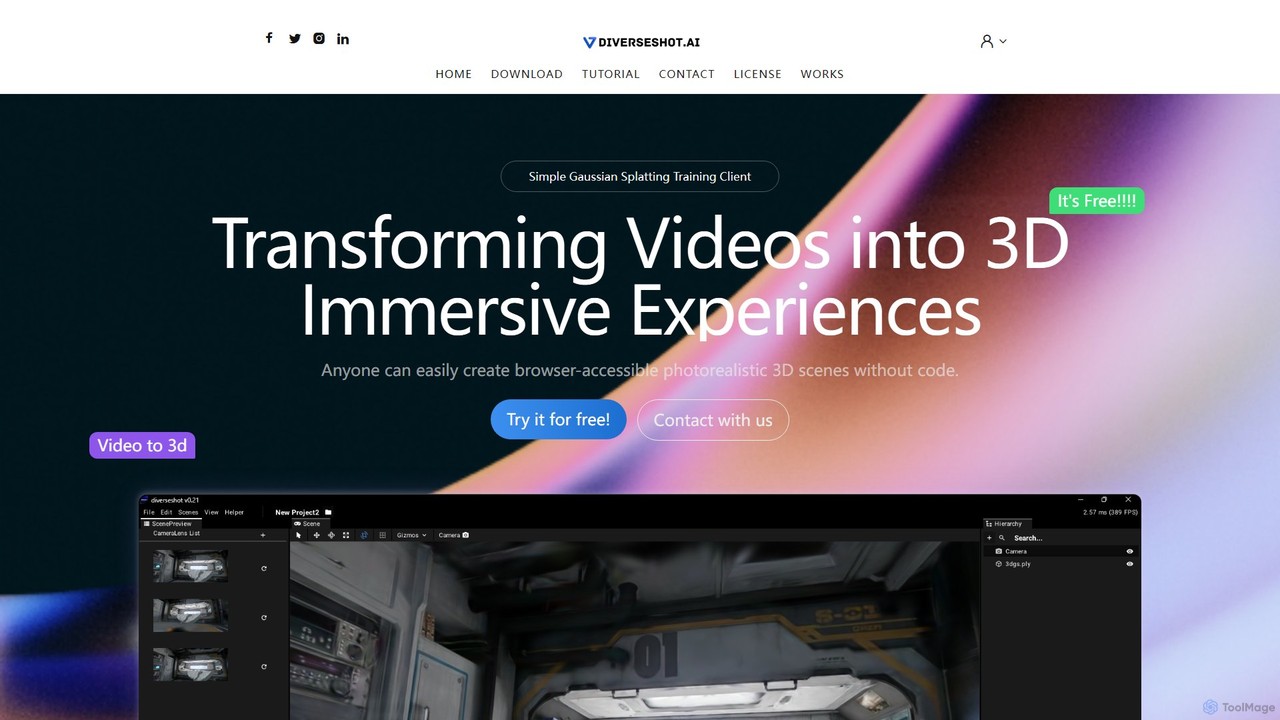
DiverseShot is a free, user-friendly AI toolkit that transforms standard videos into photorealistic 3D scenes using Gaussian Splatting. …

2.8K

About 3D Modeling

AI 3D Modeling tools are a class of software that uses artificial intelligence to generate and assist in the creation of three-dimensional digital models. These tools typically leverage generative models, such as diffusion or GANs, to interpret text prompts, 2D images, or sketches and transform them into complex 3D geometry. Their primary value lies in dramatically accelerating the concepting and asset creation process, making 3D creation more accessible to non-experts and serving as a powerful co-pilot for professional artists. This technology enables rapid prototyping, diverse asset generation, and creative exploration with unprecedented speed.

Core Features

  • Text-to-3D Generation: Creates 3D models directly from descriptive text prompts, ideal for conceptualization.
  • Image-to-3D Conversion: Transforms a single 2D image, sketch, or photograph into a three-dimensional object.
  • AI-Assisted Sculpting: Provides intelligent suggestions and automates repetitive tasks like mesh refinement and detail addition.
  • Procedural Asset Generation: Automatically generates variations of complex objects like buildings, terrain, or vegetation based on rules.
  • Automated Texturing & UV Unwrapping: Uses AI to simplify the complex process of applying textures to a 3D model's surface.

Use Cases

These tools are widely used in game development for rapid asset prototyping, in product design for quick concept visualization, and in architecture for populating scenes with entourage elements. They also serve content creators for AR/VR experiences, VFX artists for background assets, and hobbyists looking to bring their ideas to life in 3D without a steep learning curve.

How to Choose

When selecting an AI 3D Modeling tool, evaluate the quality and topology of the generated mesh, as clean geometry is crucial for further editing. Consider the supported input methods (text, image, video) and the available export formats (e.g., OBJ, FBX, GLB) for compatibility with your existing workflow. Also, assess the generation speed, control over the output, and the platform's pricing model (subscription vs. credits).

3D ModelingUse Cases

1

Rapid Prototyping for Game Developers

An indie game developer needs various environmental assets for a new level but has limited time and budget. Instead of manually modeling each object, they use a text-to-3D tool. By inputting prompts like "glowing fantasy mushroom" or "ancient stone altar with moss," they generate dozens of unique, game-ready assets in minutes. This allows for rapid iteration on level design and visual style, significantly reducing production time compared to traditional modeling workflows.

2

Concept Visualization for Product Designers

An industrial designer has a rough sketch of a new ergonomic chair. To quickly evaluate its form and present it to stakeholders, they use an image-to-3D tool. By uploading the sketch, the AI generates a foundational 3D model. While not production-ready, this model is perfect for initial visualizations, 3D printing a small-scale prototype, and gathering early feedback, all within a fraction of the time it would take to model from scratch in CAD software.

3

Creating Custom AR/VR Assets

A developer is building an AR application for a museum that overlays historical artifacts onto the real world. They have 2D photos of these artifacts but lack 3D models. Using an AI image-to-3D tool, they convert each photo into a low-polygon, textured 3D model suitable for real-time rendering on mobile devices. This automates the creation of a large library of digital assets, making it feasible to develop immersive AR experiences without a team of 3D artists.

4

Architectural Visualization Scene Population

An architect is creating a render of a new residential building but the scene looks empty. They need to add realistic furniture, plants, and cars to make it feel lived-in. Using a procedural AI modeling tool, they can quickly generate hundreds of variations of these assets. This allows them to populate the entire scene with diverse, non-repetitive objects in hours instead of days, adding a high level of realism and detail to their final presentation renders.

5

Character Base Mesh Creation for Animators

A hobbyist animator wants to create a unique cartoon character but lacks advanced 3D sculpting skills. They use an AI model generator, providing a text prompt like "a friendly robot character with a round body and long arms, in a Pixar style." The AI produces several base meshes that match the description. The animator can then select the best option and import it into software like Blender for minor adjustments, rigging, and animation, bypassing the most difficult initial modeling phase.

6

360-Degree Product Models for E-commerce

An online retailer wants to enhance their product pages with interactive 360-degree views of their shoes. Manually creating 3D models for hundreds of products is too expensive. They use an AI tool that takes a short video of the product or a series of photos from different angles. The AI reconstructs these images into a clean, textured 3D model. This model can then be embedded directly into their website, providing customers with a much more engaging and informative shopping experience.

3D ModelingFrequently Asked Questions