ToolMage
Sign in

Best 2 Generative 3D AI tools for 3D

Popular Generative 3D AI tools in 3D include Artefacts.ai and mondial3d, helping you work more efficiently.

mondial3d
Freemium

mondial3d

mondial3d is a powerful AI-driven platform for the rapid creation of high-quality 3D models and immersive environments. By leveraging advanced generative AI, it enables users to generate detailed 3D assets from simple text prompts or 2D images. It's tailored for game developers, architects, and designers, streamlining the 3D content creation pipeline and significantly reducing production time and costs.

Generative 3D
Visits 3.4KFavorites 128Likes 111
Artefacts.ai
Freemium

Artefacts.ai

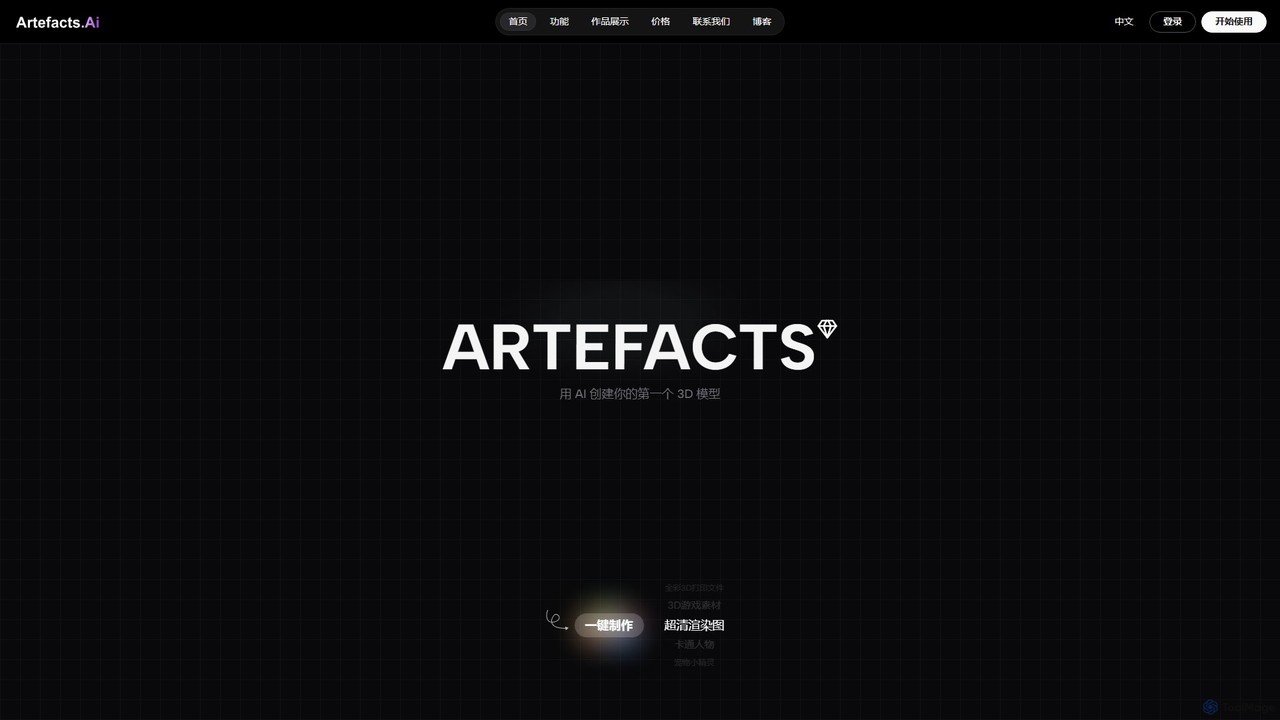
Artefacts.ai is a powerful AI-driven platform that transforms text prompts and 2D images into high-quality 3D models in seconds. Designed for creators, designers, and game developers, it simplifies the 3D creation workflow from concept to asset. Users can generate game-ready models, create files for full-color 3D printing, and seamlessly integrate their creations into existing DCC software. The platform also offers a unique service to order physical 3D prints of generated models.

Generative 3D
Visits 13.3KFavorites 120Likes 113

About Generative 3D

Generative 3D tools are AI-powered applications that automatically create three-dimensional models, textures, and scenes from various inputs like text descriptions, 2D images, or simple sketches. Leveraging advanced machine learning algorithms, these tools significantly accelerate the 3D content creation pipeline, moving beyond traditional manual modeling. They empower designers, game developers, and artists to rapidly prototype, iterate, and produce complex 3D assets with unprecedented speed and efficiency, democratizing access to sophisticated 3D design within the broader 3D content creation landscape.

Core Features

  • Text-to-3D Generation: Converts natural language descriptions into detailed 3D models or scenes.
  • Image-to-3D Reconstruction: Generates 3D assets from single or multiple 2D images, inferring depth and structure.
  • Procedural Asset Creation: Automatically generates variations of 3D objects, textures, or environments based on defined parameters.
  • Style Transfer & Customization: Applies specific artistic styles to existing 3D models or customizes generated assets with user input.
  • Scene Composition: Assembles multiple generated 3D elements into coherent and realistic virtual environments.

Applicable Scenarios

Generative 3D tools are invaluable for professionals in industries requiring rapid 3D content production. Game developers can quickly generate environmental assets or character variations. Architects and interior designers can visualize multiple design options for spaces. E-commerce businesses can create interactive 3D product views from simple photos, enhancing online shopping experiences and reducing the need for expensive photoshoots.

How to Choose

When selecting Generative 3D tools, consider the input types supported (text, image, sketch), the quality and fidelity of the generated output, and the level of customization offered post-generation. Evaluate integration capabilities with existing 3D software workflows (e.g., Blender, Unity, Unreal Engine) and the pricing model. Also, assess the learning curve and the availability of community support or tutorials, especially for users new to generative AI in 3D.


Featured tool rankings

Generative 3D use cases

1

Rapid Prototyping for Game Environments

Game designers and environment artists can input text prompts like "lush fantasy forest with ancient ruins" to instantly generate diverse 3D terrain, foliage, and architectural elements. This accelerates the initial concept phase, allowing for quick iteration and visualization of multiple environmental designs without extensive manual modeling, significantly reducing development time.

2

E-commerce Product Visualization

Online retailers can upload 2D product images and use Generative 3D tools to automatically create interactive 3D models. This enables customers to view products from all angles, zoom in on details, and even place them virtually in their own space using AR, enhancing product engagement and potentially reducing return rates by providing a more comprehensive view.

3

Architectural Design Iteration

Architects and urban planners can leverage generative AI to explore numerous design variations for buildings or urban layouts based on parameters like sunlight exposure, material preferences, or functional requirements. This allows for rapid generation of diverse conceptual models, facilitating quicker decision-making and optimization in the early design stages.

4

Character and Asset Variation for Animation

Animators and character artists can use Generative 3D to create multiple variations of character models, props, or costumes from a base design or textual description. This is particularly useful for populating large scenes with diverse non-player characters (NPCs) or generating unique assets for different episodes, saving significant manual modeling effort.

5

Virtual Reality (VR) Scene Creation

VR content creators can utilize Generative 3D tools to quickly populate virtual worlds with realistic or stylized 3D objects and environments. By inputting simple descriptions or sketches, they can generate immersive scenes for training simulations, virtual tours, or interactive experiences, drastically cutting down the time required for asset creation in VR development.

6

Custom 3D Print Model Generation

Hobbyists and product designers can input specific dimensions, functional requirements, or aesthetic preferences via text or simple sketches to generate unique 3D printable models. This democratizes custom manufacturing, allowing users to create personalized objects, prototypes, or spare parts without needing advanced CAD software expertise, directly from an idea.

Generative 3D FAQ

What are Generative 3D tools?

Generative 3D tools are AI-powered applications that automatically create three-dimensional models, textures, and scenes. They leverage machine learning, often deep neural networks, to interpret inputs like text, 2D images, or simple sketches and synthesize complex 3D data. This technology significantly streamlines the 3D content creation process, enabling rapid prototyping and asset generation for various digital and physical applications.

How do Generative 3D tools differ from traditional 3D modeling software?

Traditional 3D modeling software requires manual manipulation of vertices, edges, and faces by an artist, demanding significant skill and time. Generative 3D tools, conversely, automate much of this process. Users provide high-level instructions (e.g., text prompts), and the AI generates the 3D output, drastically reducing the technical barrier and accelerating creation. While traditional tools offer precise control, generative tools excel in speed and exploration of design variations.

What types of inputs can Generative 3D tools use?

Generative 3D tools typically accept several types of inputs. Common methods include text-to-3D, where users describe the desired object or scene in natural language. Image-to-3D allows for generating 3D models from single or multiple 2D photographs. Some tools also support sketch-to-3D, converting simple drawings into 3D forms, or even parameter-based inputs for procedural generation.

Who can benefit from using Generative 3D tools?

A wide range of professionals and hobbyists can benefit. This includes game developers needing to quickly populate environments, architects exploring design options, e-commerce businesses creating interactive product visuals, animators generating character variations, and VR/AR content creators building immersive experiences. Even individuals without extensive 3D modeling skills can use these tools to bring their ideas into three dimensions.

What are the key considerations when choosing a Generative 3D tool?

When selecting a Generative 3D tool, evaluate its primary generation method (text, image, sketch), the quality and resolution of the output, and the flexibility for post-generation editing and refinement. Consider its compatibility with your existing 3D software ecosystem (e.g., export formats, plugins). Also, assess the cost, performance requirements, and the community support available for learning and troubleshooting.