Ai Best in category 2 results Agent Builder AI Tool

Popular AI tools in the Agent Builder field of Ai include Alan AI、ZGI, etc., helping you quickly improve efficiency.

ZGI

ZGI

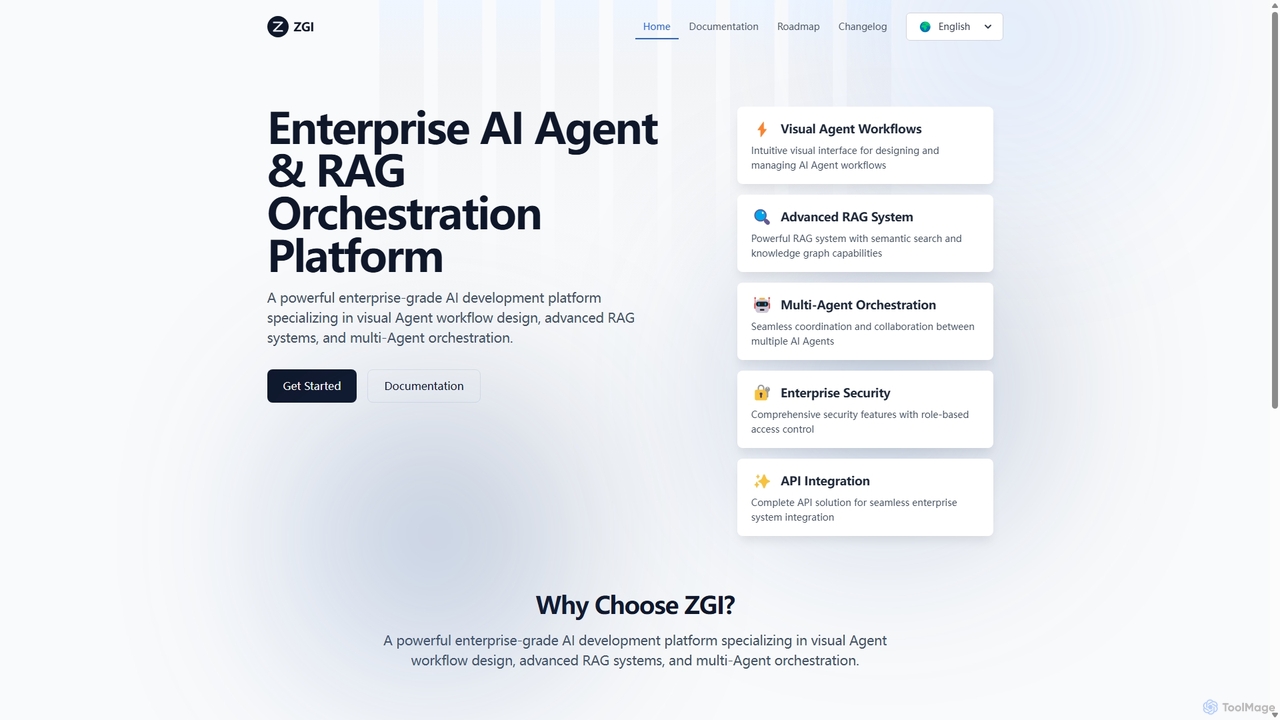
ZGI is a powerful, enterprise-grade AI development platform specializing in visual AI Agent workflow design, advanced Retrieval-Augmented Generation …

3.9K
Alan AI

Alan AI

Alan AI is an intelligent app platform that embeds an agentic AI interface into existing web and mobile …

23.7K

About Agent Builder

Agent Builders are platforms designed for creating, deploying, and managing autonomous AI agents. These tools provide frameworks and interfaces, often with low-code or no-code capabilities, to build agents that can reason, plan, and execute complex multi-step tasks across various applications and services. They empower users to automate sophisticated workflows by connecting large language models (LLMs) with external tools, APIs, and data sources, enabling agents to interact with the digital world independently.

Core Features

  • Visual Workflow Editor: Design agent behavior and task sequences using a drag-and-drop graphical interface without writing extensive code.
  • Tool & API Integration: Easily connect agents to a wide range of third-party applications, databases, and APIs to access data and perform actions.
  • Memory & Context Management: Equip agents with short-term and long-term memory to maintain context across interactions and learn from past experiences.
  • Multi-Agent Systems: Enable the creation of multiple specialized agents that can collaborate and delegate tasks to solve more complex problems.
  • Deployment & Monitoring: Provide tools to deploy agents into production environments and monitor their performance, logs, and decision-making processes.

Use Cases

Agent Builders are utilized across various sectors for advanced automation. In e-commerce, they power autonomous agents that manage inventory, process customer orders, and handle complex support inquiries. For financial analysts, these tools can build agents that monitor market data, execute trades based on predefined strategies, and generate reports. Development teams also use them to automate software testing, bug reporting, and CI/CD pipeline management.

How to Choose

When selecting an Agent Builder, first consider the required technical expertise; choose between no-code platforms for business users and code-first frameworks for developers. Evaluate the breadth and depth of its integration library to ensure it connects with your existing tools. Assess its memory capabilities and support for multi-agent collaboration for complex tasks. Finally, examine the deployment options (cloud, on-premise) and the robustness of its monitoring and debugging tools.

Agent BuilderUse Cases

1

Automate Complex Customer Support Workflows

A customer support manager for a SaaS company uses an Agent Builder to create a sophisticated support agent. This agent is connected to the company's CRM, knowledge base, and billing system. When a user reports an issue, the agent first analyzes the query, retrieves the user's account history from the CRM, and searches the knowledge base for a solution. If it's a common issue, it provides a step-by-step guide. If it's a billing problem, it can access the billing API to check subscription status or process a refund, logging every action back into the CRM. This automates over 60% of tier-1 support tickets, freeing up human agents for high-priority cases.

2

Create a Personalized Sales Outreach Agent

A sales team lead builds an autonomous agent to handle lead qualification and initial outreach. The agent integrates with LinkedIn, company databases, and email services. It starts by scraping data on new leads from a specified list, enriches this data with company information, and then scores the lead based on predefined criteria (e.g., company size, industry). For high-scoring leads, the agent drafts a personalized email referencing the lead's recent company news or professional background and sends it. It then monitors for replies and schedules meetings directly on the sales representative's calendar, significantly increasing the volume and quality of initial contacts.

3

Develop an Autonomous Research Assistant

A market researcher needs to compile a report on emerging trends in renewable energy. Using an Agent Builder, they create a research agent tasked with this goal. The agent is given access to academic databases, news APIs, and public government reports. It autonomously scours these sources for relevant papers and articles published in the last quarter, summarizes key findings, identifies recurring themes, and compiles the information into a structured draft report with citations. The process, which would manually take days, is completed in a few hours, providing the researcher with a comprehensive foundation for their final analysis.

4

Automate Software Quality Assurance Testing

A QA engineer uses an Agent Builder to automate end-to-end testing for a new web application. They design an agent that can simulate user behavior, such as signing up, navigating through different features, adding items to a cart, and completing a checkout. The agent interacts with the web interface, fills out forms, and clicks buttons just like a human user. It is connected to a bug tracking system like Jira. When it encounters an error or unexpected behavior, it automatically takes a screenshot, collects console logs, and creates a detailed bug report in Jira, assigning it to the correct development team.

5

Build a Proactive IT Operations Monitor

An IT administrator for a large enterprise creates an agent to proactively monitor the health of the company's cloud infrastructure. The agent integrates with monitoring tools like Datadog and AWS CloudWatch. It continuously checks server CPU usage, memory, and network status. If a metric exceeds a critical threshold, the agent doesn't just send an alert. It executes a predefined playbook: it attempts to restart the problematic service, analyzes logs to identify the root cause, and if the issue persists, it escalates the problem by creating a high-priority ticket in ServiceNow with all the diagnostic data attached. This reduces system downtime and mean time to resolution (MTTR).

6

Streamline Financial Data Reconciliation

An accountant in a finance department builds an agent to automate the monthly reconciliation process. The agent is granted secure access to the company's bank statements, internal accounting software, and expense reporting system. It systematically compares transactions across all three sources, identifies discrepancies, and flags them for review. For common mismatches, like minor date differences, it applies predefined rules to automatically reconcile them. The agent then generates a summary report detailing all matched transactions and a separate list of unresolved discrepancies for human review, reducing the manual effort of this tedious task by over 80%.

Agent BuilderFrequently Asked Questions