ToolMage
Sign in

Best 1 Meeting Assistant for Ai

Popular Meeting Assistant in Ai include Superthread, helping you work more efficiently.

Superthread
Freemium

Superthread

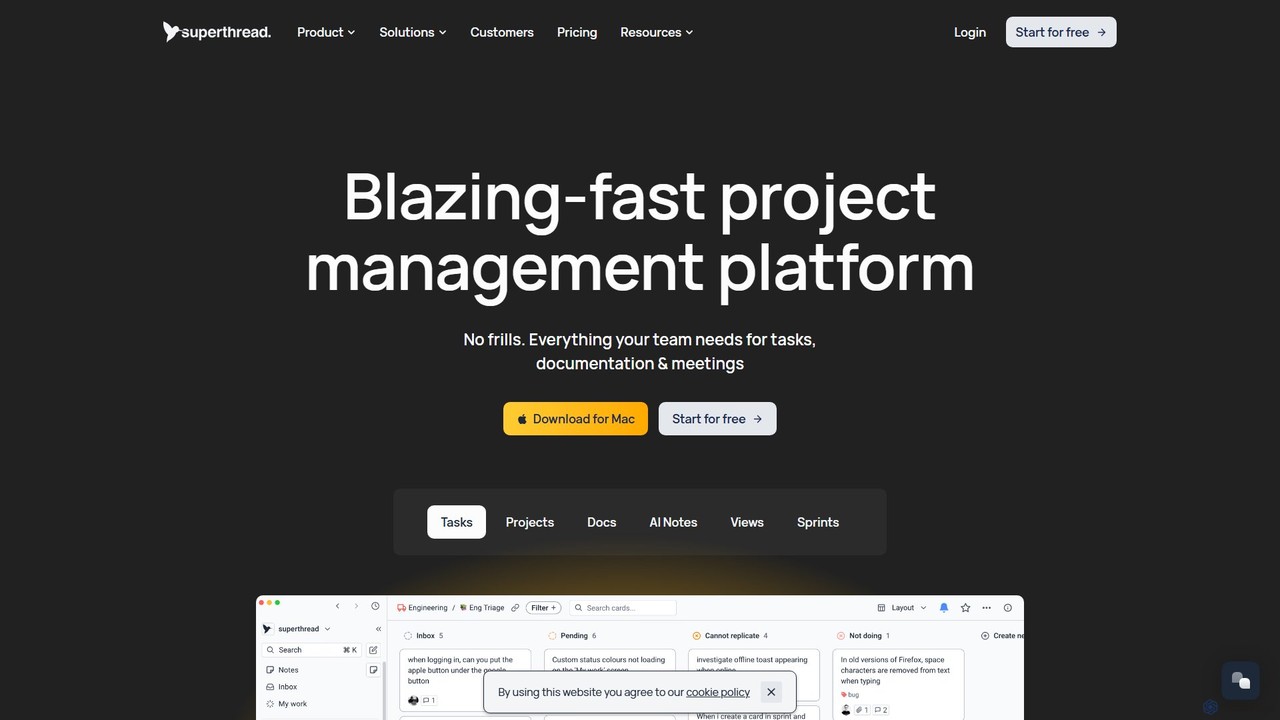
Superthread is a blazing-fast, AI-powered project management platform that unifies tasks, docs, and meetings. It features AI-driven meeting transcription and task suggestions to streamline workflows, eliminate the need for multiple tools, and significantly boost team productivity.

Meeting Assistant
Visits 142.7KFavorites 149Likes 138

About Meeting Assistant

A Meeting Assistant is a specialized AI tool designed to automate and enhance the entire meeting lifecycle. It leverages advanced speech-to-text and natural language processing (NLP) to automatically transcribe conversations, generate concise summaries, and extract key action items in real time. This technology allows participants to focus fully on the discussion rather than on manual note-taking, ensuring no critical information is lost. By integrating with calendars and video conferencing platforms, these assistants streamline meeting preparation and follow-up, significantly improving productivity and accountability.

Core Features

  • Real-time Transcription: Converts spoken dialogue into a searchable text transcript as the meeting happens.
  • Automated Summarization: Uses AI to identify key topics and decisions, creating a condensed summary of the meeting.
  • Action Item & Topic Detection: Automatically identifies tasks, deadlines, and responsible individuals mentioned during the conversation.
  • Speaker Identification: Distinguishes between different speakers and attributes transcribed text to the correct person.
  • Seamless Integration: Connects with popular calendar and video conferencing tools like Google Meet, Zoom, and Microsoft Teams.

Applicable Scenarios

Meeting Assistants are invaluable for project managers, sales teams, consultants, and any professional who frequently participates in meetings. They are used for client discovery calls to capture every requirement, for internal project stand-ups to track progress and tasks, and for board meetings to generate accurate minutes. Remote and hybrid teams especially benefit from the clear, accessible record of discussions, ensuring everyone stays aligned regardless of their location.

Selection Criteria

When choosing a Meeting Assistant, consider transcription accuracy and the number of languages supported. Evaluate its integration capabilities with your existing workflow tools (e.g., CRM, project management software). Assess the platform's security and privacy policies, especially regarding data handling. Finally, compare pricing models—some charge per user, while others charge based on transcription minutes—to find the most cost-effective solution for your team's needs.

Meeting Assistant use cases

1

Automate Project Stand-up Meeting Notes

For a project manager leading a daily stand-up meeting, manually taking notes on each team member's update is distracting and prone to error. By using an AI Meeting Assistant, the manager can focus entirely on facilitating the discussion. The tool automatically transcribes the entire meeting, identifies who said what, and extracts key action items like 'Alice will finalize the API documentation by Friday.' After the meeting, a structured summary and a list of tasks are automatically sent to the team's communication channel, ensuring everyone is aligned and accountable without any manual effort.

2

Capture Key Details from Client Discovery Calls

A sales representative conducting a discovery call with a potential client needs to build rapport and actively listen to their needs. An AI Meeting Assistant runs in the background, capturing the entire conversation. It automatically identifies the client's pain points, feature requests, and budget constraints mentioned during the call. Later, the sales rep can review the searchable transcript and AI-generated summary to draft a highly personalized proposal. This process ensures no critical details are missed and allows the sales team to focus on the relationship rather than on frantic note-taking.

3

Generate Accurate Board Meeting Minutes

For an executive assistant responsible for documenting board meetings, creating accurate and compliant minutes is a high-stakes task. An AI Meeting Assistant provides a complete, verbatim transcript as a reliable source of truth. The AI can be configured to identify motions, votes, and key decisions, which can then be used to structure the official minutes. This reduces the risk of human error or misinterpretation, saves hours of post-meeting work reviewing recordings, and produces a professional, searchable record for compliance and archival purposes.

4

Enhance User Research and Interviews

A UX researcher conducting user interviews needs to be fully present to observe non-verbal cues and ask follow-up questions. Using an AI Meeting Assistant to transcribe the session frees them from the burden of note-taking. The researcher can later search the transcript for specific keywords or phrases to quickly locate key insights. The AI's summary can highlight recurring themes and pain points across multiple interviews, accelerating the analysis phase and helping the product team make more informed, user-centered decisions.

5

Facilitate Multilingual Team Collaboration

In a global team with members who speak different native languages, communication barriers can hinder collaboration. Some advanced AI Meeting Assistants offer real-time translation capabilities alongside transcription. As one person speaks in English, the assistant can provide a live transcript in Spanish or Japanese for other participants. This ensures that all team members, regardless of their primary language, can fully understand the discussion and contribute effectively. It creates a more inclusive environment and ensures that valuable ideas are not lost in translation.

6

Streamline Onboarding and Training Sessions

When onboarding new employees, trainers conduct multiple sessions covering complex information. An AI Meeting Assistant can record and transcribe these training sessions, creating a valuable, searchable knowledge base. New hires can revisit specific parts of the training by searching for keywords, reinforcing their learning at their own pace. This resource reduces the need for trainers to repeat information and provides a consistent onboarding experience. The AI-generated summaries can also serve as quick-reference guides for complex processes or company policies.

Meeting Assistant FAQ

What is an AI Meeting Assistant?

An AI Meeting Assistant is a software tool that uses artificial intelligence to automate administrative tasks related to meetings. Its primary functions include real-time transcription of conversations, generating automated summaries, and identifying action items. Unlike simple recording tools, it understands the context of the conversation, helping teams save time, improve focus during discussions, and ensure clear follow-up on decisions and tasks.

How is an AI Meeting Assistant different from simple recording software?

The key difference is intelligence and analysis. Recording software simply captures audio or video, creating a raw file you must manually review. An AI Meeting Assistant goes much further by actively processing the content:

  • It transcribes the audio into searchable text.
  • It identifies who is speaking.
  • It summarizes key points and decisions.
  • It extracts action items and tasks.
In essence, a recorder creates a passive record, while an AI assistant creates an active, structured, and actionable output from the meeting.

How do I choose the right AI Meeting Assistant?

To choose the right tool, evaluate these factors based on your needs:

  • Accuracy: How well does it transcribe technical jargon or different accents? Look for tools that offer a free trial to test accuracy.
  • Integrations: Does it connect seamlessly with your calendar, video conferencing platform (Zoom, Teams, etc.), and other workflow tools like Slack or a CRM?
  • Security & Privacy: Review their data policy. Where is your data stored? Is it encrypted? Do they comply with regulations like GDPR?
  • Language Support: If you have a global team, check which languages it supports for transcription and its user interface.
  • Cost: Compare pricing models. Some are per-user per-month, while others are based on the number of transcribed minutes.

Is my meeting data secure with an AI Meeting Assistant?

Security is a critical consideration. Reputable AI Meeting Assistant providers prioritize data protection. When evaluating a tool, look for clear policies on data security and privacy. Key features to check for include end-to-end encryption for data in transit and at rest, compliance with industry standards like SOC 2 or GDPR, and options for data residency or on-premise deployment. Always review the terms of service to understand how your data will be used, stored, and protected before committing to a service.

What are the main benefits of using an AI Meeting Assistant?

The primary benefits are increased productivity and improved meeting outcomes. By automating note-taking, participants can engage more fully in discussions, leading to better collaboration and decision-making. It creates a single source of truth, reducing misunderstandings about what was agreed upon. Finally, by automatically tracking action items, it enhances accountability and ensures that tasks assigned during the meeting are not forgotten, leading to more effective follow-through.