ToolMage
Sign in

Best 1 Software Development AI tools for Ai

Popular Software Development AI tools in Ai include GitStart, helping you work more efficiently.

GitStart
Paid

GitStart

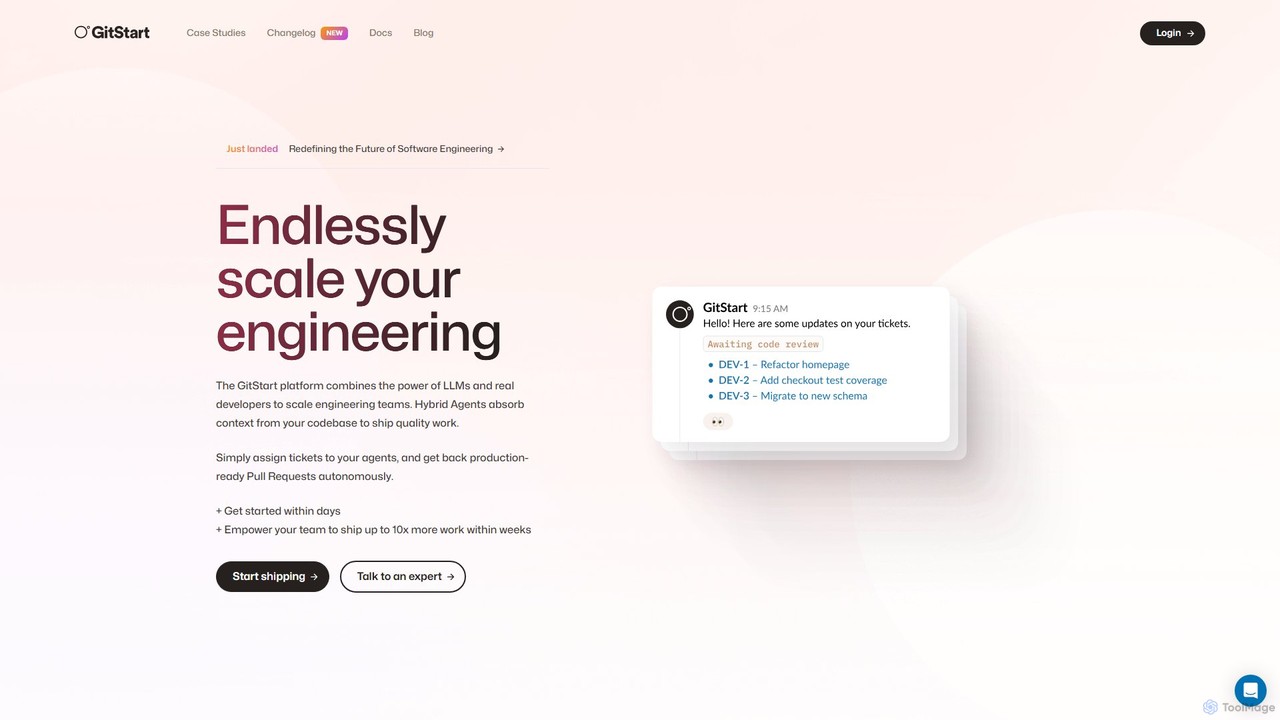
GitStart is an elastic engineering platform that scales your software development capacity on demand. It combines powerful AI agents with a global network of expert developers to autonomously handle engineering tickets and deliver production-ready pull requests, allowing your core team to ship up to 10x more work.

Software Development
Visits 5.3KFavorites 138Likes 136

About Software Development

AI Software Development tools are a specialized category of applications that leverage artificial intelligence to assist, automate, and accelerate the software development lifecycle (SDLC). These tools utilize machine learning models, particularly large language models (LLMs), to understand code context, generate syntax, identify errors, and optimize processes. They empower developers to write higher-quality code faster, streamline testing, and improve overall project management. By handling repetitive tasks, these AI assistants allow engineering teams to focus on complex problem-solving and innovation.

Core Features

  • AI Code Completion & Generation: Suggests or writes code snippets, functions, and even entire classes based on natural language prompts or existing code context.
  • Automated Bug Detection & Fixing: Scans codebases to identify potential bugs, security vulnerabilities, and performance bottlenecks, often suggesting concrete fixes.
  • Intelligent Test Case Generation: Automatically creates unit tests, integration tests, and end-to-end tests to ensure code quality and coverage.
  • Code Refactoring & Optimization: Analyzes existing code and recommends improvements for readability, efficiency, and maintainability.
  • Natural Language to Code Translation: Converts plain language descriptions of a desired functionality directly into executable code or database queries.

Use Cases

These tools are widely used by individual developers, agile teams, and large enterprise engineering departments. They are integrated into daily workflows for tasks like rapid prototyping, legacy code modernization, and ensuring consistent coding standards across teams. DevOps engineers also use them to automate CI/CD pipeline scripts and infrastructure management.

How to Choose

When selecting an AI software development tool, consider its integration with your existing IDE (e.g., VS Code, JetBrains). Evaluate its support for your primary programming languages and frameworks. Assess the specific features you need most, such as code generation, testing, or security analysis. Finally, consider the pricing model and the tool's data privacy and security policies.

Featured tool rankings

Software Development use cases

1

Accelerating Backend API Development

A backend developer is tasked with creating a new REST API endpoint for a user management system. Instead of writing all the boilerplate code for database connections, request validation, and response formatting from scratch, they use an AI code assistant. By writing a comment like "// create a POST endpoint to register a new user with email and password", the tool generates the complete function structure, including error handling and database interaction logic. This reduces development time for a single endpoint from an hour to minutes, allowing the developer to focus on the core business logic and security implementations.

2

Automating Code Quality Checks

A quality assurance (QA) team integrates an AI-powered code analysis tool into their continuous integration/continuous deployment (CI/CD) pipeline. Every time a developer commits new code, the AI tool automatically scans it. It checks for common programming errors, potential security vulnerabilities like SQL injection, and deviations from the company's coding style guide. If it finds a critical issue, it automatically fails the build and notifies the developer with a detailed report and a suggested fix. This proactive approach catches bugs before they reach production, improving software reliability and saving significant debugging time later.

3

Generating Comprehensive Unit Tests

A software engineer has just finished writing a complex data processing module. To ensure its correctness and prevent future regressions, they need to write extensive unit tests. Using an AI test generation tool, they provide the module's source code. The AI analyzes the code, understands its logic and edge cases, and automatically generates a suite of unit tests covering various scenarios, including valid inputs, invalid inputs, and boundary conditions. This saves the engineer hours of tedious work, increases test coverage from 60% to over 95%, and builds a more robust and maintainable codebase.

4

Debugging Complex Production Issues

A developer is investigating a critical bug reported by users in a production environment. The error logs are vague and the issue is difficult to reproduce. They use an AI debugging assistant by feeding it the relevant code snippets, error logs, and a natural language description of the problem. The AI analyzes the combined information, cross-references it with common error patterns, and suggests several potential root causes, highlighting specific lines of code that are likely responsible. It even proposes a code patch to fix the issue. This guided approach helps the developer pinpoint and resolve the bug in a fraction of the time it would take with manual analysis.

5

Optimizing Database Queries with Natural Language

A data analyst needs to retrieve specific sales data from a large and complex database, but they are not an expert in writing efficient SQL. Instead of struggling with complex joins and aggregations, they use an AI tool that translates natural language to SQL. They simply type a query like, "Show me the total sales for each product category in the West region for the last quarter, sorted from highest to lowest." The AI instantly generates an optimized, well-formatted SQL query. This empowers non-technical users to perform complex data analysis independently and ensures that database queries are performant, reducing load on the system.

6

Modernizing a Legacy Codebase

A company needs to update a critical application written in an older programming language (e.g., COBOL) to a modern one (e.g., Python or Java). This manual process is risky and extremely time-consuming. They employ an AI-powered code modernization tool. The tool ingests the old codebase, analyzes its structure and dependencies, and automatically translates the code into the target modern language. It also refactors the code to follow modern design patterns and generates documentation for the newly created code. While human oversight is still needed, the AI automates over 80% of the conversion process, drastically reducing project timelines and risks.

Software Development FAQ

What are AI Software Development tools?

AI Software Development tools are applications that use artificial intelligence, primarily machine learning and large language models, to assist developers throughout the software creation lifecycle. They act as intelligent partners, automating repetitive tasks and providing insightful suggestions. Key capabilities include generating code from natural language, automatically detecting bugs, creating test cases, and optimizing existing code. Their main goal is to increase developer productivity, improve code quality, and shorten the time to market for new software.

How do I choose the right AI Software Development tool?

Choosing the right tool depends on your specific needs. Consider these key factors:

  • IDE Integration: Ensure the tool seamlessly integrates with your preferred Integrated Development Environment (IDE), such as VS Code, JetBrains, or Visual Studio.
  • Language & Framework Support: Verify that it supports the programming languages (e.g., Python, JavaScript, Java) and frameworks you use daily.
  • Core Functionality: Identify your primary need. Do you need help with code generation, automated testing, bug detection, or code review? Choose a tool that excels in that area.
  • Team Collaboration: If you work in a team, look for features that support collaborative workflows, like shared configurations and consistent analysis across the team.
  • Security and Privacy: Especially for enterprise use, carefully review the tool's data handling policies. Determine if your code is processed locally or sent to the cloud.
Will AI replace software developers?

It is highly unlikely that AI will replace software developers. Instead, AI is evolving into a powerful assistant or 'copilot' that augments a developer's abilities. AI excels at handling repetitive, time-consuming, and pattern-based tasks like writing boilerplate code, generating tests, or finding common bugs. This frees up human developers to focus on higher-level, creative, and strategic tasks such as system architecture design, complex problem-solving, understanding user needs, and leading projects. The role of the developer will likely evolve to be more of a supervisor and architect, guiding AI tools to build better software faster.

What's the difference between AI code generation and traditional code snippets?

The key difference lies in context and dynamism. Traditional code snippets are static, pre-written blocks of code that a developer manually searches for and inserts. They do not adapt to the specific context of the surrounding code.

AI code generation, on the other hand, is dynamic and context-aware. It analyzes the code you've already written, understands your intent from comments or variable names, and generates new, unique code that fits perfectly into that specific context. It can complete lines, write entire functions, and even adapt its suggestions based on the project's coding style.

What are the main benefits of using AI in software development?

Using AI in software development offers several significant benefits:

  • Increased Productivity: AI automates repetitive coding, testing, and debugging tasks, allowing developers to build and ship features faster.
  • Improved Code Quality: AI tools can proactively identify bugs, security vulnerabilities, and performance issues before the code reaches production, leading to more robust and reliable software.
  • Enhanced Learning and Onboarding: Junior developers can learn best practices and understand complex codebases faster with AI-generated explanations and suggestions.
  • Reduced Time-to-Market: By accelerating all phases of the development lifecycle, from coding to QA, AI helps businesses launch products and updates more quickly.
  • Better Focus: By offloading tedious tasks, AI allows developers to concentrate on creative problem-solving, architecture, and delivering user value.