
ToolMage
Sign in

Best 1 Text To Speech AI tools for Ai

Popular Text To Speech AI tools in Ai include Yoptio, helping you work more efficiently.

Yoptio
Freemium

Yoptio

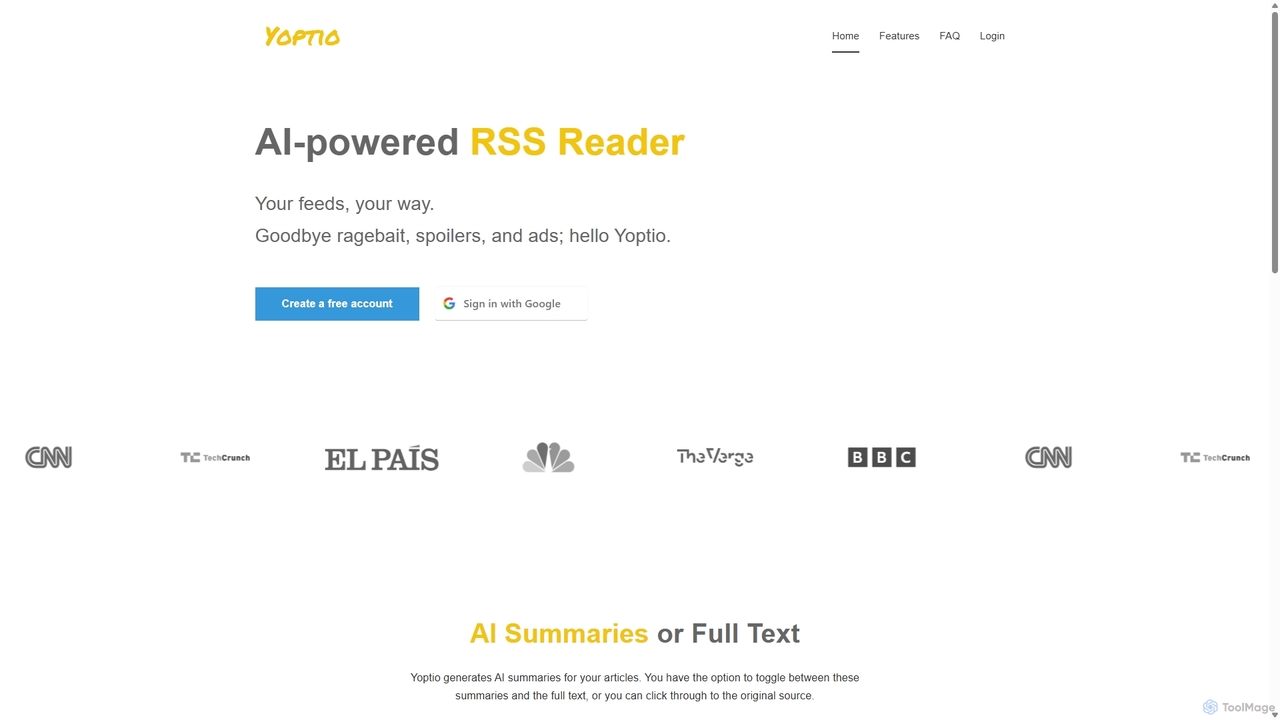
Yoptio is an intelligent, AI-powered RSS reader designed for users who want full control over their news feed. It transforms your selected text-based RSS feeds into a daily, personalized audio podcast. Yoptio presents news in a clean, reverse-chronological order, freeing you from algorithmic manipulation and information overload. It's a simple yet powerful tool for staying informed on your own terms, available on both desktop and mobile.

Text To Speech
Visits 5.4KFavorites 151Likes 160

About Text To Speech

Text To Speech (TTS) tools are a category of AI-powered applications that convert written text into natural-sounding spoken audio. Leveraging advanced artificial intelligence and deep learning, these tools synthesize human-like voices, enabling the transformation of any text into high-quality audio content. They provide an efficient and scalable solution for creating voiceovers, enhancing accessibility, and automating audio production across various industries.

Core Features

  • Natural Voice Generation: Produces highly realistic and human-like voices with varied tones and inflections.
  • Multi-language & Accent Support: Offers a wide range of languages, dialects, and regional accents for global reach.
  • Emotional & Expressive Output: Allows customization of voice emotions (e.g., happy, sad, angry) and speaking styles.
  • SSML Integration: Supports Speech Synthesis Markup Language for fine-grained control over pronunciation, pauses, and emphasis.
  • API & SDK Access: Provides developer interfaces for seamless integration into existing applications and workflows.

Use Cases

Text To Speech tools are invaluable for content creators producing audiobooks, podcasts, or video voiceovers, enabling rapid and cost-effective audio production without hiring voice actors. Educators utilize TTS for creating accessible e-learning materials and language learning tools. Businesses deploy TTS in customer service for interactive voice response (IVR) systems and AI chatbots, providing consistent and scalable vocal interactions.

How to Choose

When selecting a Text To Speech tool, prioritize voice quality and naturalness, ensuring it aligns with your brand's desired tone. Evaluate the breadth of language and accent support for your target audience. Consider customization options like emotional range and SSML capabilities for expressive control. Assess pricing models, API integration ease, and the availability of diverse speaker profiles to meet your project's specific needs.

Text To Speech use cases

1

Creating Engaging E-learning Modules

Educators and instructional designers use Text To Speech tools to convert lesson plans, lecture notes, and quiz questions into clear, engaging audio. This enhances accessibility for students with reading difficulties, provides an alternative learning modality, and allows for rapid production of multilingual course content, saving significant time and resources compared to manual recording.

2

Producing Professional Video Voiceovers

Content creators, marketers, and filmmakers leverage TTS to generate high-quality voiceovers for explainer videos, advertisements, and documentaries. By simply inputting scripts, they can quickly produce consistent, professional narration in various voices and languages, eliminating the need for expensive studio time or re-recording sessions for script changes, accelerating production cycles.

3

Developing Accessible Digital Content

Web developers and publishers employ Text To Speech technology to make websites, e-books, and articles accessible to visually impaired users or those with dyslexia. Integrating TTS allows users to listen to content, transforming static text into an auditory experience. This improves user experience and ensures compliance with accessibility standards, broadening audience reach.

4

Automating Customer Service IVR Systems

Businesses utilize TTS to power their Interactive Voice Response (IVR) systems and AI chatbots, converting dynamic text responses into spoken instructions or answers. This ensures a consistent brand voice, allows for real-time updates to information, and provides a scalable solution for handling high volumes of customer inquiries without human intervention, improving service efficiency.

5

Generating Audio for Podcasts & Audiobooks

Independent authors and podcasters use Text To Speech tools to convert written manuscripts or blog posts into full-length audiobooks and podcast episodes. This democratizes audio content creation, allowing individuals to produce professional-sounding audio content without the cost and complexity of hiring voice actors or setting up a recording studio, accelerating content delivery.

6

Enhancing Gaming & Application User Experience

Game developers and application designers integrate TTS to provide dynamic in-game narration, character dialogue, or real-time alerts. This allows for flexible content updates, supports multiple languages without extensive voice acting, and can personalize user interactions, creating a more immersive and responsive experience for players and app users.

Text To Speech FAQ

What are Text To Speech (TTS) tools?

Text To Speech (TTS) tools are AI-powered applications that convert written text into spoken audio. They utilize advanced algorithms to synthesize human-like voices, allowing users to transform any text document, article, or script into natural-sounding speech. Key features often include support for multiple languages, customizable voice parameters, and emotional expression, making them versatile for various audio content creation needs.

How do Text To Speech tools work?

Text To Speech tools typically work by breaking down input text into phonemes, which are the basic units of sound. These phonemes are then mapped to corresponding audio waveforms using sophisticated deep learning models, often trained on vast datasets of human speech. The system then stitches these waveforms together, applying prosody (intonation, rhythm, stress) to create a coherent, natural-sounding spoken output, often in real-time.

What are the main benefits of using Text To Speech over human voice actors?

Using Text To Speech offers several benefits over human voice actors, primarily cost-effectiveness and speed. TTS tools can generate audio instantly and at a fraction of the cost, especially for large volumes or frequent updates. They provide consistent voice quality and tone, eliminate the need for re-recording, and easily support multiple languages and accents, offering unparalleled scalability and flexibility for diverse projects.

How can I choose the best Text To Speech tool for my needs?

To choose the best Text To Speech tool, consider several factors. Evaluate the naturalness and quality of the voices offered, as this directly impacts user experience. Check for language and accent support relevant to your audience. Assess customization options like pitch, speed, and emotional range. Also, consider the pricing model, API integration capabilities for your workflow, and the availability of diverse speaker profiles to match your project's specific requirements.

Can Text To Speech tools generate emotional or expressive voices?

Yes, modern Text To Speech tools are increasingly capable of generating emotional and expressive voices. Through advanced AI models, many platforms allow users to select specific emotional tones (e.g., happy, sad, angry, excited) or speaking styles (e.g., newscaster, conversational). Some even support Speech Synthesis Markup Language (SSML), which provides fine-grained control over pronunciation, pauses, emphasis, and intonation, enabling highly nuanced and engaging audio output.